To switch Query Store on or off for every database, you need one statement per database. There is no server switch.

There Is No Server Switch
The status script of Query Store Status for Every Database in SQL Server leads to the next step. That step is switching Query Store on or off for all databases. There is no magic trick. Query Store is not a server setting. Each database keeps its own, so you visit every database. That is slow by hand when a server holds many of them.
The practical answer is a script that writes the statements for you. You read them, and then you run them. The review step is the safety net.
Build the Statements First
The demo creates three databases. The first two have Query Store on, which is the default from SQL Server 2022 on. The third has it off.
IF DB_ID(N'QsSwitchDemoA') IS NULL CREATE DATABASE QsSwitchDemoA;
IF DB_ID(N'QsSwitchDemoB') IS NULL CREATE DATABASE QsSwitchDemoB;
IF DB_ID(N'QsSwitchDemoC') IS NULL CREATE DATABASE QsSwitchDemoC;
GO
ALTER DATABASE QsSwitchDemoC SET QUERY_STORE = OFF;
This script collects the databases that have Query Store on and writes one ALTER DATABASE statement for each. It skips system databases, offline databases and read-only databases, because Query Store can’t be changed on those. The LIKE line limits the demo to its own databases. Delete that line only when you mean every user database on the server.
DROP TABLE IF EXISTS #Switch;
SELECT d.name AS DatabaseName,
       N'ALTER DATABASE ' + QUOTENAME(d.name) + N' SET QUERY_STORE = OFF;' AS Statement
INTO #Switch
FROM sys.databases AS d
WHERE d.database_id > 4 AND d.state = 0 AND d.is_read_only = 0
  AND d.is_query_store_on = 1
  AND d.name LIKE N'QsSwitchDemo%';
SELECT DatabaseName, Statement FROM #Switch ORDER BY DatabaseName;| DatabaseName | Statement |
|---|---|
| QsSwitchDemoA | ALTER DATABASE [QsSwitchDemoA] SET QUERY_STORE = OFF; |
| QsSwitchDemoB | ALTER DATABASE [QsSwitchDemoB] SET QUERY_STORE = OFF; |
Two statements came back. The third database already has Query Store off, so it isn’t on the list. Read the list. If it names a database that should keep Query Store, delete that row from the temporary table first.
The next block joins the statements and runs them in one batch. Then it reads the result.
DECLARE @sql nvarchar(max) = (SELECT STRING_AGG(Statement, CHAR(10)) FROM #Switch);
IF @sql IS NOT NULL EXEC (@sql);
SELECT d.name AS DatabaseName, d.is_query_store_on
FROM sys.databases AS d
WHERE d.name LIKE N'QsSwitchDemo%'
ORDER BY d.name;
| DatabaseName | is_query_store_on |
|---|---|
| QsSwitchDemoA | 0 |
| QsSwitchDemoB | 0 |
| QsSwitchDemoC | 0 |
Turn Query Store On Again
You can turn Query Store on again with a second script. It uses the mirror image of the filter, so it finds the databases where Query Store is off. The statement asks for READ_WRITE mode and leaves every other option as it was.
DROP TABLE IF EXISTS #Switch;
SELECT d.name AS DatabaseName,
       N'ALTER DATABASE ' + QUOTENAME(d.name) + N' SET QUERY_STORE = ON (OPERATION_MODE = READ_WRITE);' AS Statement
INTO #Switch
FROM sys.databases AS d
WHERE d.database_id > 4 AND d.state = 0 AND d.is_read_only = 0
  AND d.is_query_store_on = 0
  AND d.name LIKE N'QsSwitchDemo%';
SELECT DatabaseName, Statement FROM #Switch ORDER BY DatabaseName;| DatabaseName | Statement |
|---|---|
| QsSwitchDemoA | ALTER DATABASE [QsSwitchDemoA] SET QUERY_STORE = ON (OPERATION_MODE = READ_WRITE); |
| QsSwitchDemoB | ALTER DATABASE [QsSwitchDemoB] SET QUERY_STORE = ON (OPERATION_MODE = READ_WRITE); |
| QsSwitchDemoC | ALTER DATABASE [QsSwitchDemoC] SET QUERY_STORE = ON (OPERATION_MODE = READ_WRITE); |
Run the same execution block again in the same window, so #Switch still exists. The check at its end shows Query Store on for all three databases.
DECLARE @sql nvarchar(max) = (SELECT STRING_AGG(Statement, CHAR(10)) FROM #Switch);
IF @sql IS NOT NULL EXEC (@sql);
SELECT d.name AS DatabaseName, d.is_query_store_on
FROM sys.databases AS d
WHERE d.name LIKE N'QsSwitchDemo%'
ORDER BY d.name;
| DatabaseName | is_query_store_on |
|---|---|
| QsSwitchDemoA | 1 |
| QsSwitchDemoB | 1 |
| QsSwitchDemoC | 1 |
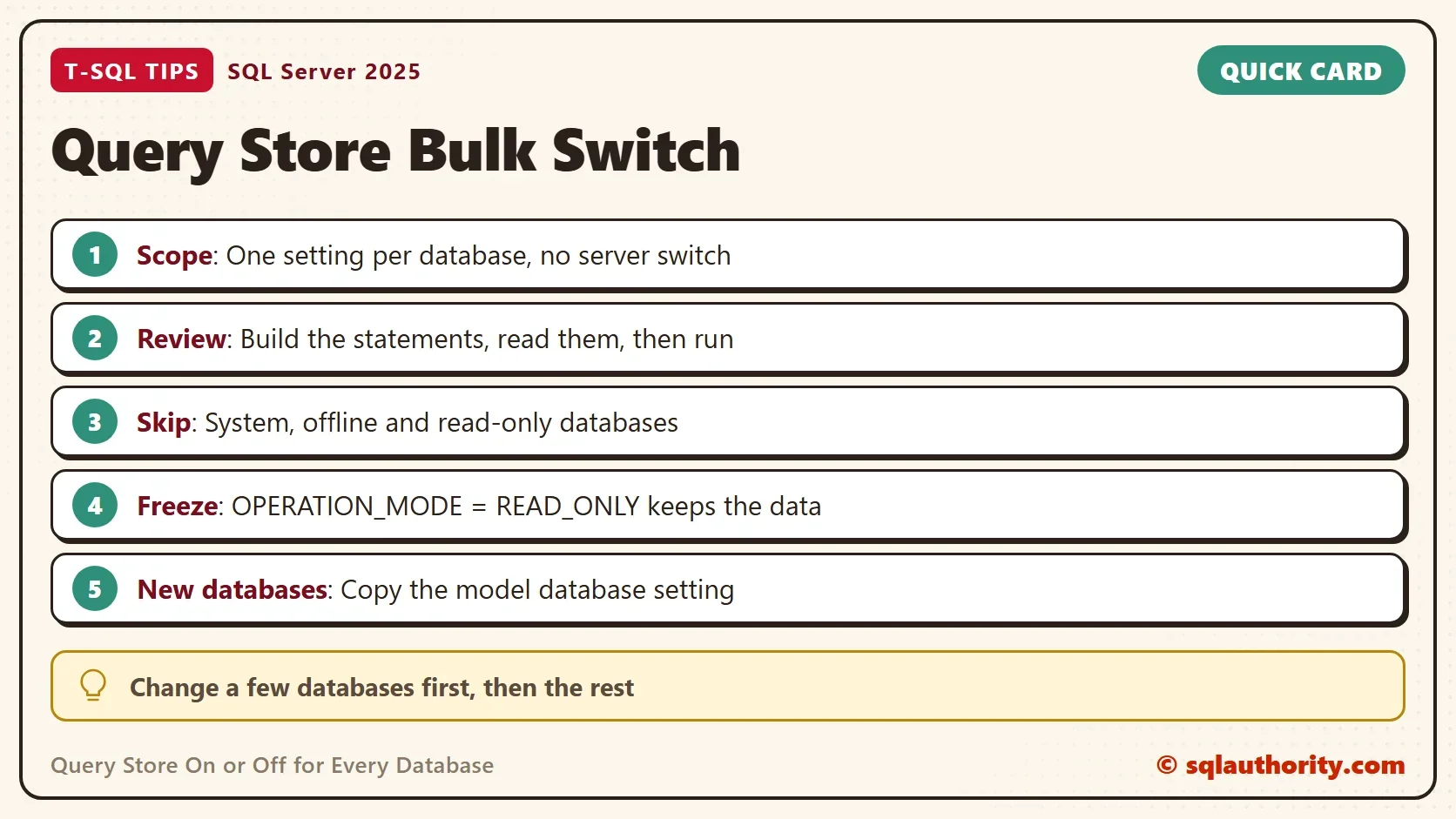
A database can also have Query Store in READ_ONLY mode. That keeps the collected data and stops new capture. It is a middle step, so measure the load before and after you rely on it. To ask for it, replace READ_WRITE in the statement with READ_ONLY.
Off Doesn’t Mean Empty
Turning Query Store off stops collection. The data already collected stays in the database. To remove it, use ALTER DATABASE ... SET QUERY_STORE CLEAR on purpose, and only after you decide you don’t need the history. Check the size first. The column current_storage_size_mb in sys.database_query_store_options shows how much space the history holds. A larger history is a reason to think twice.
New databases copy the model database. When model has Query Store on, every new database starts with it on. The next statement changes that default. It changes the model database of the whole instance, so run it only when you mean it.
-- New databases copy the model database. Turn Query Store off there to stop that.
ALTER DATABASE model SET QUERY_STORE = OFF;
-- Undo:
-- ALTER DATABASE model SET QUERY_STORE = ON;
Availability groups add rules of their own. If a database is a secondary replica, the change has to happen on the primary. Disable Query Store on an Always On Database: What Blocks It covers that case.
Check the Result
After switching Query Store on or off in bulk, read the real state again. The flag in sys.databases shows on or off. The status script from the earlier post also shows READ_ONLY states and reason codes. The statements need permission to alter each database, so run them as a sysadmin on a test server first.
Why Review First
You could argue that a loop over every database is simpler, and it is shorter. A loop that executes at once has no moment to read the list. A list you read first catches the wrong database before it changes. With a hundred databases, that moment is worth the extra block.
Change a few databases first, such as the least busy ones, and watch the server. Then do the rest. That is how the hosting client in the earlier post brought Query Store back after the hardware upgrade.
What to Remember
To switch Query Store on or off for many databases, generate the statements and read them. Then run them in one batch. Filter out system, offline and read-only databases. Remember the model database, because it decides what new databases get.
When you finish, drop the demo databases.
USE master;
GO
DROP TABLE IF EXISTS #Switch;
DROP DATABASE IF EXISTS QsSwitchDemoA;
DROP DATABASE IF EXISTS QsSwitchDemoB;
DROP DATABASE IF EXISTS QsSwitchDemoC;
Query Store is not a server setting, it is a switch on every database.
Published by Pinal Dave on SQLAuthority. More of my work at pinaldave.com.
Discover more from SQL Authority with Pinal Dave
Subscribe to get the latest posts sent to your email.