
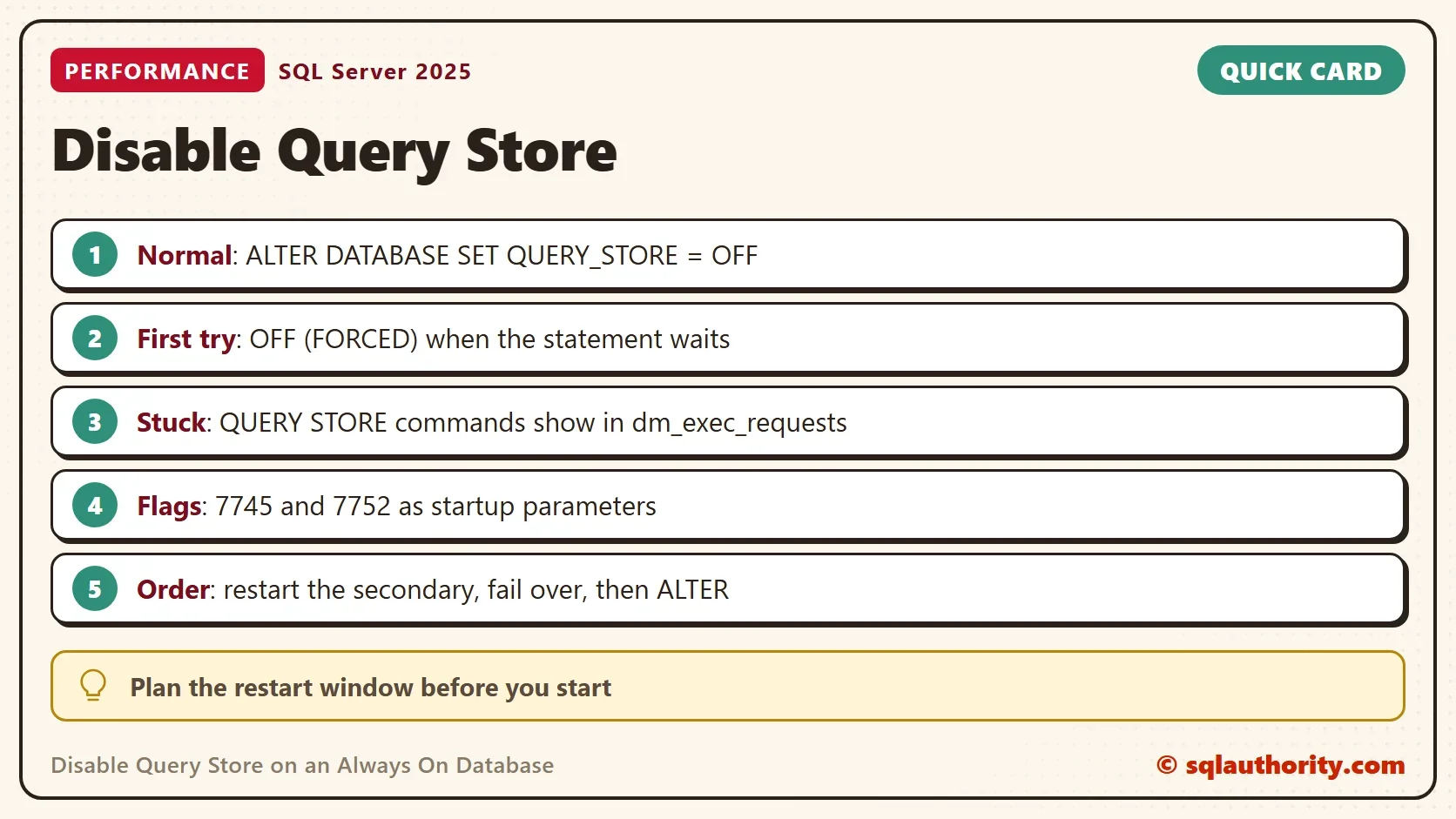
To disable Query Store on an Always On database, run ALTER DATABASE with QUERY_STORE = OFF. Try OFF (FORCED) when the statement waits. On a healthy database that is the whole job. On a busy Always On database the statement can hang. The cause sits in the background tasks of Query Store itself.

The Normal Way to Disable Query Store
A client turned on Query Store to troubleshoot a problem alone. Later the client wanted to disable Query Store on an Always On database. One database in an availability group would not let go. The first step in any case is to see what the plain command does on a database with no complications.
The demo creates a database named QueryStoreOffDemo, turns Query Store on, runs two queries and flushes the data to disk. The state view shows the desired state, which is the setting, and the actual state, which is what runs. The readonly_reason column explains a read-only state.
IF DB_ID(N'QueryStoreOffDemo') IS NULL CREATE DATABASE QueryStoreOffDemo;
GO
ALTER DATABASE QueryStoreOffDemo SET QUERY_STORE = ON (OPERATION_MODE = READ_WRITE, QUERY_CAPTURE_MODE = ALL);
GO
USE QueryStoreOffDemo;
GO
DROP TABLE IF EXISTS dbo.Tickets;
CREATE TABLE dbo.Tickets (TicketID int NOT NULL);
INSERT INTO dbo.Tickets (TicketID) VALUES (1), (2);
SELECT COUNT(*) AS TicketCount FROM dbo.Tickets;
EXEC sys.sp_query_store_flush_db;
SELECT desired_state_desc, actual_state_desc, readonly_reason FROM sys.database_query_store_options;
| desired_state_desc | actual_state_desc | readonly_reason |
|---|---|---|
| READ_WRITE | READ_WRITE | 0 |
The actual state can also read READ_ONLY, for example when Query Store reaches its size limit. The readonly_reason column then holds a code that names the cause. A read-only state needs its own fix, so read the reason before you decide to turn anything off.
Now disable Query Store. The demo runs the statement from master, so no session sits in the database. On a healthy database it finishes at once. Both states change to OFF. The data that Query Store collected stays in the database until you clear it.
USE master;
GO
ALTER DATABASE QueryStoreOffDemo SET QUERY_STORE = OFF;
GO
USE QueryStoreOffDemo;
GO
SELECT desired_state_desc, actual_state_desc FROM sys.database_query_store_options;
| desired_state_desc | actual_state_desc |
|---|---|
| OFF | OFF |
Try OFF (FORCED) When the Statement Waits
A second form of the statement adds the word FORCED. It asks SQL Server to turn Query Store off without waiting for the data flush to finish. The next script turns Query Store on again and then off with the forced form. The syntax works on this server. Try it first on a database where the plain command waits. Test it on your build before you rely on it in production.
USE master;
GO
ALTER DATABASE QueryStoreOffDemo SET QUERY_STORE = ON;
GO
ALTER DATABASE QueryStoreOffDemo SET QUERY_STORE = OFF (FORCED);
GO
USE QueryStoreOffDemo;
GO
SELECT desired_state_desc, actual_state_desc FROM sys.database_query_store_options;
ALTER DATABASE QueryStoreOffDemo SET QUERY_STORE CLEAR;
| desired_state_desc | actual_state_desc |
|---|---|
| OFF | OFF |
The CLEAR statement at the end removes the stored data. Run it only when you no longer need the history.
What Blocks the Statement on an Always On Database
In the client case, the statement to disable Query Store on an Always On database waited behind background threads. The command column of sys.dm_exec_requests showed three commands that start with QUERY STORE. They were an APRC check, a background flush of the database and an asynchronous flush. DBCC OPENTRAN then listed one old transaction named QDS nested transaction. The same session ran the background flush. Query Store was still processing its asynchronous captures.
SELECT session_id, command, wait_type, blocking_session_id
FROM sys.dm_exec_requests
WHERE command LIKE N'QUERY STORE%';

DBCC OPENTRAN;
A healthy server can show one of these rows for a moment. The trouble is rows that stay while the ALTER statement waits. On the demo database the first query returns no rows, and DBCC OPENTRAN reports no active open transactions. The query needs the VIEW SERVER STATE permission.
The Steps That Worked for the Client
The fix used two trace flags documented for Query Store. Flag 7745 keeps Query Store data from being written to disk during a failover or shutdown. Flag 7752 turns the load of Query Store data into an asynchronous task. That matters on SQL Server 2016 and 2017, because SQL Server 2019 and later load asynchronously by default. The old post does not name the client’s version.
Neither flag is turned on by default, as the check below shows for the test server. The test server has no availability group, so none of the following steps was run here. Treat them as the client’s record.
DBCC TRACESTATUS (7745, 7752);
| TraceFlag | Status | Global | Session |
|---|---|---|---|
| 7745 | 0 | 0 | 0 |
| 7752 | 0 | 0 | 0 |
- Add both trace flags as startup parameters on the primary and the secondary replica. Do not restart yet.
- Restart the SQL Server service on the secondary node.
- Fail the availability group over to the secondary node.
- Run the ALTER DATABASE statement that turns Query Store off.
- Restart the service on the first node.
- Fail the group back to the first node, if the group belongs there.
The statement then completed, and the client could disable Query Store on that database. The order matters. The flags take effect only after a restart. The failover then moves the work to a node that already runs with them.
Watch the Log While You Wait
You could argue that a restart and a failover are too heavy for a feature you can leave alone. That is fair when Query Store does no harm. It stops being fair when the hung statement holds a transaction open. An open transaction keeps the log from clearing, and a log that grows for hours can fill a disk. A reader reported a log over 300 GB and a restart before Query Store would turn off. That is a comment, not something measured here.
Watch the log space while the statement waits. Keep the size of Query Store bounded when you turn it on again.
What to Remember
Start with ALTER DATABASE and QUERY_STORE = OFF. Move to OFF (FORCED) when the plain statement waits. When the background commands still block it, plan the restart and failover steps with the two trace flags. Test the sequence on a copy of the group first. Before you disable Query Store on an Always On database, read the state view. A read-only state needs a different fix. When you finish with the demo, drop the example database.
USE master;
GO
DROP DATABASE IF EXISTS QueryStoreOffDemo;
A Query Store that will not turn off is not broken, it is still writing down what it saw.
Published by Pinal Dave on SQLAuthority. More of my work at pinaldave.com.
Discover more from SQL Authority with Pinal Dave
Subscribe to get the latest posts sent to your email.




2 Comments. Leave new
We have encountered same problem. We were not able to run any alter statements on query store, Transaction log grew beyond 300gb, secondary replica wasn’t catching up, I had to remove database from Availability group , added trace flags 7745 and 7752, changed database to simple mode, took full backup of the effected database (at this point tlog is still over 300gb not able to shrink it) and restarted the instance. After Restart effected database stayed in recovery for few minutes and became online. Then I was able to turn off Query store. My query store size grew up to 1.48 GB even though I set Max size to 300 MB, don’t understand why it grew beyond 300MB.
Finally I have cleared old query store data.
I suggest anyone trying to enable query store, please apply latest CU per Microsoft suggestion.
These trace flags are important for use with Query Store. Thanks for highlighting them. Although for disabling Query Store you might also try the command
ALTER DATABASE [DBName] SET QUERY_STORE = OFF (FORCED)