
These index design rules came from a client’s list of ten index don’ts, and readers argued with several of them. Some rules can be checked with a query. Others are warnings that break in the right workload. This post tests the checkable ones on a demo database and says which rules are alarms and which are laws.

The Client’s Index Design Rules
A fintech client built the list with me during health checks. It was short enough to pin above a developer’s desk. This table keeps the ten rules and adds the question each one raises.
| Rule | The question it raises |
|---|---|
| Don’t index every column | How many indexes cost too much? |
| Don’t create more than 7 indexes per table | Is 7 a limit, or a habit? |
| Don’t leave a table as a heap | When is a heap fine? |
| Don’t index every foreign key column | Which foreign keys need one? |
| Don’t rebuild an index too frequently | How frequent is too frequent? |
| Don’t use more than 5 to 7 key columns | When does a wide key pay off? |
| Don’t use more than 5 to 7 included columns | When does a covering index pay off? |
| Don’t add the clustering key to a nonclustered index | Does it cost space? |
| Don’t change the server fill factor | Where does fill factor belong? |
| Don’t ignore index maintenance | What does maintenance include? |
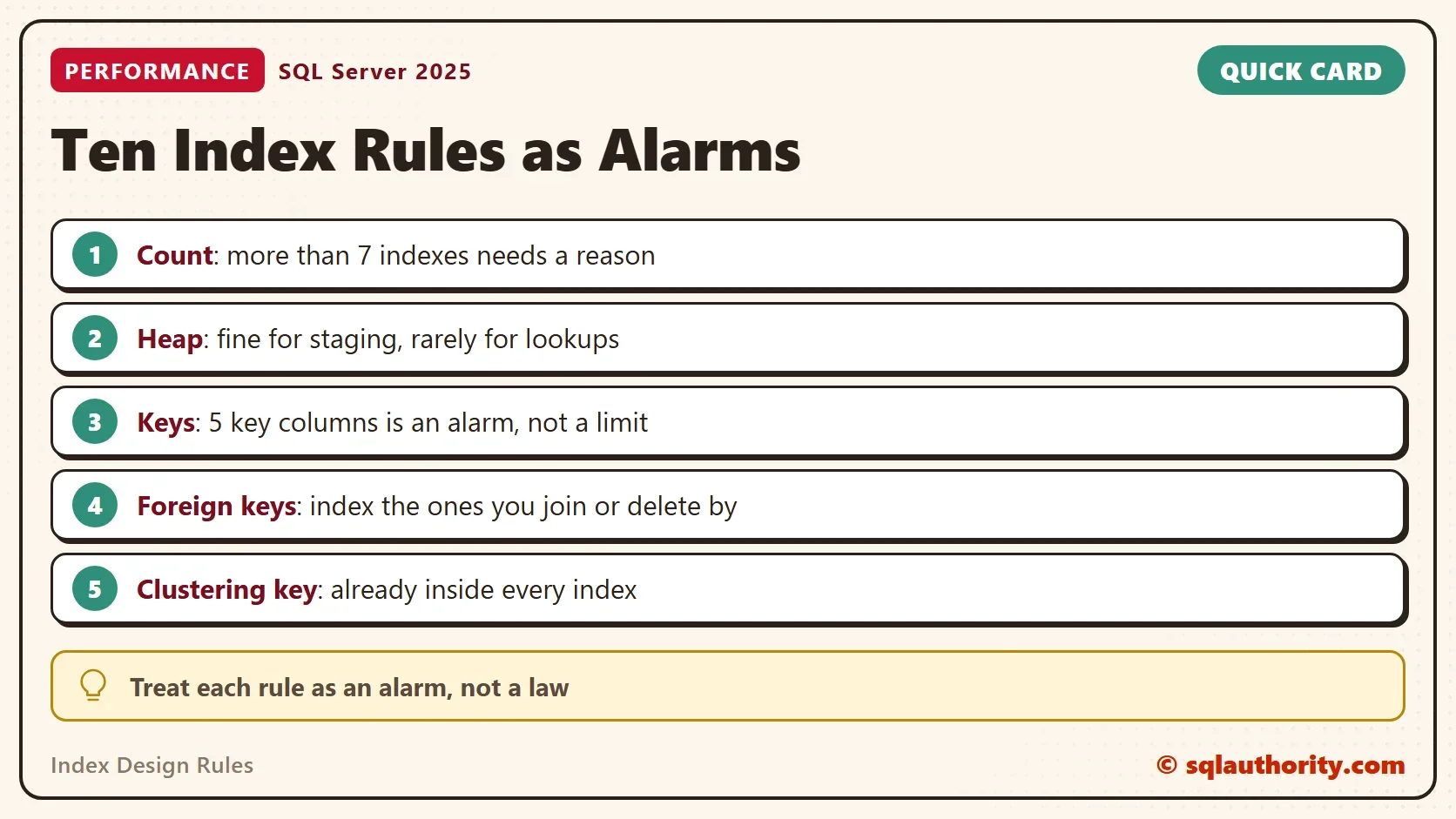
Treat the numbers in these index design rules as alarms. A table with nine indexes isn’t wrong. It is a table that needs someone to explain why. The demo below builds four tables that break rules on purpose, and queries show each break.
Build the Demo
The first script creates the demo database and four tables. Orders has ten indexes, one of them wide. Customers has a wide key and a clustering key made of two columns. AuditLog is a heap. Shipments has a foreign key with no index. The second script loads 20,000 rows into Orders and into Customers.
IF DB_ID(N'IndexRulesDemo') IS NULL CREATE DATABASE IndexRulesDemo;
GO
USE IndexRulesDemo;
GO
DROP TABLE IF EXISTS dbo.Shipments;
DROP TABLE IF EXISTS dbo.Orders;
DROP TABLE IF EXISTS dbo.AuditLog;
DROP TABLE IF EXISTS dbo.Customers;
CREATE TABLE dbo.AuditLog (EntryID int NOT NULL, Note nvarchar(60) NOT NULL);
CREATE TABLE dbo.Orders (
    OrderID int NOT NULL CONSTRAINT PK_Orders PRIMARY KEY,
    CustomerID int NOT NULL, ProductID int NOT NULL, Status tinyint NOT NULL, Region tinyint NOT NULL,
    Channel tinyint NOT NULL, Priority tinyint NOT NULL, CreatedOn date NOT NULL, Amount decimal(10,2) NOT NULL);
CREATE TABLE dbo.Shipments (
    ShipmentID int NOT NULL CONSTRAINT PK_Shipments PRIMARY KEY,
    OrderID int NOT NULL CONSTRAINT FK_Shipments_Orders REFERENCES dbo.Orders (OrderID),
    ShippedOn date NOT NULL);
CREATE TABLE dbo.Customers (
    DepartmentID int NOT NULL, CustomerID int NOT NULL, CustomerName nvarchar(60) NOT NULL, City nvarchar(40) NOT NULL,
    Phone nvarchar(20) NOT NULL, Email nvarchar(60) NOT NULL, Segment tinyint NOT NULL, Region tinyint NOT NULL, Tier tinyint NOT NULL,
    CONSTRAINT PK_Customers PRIMARY KEY (DepartmentID, CustomerID));
CREATE INDEX IX_Orders_CustomerID ON dbo.Orders (CustomerID);
CREATE INDEX IX_Orders_ProductID ON dbo.Orders (ProductID);
CREATE INDEX IX_Orders_Status ON dbo.Orders (Status);
CREATE INDEX IX_Orders_Region ON dbo.Orders (Region);
CREATE INDEX IX_Orders_Channel ON dbo.Orders (Channel);
CREATE INDEX IX_Orders_Priority ON dbo.Orders (Priority);
CREATE INDEX IX_Orders_CreatedOn ON dbo.Orders (CreatedOn);
CREATE INDEX IX_Orders_Amount ON dbo.Orders (Amount);
CREATE INDEX IX_Orders_Covering ON dbo.Orders (CustomerID, CreatedOn) INCLUDE (ProductID, Status, Region, Channel, Priority, Amount);
CREATE INDEX IX_Customers_Wide ON dbo.Customers (CustomerName, City, Phone, Email, Segment, Region) INCLUDE (Tier);
CREATE INDEX IX_Customers_Name ON dbo.Customers (CustomerName);
CREATE INDEX IX_Customers_NameExplicit ON dbo.Customers (CustomerName, DepartmentID, CustomerID);
CREATE INDEX IX_Customers_DeptName ON dbo.Customers (DepartmentID, CustomerName);
GO
INSERT INTO dbo.Orders (OrderID, CustomerID, ProductID, Status, Region, Channel, Priority, CreatedOn, Amount)
SELECT TOP (20000) n, n % 500, n % 200, n % 4, n % 5, n % 3, n % 3, DATEADD(DAY, n % 365, '2026-01-01'), n % 90 + 10
FROM (SELECT ROW_NUMBER() OVER (ORDER BY (SELECT NULL)) AS n
      FROM sys.all_columns AS a CROSS JOIN sys.all_columns AS b) AS x;
INSERT INTO dbo.Customers (DepartmentID, CustomerID, CustomerName, City, Phone, Email, Segment, Region, Tier)
SELECT TOP (20000) n % 50 + 1, n, CONCAT(N'Customer ', n), N'Austin', N'555-0100', CONCAT(N'c', n, N'@example.com'), n % 5, n % 4, n % 3
FROM (SELECT ROW_NUMBER() OVER (ORDER BY (SELECT NULL)) AS n
      FROM sys.all_columns AS a CROSS JOIN sys.all_columns AS b) AS x;
Rules 2, 3, 6 and 7: Audit the Counts
Four rules are counts: indexes per table, heaps, key columns and included columns. One query checks all four. The three thresholds sit at the top, so you can change them to the numbers your team accepts. The query counts the primary key as an index, as the rule does.
DECLARE @MaxIndexes int = 7, @MaxKeyColumns int = 5, @MaxIncluded int = 5;
WITH PerTable AS (
    SELECT s.name AS SchemaName, t.name AS TableName,
           COUNT(CASE WHEN i.index_id > 0 THEN 1 END) AS IndexCount,
           MAX(CASE WHEN i.type = 0 THEN 1 ELSE 0 END) AS IsHeap,
           MAX(c.KeyColumns) AS MaxKeyColumns,
           MAX(c.IncludedColumns) AS MaxIncludedColumns
    FROM sys.tables AS t
    INNER JOIN sys.schemas AS s ON s.schema_id = t.schema_id
    INNER JOIN sys.indexes AS i ON i.object_id = t.object_id
    OUTER APPLY (SELECT SUM(CASE WHEN ic.is_included_column = 0 THEN 1 ELSE 0 END) AS KeyColumns,
                        SUM(CASE WHEN ic.is_included_column = 1 THEN 1 ELSE 0 END) AS IncludedColumns
                 FROM sys.index_columns AS ic
                 WHERE ic.object_id = i.object_id AND ic.index_id = i.index_id) AS c
    WHERE t.is_ms_shipped = 0
    GROUP BY s.name, t.name
)
SELECT SchemaName, TableName, IndexCount, MaxKeyColumns, MaxIncludedColumns,
       ISNULL(NULLIF(CONCAT_WS(N'; ',
           IIF(IsHeap = 1, N'Heap', NULL),
           IIF(IndexCount > @MaxIndexes, N'Too many indexes', NULL),
           IIF(MaxKeyColumns > @MaxKeyColumns, N'Wide key', NULL),
           IIF(MaxIncludedColumns > @MaxIncluded, N'Many included columns', NULL)), N''), N'OK') AS Flags
FROM PerTable
ORDER BY TableName;| SchemaName | TableName | IndexCount | MaxKeyColumns | MaxIncludedColumns | Flags |
|---|---|---|---|---|---|
| dbo | AuditLog | 0 | NULL | NULL | Heap |
| dbo | Customers | 5 | 6 | 1 | Wide key |
| dbo | Orders | 10 | 2 | 6 | Too many indexes; Many included columns |
| dbo | Shipments | 1 | 1 | 0 | OK |
A flag is a prompt for a conversation. AuditLog is a heap. A heap suits a staging or log table that is only appended to and read in full. It hurts when you look rows up by a key. Customers has a six column key. That is fine when queries filter on all six, and a waste when they filter on one.
Rule 4: Foreign Keys
The rule says not to index every foreign key. A reader objected that an index on a foreign key helps many queries, and the reply changed the wording. Both are right. An index on a foreign key column helps joins to the parent. It also helps deletes in the parent, because SQL Server must check the child table for each deleted row. Without an index that check scans the child.
So list the foreign keys that have no index on their first column. Then decide for each one with the workload in front of you.
SELECT OBJECT_NAME(fk.parent_object_id) AS TableName, fk.name AS ForeignKey, COL_NAME(fkc.parent_object_id, fkc.parent_column_id) AS FirstColumn
FROM sys.foreign_keys AS fk
INNER JOIN sys.foreign_key_columns AS fkc ON fkc.constraint_object_id = fk.object_id AND fkc.constraint_column_id = 1
WHERE NOT EXISTS (SELECT 1 FROM sys.index_columns AS ic
                  WHERE ic.object_id = fk.parent_object_id AND ic.key_ordinal = 1 AND ic.column_id = fkc.parent_column_id)
ORDER BY TableName, ForeignKey;| TableName | ForeignKey | FirstColumn |
|---|---|---|
| Shipments | FK_Shipments_Orders | OrderID |
Rules 1 and 2: What an Index Costs
A new index costs every insert. SQL Server writes each new row into every index of the table. After the load, every index of Orders shows 20,000 inserts.
SELECT i.name AS IndexName, os.leaf_insert_count AS LeafInserts
FROM sys.indexes AS i
CROSS APPLY sys.dm_db_index_operational_stats(DB_ID(), i.object_id, i.index_id, NULL) AS os
WHERE i.object_id = OBJECT_ID(N'dbo.Orders')
ORDER BY i.name;
All ten rows show 20,000. An update is different. It changes only the indexes that hold a changed column, and a reader made that point against the rule. The next script updates Status on 1,000 orders and reports what each index recorded.
DECLARE @before TABLE (IndexName sysname, Ins bigint, Gh bigint, Upd bigint);
INSERT @before
SELECT i.name, os.leaf_insert_count, os.leaf_ghost_count, os.leaf_update_count
FROM sys.indexes AS i
CROSS APPLY sys.dm_db_index_operational_stats(DB_ID(), i.object_id, i.index_id, NULL) AS os
WHERE i.object_id = OBJECT_ID(N'dbo.Orders');
UPDATE dbo.Orders SET Status = (Status + 1) % 4 WHERE OrderID <= 1000;
SELECT i.name AS IndexName, os.leaf_insert_count - b.Ins AS Inserted, os.leaf_ghost_count - b.Gh AS Ghosted, os.leaf_update_count - b.Upd AS Updated
FROM sys.indexes AS i
CROSS APPLY sys.dm_db_index_operational_stats(DB_ID(), i.object_id, i.index_id, NULL) AS os
INNER JOIN @before AS b ON b.IndexName = i.name
WHERE i.object_id = OBJECT_ID(N'dbo.Orders')
ORDER BY i.name;
| IndexName | Inserted | Ghosted | Updated |
|---|---|---|---|
| IX_Orders_Amount | 0 | 0 | 0 |
| IX_Orders_Channel | 0 | 0 | 0 |
| IX_Orders_Covering | 0 | 0 | 1000 |
| IX_Orders_CreatedOn | 0 | 0 | 0 |
| IX_Orders_CustomerID | 0 | 0 | 0 |
| IX_Orders_Priority | 0 | 0 | 0 |
| IX_Orders_ProductID | 0 | 0 | 0 |
| IX_Orders_Region | 0 | 0 | 0 |
| IX_Orders_Status | 1000 | 1000 | 0 |
| PK_Orders | 0 | 0 | 1000 |
Three indexes did work: the one on Status, the one that includes Status, and the clustered primary key. The other seven recorded nothing. So the cost of ten indexes depends on the write pattern. A table that is mostly updated in one column carries ten indexes cheaply. A table that takes bulk inserts pays for all ten every time. That is why the limit of seven works as an alarm and not as a law.
Rule 8: The Clustering Key
Every nonclustered index carries the clustering key already. Customers is clustered on DepartmentID and CustomerID. Three indexes use those columns in three ways. The first names only CustomerName. The second adds the clustering key columns explicitly, at the end. The third puts DepartmentID first.
SELECT i.name AS IndexName, ps.in_row_data_page_count AS Pages
FROM sys.indexes AS i
INNER JOIN sys.dm_db_partition_stats AS ps ON ps.object_id = i.object_id AND ps.index_id = i.index_id
WHERE i.object_id = OBJECT_ID(N'dbo.Customers') AND i.name IN (N'IX_Customers_Name', N'IX_Customers_NameExplicit', N'IX_Customers_DeptName')
ORDER BY i.name;
| IndexName | Pages |
|---|---|
| IX_Customers_DeptName | 112 |
| IX_Customers_Name | 112 |
| IX_Customers_NameExplicit | 112 |
All three take 112 pages. SQL Server doesn’t store the clustering key twice, so naming it at the end costs nothing. The rule is right that it adds nothing there. It is wrong when the column goes first. A key that starts with DepartmentID serves queries that filter on department, and the other two can’t seek on it. So the rule holds only for the tail position.
Rules 5, 9 and 10: Maintenance
A nightly rebuild costs log space and time. Rebuild when the data says so. Update statistics on a tighter schedule than you rebuild. Fill factor belongs on the index. The server default is 0, which means full pages. One lower value for every index wastes space on indexes that never split. Maintenance is also more than rebuilds. It includes dropping indexes nobody reads, which Unused Index Script: Find Indexes That Only Cost You Writes finds.
Where the Index Design Rules Break
You could argue that a limit of seven is arbitrary. It is. Readers pointed to tables with 80 columns and to ERP products that ship with their own indexes. Those tables need more, and the right number is whatever the workload proves.
One reader noted that a table with one clustered index can still be slow. Following rules never replaces workload analysis. The post on Reasons for Slow Performance in SQL Server: The Top Five covers that.
What to Remember
Treat index design rules as alarms, and use the audit query to raise them. Explain every flag, don’t only fix it. Count what each index costs your writes, and drop the ones that cost more than they serve. Run the cleanup when you finish the demo.
USE master;
GO
IF DB_ID(N'IndexRulesDemo') IS NOT NULL
BEGIN
    ALTER DATABASE IndexRulesDemo SET SINGLE_USER WITH ROLLBACK IMMEDIATE;
    DROP DATABASE IndexRulesDemo;
END;
An index rule is not a law, it is a question you must be able to answer.
Published by Pinal Dave on SQLAuthority. More of my work at pinaldave.com.
Discover more from SQL Authority with Pinal Dave
Subscribe to get the latest posts sent to your email.




16 Comments. Leave new
i am DBA on database for dynamics ax 2012 r2 and i face problem on performance for some tables there is built in indexes with the custom that comes from query so the count of them more than 7 indexes per some tables so is it possible to be special case
also i need to create script for specific table (not all tables) inside dynamics database to check which indexes need rebuild and which need reorganize
Not sure I agree with #4. Yes, there are cases where adding an index on FKs is not needed, but very frequently FKs benefit frim from an index.
Great Point Peter,
The title of the blog post is what not to do. Very often people create indexes all the FK and eventually build lots of indexes. The goal is not to create indexes on every single FK.
One has to do a proper analysis of their workload and come up with 5-7 best possible indexes. Creating indexes on all the FK may just lead to lots of indexes, which do not necessarily help the performance.
Now after workload analysis, if you find you need to create an index on FK, absolutely is welcome.
However, I see, why this statement can pass an incorrect messages. Let me modify it a bit more to pass the correct intent.
Thanks for bringing to my attention.
Don’t add your clustered index key in your non-clustered index
What is wrong with this ? I understand clustering key will be already part of the NC. I don’t think SQL server will duplicate it even clustering key columns are added explicitly in NC.
Sometime it is useful to have clustering key column for the included non cluster index. For example high selective seekable queries.
So my opinion is not to generalise it.
The question is if it is already part of it, why add them again? The reason of high selective seekable queries will just work without even adding the keys.
I disagree with you!
My example shows a situation where all data is stamped with a DepartmentID. A given user may only see data from his own department. This is implemented by using RowLevelSecurity or by using a framework that adds DepartmentID to all queries. (Dyn Ax adds dataAreaId – the dataAreaId field stores the company that the record is belonging to).
Let’s say that the company has 1000 departments! And we have this table.
CREATE TABLE dbo.Customer
(
DepartmentID INT NOT NULL
CONSTRAINT FK_Customer_Department FOREIGN KEY
REFERENCES dbo.Department (DepartmentID),
CustomerID INT NOT NULL,
Name VARCHAR(40) NOT NULL,
Adress VARCHAR(40) NOT NULL,
Zipcode SMALLINT NOT NULL,
DeliveryAdress VARCHAR(40) NULL,
DeliveryZipcode SMALLINT NULL,
BillingAdress VARCHAR(40) NULL,
BillingZipcode SMALLINT NULL,
CONSTRAINT PK_Customer PRIMARY KEY CLUSTERED (DepartmentID, CustomerID)
);
If we execute the following SELECT-statement
SELECT CustomerID, Name, DeliveryAdress, DeliveryZipcode
FROM dbo.Customer
WHERE Name = <>;
the performance will be different depending on which index is defined
.
1.
CREATE INDEX nc_Customer_3_6_7
ON dbo.Customer (Name, DeliveryAdress, DeliveryZipcode);
2.
CREATE INDEX nc_Customer_1_3_8_9
ON dbo.Customer (DepartmentID, Name, DeliveryAdress, DeliveryZipcode);
3.
CREATE INDEX nc_Customer_3_1_8_9
ON dbo.Customer (Name, DepartmentID, DeliveryAdress, DeliveryZipcode);
because the executed statement will be
SELECT CustomerID, Name, DeliveryAdress, DeliveryZipcode
FROM dbo.Customer
WHERE Name = @Name AND DepartmentID = <>;
Index number 1 will be the bad index!!!!
If we create this index
4.
CREATE INDEX nc_Customer_1_3_8_9_2
ON dbo.Customer (DepartmentID, Name, DeliveryAdress, DeliveryZipcode)
INCLUDE (CustomerID);
UPDATE STATISTICS will be faster, because we don’t sort on column CustormerID at index 4. See the output from following statement.
DBCC SHOW_STATISTICS (Kunde, ‘nc_Kunde_1_3_8_9’) WITH DENSITY_VECTOR;
DBCC SHOW_STATISTICS (Kunde, ‘nc_Kunde_1_3_8_9_2’) WITH DENSITY_VECTOR;
And why did MS change from 250 to 1000 index on each table – not because 7 is the limit!!!! It is always dangerous to state a rule – someone believes it to be the truth.
Absolutely no issue, as long as your system is working fine with too many indexes, you should not have any problem.
I am not talking about too many indexes, but the right number of indexes. Maybe 4 is too many – there should only be 2. Why 7?
There are many tables with a lot of columns. SALESLINE in Dyn Ax has 80 columns. For making covered indexes for own statement (also performance) and indexes for Dyn Ax statement, 7 could be to few.
So instead of a limit on 7, you should talk about the right indexes with columns in the right order – and it is not necessary with clustered columns last. And if you use 11 columns of the SALESLINE table, maybe you should create an (covered) index with 11 columns.
I shared what I find at my client’s. Let us say in the last 10 years, my 99% of the clients were happy with 7 or fewer indexes.
Maybe it’s small databases? But MS’s experience says that in version 2008 R2 it was necessary to expand from 250 to 1000 index per table. With their experience, I think it is dangerous to make a general recommendation of max 7. Such a recommendation is considered by some – many – as a rule.
I often hear that many indexes are problematic due to INSERT, DELETE and UPDATE. But it is also a truth with modifications. Yes, all indexes need to be updated by INSERT and DELETE. However, only those indexes where altered values in the columns involved are affected by an UPDATE – not the columns referred to in the UPDATE statement, but only columns with altered values. And since most systems perform significantly more UPDATE than INSERT + DELETE statements, this argument falls short of having few indexes.
So the important thing for me is to understand exactly how index is structured, how they are used, how an index can be applied to several different statements, …., the best order of columns and this include the right position of the cluster-key. Use INCLUDE for better possibility for UPDATE STATISTICS, … And make sure they are maintained optimally with reorganize / rebuild and UPDATE STATISTICS.
Maybe the index is rowstore index, maybe it’s columnstore index, maybe an indexed view needs to be defined on the table, or a mix of all these. So maybe it’s 2 indexes, maybe it’s 20 indexes, …. But don’t stop when you reach 7, if more index will be better and stop before 7 when this is enough!
Hi Carsten,
My most consulting engagements are for TB of the databases.
I appreciate your opinion is different from me.
However, as I said, I have found maximum number of 7 indexes efficient in 99% of my business cases. When I see that even 10% need a different number, I will for sure change the recommendations.
I have come to believe that 7 is the max you want as indexes and in most cases 4-5 are great enough! So in reality, usually I stop at 4-5.
This is such a broad statement to claim there will be no performance issues.
Based on the above, if I had a database where each table only had a single clustered index on an auto incrementing Id and contained millions of rows, there would be no performance issues. No chance!
What about covering indexes to improve query performance? Most of the time they have more then 5-7 columns..
As long as you are under 5-7 columns and 5-7 indexes, you are good.
@Carsten:
> But MS’s experience says that in version 2008 R2 it was necessary to expand from 250 to 1000 index per table.
Just because you *can* do something, doesn’t mean that it is a good idea.
>With their experience, I think it is dangerous to make a general recommendation of max 7.
If you follow Brent Ozar, you will find that his general guideline – not a hard and fast rule – is that a table should not have more than 5 indexes. So Pinal says 7, and Brent says 5, based on their experience.
> There are many tables with a lot of columns. SALESLINE in Dyn Ax has 80 columns.
I’m not familiar with this particular database, but another general rule – not hard and fast – is that a properly normalized database will have about 25-35 columns maximum in any table. Perhaps SALESLINE in Dyn Ax is not a shining example of a properly normalized database. So yeah, maybe you do need more indexes in this case.
My problem is that you specify a limit at all, instead of talking about what indexes are needed for a table and the manipulations that are made against this table. For 5 indexes may as well be too many for a table. Maybe there should only be 2 indexes.
It is important to emphasize that normalization has nothing to do with the number of columns. A table with 80 columns can be on 5NF. Normalization says something about the relationships between information in different columns – key and non-key columns. But creating a table with 80 columns, can be a bad physical design. When going from the logical model to the physical model, it must be decided, whether you should split the 80 columns into several tables based on user scenarios and/or performance and/or null-notnull and/or ….
But I’m sure, that MS makes this changes in 2008, because there was a need. The changes could create many complications, so they don’t do it just because … And there is far way from 5/7 over 250 to 1000. By defining that kind of restriction, you can also get the impression, that if you just staying below 5/7, then everything is fine, and this is not truth. It is important to know the consequences of how the index is defined and how SQL Server then uses these indexes.