A Recovery Pending state means SQL Server could not finish opening a database. A file error is the usual reason. The state does not name the file or the cause. The error log does, so start there before you choose any repair command.

The Client Case Behind This Post
During a Comprehensive Database Performance Health Check, a client said one database went to recovery pending at random times. The error log showed repeated startup messages and a failed log file open.
Error 17204: FCB::Open failed for the database log file.
OS error 32: The process cannot access the file because it is being used by another process.
Error 5105: A file activation error occurred.
Error 5170: Cannot create the file because it already exists.
The file-in-use error was the real starting point. The later file-exists message was not an instruction to delete the transaction log. Keep the whole error sequence and look at the first failure.
Reproduce Two File Errors
I reproduced the state on SQL Server 2025 with scratch databases. I took one offline, changed the path of its log file, and set it online again. Each attempt failed, and both left the database in RECOVERY_PENDING.
| Log path pointed at | What SQL Server said | Error log |
|---|---|---|
| A file that does not exist | Msg 5181 and Msg 5069, file activation failure | Operating system error 2, the system cannot find the file specified |
| The log file another database had open | Msg 5120, operating system error 32 | FCB::Open failed, then a file activation error |
The second row has the same error as the client case. SQL Server asked for a file that something else already held open. In the lab, that was another database. In the client’s environment, security software was involved.
Find the Database and Its Files
List every database that is not online or has AUTO_CLOSE on. Then list the file paths of the suspect. Run both from an authorized DBA login, because metadata visibility depends on permissions.
SELECT name, state_desc, is_auto_close_on
FROM sys.databases
WHERE state_desc <> N'ONLINE' OR is_auto_close_on = 1
ORDER BY name;
SELECT file_id, name, type_desc, state_desc, physical_name
FROM sys.master_files
WHERE database_id = DB_ID(N'SalesDemo')
ORDER BY file_id;
A path in the catalog does not prove that Windows can open the file right now. Replace SalesDemo with the affected database. An empty result can mean a wrong name or limited permissions. If you cannot find the log, see ways to find the ERRORLOG.
Follow the Specific Error
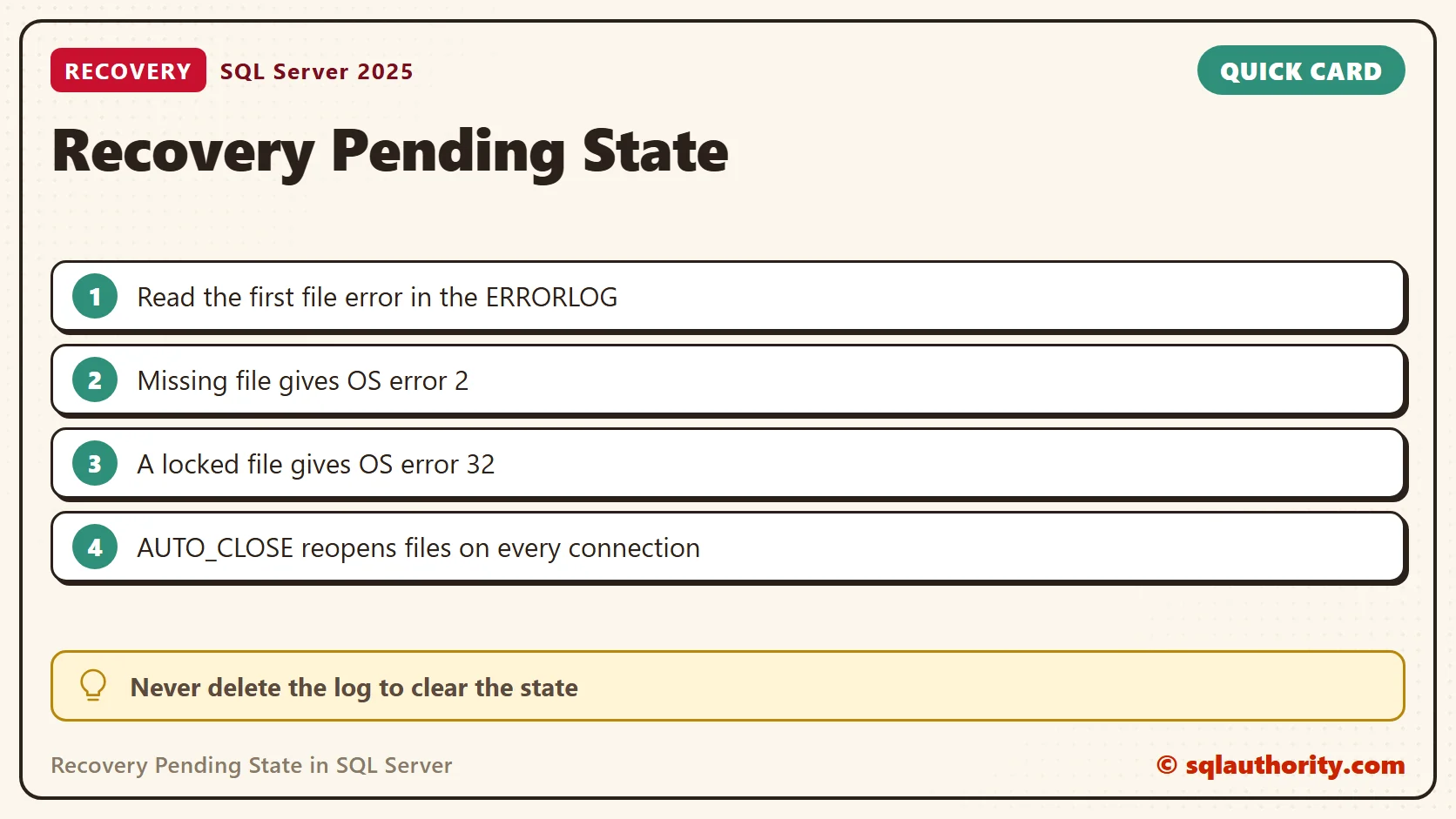
Read the first error for the database, then act on that one. A missing file calls for the storage and the expected path. Compare the catalog path with the folder on disk. Access denied calls for the service account’s file permissions. A file in use calls for finding the process that holds it, with the system or security team.
What Resolved This Case: AUTO_CLOSE and Antivirus
In the client’s environment, AUTO_CLOSE was on, and real-time antivirus scanning conflicted with the file access. We turned AUTO_CLOSE off and adjusted the antivirus configuration for SQL Server. The behavior did not return.
AUTO_CLOSE closes a database when its last connection leaves and reopens the files on the next connection. I opened five separate connections to a database with AUTO_CLOSE on, one second apart. The error log showed five lines of Starting up database, one for each. Every reopening gives other software a chance to grab the files. The related post on repeated database startup messages explains this pattern.
Count the startup lines per database to see which ones restart most frequently. A database with dozens of startups in one log is a candidate for this problem.
CREATE TABLE #startups (LogDate datetime, ProcessInfo nvarchar(50), LogText nvarchar(max));
INSERT #startups EXEC master.dbo.xp_readerrorlog 0, 1, N'Starting up database';
SELECT database_name, COUNT(*) AS startups, MAX(LogDate) AS last_startup
FROM (SELECT LogDate, SUBSTRING(LogText, CHARINDEX('''', LogText) + 1,
             CHARINDEX('''', LogText, CHARINDEX('''', LogText) + 1) - CHARINDEX('''', LogText) - 1) AS database_name
      FROM #startups) AS s
GROUP BY database_name
ORDER BY startups DESC;
DROP TABLE #startups;
On my instance the AUTO_CLOSE scratch database topped the list, ahead of databases that had no such setting. Then read the lines for that one database and switch the option off.
EXEC master.dbo.xp_readerrorlog 0, 1, N'Starting up database', N'SalesDemo';
ALTER DATABASE SalesDemo SET AUTO_CLOSE OFF;
SELECT name, is_auto_close_on FROM sys.databases WHERE name = N'SalesDemo';
Antivirus exclusions should follow the SQL Server guidance from your security vendor. Make targeted changes with the security team. Do not turn protection off broadly.
Bring the Database Back
After you correct the path, permission or lock, set the database online. In my lab, that moved it from RECOVERY_PENDING to ONLINE. An availability group database needs its own supported workflow instead.
ALTER DATABASE SalesDemo SET ONLINE;
SELECT name, state_desc FROM sys.databases WHERE name = N'SalesDemo';
Do not delete database files, rebuild a log or choose a data-loss repair because the state says RECOVERY_PENDING. Keep your backups and logs. If the evidence points to corruption, or recovery stays blocked, give the whole error history to your DBA.
A recovery pending state is not the cause, it is a signal to find what stopped recovery.
Published by Pinal Dave on SQLAuthority. More of my work at pinaldave.com.
Discover more from SQL Authority with Pinal Dave
Subscribe to get the latest posts sent to your email.