
Sometimes there are unexpected errors and it’s always fun to find the cause of them. In this blog, we would learn about fixing an error which I received while doing create catalog from SQL Server Management Studio.
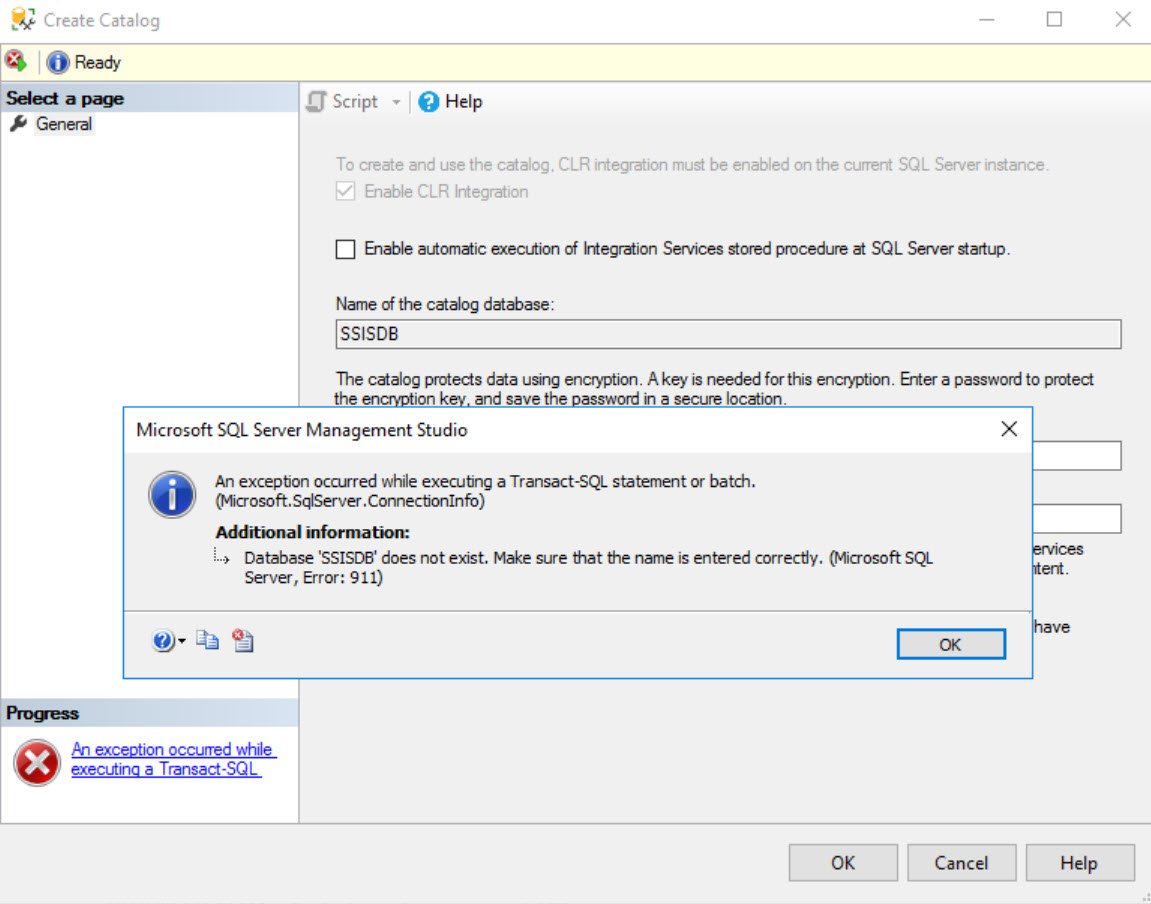
The text of the complete message when we click on more details icon.
Database ‘SSISDB’ does not exist. Make sure that the name is entered correctly. (.Net SqlClient Data Provider)
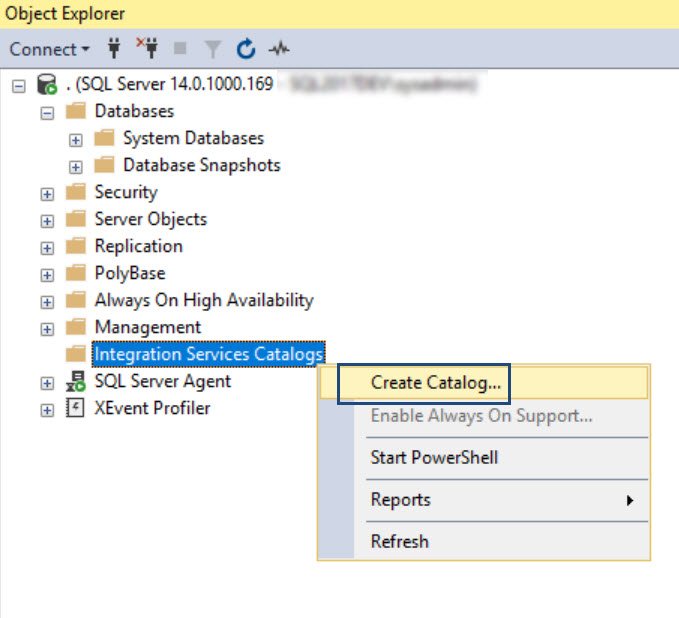
Here is the option which you would choose to create the SSIS Catalog.
WORKAROUND/SOLUTION
“When in doubt use SQL Server Profiler” – with this evergreen thought, I opened profiler and did same steps again to capture the cause of error displayed above. We can clearly see the same error which is in the user interface.

But, here is another error, which is the root cause of the issue. This was before the error shown above.
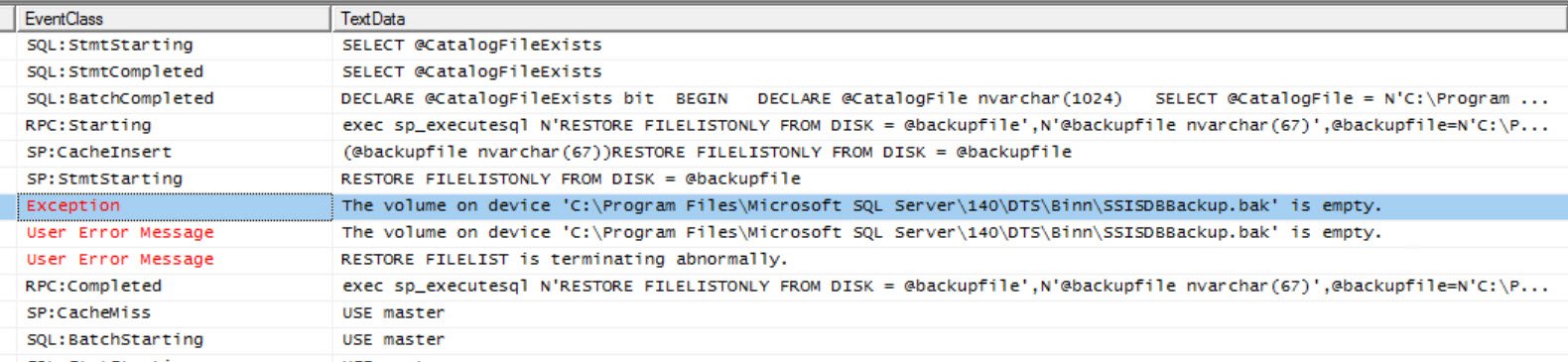
As we can see in the message, RESTORE command is failing with an error. When I checked the file, its size was ZERO KB! The message is perfectly valid. Since the restore command failed, SQL could not get the database and hence we get an error: “Database ‘SSISDB’ does not exist. Make sure that the name is entered correctly.
If you are running into the same situation, you can get the file from some other working server (make sure the SQL version is same) or you can also perform repair of the shared components
Published by Pinal Dave on SQLAuthority. More of my work at pinaldave.com.


2 Comments. Leave new
I ran into the same problem, bu tthe cause was différent for me. I checked everything I found on the net for several hours, and then decided to re-laucnh SQLServer Setup, hoping it will fix the installation.
On the screen where you choose the functionnalities to install , I got a message saying the directories c:\program files and c:\program files (x86) had an unsupported argument: they were compressed!! I then check on Explorer, and effectively, those directories had the “compress this directory….” checked in their Advanced properties.
I unchecked the box, wait the change to be applied, and then tried again: succcess!!!
Just found that the same error message occurs if there is not enough disk space on the server to restore the SISSDB database. Annoying, but simple to fix!