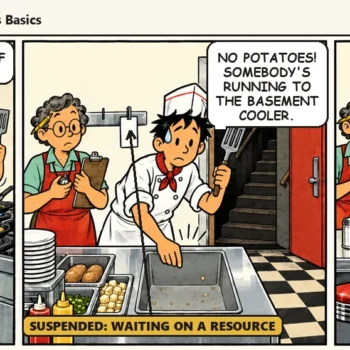
Real-time troubleshooting views matter most when a query that ran in 200 milliseconds yesterday takes 14 seconds today. The application team noticed before the monitoring tool did.
By the time someone opens the database server, there are 47 sessions in the active requests view. Three of them are blocked. One of those holds a lock that has been open for six minutes. Nobody can say what that session is doing, who it belongs to, or whether killing it is safe. This is not a hardware problem. It is a visibility problem.
The Gap Between Data and Diagnosis
SQL Server produces an enormous amount of real-time performance data. The dynamic management views hold everything a DBA needs to see what is happening on an instance at any moment. They include sys.dm_exec_requests, sys.dm_os_wait_stats, sys.dm_exec_query_stats, sys.dm_exec_sessions and sys.dm_db_index_operational_stats. The problem is not that the data is missing. Raw DMV output is not a troubleshooting interface.
Join sys.dm_exec_requests to sys.dm_exec_sql_text and sys.dm_exec_query_plan. You get the active request, the statement text and the cached execution plan. That is useful. But writing that query at 9 PM, under pressure, while someone waits for an update, is a different experience. A live view that refreshes every few seconds and highlights what matters is easier.
Monitoring platforms such as Idera SQL Diagnostic Manager exist to show those DMV relationships in a live operational view. DBAs then do not have to rebuild them by hand during an incident. Real-time performance views bridge the gap. They take the same data and shorten the time between opening the tool and knowing what to do next.
What Belongs in a Real-Time View
Not everything belongs in a live dashboard. Index fragmentation trends, storage growth and backup history only make sense over hours or days. Adding them turns a diagnostic tool into a reporting tool, and the two serve different purposes.
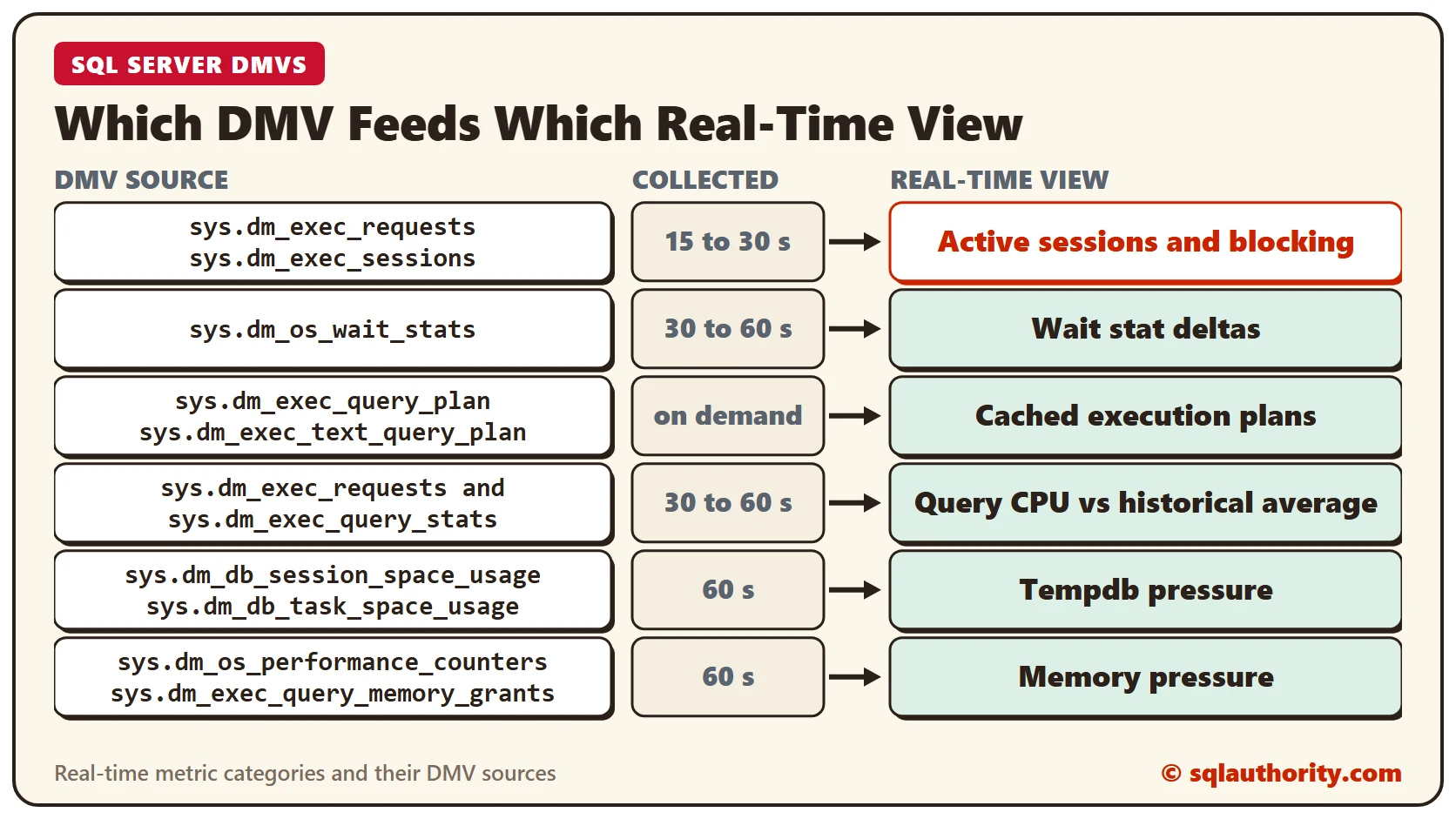
A metric belongs in a real-time view when a change in the last 30 to 60 seconds means something. The table below maps each category to its source DMV, a collection interval and what it tells you.
| Metric Category | Primary DMV(s) | Collection Interval | What It Tells You |
|---|---|---|---|
| Active Sessions & Blocking | sys.dm_exec_requests, sys.dm_exec_sessions | 15 to 30 seconds | Who is running, who is blocked, how long, and what the wait type is. Renders as a blocking chain tree. |
| Wait Stat Deltas | sys.dm_os_wait_stats (sampled at intervals) | 30 to 60 seconds | Rate of change in PAGEIOLATCH, LCK_M, CXPACKET, CXCONSUMER, and SOS_SCHEDULER_YIELD. Not cumulative totals. |
| Cached Execution Plans | sys.dm_exec_query_plan, sys.dm_exec_text_query_plan | On demand | Cached plan SQL Server is using for any active request. Use sys.dm_exec_query_profiles for operator-level in-flight data. |
| Query CPU vs Historical Avg | sys.dm_exec_requests correlated via query_hash to sys.dm_exec_query_stats | 30 to 60 seconds | Whether current execution is anomalous or simply expensive as usual. query_hash links current requests to their historical aggregate. |
| Tempdb Pressure | sys.dm_db_session_space_usage, sys.dm_db_task_space_usage, sys.dm_exec_requests | 60 seconds | Version store size, allocation page contention, and per-session and per-task tempdb usage for a complete pressure picture. |
| Memory Pressure | sys.dm_os_performance_counters, sys.dm_exec_query_memory_grants | 60 seconds | Sustained downward trend in PLE, not raw value, is the signal. Memory grants pending indicates workload waiting on memory allocation. |
Table 1: real-time metric categories, their DMV sources and their diagnostic value.
How Often to Collect
The flow is straightforward. DMV sources feed a collection engine, and the collection engine drives the real-time views a DBA works with. The collection intervals are not arbitrary. They trade diagnostic resolution against the overhead on the monitored instance.
A higher collection frequency puts more load on the monitored instance and uses more storage in the monitoring infrastructure. Well-designed tools use different intervals for different categories. Live session data comes every 15 seconds and wait stat deltas every 60 seconds. Index and storage metrics use longer intervals. The goal is to capture what needs capturing without adding meaningful overhead to an instance that is already under pressure.
A real-time view that refreshes every five minutes is not a real-time view. It is a slow reporting tool with a hopeful name. A blocking event can cause a burst of application errors and clear within three minutes. It vanishes before anyone looks. A five-minute refresh can miss it entirely.
Sub-minute collection catches those transient events. For live session data that means 15 to 30 seconds. The events stay in history after they clear. Idera SQL Diagnostic Manager collects live session and blocking data at these sub-minute intervals. A blocking chain that forms and clears within two minutes still appears in the history for later review.
The Execution Plan Problem
Cached execution plan access is an underused capability in real-time troubleshooting. sys.dm_exec_query_plan returns the cached plan for a running request. That is the plan SQL Server uses to run the query, and a DBA needs it during an incident. sys.dm_exec_text_query_plan returns the plan as XML, filtered by statement offset. That lets you isolate the plan of one statement inside a multi-statement batch.
This is the cached plan, not a live plan with current runtime statistics. For in-flight statistics, such as the rows processed per operator and actual versus estimated row counts, use sys.dm_exec_query_profiles. It gives operator-level data for active queries, but the query must have been compiled with runtime statistics collection enabled. In most incidents, the cached plan from sys.dm_exec_query_plan is enough to find the problem.
A query can perform well under one set of conditions and badly under another, using the same cached plan. Suppose a parameter-sniffed plan that was right for a small result set now runs against a large one. The plan shows where the cost lands. It can be a nested loop join that iterates millions of times. It can be a key lookup against a non-covering index, or a hash match that spilled to tempdb. You cannot reliably infer that from wait statistics alone.
A real-time view can show the cached plan for any selected active request, drawn graphically instead of as raw XML. That turns a multi-step investigation into one click. The DBA sees the request and the plan. Then the DBA decides whether the fix is a hint, an index or a statistics update, all in one interface.
Wait Statistics: Deltas Over Totals
sys.dm_os_wait_stats is cumulative since the last service restart. A server that has run for three weeks carries three weeks of waits in every row. The cumulative total helps with trends over long periods. It does not tell you what is happening right now.
In real time, the signal you want is the rate of change. How much have PAGEIOLATCH_EX waits grown in the last two minutes? Are SOS_SCHEDULER_YIELD waits climbing, which points to CPU saturation? Has ASYNC_NETWORK_IO spiked, which usually means a client is not consuming result sets fast enough? A tool that samples wait stats at short intervals and shows the delta exposes pressure that cumulative views hide entirely. These are the wait types to watch:
- PAGEIOLATCH_SH / PAGEIOLATCH_EX: waits on data pages being read from disk into the buffer pool. A rising delta points to disk I/O pressure or buffer pool churn from too little memory.
- CXPACKET: producer-side parallel exchange wait. A rising delta alongside high CPU can point to plan skew, a MAXDOP misconfiguration or a workload that is over-parallelized.
- CXCONSUMER: consumer-side parallel exchange wait, separated from CXPACKET in SQL Server 2017 CU3. It is typically benign. A high CXCONSUMER delta without a matching CXPACKET rise is usually not a tuning signal.
- SOS_SCHEDULER_YIELD: a thread voluntarily yielded the scheduler under heavy CPU load. A rising delta means the instance is CPU-bound.
- ASYNC_NETWORK_IO: SQL Server is waiting for the client to consume data. It is usually a client-side bottleneck, but it still occupies sessions and can look like blocking.
- LCK_M_X / LCK_M_S / LCK_M_U: lock waits. Any meaningful delta here means blocking is active or was active recently. The session view shows who is involved.
Reading the View Under Pressure
The most important quality of a real-time view is that someone who is stressed and moving fast can read it. That sounds obvious, yet most monitoring interfaces miss it. A good view leads with the answer.
If there is blocking, the blocking view comes first and is not buried under a menu. A wait type that spiked in the last two minutes stands out from the ones that did not. A query that uses 10 times its usual CPU shows that at once. The DBA does not need to remember the usual number.
That is the difference between a view that presents data and a view that supports a decision. The underlying SQL Server data is the same. What differs is how it is structured, filtered and shown.
Where Idera SQL Diagnostic Manager Fits
Idera SQL Diagnostic Manager builds this operational thinking into real-time monitoring. Its live session browser shows active requests, blocking chains and wait types in one view. It refreshes in under a minute and needs no custom queries. The execution plan viewer pulls the cached plan for any selected session from sys.dm_exec_query_plan and draws it graphically. DBAs move from symptom to plan to decision in one workflow.
The wait statistics view shows deltas, not cumulative totals, which is the right framing for real-time troubleshooting. Tempdb and memory pressure indicators sit beside the session data and not in separate dashboards. SQL Diagnostic Manager also keeps historical baselines. You can compare the real-time view with what normal looks like for that instance. That removes the guesswork that makes troubleshooting under pressure harder than it needs to be.
If your troubleshooting workflow today means running DMV queries from memory during an incident, that is the gap worth closing.
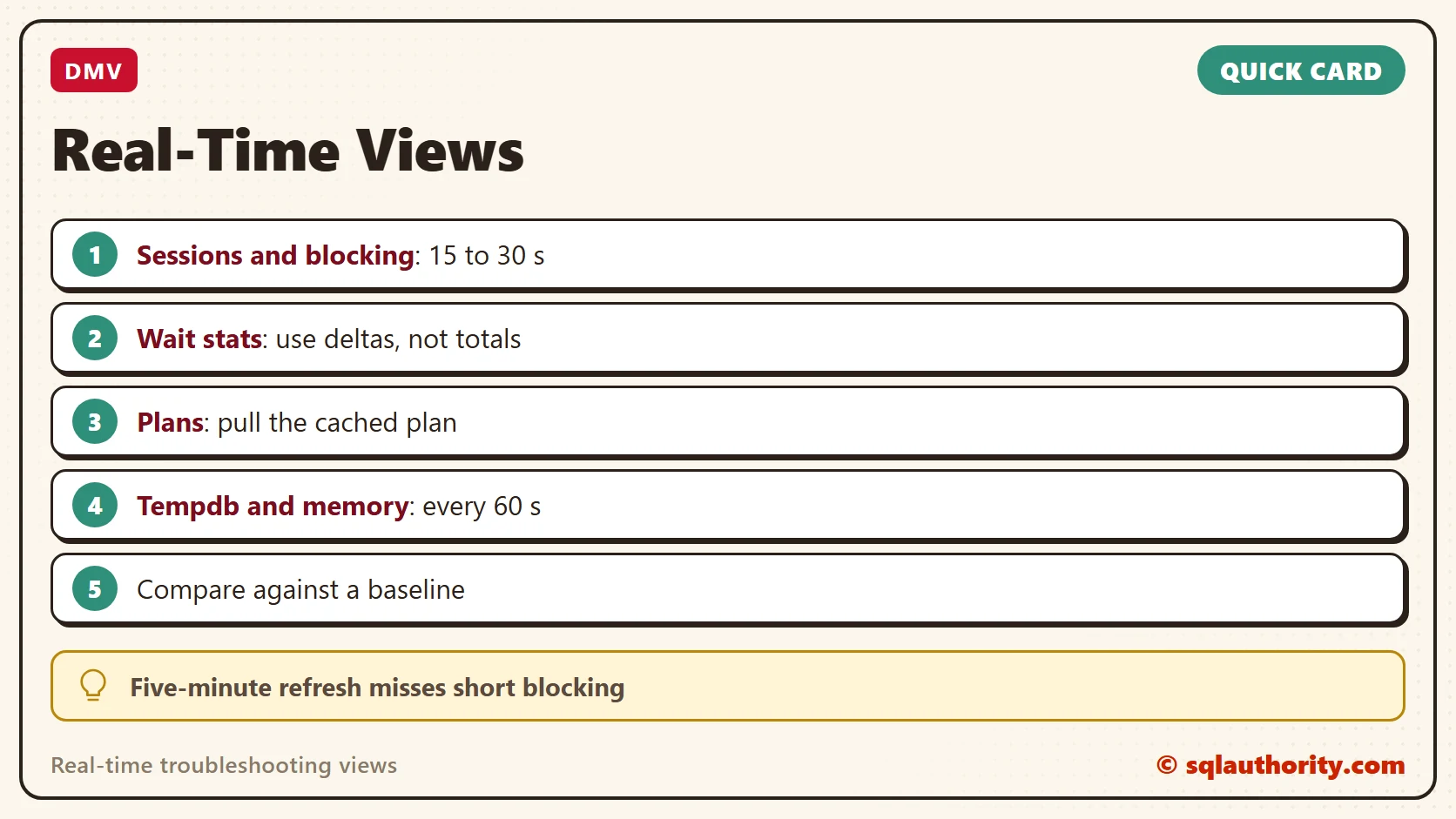
A real-time view is not more data, it is less time between the symptom and the decision.
Published by Pinal Dave on SQLAuthority. More of my work at pinaldave.com.
Discover more from SQL Authority with Pinal Dave
Subscribe to get the latest posts sent to your email.