Dynamic data masking hides values at query time, and the masking functions decide what a reader still sees. The table keeps the real data. Only the answer to a SELECT changes. This post tests all five functions on SQL Server 2025 and shows what each one returns.

What a Mask Does
A mask is a rule attached to a column. A user without the UNMASK permission reads that column. SQL Server then swaps the stored value for the masked one in the result. The stored value is untouched. Queries, views and applications need no change.
That makes the choice among the masking functions the whole design. A function that shows too much defeats the mask. A function that shows too little breaks the screen that uses the column.
You define a mask in the column definition, with MASKED WITH (FUNCTION = '...'). You can add one later with ALTER COLUMN. Creating a table with masks needs only the usual CREATE TABLE rights. Changing a mask on an existing column needs the ALTER ANY MASK permission. It also needs ALTER on the table.
Build the Test
I ran everything here on SQL Server 2025. The table holds customers, with one column for each kind of data. There is a name, an email, a phone, a limit, points, two dates and a plain city. The Analyst user has no login and can only SELECT.
IF DB_ID(N'SqlMaskingDemo') IS NULL CREATE DATABASE SqlMaskingDemo;
GO
USE SqlMaskingDemo;
GO
DROP TABLE IF EXISTS dbo.Customers;
CREATE TABLE dbo.Customers
(
    CustomerID int IDENTITY(1,1) PRIMARY KEY,
    FullName nvarchar(60) MASKED WITH (FUNCTION = 'default()') NOT NULL,
    Email nvarchar(80) MASKED WITH (FUNCTION = 'email()') NOT NULL,
    Phone varchar(20) MASKED WITH (FUNCTION = 'partial(0, "XXX-XXX-", 4)') NOT NULL,
    CreditLimit int MASKED WITH (FUNCTION = 'random(1000, 5000)') NOT NULL,
    LoyaltyPoints int MASKED WITH (FUNCTION = 'default()') NOT NULL,
    BirthDate date MASKED WITH (FUNCTION = 'datetime("Y")') NOT NULL,
    JoinDate date MASKED WITH (FUNCTION = 'default()') NOT NULL,
    City varchar(40) NOT NULL
);
GO
INSERT INTO dbo.Customers (FullName, Email, Phone, CreditLimit, LoyaltyPoints, BirthDate, JoinDate, City)
VALUES (N'Maya Patel', N'maya.patel@example.com', '212-555-0147', 2500, 480, '1988-07-19', '2019-03-02', 'Denver'),
       (N'Omar Haddad', N'omar@example.org', '415-555-0112', 4200, 35, '1975-02-03', '2022-11-15', 'Austin');
IF DATABASE_PRINCIPAL_ID(N'Analyst') IS NULL CREATE USER Analyst WITHOUT LOGIN;
GRANT SELECT ON dbo.Customers TO Analyst;
GO
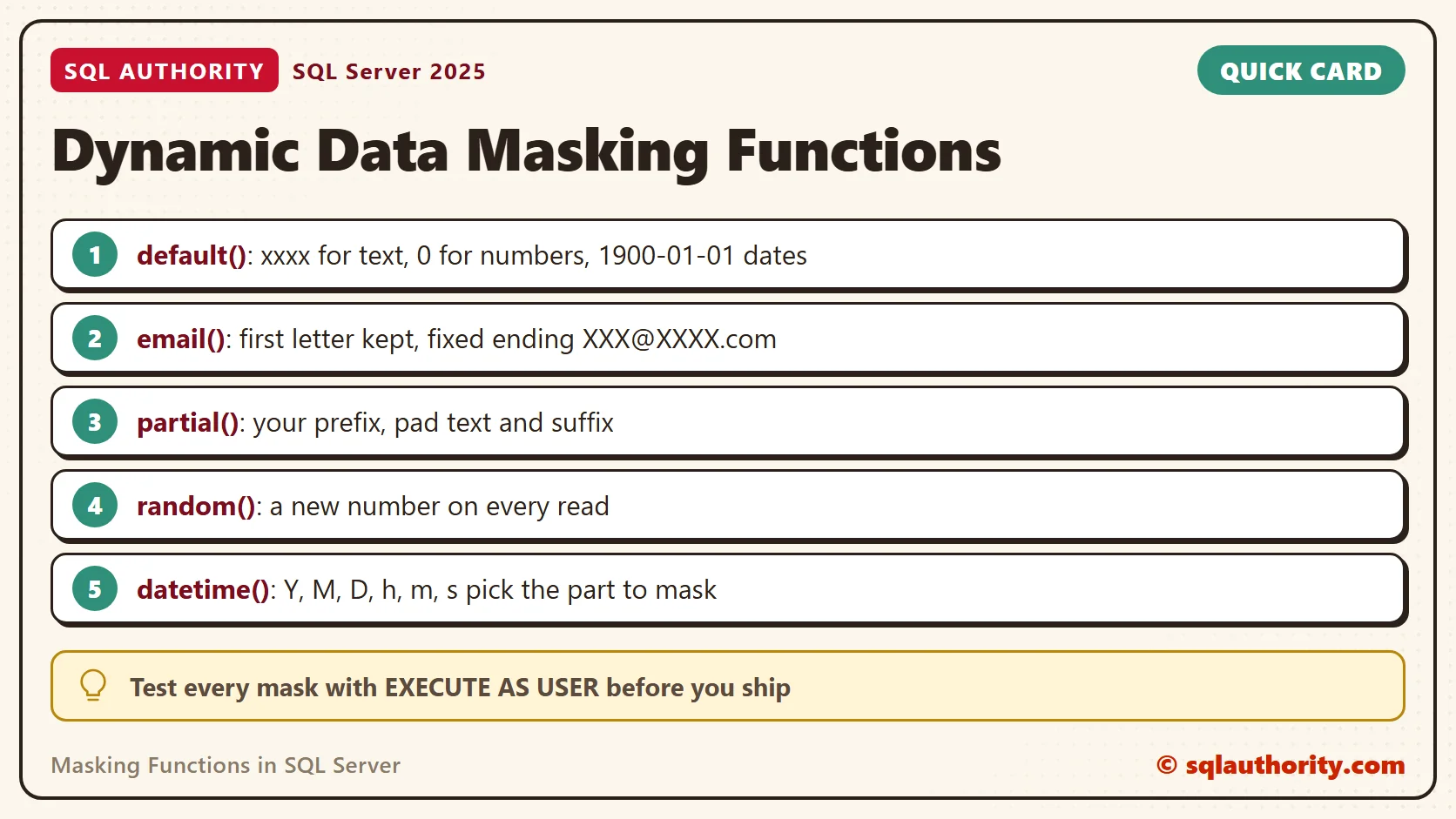
Five masking functions exist. The default() function masks by data type. The email() function keeps the first letter and a fixed ending. The partial() function keeps a prefix and a suffix of your choice and pads the middle. The random() function swaps a number for another one in your range. The datetime() function masks the parts of a date that you name.
The next block reads the same row twice. The first read is mine. The second runs as the Analyst user.
SELECT * FROM dbo.Customers WHERE CustomerID = 1;
EXECUTE AS USER = N'Analyst';
SELECT * FROM dbo.Customers WHERE CustomerID = 1;
REVERT;
GO
| Column | Masking function | Stored value | Analyst sees |
|---|---|---|---|
| FullName | default() | Maya Patel | xxxx |
| email() | maya.patel@example.com | mXXX@XXXX.com | |
| Phone | partial(0, “XXX-XXX-“, 4) | 212-555-0147 | XXX-XXX-0147 |
| CreditLimit | random(1000, 5000) | 2500 | 3115 |
| LoyaltyPoints | default() | 480 | 0 |
| BirthDate | datetime(“Y”) | 1988-07-19 | 2000-07-19 |
| JoinDate | default() | 2019-03-02 | 1900-01-01 |
| City | none | Denver | Denver |
Read the table row by row. The default() function returns xxxx for text, 0 for numbers and 1900-01-01 for dates. A decimal also comes back as zero, and a bit as 0. The partial() function with a prefix of 0 hides everything except the last four digits. The City column has no mask, so everyone sees it. My own login saw the stored values, because it is a sysadmin.
Random Changes on Every Read
A random mask does not hide a value by its shape. It replaces the value with noise. The same row returns a new number each time it is read.
EXECUTE AS USER = N'Analyst';
SELECT CreditLimit FROM dbo.Customers WHERE CustomerID = 1;
SELECT CreditLimit FROM dbo.Customers WHERE CustomerID = 1;
REVERT;
GO
The stored limit is 2500. The two reads returned 3982 and 4843. Neither is close to the truth, and neither repeats. Your numbers will differ. Use this function only where nobody joins, sorts or compares the column.
Date Parts
SQL Server 2022 added datetime(). It takes letters for the parts to mask. Y is year, M is month and D is day. The letters h, m and s are hour, minute and second. This block masks one part per column, all on the same value.
DROP TABLE IF EXISTS dbo.Stamps;
CREATE TABLE dbo.Stamps
(
    YearMasked date MASKED WITH (FUNCTION = 'datetime("Y")'),
    MonthMasked date MASKED WITH (FUNCTION = 'datetime("M")'),
    DayMasked date MASKED WITH (FUNCTION = 'datetime("D")'),
    TimeMasked datetime2(0) MASKED WITH (FUNCTION = 'datetime("hms")')
);
INSERT INTO dbo.Stamps VALUES ('1988-07-19', '1988-07-19', '1988-07-19', '1988-07-19 14:35:09');
GRANT SELECT ON dbo.Stamps TO Analyst;
EXECUTE AS USER = N'Analyst';
SELECT * FROM dbo.Stamps;
REVERT;
GO| YearMasked | MonthMasked | DayMasked | TimeMasked |
|---|---|---|---|
| 2000-07-19 | 1988-01-19 | 1988-07-01 | 1988-07-19 00:00:00 |
The stored value was 1988-07-19 14:35:09 for every column. The year mask returns the year 2000 and keeps the month and day. The month mask returns January. The day mask returns the first. Choose by what the screen needs: age needs the year, while a birthday greeting needs the month and day.
Add and Drop a Mask Later
You can add a mask to a column that already holds data, and drop it again. The City column starts unmasked. The block adds a partial() mask and lists every mask from the catalog view sys.masked_columns. It reads City as the Analyst, drops the mask and reads again. The DROP sits in its own batch, because SQL Server checks the column when it compiles the batch. In the same batch as the ADD it fails with Msg 16007.
ALTER TABLE dbo.Customers ALTER COLUMN City ADD MASKED WITH (FUNCTION = 'partial(1, "-----", 0)');
SELECT c.name AS ColumnName, c.masking_function AS MaskingFunction
FROM sys.masked_columns AS c
WHERE c.object_id = OBJECT_ID(N'dbo.Customers')
ORDER BY c.column_id;
EXECUTE AS USER = N'Analyst';
SELECT City FROM dbo.Customers;
REVERT;
GO
ALTER TABLE dbo.Customers ALTER COLUMN City DROP MASKED;
EXECUTE AS USER = N'Analyst';
SELECT City FROM dbo.Customers;
REVERT;
GO
| ColumnName | MaskingFunction |
|---|---|
| FullName | default() |
| email() | |
| Phone | partial(0, “XXX-XXX-“, 4) |
| CreditLimit | random(1000, 5000) |
| LoyaltyPoints | default() |
| BirthDate | datetime(“Y”) |
| JoinDate | default() |
| City | partial(1, “—–“, 0) |
With the mask on, the Analyst saw D—– and A—–. After the drop, the Analyst saw Denver and Austin again. The data never moved. Only the rule changed.
Who Sees the Real Value
A user sees stored values when they hold the UNMASK permission, and a sysadmin always does. The next block grants UNMASK to the Analyst, reads one row, revokes it and reads again. SQL Server 2022 and later can also grant UNMASK on a single column, table or schema.
GRANT UNMASK TO Analyst;
EXECUTE AS USER = N'Analyst';
SELECT FullName, Email FROM dbo.Customers WHERE CustomerID = 1;
REVERT;
REVOKE UNMASK FROM Analyst;
EXECUTE AS USER = N'Analyst';
SELECT FullName, Email FROM dbo.Customers WHERE CustomerID = 1;
REVERT;
GO
With the grant, the Analyst saw Maya Patel and the full email address. After the revoke, the masks came back at once. No data changed in between.
Is a Mask Enough?
You could say a mask protects the data. Fair point, for the screen. It does not protect the table. The values are stored in plain form, so a backup holds them and anyone with UNMASK reads them. A mask lowers accidental exposure, such as a support agent seeing a full card number. Keep real permissions in place, and add encryption where the rules ask for it.
A few columns cannot carry a mask at all. These are encrypted columns, FILESTREAM columns, a COLUMN_SET and any sparse column that belongs to a column set. Plan another control for those.
A Short Checklist
Plan the masks with the screens in mind. For each column, ask who reads it and what they need to do their job. A support agent needs the last four digits of a phone number to confirm an identity. An analyst needs the birth year, not the birthday. The answers tell you which of the masking functions fits.
- Pick the function by data type: default() for any type, email() for addresses, partial() for codes and phone numbers.
- Use random() only on numbers that nobody compares or joins.
- Use datetime() on SQL Server 2022 or later, and choose the part by what the screen needs.
- Test every mask as a real user, with EXECUTE AS USER, before you ship it.
- List the masks from sys.masked_columns, and keep UNMASK grants short.
Cleanup
When you finish testing, remove the example database.
USE master;
GO
ALTER DATABASE SqlMaskingDemo SET SINGLE_USER WITH ROLLBACK IMMEDIATE;
DROP DATABASE SqlMaskingDemo;
Dynamic data masking is not a lock, it is a curtain.
Published by Pinal Dave on SQLAuthority. More of my work at pinaldave.com.
Discover more from SQL Authority with Pinal Dave
Subscribe to get the latest posts sent to your email.