
PSPO plan variants let SQL Server keep several plans for one parameterized query. A tiny customer and a huge customer each get a plan that fits.
PSPO is short for Parameter Sensitive Plan Optimization. It is the last piece of the parameter sniffing story. It is the one fix that gives a skewed query more than one plan. It needs no change to your code or your settings.

The Problem It Solves
Parameter sniffing builds a plan from the first value SQL Server sees. Every later call reuses it. That works when all values look alike. It fails when one value matches half the table and the others match a single row. The plan that suits the small value is slow for the big one, and the other way round.
The earlier posts of this series fix that from outside the plan.
- Parameter Sniffing Local Variable: What the Trick Fixes
- Database Scoped Configuration: Turn Off Parameter Sniffing
- OPTION (RECOMPILE) Hint: When a Fresh Plan Pays Off
- DISABLE_PARAMETER_SNIFFING Hint: Turn Off Sniffing for One Query
- Parameter Sniffing Fixes Compared: Which One to Use, which sets them side by side
PSPO works inside the engine instead.
How the Variants Work
With PSPO plan variants, the cached plan is a small dispatcher. At run time it looks at the parameter value and the statistics. Then it sends the call to one of up to three variants. They are built for a low, a medium and a high row count. Each variant is a normal plan with its own cache entry.
The feature needs database compatibility level 160 or higher. It is on by default at that level, and SQL Server 2025 creates new databases at level 170. The first script builds a table that is skewed on purpose. Customer 1 owns 200,000 orders. A thousand other customers own one order each. A procedure counts the orders of a customer.
IF DB_ID(N'PspoVariantsDemo') IS NULL CREATE DATABASE PspoVariantsDemo;
GO
USE PspoVariantsDemo;
GO
DROP TABLE IF EXISTS dbo.Orders;
CREATE TABLE dbo.Orders (OrderID int IDENTITY(1,1) NOT NULL PRIMARY KEY, CustomerID int NOT NULL, Amount decimal(10,2) NOT NULL, Notes char(50) NOT NULL);
INSERT dbo.Orders (CustomerID, Amount, Notes)
SELECT CASE WHEN n <= 200000 THEN 1 ELSE 2 + (n % 1000) END, n % 97 + 0.5, 'x'
FROM (SELECT TOP (201000) ROW_NUMBER() OVER (ORDER BY (SELECT NULL)) AS n FROM sys.all_columns AS a CROSS JOIN sys.all_columns AS b) AS t;
CREATE INDEX IX_Orders_CustomerID ON dbo.Orders (CustomerID);
GO
CREATE OR ALTER PROCEDURE dbo.OrdersForCustomer @CustomerID int
AS
SELECT COUNT(*) AS OrdersFound, SUM(Amount) AS Total FROM dbo.Orders WHERE CustomerID = @CustomerID;
Check the level and the setting before you test.
SELECT name, compatibility_level FROM sys.databases WHERE name = N'PspoVariantsDemo';
SELECT name, value FROM sys.database_scoped_configurations WHERE name = N'PARAMETER_SENSITIVE_PLAN_OPTIMIZATION';
| name | compatibility_level |
|---|---|
| PspoVariantsDemo | 170 |
| name | value |
|---|---|
| PARAMETER_SENSITIVE_PLAN_OPTIMIZATION | 1 |
Watch Three Calls Share Two Plans
Clear the plan cache of the database, then call the procedure for customer 100, customer 1 and customer 5. Customer 100 goes first. Classic sniffing would build a seek plan for one row and reuse it for customer 1. The query below then reads the cached statements. It pulls the variant number out of the statement text and keeps only the plans of this database.
ALTER DATABASE SCOPED CONFIGURATION CLEAR PROCEDURE_CACHE;
GO
EXEC dbo.OrdersForCustomer 100;
EXEC dbo.OrdersForCustomer 1;
EXEC dbo.OrdersForCustomer 5;
GO
SELECT CASE WHEN st.text LIKE N'%QueryVariantID = %' THEN SUBSTRING(st.text, CHARINDEX(N'QueryVariantID = ', st.text) + 17, 1) ELSE N'none' END AS Variant,
       qs.execution_count AS Calls, qs.total_logical_reads AS TotalReads, qs.last_logical_reads AS LastReads
FROM sys.dm_exec_query_stats AS qs CROSS APPLY sys.dm_exec_sql_text(qs.sql_handle) AS st CROSS APPLY sys.dm_exec_plan_attributes(qs.plan_handle) AS pa
WHERE st.text LIKE N'%FROM dbo.Orders WHERE CustomerID%' AND st.text NOT LIKE N'%dm_exec_query_stats%' AND pa.attribute = N'dbid' AND CAST(pa.value AS int) = DB_ID()
ORDER BY Variant;| Customer | OrdersFound |
|---|---|
| 100 | 1 |
| 1 | 200000 |
| 5 | 1 |
| Variant | Calls | TotalReads | LastReads |
|---|---|---|---|
| 1 | 2 | 10 | 5 |
| 3 | 1 | 1905 | 1905 |
SQL Server kept two PSPO plan variants. Variant 1 served both small customers with 5 reads each. Variant 3 served customer 1 and scanned the table for 1,905 reads. The statement text of each variant carries a hint called PLAN PER VALUE. It holds the variant number and the row boundaries of the range. In this demo the boundaries are 100 and 100,000 rows. Customer 1 has 200,000 orders, above the high boundary, so it runs as variant 3.
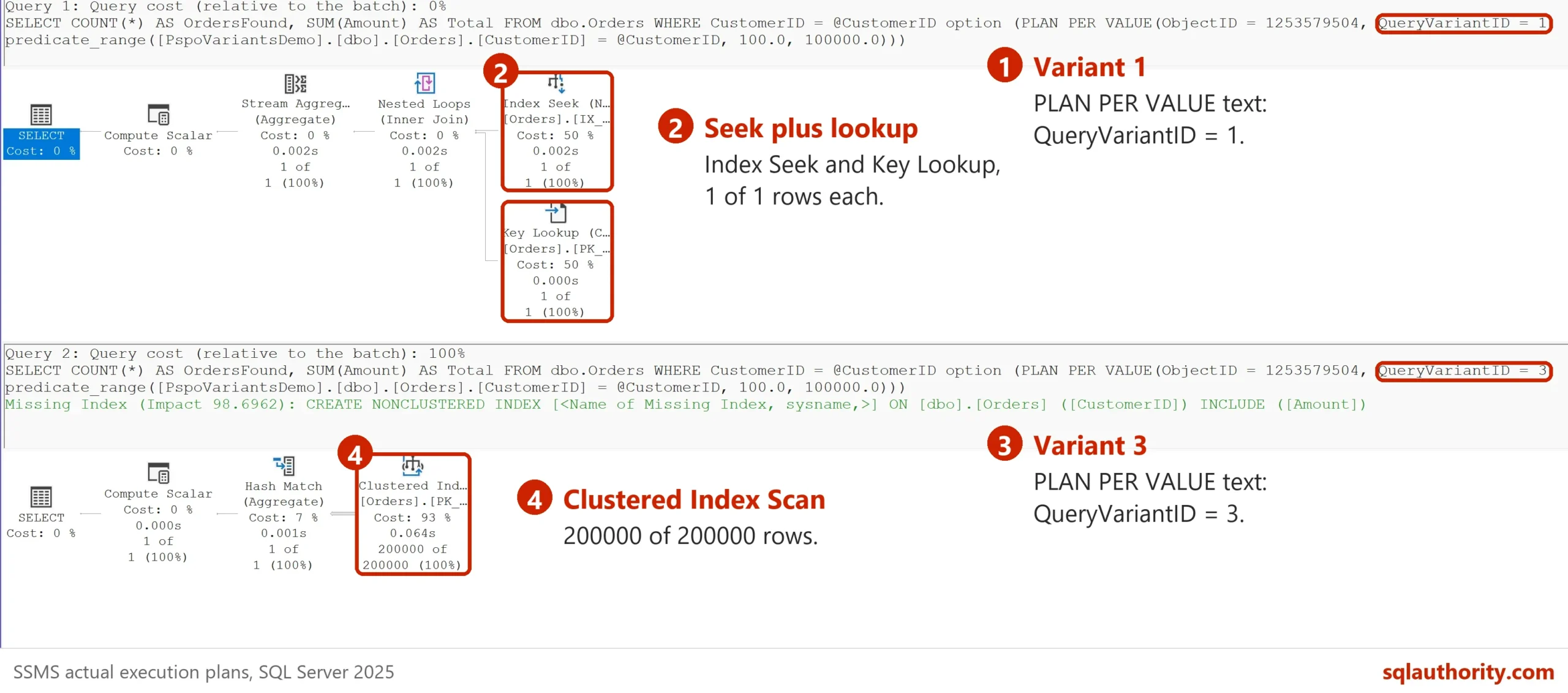
Variant 2 serves customers between the two boundaries. The demo has none. A customer with 5,000 orders gets variant 2 on the test server.
Query Store is not needed. Run ALTER DATABASE PspoVariantsDemo SET QUERY_STORE = OFF; and repeat the calls, and the same two variants appear.
The Same Calls With PSPO Off
Now switch the feature off for the database and repeat the three calls. The change of the setting clears the plans of the database. The last statement of the script switches the feature on again.
ALTER DATABASE SCOPED CONFIGURATION SET PARAMETER_SENSITIVE_PLAN_OPTIMIZATION = OFF;
GO
EXEC dbo.OrdersForCustomer 100;
EXEC dbo.OrdersForCustomer 1;
EXEC dbo.OrdersForCustomer 5;
GO
SELECT CASE WHEN st.text LIKE N'%QueryVariantID = %' THEN SUBSTRING(st.text, CHARINDEX(N'QueryVariantID = ', st.text) + 17, 1) ELSE N'none' END AS Variant,
       qs.execution_count AS Calls, qs.total_logical_reads AS TotalReads, qs.last_logical_reads AS LastReads
FROM sys.dm_exec_query_stats AS qs CROSS APPLY sys.dm_exec_sql_text(qs.sql_handle) AS st CROSS APPLY sys.dm_exec_plan_attributes(qs.plan_handle) AS pa
WHERE st.text LIKE N'%FROM dbo.Orders WHERE CustomerID%' AND st.text NOT LIKE N'%dm_exec_query_stats%' AND pa.attribute = N'dbid' AND CAST(pa.value AS int) = DB_ID()
ORDER BY Variant;
GO
ALTER DATABASE SCOPED CONFIGURATION SET PARAMETER_SENSITIVE_PLAN_OPTIMIZATION = ON;| Variant | Calls | TotalReads | LastReads |
|---|---|---|---|
| none | 3 | 600359 | 5 |
One plan served all three calls. It was built for customer 100, so customer 1 paid for 200,000 key lookups. The three calls read 600,359 pages in total, against 1,915 with PSPO on.
When PSPO Does Not Step In
PSPO acts only when the data is extremely skewed. A first trial used 50,000 orders for one customer and 50 for each of a thousand others. SQL Server skipped the feature there, and the extended event named parameter_sensitive_plan_optimization_skipped_reason gave the reason SkewnessThresholdNotMet. The demo above uses 200,000 against 1.
To read the event yourself, create a session with a ring buffer target. It needs the permission ALTER ANY EVENT SESSION. Start it before you call the procedure on skewed data.
CREATE EVENT SESSION PspoSkipWatch ON SERVER
ADD EVENT sqlserver.parameter_sensitive_plan_optimization_skipped_reason
ADD TARGET package0.ring_buffer;
ALTER EVENT SESSION PspoSkipWatch ON SERVER STATE = START;
Rebuild the table with 50,000 orders for customer 1 and 50 for each of a thousand others. Call the procedure for customers 100 and 1. Then read the session, and drop it when you are done. Rows with other reasons, such as SystemDB, come from other statements on the server.
SELECT r.SkipReason, COUNT(*) AS Events
FROM (SELECT CAST(t.target_data AS xml) AS d FROM sys.dm_xe_session_targets AS t JOIN sys.dm_xe_sessions AS s ON s.address = t.event_session_address WHERE s.name = N'PspoSkipWatch' AND t.target_name = N'ring_buffer') AS x
CROSS APPLY x.d.nodes('/RingBufferTarget/event') AS n(e)
CROSS APPLY (SELECT n.e.value('(data[@name="reason"]/text)[1]', 'nvarchar(60)') AS SkipReason) AS r
GROUP BY r.SkipReason
ORDER BY r.SkipReason;
-- Undo: ALTER EVENT SESSION PspoSkipWatch ON SERVER STATE = STOP; DROP EVENT SESSION PspoSkipWatch ON SERVER;
The compatibility level matters too. The same test at level 150 cached one plan and no variants. The feature covers equality predicates on a parameter, such as WHERE CustomerID = @CustomerID. Other predicate shapes do not qualify, and it skips some query shapes too. The same extended event reported reasons named OutputOrModifiedParam, TableVariable and AutoParameterized. So test your own queries on your own data, and do not expect variants everywhere.
You could argue that PSPO is old news, because other database products peek at parameter values and adapt plans too. SQL Server has sniffed the first value for years. What is new is that one query now keeps several plans, with no hint and no code change.
What to Remember
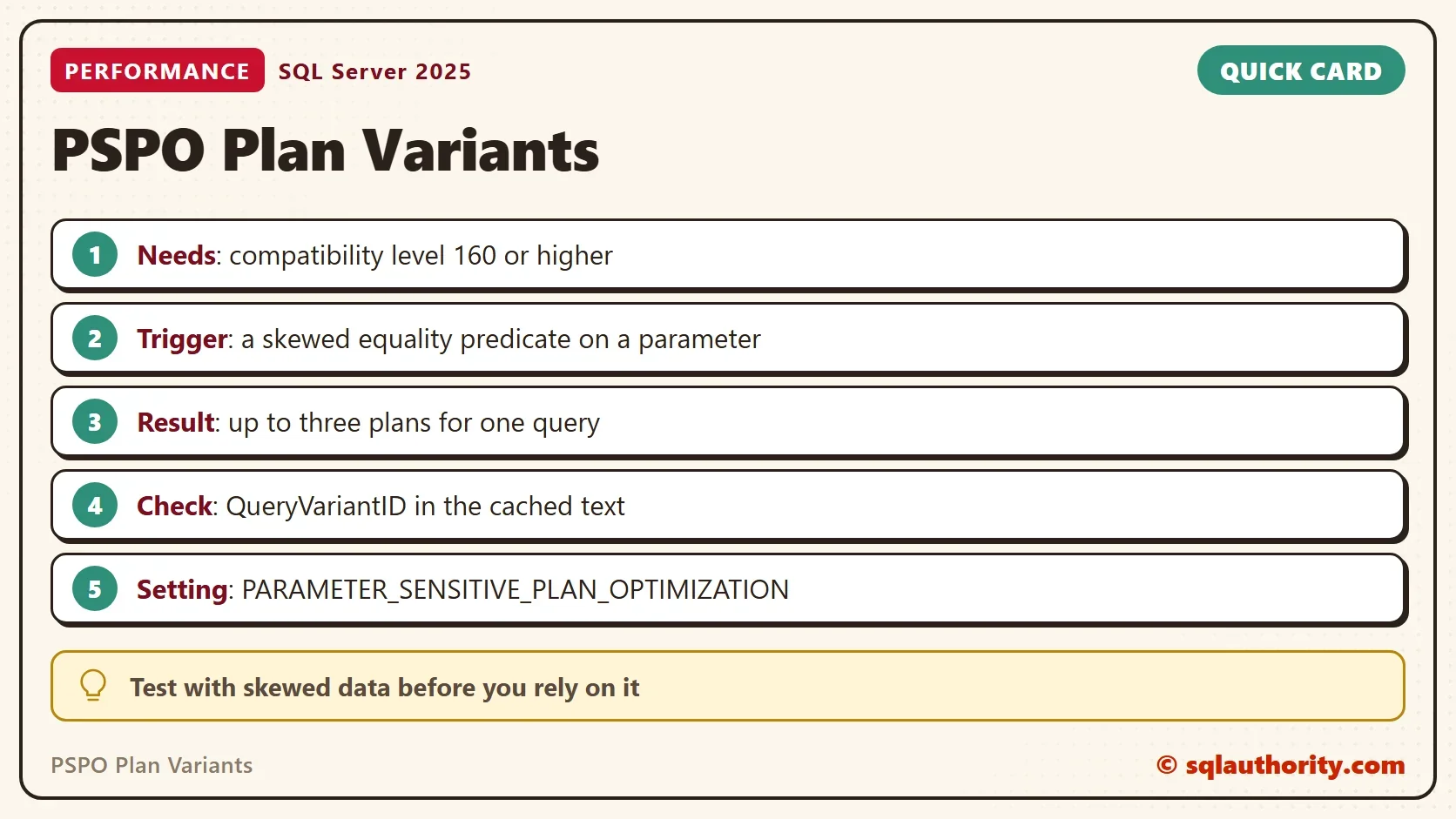
PSPO plan variants give a skewed query up to three plans. They need level 160 or higher and an extremely skewed column. You can see them as QueryVariantID in the cached statement text, and you can switch them off per database. Read the variant counters before you decide that the feature helps or hurts.
When you finish, run the cleanup script.
USE master;
GO
IF DB_ID(N'PspoVariantsDemo') IS NOT NULL
BEGIN
    ALTER DATABASE PspoVariantsDemo SET SINGLE_USER WITH ROLLBACK IMMEDIATE;
    DROP DATABASE PspoVariantsDemo;
END;
One plan for every value is not a rule of SQL Server, it is a habit that PSPO breaks.
Published by Pinal Dave on SQLAuthority. More of my work at pinaldave.com.
Discover more from SQL Authority with Pinal Dave
Subscribe to get the latest posts sent to your email.




1 Comment. Leave new
Seems like Microsoft reinvented bind variable peeking which Oracle has had for decades