MySQL configuration changes explain many sudden slowdowns, and a server that keeps no history hides the cause. A workload that has not changed can still behave differently when a setting has. The same is true in the happy case, when a server suddenly runs faster. Either way, you need to know what changed.

Look at the Workload, Then at the Configuration
When a system that ran well starts to crawl, the first check is the workload. More users, more rows or a new report usually explain it. If the workload looks the same, the next place to look is the configuration. The reverse case needs the same step. If a server gets faster with no change in load, a setting moved.
MySQL configuration changes are hard to review after the fact. Many settings can change while the server runs, with no restart to mark the change. A record of MySQL configuration changes turns a long guessing game into a short comparison. The example below shows why.
One Setting, One Surprise: innodb_read_ahead_threshold
With the default 16 KB page size, InnoDB stores data in extents of 64 pages. Linear read-ahead watches for a sequential scan. Suppose InnoDB reads at least innodb_read_ahead_threshold pages in order from one extent. It then starts an asynchronous read of the whole next extent into the buffer pool. The variable accepts values from 0 to 64, and the default is 56. A higher value makes the check stricter, and a lower value triggers read-ahead sooner.
Two status variables show whether read-ahead pays off. Innodb_buffer_pool_read_ahead counts the pages that read-ahead brought in. Innodb_buffer_pool_read_ahead_evicted counts those pages that were evicted without any query reading them. Both are global, and both start again from zero when the server restarts.
The ratio of evicted pages to read-ahead pages is the useful number. As a rule of thumb, a ratio near zero means the prefetched pages were used. A ratio near one means InnoDB did the work and nobody read the result. The right threshold depends on the workload, so watch the ratio and adjust the setting with care.
SELECT a.VARIABLE_VALUE AS ReadAheadPages,
       e.VARIABLE_VALUE AS EvictedPages,
       e.VARIABLE_VALUE / NULLIF(a.VARIABLE_VALUE, 0) AS EvictedRatio
FROM performance_schema.global_status AS a
INNER JOIN performance_schema.global_status AS e ON e.VARIABLE_NAME = 'Innodb_buffer_pool_read_ahead_evicted'
WHERE a.VARIABLE_NAME = 'Innodb_buffer_pool_read_ahead';
This is MySQL code, so it was not run here. It reads the two counters and divides them. To change the threshold, use SET GLOBAL innodb_read_ahead_threshold = 40;. Measure the ratio again after the workload has run for a while.
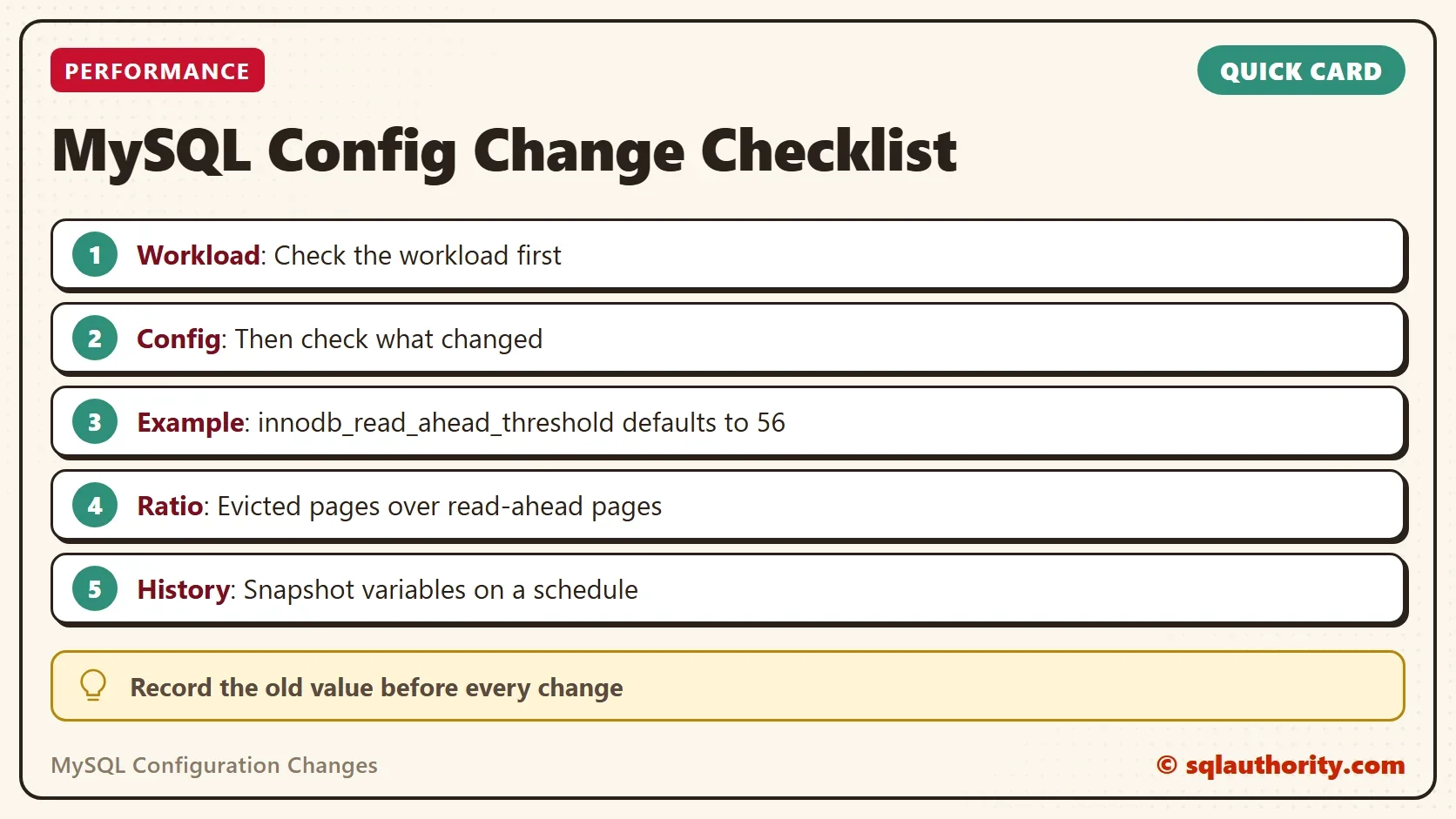
What MySQL Tells You About a Change
MySQL 8.0 records the last change of every variable. The table performance_schema.variables_info holds the source of each value and the time it was set. It also holds the user and host that set it. A value set at runtime has the source DYNAMIC. A value read at start-up from the file that SET PERSIST writes has the source PERSISTED.
SELECT VARIABLE_NAME, VARIABLE_SOURCE, SET_TIME, SET_USER, SET_HOST
FROM performance_schema.variables_info
WHERE VARIABLE_SOURCE IN ('DYNAMIC', 'PERSISTED')
ORDER BY SET_TIME DESC;
That answers who changed what, and when, for the latest change. It keeps no history. If a variable changed three times, only the last change shows. Runtime changes made with SET GLOBAL vanish at the next restart. Only the option file or SET PERSIST keeps them.
Keep Your Own History
The simplest history is a scheduled snapshot. Copy every global variable into a table once a day, and compare two days with a join. Any change shows up as a row with two different values. Keep the table in a schema you use for monitoring. The block below creates the table and fills it.
CREATE TABLE IF NOT EXISTS config_snapshot (
    captured_at DATETIME NOT NULL,
    variable_name VARCHAR(64) NOT NULL,
    variable_value VARCHAR(1024) NULL,
    PRIMARY KEY (captured_at, variable_name)
);
INSERT INTO config_snapshot (captured_at, variable_name, variable_value)
SELECT NOW(), VARIABLE_NAME, VARIABLE_VALUE FROM performance_schema.global_variables;
The comparison joins the table to itself, one day against the next. The null-safe operator <=> treats two NULL values as equal, so only real changes appear. The two dates are examples. This is MySQL code, and it was not run here.
SELECT n.variable_name, o.variable_value AS old_value, n.variable_value AS new_value
FROM config_snapshot AS n
INNER JOIN config_snapshot AS o ON o.variable_name = n.variable_name AND o.captured_at = '2022-06-13 00:00:00'
WHERE n.captured_at = '2022-06-14 00:00:00' AND NOT (o.variable_value <=> n.variable_value);
Add a benchmark to the habit. Before you change a setting, record the key numbers, such as query times and the read-ahead ratio. After the change, record them again. When performance moves later, the two snapshots and the benchmarks tell you whether a setting was involved. A monitoring tool such as SQL Diagnostic Manager for MySQL does the same job automatically. It records configuration changes and lines them up with the performance data.
You could argue that the option file is already the record of MySQL configuration changes. It shows the intended settings, not what the server is running. A change made at runtime never touches the file. Only the server knows the current value, so ask the server.
What to Remember
Check the workload first, then the configuration. Record the old value before every change, and the key numbers before and after. Use performance_schema.variables_info to see the last change of a variable, and a scheduled snapshot to keep the history. Treat every sudden change in speed, up or down, as a question about configuration changes.
A setting is not a secret, it is a decision that someone should be able to read back.
Published by Pinal Dave on SQLAuthority. More of my work at pinaldave.com.
Discover more from SQL Authority with Pinal Dave
Subscribe to get the latest posts sent to your email.