A Snowflake JavaScript procedure is a stored procedure with a JavaScript body. The JavaScript runs your SQL through a small API. This template is the one I start from.

Why JavaScript in a SQL Product
Snowflake lets you write a stored procedure in JavaScript. The language is a surprise for a SQL Server developer, who expects T-SQL. I have worked on Snowflake, and many SQL developers do not know JavaScript well. A fixed template helps, because the shape of the procedure repeats.
The code below follows Snowflake’s documented API and has not been run on a Snowflake account. Test it in your own account before you rely on it.
The Template
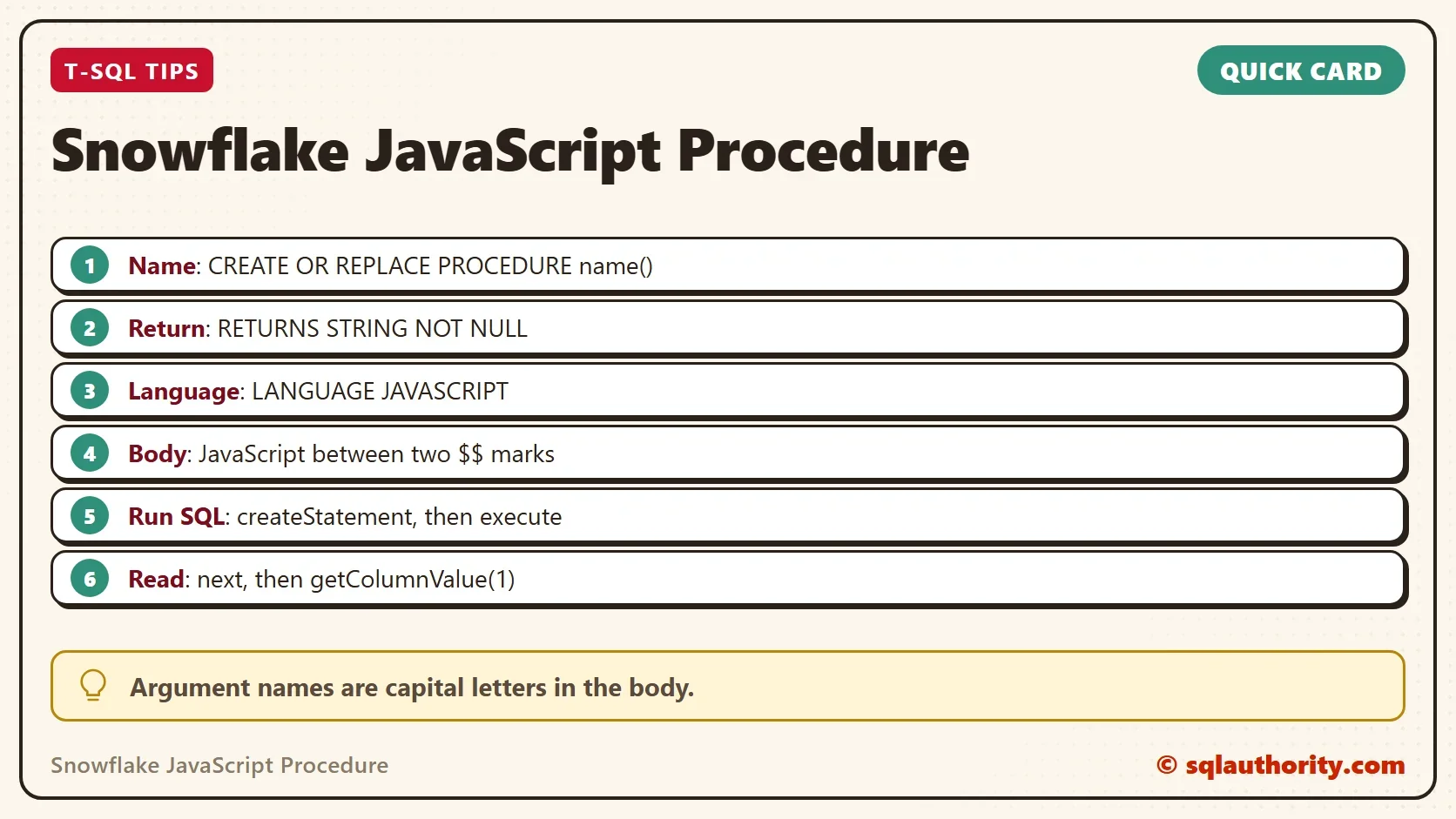
The Snowflake JavaScript procedure below is the starting point. The RETURNS line sets the type of the value that comes back. The LANGUAGE line picks JavaScript. The body sits between two double dollar signs, which tell Snowflake where the JavaScript starts and ends. The object snowflake is available inside the body, and createStatement builds a SQL statement that execute then runs.
CREATE OR REPLACE PROCEDURE SampleStoredProcedure()
RETURNS STRING NOT NULL
LANGUAGE JAVASCRIPT
AS
$$
var cmd = 'SELECT 1';
var sql = snowflake.createStatement({sqlText: cmd});
var result = sql.execute();
return 'Success';
$$;
This is Snowflake SQL and JavaScript, not T-SQL, so run it in a Snowflake worksheet. The procedure runs one statement and returns the word Success. It does not read the result of the statement. Call it with a CALL statement.
CALL SampleStoredProcedure();
The call returns one row with one column. Snowflake names the column after the procedure.
Read a Result
The execute method returns a result set. The method next moves to the first row and returns true when a row exists. The method getColumnValue reads a column by its position, and the first column is 1. The version below returns the value of the query instead of a fixed word.
CREATE OR REPLACE PROCEDURE SampleReadResult()
RETURNS STRING NOT NULL
LANGUAGE JAVASCRIPT
AS
$$
var statement = snowflake.createStatement({sqlText: 'SELECT 1'});
var result = statement.execute();
result.next();
return 'Value: ' + result.getColumnValue(1);
$$;
To read many rows, put the call to next in a while loop. Each pass moves to the next row.
Pass an Argument and Bind a Value
A procedure takes arguments in the parentheses. Inside the JavaScript body, the name of each argument is written in capital letters. A name such as item_name becomes ITEM_NAME in the code. To use a value in a statement, put a question mark in the SQL text. Then list the value in binds. Binding keeps values out of the SQL text, so the text cannot be broken by a quote in the data.
CREATE OR REPLACE PROCEDURE SampleWithArgument(ITEM_NAME STRING)
RETURNS STRING NOT NULL
LANGUAGE JAVASCRIPT
AS
$$
var statement = snowflake.createStatement({sqlText: 'SELECT UPPER(?)', binds: [ITEM_NAME]});
var result = statement.execute();
result.next();
return result.getColumnValue(1);
$$;
Call the procedure with a value.
CALL SampleWithArgument('tea');The call returns TEA, the value in capital letters.
Catch an Error
A failed SQL statement throws a JavaScript exception. Without a catch, the procedure stops and the caller sees the error. A try and catch block lets the procedure return a message of its own. The exception object carries a message and an error code.
CREATE OR REPLACE PROCEDURE SampleSafeProcedure()
RETURNS STRING NOT NULL
LANGUAGE JAVASCRIPT
AS
$$
try {
    var statement = snowflake.createStatement({sqlText: 'SELECT 1'});
    statement.execute();
    return 'Success';
} catch (err) {
    return 'Failed: ' + err.message;
}
$$;
Decide whether a failure should return text or raise the error. A procedure that hides the error in a message can hide a real problem from a scheduler. Return a message only when the caller checks it.
Whose Rights Does It Use
A Snowflake procedure runs with the rights of its owner by default. It does not use the rights of the person who calls it. The clause EXECUTE AS CALLER changes that. Check which one your procedure needs before you share it, because the owner can hold more rights than the caller.
CREATE OR REPLACE PROCEDURE SampleCaller()
RETURNS STRING NOT NULL
LANGUAGE JAVASCRIPT
EXECUTE AS CALLER
AS
$$
return 'Success';
$$;
Is JavaScript the Right Choice
You could argue that a SQL developer should skip JavaScript. Snowflake also offers a SQL-based way to write procedures, called Snowflake Scripting. An API that builds statements is flexible when the SQL text changes at run time. Use the one your team can read, and keep each Snowflake JavaScript procedure small.
What to Remember
A Snowflake JavaScript procedure has four parts. They are a name, a return type, the language and a body between double dollar signs. Run SQL through createStatement and execute. Read results with next and getColumnValue. Bind values instead of joining text, and catch errors on purpose. Test every procedure in your own account first.
A stored procedure is not a new language, it is the same SQL with a wrapper.
Published by Pinal Dave on SQLAuthority. More of my work at pinaldave.com.
Discover more from SQL Authority with Pinal Dave
Subscribe to get the latest posts sent to your email.