
To get the current timestamp in Python, import the datetime module, call now, and format the result with strftime. The same line of work in SQL Server is one SELECT with FORMAT.

Why Two Languages in One Post
The goal of this blog is SQL, and learning one more language now and then does not hurt. The first exercise after installing Python was to print the current date and time. Both languages print the same format below, so you can compare them.
The Current Timestamp in SQL Server
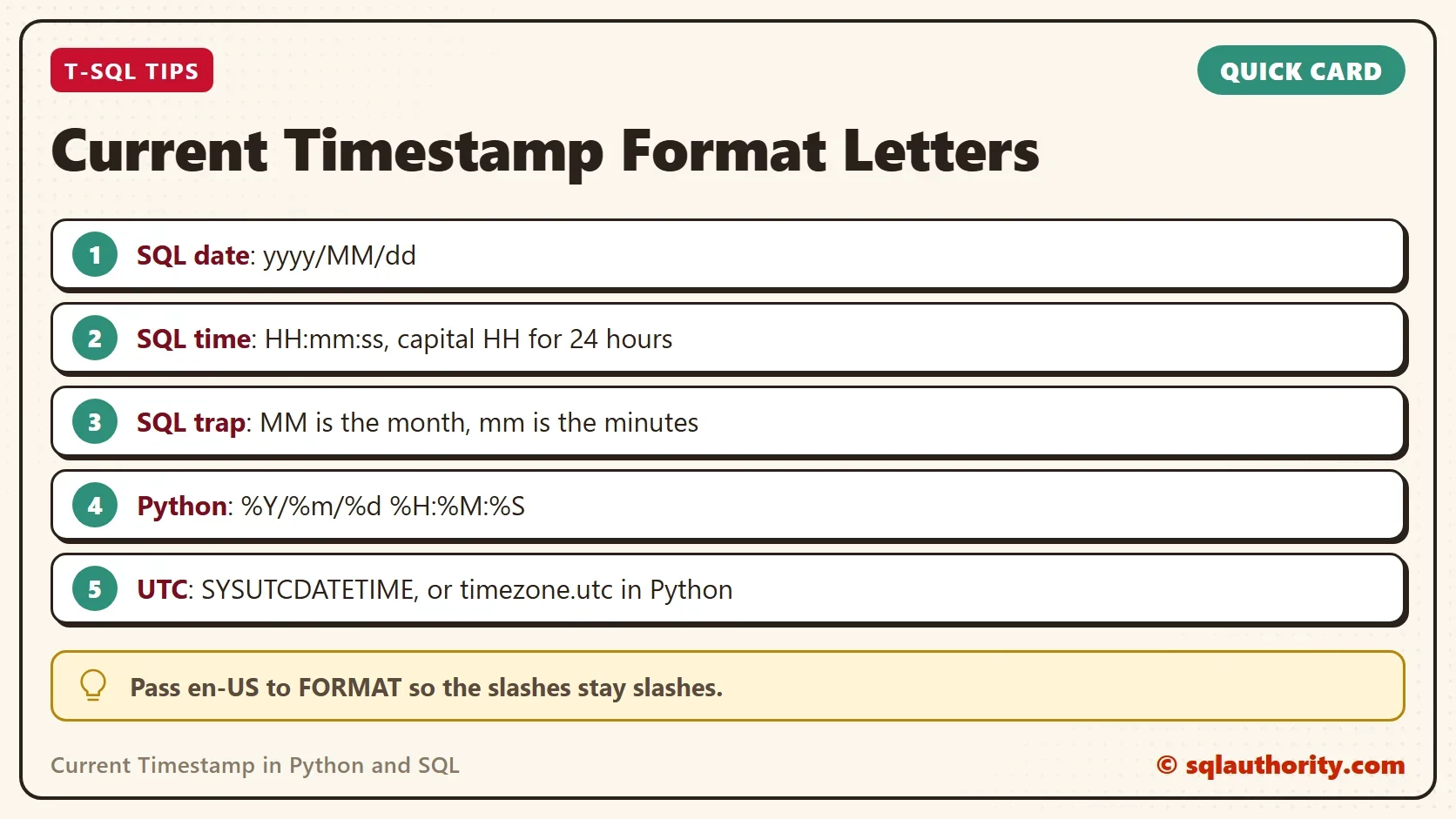
In SQL Server, GETDATE returns the current date and time of the server. FORMAT turns it into text in the layout you choose. The pattern below writes the year, month and day with slashes. Then it writes the hour, minute and second on a 24-hour clock.
SELECT FORMAT(GETDATE(), 'yyyy/MM/dd HH:mm:ss', 'en-US') AS DT;
| DT |
|---|
| 2026/10/07 11:48:58 |
The value is the time the query ran, so your result will differ. The pattern letters are case sensitive. A capital MM means the month, and a lowercase mm means the minutes. A lowercase hh gives a 12-hour clock, and a capital HH gives a 24-hour clock.
The slash and the colon in a FORMAT pattern are replaced by the separators of the session language. Under German the date comes back as 2026.10.07, and under Finnish the time uses dots too. The third argument, a culture name such as en-US, fixes the output. Python’s strftime writes the slashes and colons exactly as typed. Style 120 of CONVERT does not depend on the language.
The Current Timestamp in Python
Python needs one more step. The datetime module is not loaded by default, so the script imports it first. Then datetime.datetime.now() returns the current timestamp in Python as a local date and time. The method strftime turns that value into a string. It takes a format made of percent codes.
import datetime
now = datetime.datetime.now()
print(now.strftime("%Y/%m/%d %H:%M:%S"))| Output |
|---|
| 2026/10/07 11:48:54 |
This is Python code, not T-SQL. Run it in a Python window or save it as a file. The codes match the SQL pattern one for one. %Y is the four-digit year, %m the month and %d the day. %H is the hour on a 24-hour clock, %M the minute and %S the second. The output above is a sample, and yours shows the time you ran the script.
The Two Clocks Are Not the Same Clock
The two results look alike, and they come from different machines. Python reads the clock of the computer that runs the script. SQL Server reads the clock of the server. A laptop in one time zone and a server in another give values that differ by the time zone gap.
Name the clock you want. In Python, datetime.datetime.now() gives local time without any time zone attached. To get UTC, pass the UTC time zone. In T-SQL, SYSUTCDATETIME returns UTC, and GETDATE returns the server’s local time.
import datetime
utc = datetime.datetime.now(datetime.timezone.utc)
print(utc.strftime("%Y/%m/%d %H:%M:%S"), utc.tzinfo)| Python output |
|---|
| 2026/10/07 06:18:54 UTC |
SELECT FORMAT(SYSUTCDATETIME(), 'yyyy/MM/dd HH:mm:ss', 'en-US') AS UtcDT,
REPLACE(CONVERT(varchar(19), GETDATE(), 120), '-', '/') AS ViaConvert;| UtcDT | ViaConvert |
|---|---|
| 2026/10/07 06:18:58 | 2026/10/07 11:48:58 |
The sample comes from a machine in the India time zone, 5 hours and 30 minutes ahead of UTC. The UTC values are earlier by that gap. The second column shows a faster way to write the local value in T-SQL. Style 120 of CONVERT gives the year, month, day and time with dashes, and REPLACE changes the dashes to slashes.
FORMAT is handy for one value, but it is slower over many rows. In one test of 200,000 values, FORMAT took about five times as long as the CONVERT form. Use CONVERT in a query that returns a lot of data.
Which One to Use
Use the clock that matches the question. To record when a row changed, let the database write the time with a default. Then every row uses the one server clock. When a program logs its own work, use the program’s clock, and store it in UTC. A log that mixes local times from several machines is hard to read later.
You could argue that the formatting belongs in the application and not in the query. For a report that is true. A date in a database should stay a date type, and the display format comes last. FORMAT and strftime are for text you show or write to a file.
What to Remember
To print the current timestamp in Python, import datetime, call now and apply strftime. In SQL Server, call GETDATE and wrap it in FORMAT or CONVERT. The pattern letters differ between the two tools, and the two clocks can differ too. Choose local time or UTC on purpose, and write it down.
A timestamp is not one clock, it is a choice between two.
Published by Pinal Dave on SQLAuthority. More of my work at pinaldave.com.
Discover more from SQL Authority with Pinal Dave
Subscribe to get the latest posts sent to your email.




1 Comment. Leave new
Great job, thanks