The default query shortcuts in SSMS are Alt+F1, Ctrl+1 and Ctrl+2. Each one runs a system procedure on the text you select. They answer three common questions without typing a command: what is this table, who is connected, and what is locked?

The Three Keys
The shortcut page sits under Tools, Options, Environment, Keyboard, Query Shortcuts. SSMS 22 ships with three assigned keys, and you cannot change any of them. The other nine keys are free for your own procedures. The sibling post Custom Query Shortcuts in SSMS: Run Your Own Procedure covers them.
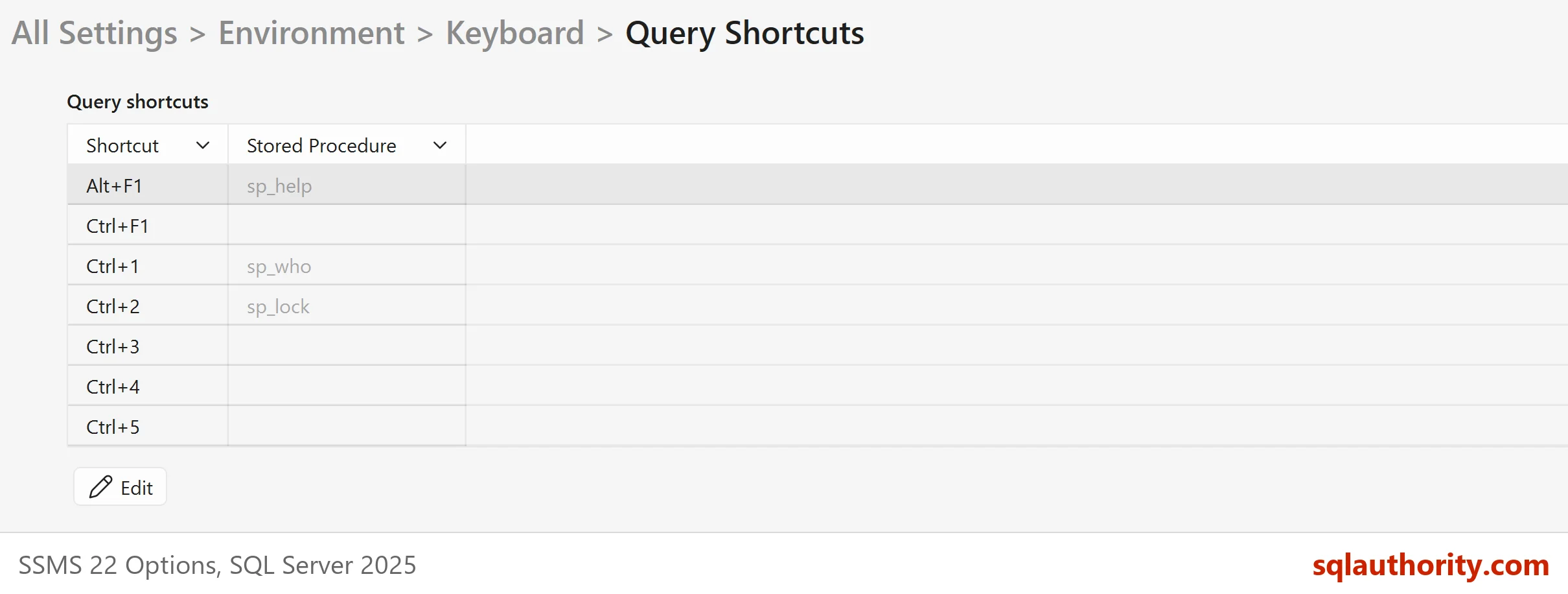
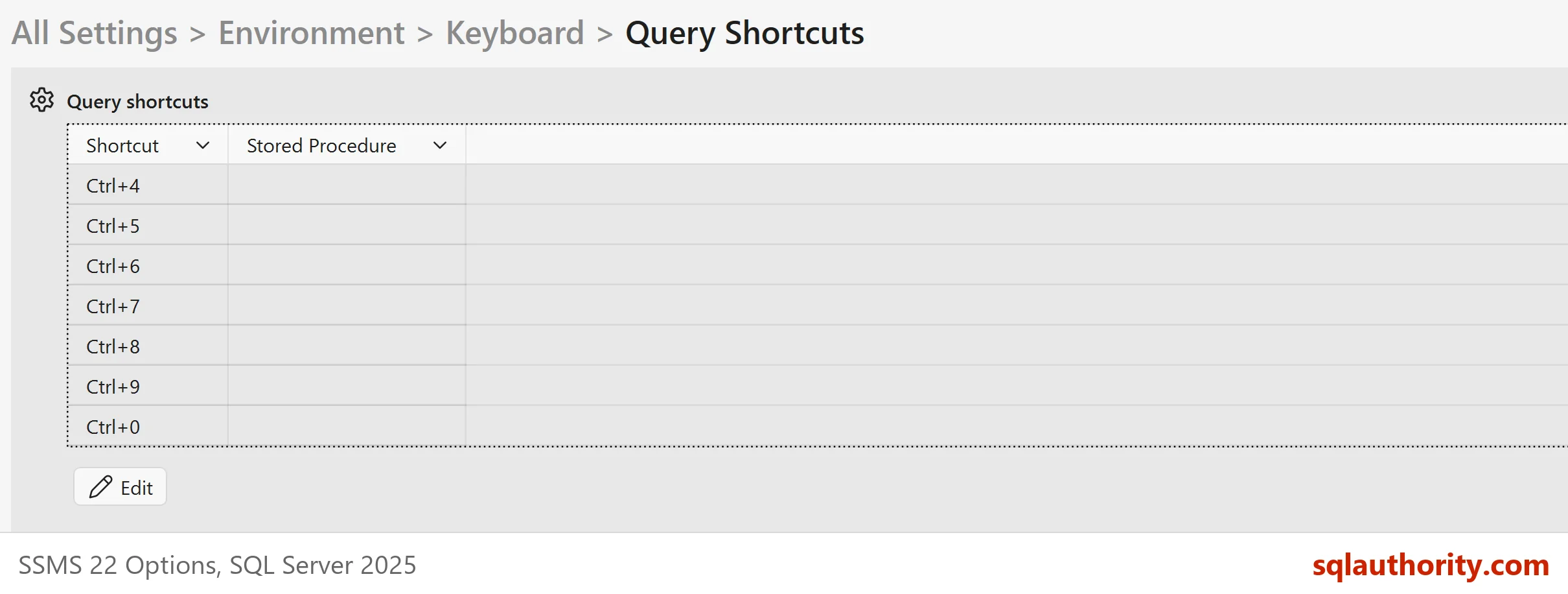
| Key | Procedure | What it answers |
|---|---|---|
| Alt+F1 | sp_help | What is this table or object? |
| Ctrl+1 | sp_who | Who is connected, and from where? |
| Ctrl+2 | sp_lock | What is locked right now? |
Select a name in the query window and press the key. SSMS runs the procedure with your selection and shows the answer in the results pane. The demo below makes the same calls by hand, so you can see the answers.
Alt+F1 Runs sp_help
The demo database is DefaultShortcutDemo. It has one table with an identity column, a primary key and one extra index, and one small stored procedure. Run it on a test server.
IF DB_ID(N'DefaultShortcutDemo') IS NULL CREATE DATABASE DefaultShortcutDemo;
GO
USE DefaultShortcutDemo;
GO
DROP TABLE IF EXISTS dbo.Greenhouses;
CREATE TABLE dbo.Greenhouses (
    GreenhouseID int IDENTITY(1,1) NOT NULL CONSTRAINT PK_Greenhouses PRIMARY KEY,
    Name         nvarchar(40) NOT NULL,
    Zone         char(1) NOT NULL
);
CREATE INDEX IX_Greenhouses_Zone ON dbo.Greenhouses (Zone);
INSERT INTO dbo.Greenhouses (Name, Zone) VALUES (N'Tomato House', 'A'), (N'Herb House', 'B');
GO
DROP PROCEDURE IF EXISTS dbo.usp_ListGreenhouses;
GO
CREATE PROCEDURE dbo.usp_ListGreenhouses @Zone char(1), @Limit int = 10
AS SELECT TOP (@Limit) GreenhouseID, Name FROM dbo.Greenhouses WHERE Zone = @Zone;
When you test the call by hand, put the name in quotes. A dotted name without quotes fails on SQL Server 2025 with Msg 102. This is the call for the table:
EXEC sp_help N'dbo.Greenhouses';
The procedure returns several result sets, one after the other. The first names the object. The second lists the columns. Each table below shows only the first columns of the real result.
| Name | Owner | Type |
|---|---|---|
| Greenhouses | dbo | user table |
| Column_name | Type | Length | Nullable |
|---|---|---|---|
| GreenhouseID | int | 4 | no |
| Name | nvarchar | 80 | no |
| Zone | char | 1 | no |
Notice that Name is declared as nvarchar(40) and shows a length of 80. The Length column counts bytes, and each nvarchar character takes two. Later result sets show the identity column with its seed and increment, the filegroup, the index list, and the constraints. The index list has two rows here.
| index_name | index_keys |
|---|---|
| IX_Greenhouses_Zone | Zone |
| PK_Greenhouses | GreenhouseID |
Alt+F1 on Other Objects
The key works on more than tables. Select a procedure name and sp_help lists its parameters instead of columns. This call describes the demo procedure.
EXEC sp_help N'dbo.usp_ListGreenhouses';
| Parameter_name | Type | Length | Param_order |
|---|---|---|---|
| @Zone | char | 1 | 1 |
| @Limit | int | 4 | 2 |
The first result set names the object and gives its type, a stored procedure here. When the name does not exist, the call fails with Msg 15009. The text reads: The object ‘dbo.NoSuchTable’ does not exist in database ‘DefaultShortcutDemo’ or is invalid for this operation. Check the spelling and the database first. The default query shortcuts always look in the database of the current window.
Ctrl+1 Runs sp_who
The sp_who procedure lists the sessions on the server. It accepts one session id, and it lists every session when you give none. The call below asks about your own session.
EXEC sp_who @@SPID;
The columns are spid, ecid, status, loginame, hostname, blk, dbname, cmd and request_id. The blk column holds the id of a session that blocks this one, or 0. A session with a blk value above 0 is waiting, and the number names the session that holds it up. That one column names the blocker.
Ctrl+2 Runs sp_lock, and a Better Query Exists
Microsoft lists sp_lock as a deprecated feature and points to sys.dm_tran_locks. The next batch holds a lock by updating one row inside a transaction. It stores what sp_lock returns and shows the lock types for the demo database. Then it runs the replacement query for the same session.
BEGIN TRANSACTION;
UPDATE dbo.Greenhouses SET Name = N'Tomato House 2' WHERE GreenhouseID = 1;
CREATE TABLE #l (spid smallint, dbid smallint, ObjId int, IndId smallint, Type nchar(4),
                 Resource nchar(32), Mode nvarchar(8), Status nvarchar(5));
INSERT INTO #l EXEC sp_lock @@SPID;
SELECT RTRIM(Type) AS Type, Mode, Status FROM #l WHERE dbid = DB_ID() ORDER BY Type, Mode;
SELECT l.resource_type, l.request_mode, l.request_status
FROM sys.dm_tran_locks AS l
WHERE l.request_session_id = @@SPID AND l.resource_database_id = DB_ID()
ORDER BY l.resource_type, l.request_mode;
ROLLBACK TRANSACTION;| sp_lock Type | Mode | Status |
|---|---|---|
| DB | S | GRANT |
| KEY | X | GRANT |
| PAG | IX | GRANT |
| TAB | IX | GRANT |
| resource_type | request_mode | request_status |
|---|---|---|
| DATABASE | S | GRANT |
| KEY | X | GRANT |
| OBJECT | IX | GRANT |
| PAGE | IX | GRANT |
Both lists describe the same locks. One row is locked exclusively (KEY X). The page, the table and the database hold intent or shared locks above it. The view spells the names out and has more columns, such as the session and the resource that blocks. It is also the one that will remain.
Why Not Change the Defaults
You cannot change them, and you do not need to. Put your own tools on the free keys, such as Ctrl+3, and leave the three defaults alone. Selecting a table name and pressing Alt+F1 is faster than typing sp_help each time.
You could argue that these three procedures are old, and the argument is fair. sp_who shows no statement text, and sp_lock is deprecated. The shortcuts still earn their place as a first look. For the second look, use a procedure of your own on a free key.
What to Remember
Learn the default query shortcuts once. Alt+F1 describes an object, Ctrl+1 lists sessions and Ctrl+2 lists locks. Treat the third as a first look and read sys.dm_tran_locks when you need detail. When you finish the demo, drop the database.
USE master;
GO
DROP DATABASE DefaultShortcutDemo;
A shortcut is not a feature to admire, it is a question you can ask without typing.
Published by Pinal Dave on SQLAuthority. More of my work at pinaldave.com.
Discover more from SQL Authority with Pinal Dave
Subscribe to get the latest posts sent to your email.