
To create table from another table in SQL Server, use SELECT INTO. One statement builds the new table and fills it. Add a filter that matches no rows, and you get the structure without the data. The part that surprises people is what the copy leaves behind.

Two Ways to Copy the Shape
The statement has two parts. SELECT ... INTO NewTable names the new table. The FROM clause names the source. If you stop there, SQL Server copies every row. To create table from another table with no rows, add a condition that is never true. An example is WHERE 1 = 2. You can also ask for TOP (0) rows.
Why is the condition needed? Without it, the new table holds a copy of every row. The condition keeps the schema and drops the data. The two forms give the same structure, and the demo below proves it.
Build a Source Table
The demo creates a database named CopyTableDemo. Its Orders table has an identity key, a default and a check constraint. It also has a computed column and an index. You can see which parts survive the copy.
IF DB_ID(N'CopyTableDemo') IS NULL CREATE DATABASE CopyTableDemo;
GO
USE CopyTableDemo;
GO
DROP TABLE IF EXISTS dbo.Orders, dbo.OrdersCopy, dbo.OrdersTopZero, dbo.OrdersLite, dbo.OrdersFull;
CREATE TABLE dbo.Orders (
    OrderID  int IDENTITY(1,1) NOT NULL CONSTRAINT PK_Orders PRIMARY KEY,
    Customer nvarchar(40)  NOT NULL,
    Region   nvarchar(10)  NULL,
    Amount   decimal(10,2) NOT NULL CONSTRAINT DF_Orders_Amount DEFAULT (0),
    Tax      AS (Amount * 0.08),
    CONSTRAINT CK_Orders_Amount CHECK (Amount >= 0)
);
CREATE INDEX IX_Orders_Customer ON dbo.Orders (Customer);
INSERT INTO dbo.Orders (Customer, Region, Amount)
VALUES (N'Maya', N'North', 25.00), (N'Leo', NULL, 40.50), (N'Priya', N'East', 12.25);
GO
SELECT * INTO dbo.OrdersCopy FROM dbo.Orders WHERE 1 = 2;
SELECT TOP (0) * INTO dbo.OrdersTopZero FROM dbo.Orders;
Both copies are empty. This query counts the columns and the identity columns of each one.
SELECT t.name AS TableName, COUNT(*) AS ColumnCount, SUM(CAST(c.is_identity AS int)) AS IdentityColumns
FROM sys.tables AS t
INNER JOIN sys.columns AS c ON c.object_id = t.object_id
WHERE t.name IN (N'OrdersCopy', N'OrdersTopZero')
GROUP BY t.name
ORDER BY t.name;
| TableName | ColumnCount | IdentityColumns |
|---|---|---|
| OrdersCopy | 5 | 1 |
| OrdersTopZero | 5 | 1 |
What Came Across
The next query puts each column of the source next to the same column of the copy.
SELECT s.name AS ColumnName,
       s.is_nullable AS SourceNullable, c.is_nullable AS CopyNullable,
       s.is_identity AS SourceIdentity, c.is_identity AS CopyIdentity,
       s.is_computed AS SourceComputed, c.is_computed AS CopyComputed
FROM sys.columns AS s
INNER JOIN sys.columns AS c ON c.name = s.name AND c.object_id = OBJECT_ID(N'dbo.OrdersCopy')
WHERE s.object_id = OBJECT_ID(N'dbo.Orders')
ORDER BY s.column_id;| ColumnName | SourceNullable | CopyNullable | SourceIdentity | CopyIdentity | SourceComputed | CopyComputed |
|---|---|---|---|---|---|---|
| OrderID | 0 | 0 | 1 | 1 | 0 | 0 |
| Customer | 0 | 0 | 0 | 0 | 0 | 0 |
| Region | 1 | 1 | 0 | 0 | 0 | 0 |
| Amount | 0 | 0 | 0 | 0 | 0 | 0 |
| Tax | 1 | 1 | 0 | 0 | 1 | 0 |
Names, types and nullability match. The identity property came across too. The computed column did not. Tax is an ordinary column in the copy, so it holds whatever you insert and never calculates on its own. Now count the objects around each table.
SELECT t.name AS TableName,
       (SELECT COUNT(*) FROM sys.indexes AS i WHERE i.object_id = t.object_id AND i.type > 0) AS Indexes,
       (SELECT COUNT(*) FROM sys.key_constraints AS k WHERE k.parent_object_id = t.object_id) AS KeyConstraints,
       (SELECT COUNT(*) FROM sys.default_constraints AS d WHERE d.parent_object_id = t.object_id) AS Defaults,
       (SELECT COUNT(*) FROM sys.check_constraints AS c WHERE c.parent_object_id = t.object_id) AS Checks
FROM sys.tables AS t
WHERE t.name IN (N'Orders', N'OrdersCopy')
ORDER BY t.name DESC;| TableName | Indexes | KeyConstraints | Defaults | Checks |
|---|---|---|---|---|
| OrdersCopy | 0 | 0 | 0 | 0 |
| Orders | 2 | 1 | 1 | 1 |
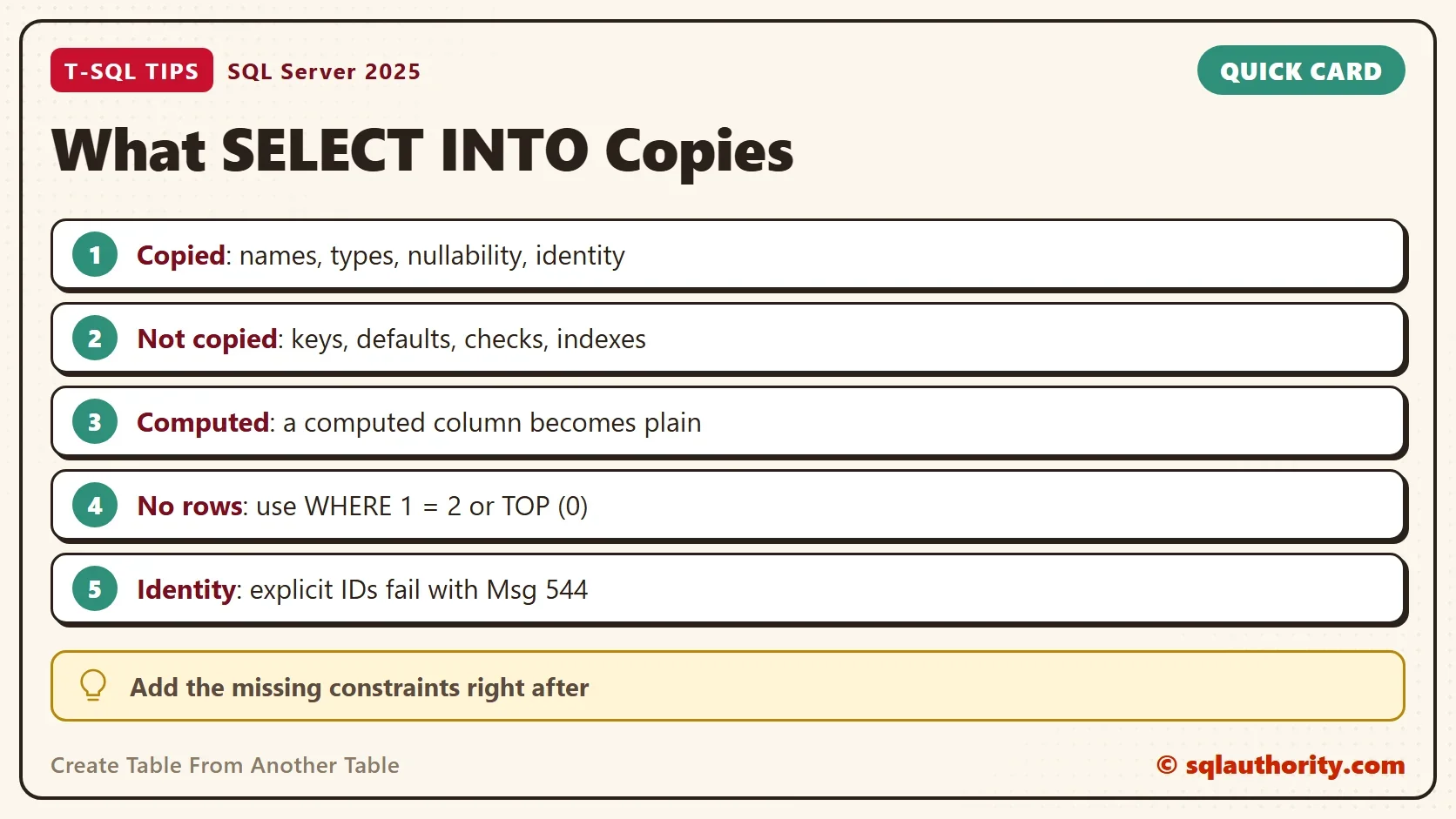
The copy has no primary key, no index, no default and no check constraint. SELECT INTO builds columns and nothing else. Triggers, foreign keys and statistics stay behind as well. If you need to enforce keys, you add them yourself.
The Identity Trap
The copied identity property causes the first surprise. You cannot insert your own order numbers into the copy.
INSERT INTO dbo.OrdersCopy (OrderID, Customer, Region, Amount, Tax) VALUES (1, N'Maya', N'North', 25.00, 2.00);
Msg 544, Level 16, State 1, Line 1
Cannot insert explicit value for identity column in table 'OrdersCopy' when IDENTITY_INSERT is set to OFF.
Two fixes exist. Switch SET IDENTITY_INSERT dbo.OrdersCopy ON for the load. Or copy the column through an expression, which drops the property. The expression ISNULL(OrderID + 0, 0) gives a plain int that stays NOT NULL. A bare CAST or + 0 gives a plain int that allows NULL.
Add the Missing Pieces
Right after the copy, add what SELECT INTO left out. The script restores the key, the default, the check constraint and the index, then runs the count query again.
ALTER TABLE dbo.OrdersCopy ADD CONSTRAINT PK_OrdersCopy PRIMARY KEY (OrderID);
ALTER TABLE dbo.OrdersCopy ADD CONSTRAINT DF_OrdersCopy_Amount DEFAULT (0) FOR Amount;
ALTER TABLE dbo.OrdersCopy ADD CONSTRAINT CK_OrdersCopy_Amount CHECK (Amount >= 0);
CREATE INDEX IX_OrdersCopy_Customer ON dbo.OrdersCopy (Customer);
SELECT t.name AS TableName,
       (SELECT COUNT(*) FROM sys.indexes AS i WHERE i.object_id = t.object_id AND i.type > 0) AS Indexes,
       (SELECT COUNT(*) FROM sys.key_constraints AS k WHERE k.parent_object_id = t.object_id) AS KeyConstraints,
       (SELECT COUNT(*) FROM sys.default_constraints AS d WHERE d.parent_object_id = t.object_id) AS Defaults,
       (SELECT COUNT(*) FROM sys.check_constraints AS c WHERE c.parent_object_id = t.object_id) AS Checks
FROM sys.tables AS t
WHERE t.name = N'OrdersCopy';| TableName | Indexes | KeyConstraints | Defaults | Checks |
|---|---|---|---|---|
| OrdersCopy | 2 | 1 | 1 | 1 |
The copy now matches the source, except for the Tax column, which stays a plain column. Add foreign keys with ALTER TABLE ... ADD CONSTRAINT ... FOREIGN KEY if the source has them.
Copy Only the Columns You Need
The star is a shortcut. List columns instead, and the new table holds only those. Rename a column in the same statement with an alias. The copy keeps the type and nullability of each column you name.
SELECT OrderID, Customer AS BuyerName INTO dbo.OrdersLite FROM dbo.Orders WHERE 1 = 2;
SELECT c.name AS ColumnName, c.is_identity
FROM sys.columns AS c
WHERE c.object_id = OBJECT_ID(N'dbo.OrdersLite')
ORDER BY c.column_id;
| ColumnName | is_identity |
|---|---|
| OrderID | 1 |
| BuyerName | 0 |
OrderID is still an identity column, because it came across as a plain column reference. On a large table, SELECT INTO is also fast: under the SIMPLE or BULK_LOGGED recovery model it is minimally logged. Under FULL recovery it is logged in full, so plan the log space for a big copy.
Copy the Rows Too
Leave out the filter and the statement copies the data. The identity property comes along, and new rows continue after the highest value.
SELECT * INTO dbo.OrdersFull FROM dbo.Orders;
INSERT INTO dbo.OrdersFull (Customer, Amount) VALUES (N'Sam', 5.00);
SELECT OrderID, Customer FROM dbo.OrdersFull ORDER BY OrderID;
| OrderID | Customer |
|---|---|
| 1 | Maya |
| 2 | Leo |
| 3 | Priya |
| 4 | Sam |
When SELECT INTO Is Not Enough
You could argue that a hand-written CREATE TABLE is better, because you know exactly what you get. It is better when the new table is permanent. SELECT INTO is the quick tool for a staging table or a test copy. For a full definition, use Script Table as, CREATE To, New Query Editor Window in SSMS 22. It includes indexes and constraints. The script it writes holds everything the copy statement leaves behind.
SELECT INTO needs the permission to create tables, and it fails when the target name already exists. Drop the old copy first, or choose a new name.
What to Remember
When you create table from another table with SELECT INTO, you get columns, types, nullability and identity. You do not get keys, defaults, checks, indexes or triggers. Add them right away, and watch the identity property when you load explicit values. When you finish the demo, drop the database.
USE master;
GO
ALTER DATABASE CopyTableDemo SET SINGLE_USER WITH ROLLBACK IMMEDIATE;
DROP DATABASE CopyTableDemo;
A copied table is not a clone, it is the columns without the rules.
Published by Pinal Dave on SQLAuthority. More of my work at pinaldave.com.
Discover more from SQL Authority with Pinal Dave
Subscribe to get the latest posts sent to your email.




6 Comments. Leave new
It is probably worth mentioning that the SELECT * INTO method will not create any indexes or constraints in the new table, that are present in your source table.
Of course they do not create any other schema object. You are correct.
I have used this method of creating a new table. I listed the columns and data type, then used a 3rd party source control or deployment application to reinstate the primary/foreign keys. indexes and constraints.
Why do you need 1 = 2? Isn’t it the same if you don’t specify where criteria for first and second examples?
It is required to create a table schema and not data.
how to inforce primary keys and foreign keys through this method.