Question: Can SSMS generate a SQL Server 2005-targeted script from a SQL Server 2019 database? Yes, the Generate Scripts wizard’s server-version setting targets the output. It does not make every feature of a newer database available on the older engine.

A client asked this during a Comprehensive Database Performance Health Check. The setting is simple to find; the migration behind the question deserves more thought. Here is the original picture journey, with the captures identified as the SSMS interface used for that SQL Server 2019-era example.
Generate the targeted script
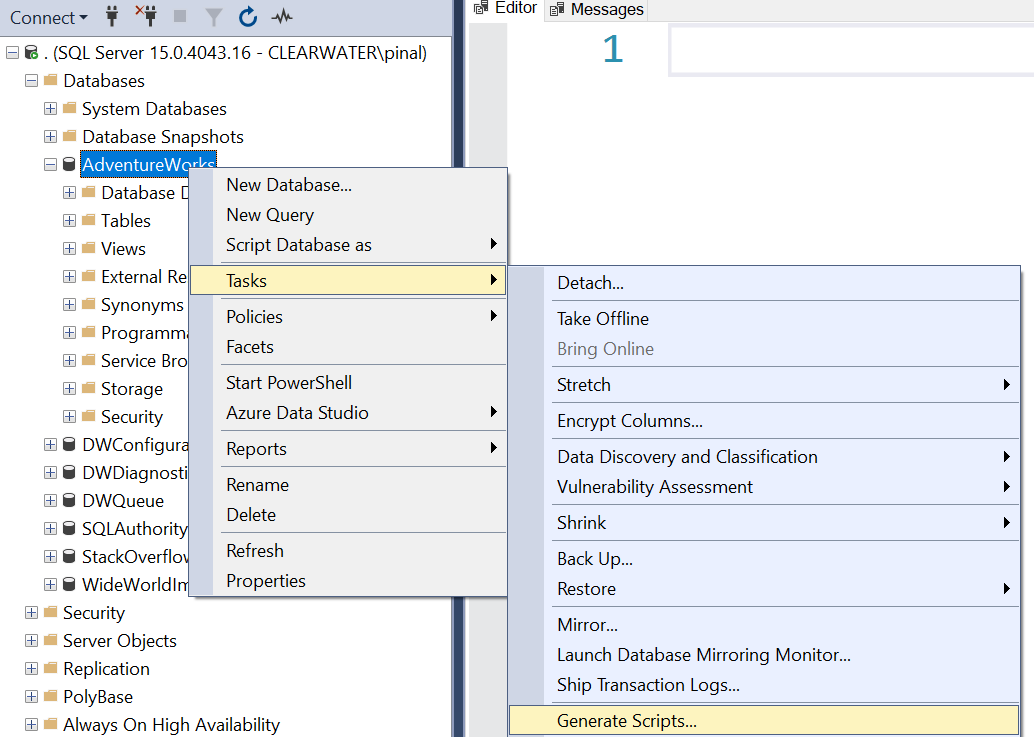
- Right-click the database in Object Explorer and select Tasks, Generate Scripts.
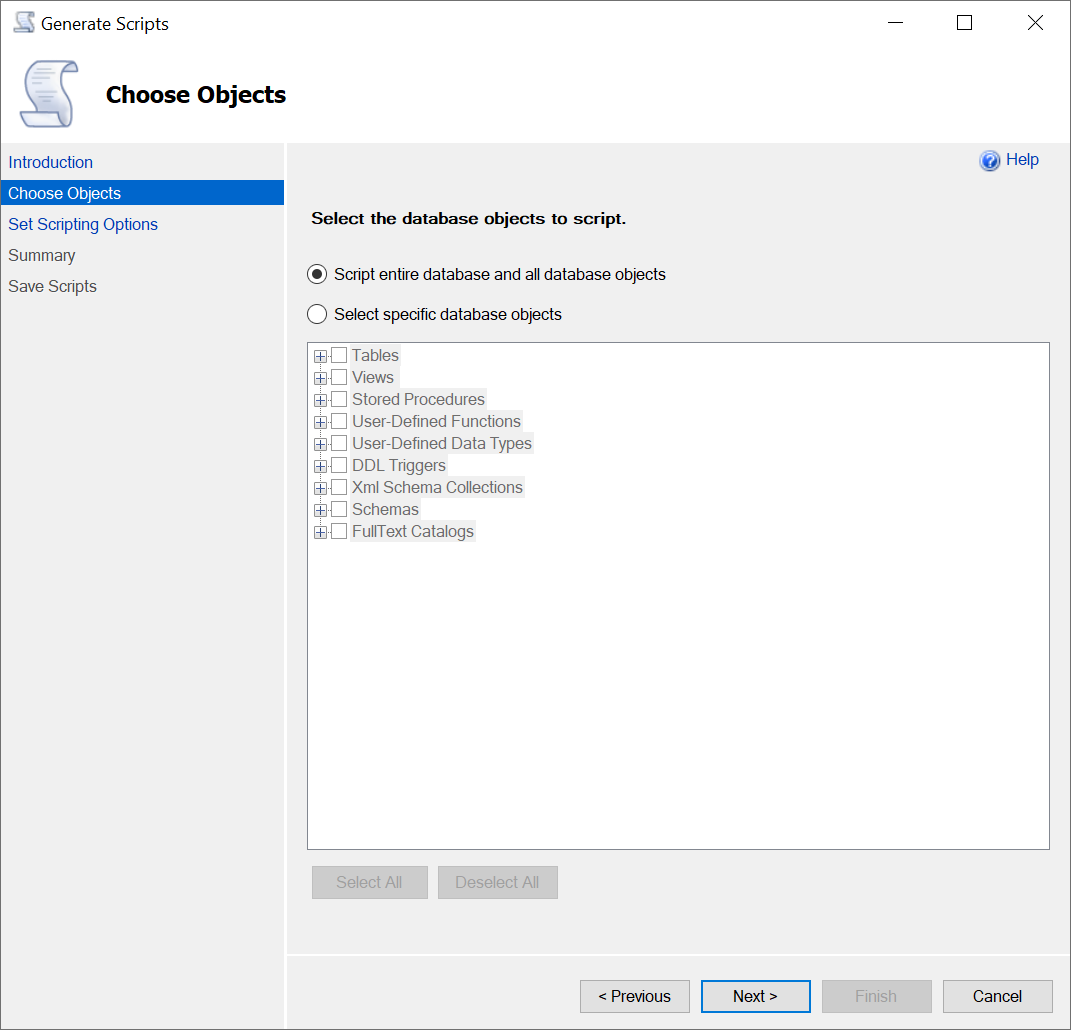
- Pass the Introduction page and choose the database objects you need.
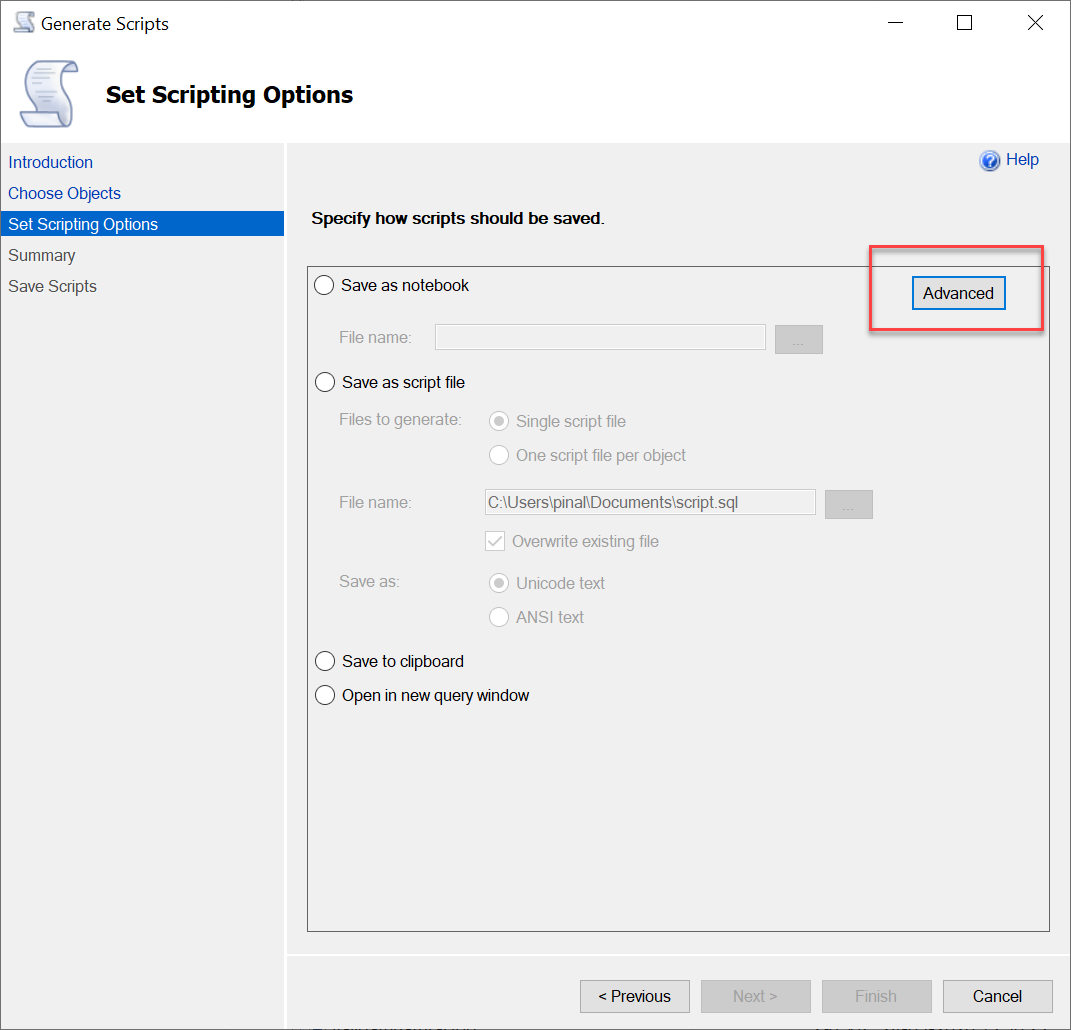
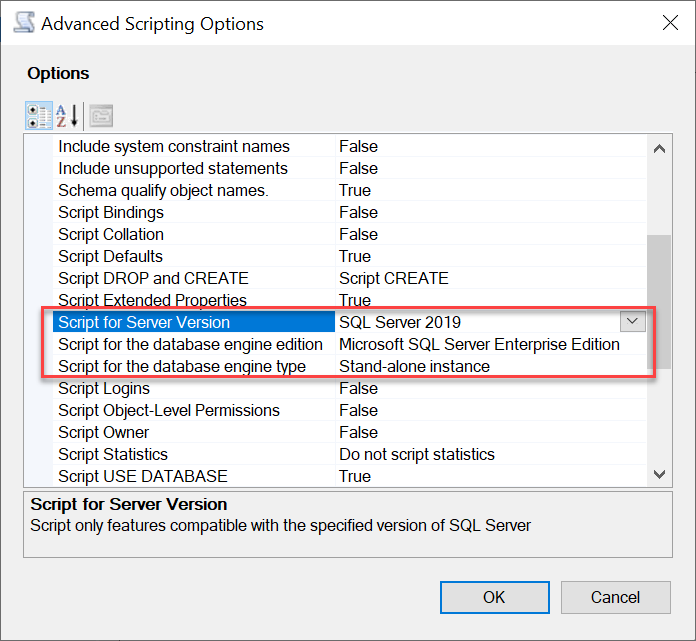
- On Set Scripting Options, choose an output destination and click Advanced.
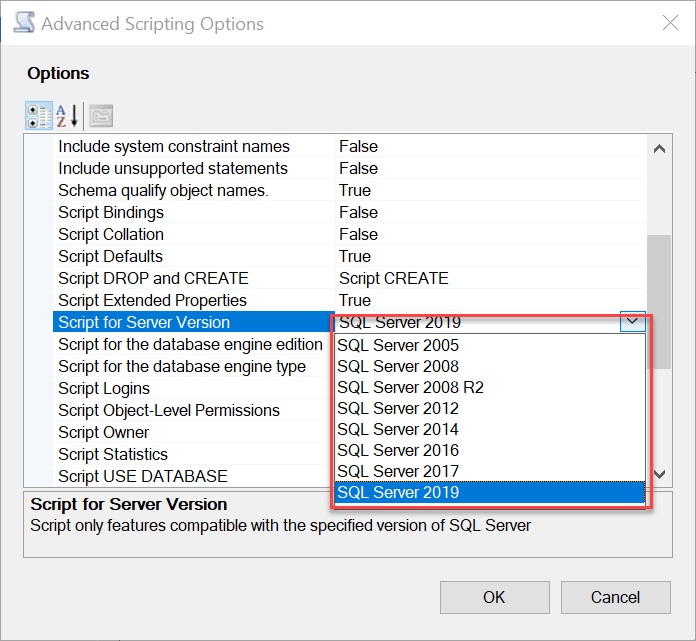
- Set Script for Server Version to SQL Server 2005 for this historical example. Also select the appropriate engine type and edition.
- Review the summary, generate the script, and inspect errors or omitted unsupported objects before using it.
Targeting a script is not downgrading a database
Unsupported newer features may be omitted or require manual changes. For example, SQL Server 2005 cannot acquire a newer data type or T-SQL function merely because the script header names 2005. Review the generated script, dependencies, data-transfer requirements, users and permissions, then test against an isolated instance of the actual target.
Choose “Types of data to script” deliberately if you also need data; the schema setting alone doesn’t transfer table contents. Large migrations usually need a separate data-transfer plan. A backup from SQL Server 2019 cannot simply be restored to SQL Server 2005, and lowering compatibility level doesn’t change that.
This is a historical compatibility question, not a recommendation to deploy SQL Server 2005 today. The target list and interface depend on the SSMS version. The original pictures remain valuable because they show exactly which settings the article meant.
I’ve used targeted scripting for client requirements. If an upgrade causes a performance regression, investigate the workload, plans and compatibility behavior before treating downgrade as the first remedy. That was the practical point behind the original question.
Published by Pinal Dave on SQLAuthority. More of my work at pinaldave.com.
Discover more from SQL Authority with Pinal Dave
Subscribe to get the latest posts sent to your email.