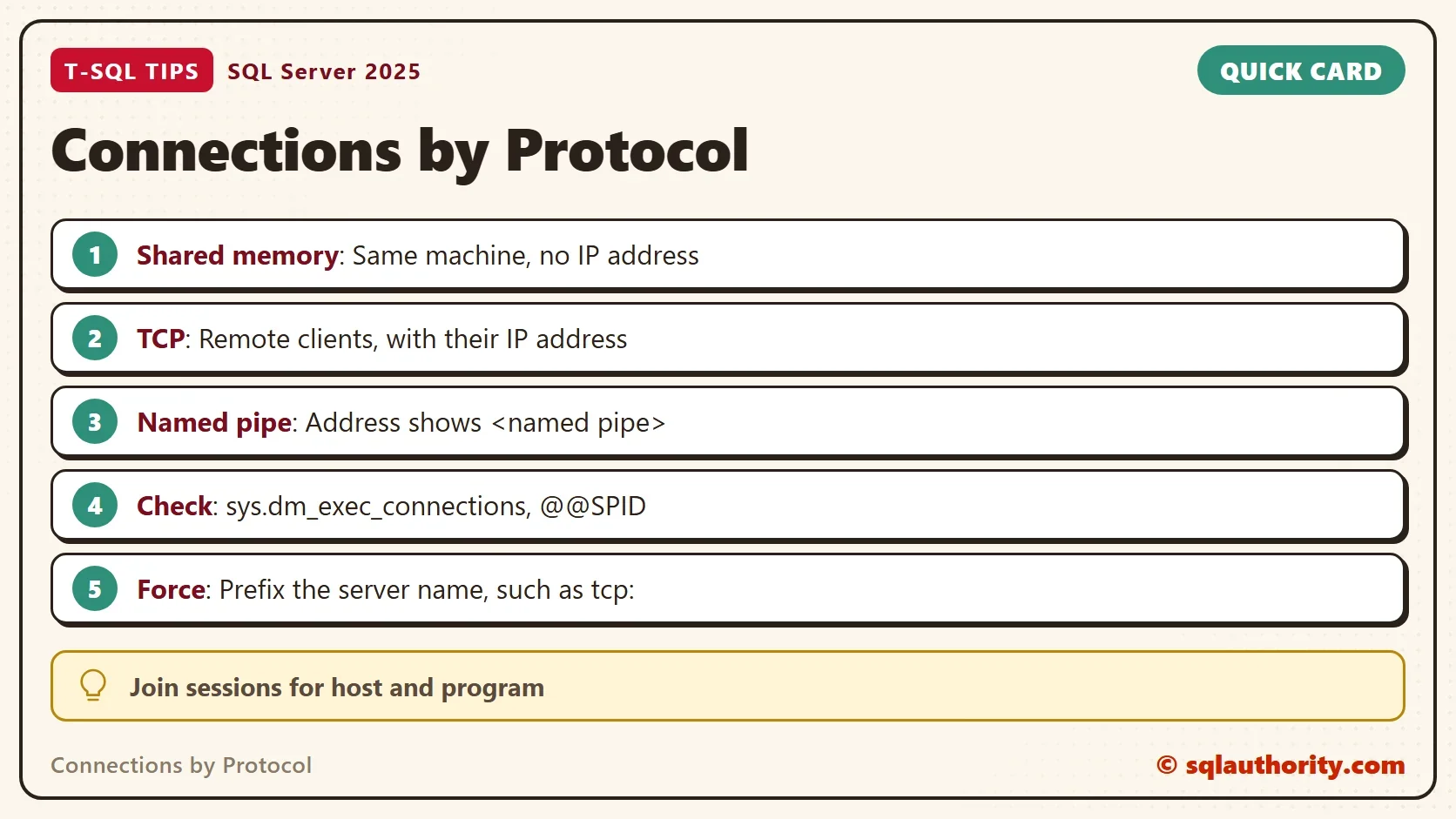
Connections by protocol show how each client reaches SQL Server: shared memory, TCP or a named pipe. One view lists every connection with its protocol and its client address. A short query turns that list into an answer.

What the Connection View Records
Every connection to the instance has one row in sys.dm_exec_connections. The column net_transport names the protocol, and client_net_address holds the client’s IP address. A local protocol has no IP address, so shared memory shows <local machine> and a named pipe shows <named pipe>. Start with your own connection.
SELECT c.net_transport, c.client_net_address, c.local_net_address,
       c.local_tcp_port, c.encrypt_option, c.auth_scheme
FROM sys.dm_exec_connections AS c
WHERE c.session_id = @@SPID;| net_transport | client_net_address | local_net_address | local_tcp_port | encrypt_option | auth_scheme |
|---|---|---|---|---|---|
| Shared memory | <local machine> | NULL | NULL | TRUE | NTLM |
A client that runs on the same machine as the instance gets shared memory by default. No network card is involved. The last two columns tell you whether the connection is encrypted and which sign-in method it used. Here the connection is encrypted and uses NTLM.
Connect Three Ways
A server name with a prefix forces the protocol. Run the same query from PowerShell with each prefix. The TCP command needs the port, and this query reads it from the listener view.
SELECT type_desc, ip_address, port, state_desc
FROM sys.dm_tcp_listener_states
WHERE type_desc = N'TSQL';
On the test server the T-SQL listeners use port 1455 on every address. A second port listens on the loopback address only. The three commands below use the first port. Replace the instance name, the server address and the port with yours. The -C switch trusts the server certificate without checking it, which suits a test server only. On the test server the TCP row was measured from the same machine, through its loopback address.
sqlcmd -S lpc:.\SQLDEV -E -C -Q "SELECT net_transport, client_net_address, local_tcp_port FROM sys.dm_exec_connections WHERE session_id = @@SPID"
sqlcmd -S np:.\SQLDEV -E -C -Q "SELECT net_transport, client_net_address, local_tcp_port FROM sys.dm_exec_connections WHERE session_id = @@SPID"
sqlcmd -S tcp:<ServerAddress>,1455 -E -C -Q "SELECT net_transport, client_net_address, local_tcp_port FROM sys.dm_exec_connections WHERE session_id = @@SPID"
| Server name in the command | net_transport | client_net_address | local_tcp_port |
|---|---|---|---|
| lpc:.\SQLDEV | Shared memory | <local machine> | NULL |
| np:.\SQLDEV | Named pipe | <named pipe> | NULL |
| tcp:ServerAddress,1455 | TCP | The client’s own address | 1455 |
Only the TCP row carries an address and a port. For a client on another machine, client_net_address holds that machine’s IP address.
List Every Connection
Your own row is a start. A health check lists connections by protocol for all sessions. Join the connection view to sys.dm_exec_sessions, which knows the host name, the program and the login. Reading other sessions needs the VIEW SERVER STATE permission, or VIEW SERVER PERFORMANCE STATE on SQL Server 2022 and later.
SELECT c.session_id, c.net_transport, c.client_net_address,
       s.host_name, s.program_name, s.login_name, c.connect_time
FROM sys.dm_exec_connections AS c
JOIN sys.dm_exec_sessions AS s ON s.session_id = c.session_id
WHERE s.is_user_process = 1
ORDER BY c.connect_time;
The result depends on who is connected, so no sample is printed here. Read the address and program columns first. An address you don’t know, or a program that has no reason to be there, is the finding.
Count Connections by Protocol
For a quick picture, group by the protocol. The second column counts the distinct client addresses behind each one.
SELECT c.net_transport,
       COUNT(*) AS Connections,
       COUNT(DISTINCT c.client_net_address) AS Addresses
FROM sys.dm_exec_connections AS c
GROUP BY c.net_transport
ORDER BY Connections DESC;
Remote clients appear as TCP rows. Shared memory rows come from tools and jobs on the server itself. A named pipe row from a remote client is worth a question: find out why that client isn’t using TCP. With MARS enabled, a connection can also report Session as its transport, one row for each logical session.
For the program behind each address, group on both columns. This shows which application opens how many connections from which machine.
SELECT s.program_name, c.client_net_address, c.net_transport, COUNT(*) AS Connections
FROM sys.dm_exec_connections AS c
JOIN sys.dm_exec_sessions AS s ON s.session_id = c.session_id
WHERE s.is_user_process = 1
GROUP BY s.program_name, c.client_net_address, c.net_transport
ORDER BY Connections DESC;
One program with hundreds of connections from one address needs a look. Two causes fit: a pool without a limit, and code that never closes its connections. Compare the count with the pool size the application sets.
Encryption and Sign-In Method
Two more columns belong in every connection review. The column encrypt_option says whether traffic on that connection is encrypted. The column auth_scheme says how the login was checked. It shows SQL for a SQL login, and NTLM or KERBEROS for a Windows login. Over TCP, a domain client that uses NTLM instead of Kerberos can point to a service principal name problem. A local connection through shared memory uses NTLM as a rule, as the first row shows.
Reading connections by protocol and by sign-in method together gives a complete picture of who connects and how.
Why the Protocol Matters
You could argue that the protocol doesn’t matter, because the client library picks it. That’s true until something breaks. A firewall can block the TCP port while shared memory on the server itself keeps working. A tool that works on the server proves only that shared memory works. Test from a client machine, over TCP, before you blame the application.
The protocol also explains surprises. An application on the same machine as the instance that reports a TCP address isn’t using shared memory. That can be on purpose, for example when its connection string names an address. A protocol that is switched off in SQL Server Configuration Manager can’t accept connections. The client then reports a network error, not a login error.
What to Remember
Read net_transport and client_net_address for any connection you need to explain. Use @@SPID for your own, and the join with sessions for everyone else. Add a prefix such as tcp: to the server name when you want to test one protocol on purpose.
Checking connections by protocol is read-only, so nothing is created on the server and no cleanup is needed. Run it when a client can’t connect, and again after you change a firewall or a protocol setting.
A connection is not a login, it is a route.
Published by Pinal Dave on SQLAuthority. More of my work at pinaldave.com.
Discover more from SQL Authority with Pinal Dave
Subscribe to get the latest posts sent to your email.