
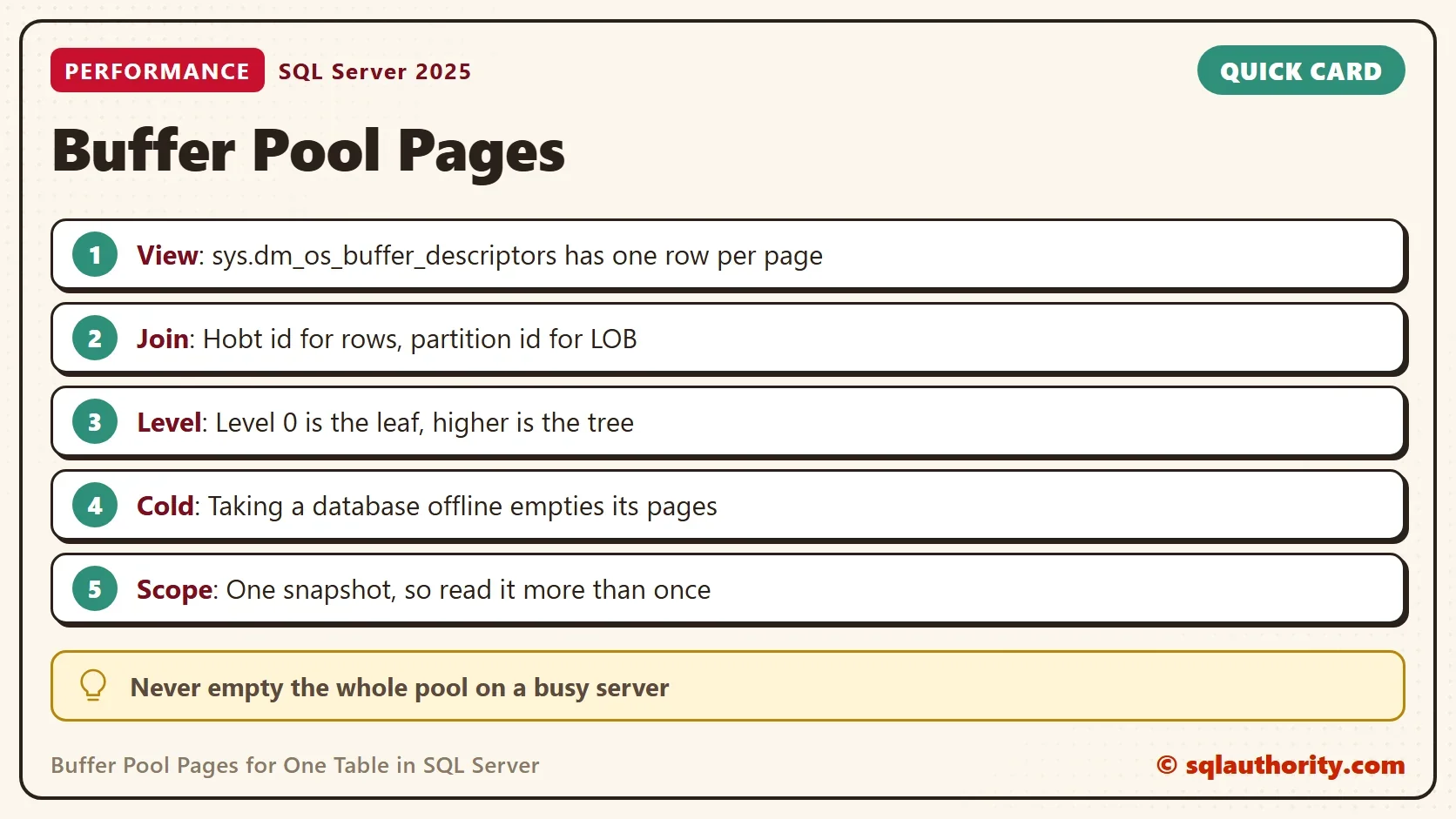
Buffer pool pages for one table show how much of that table sits in memory right now. SQL Server answers with one view, and the answer changes with every query you run.

What the View Returns
SQL Server reads a data page from disk once. It keeps a copy in memory, in an area called the buffer pool. The view sys.dm_os_buffer_descriptors has one row for each page in that pool, for every database on the instance. Reading it needs the VIEW SERVER STATE permission, or VIEW SERVER PERFORMANCE STATE on SQL Server 2022 and later.
Each row names the allocation unit that owns the page. It also gives the kind of page and the level of the index. It does not name the table. You find the table through the catalog, and the join needs some care.
Build a Table to Look At
The demo creates a database named BufferPoolMapDemo and a table of tea orders. The table has a clustered primary key and a nonclustered index on the customer. Every hundredth row also holds a large note. That gives three kinds of allocation unit.
The load runs in 200 small batches. One large INSERT adds bulk operation pages whose count changes from run to run. The script also turns off automatic statistics for the demo database. Compiling a query can read a whole table to build them. That would fill the pool before the first count.
IF DB_ID(N'BufferPoolMapDemo') IS NULL CREATE DATABASE BufferPoolMapDemo;
GO
ALTER DATABASE BufferPoolMapDemo SET AUTO_CREATE_STATISTICS OFF;
ALTER DATABASE BufferPoolMapDemo SET AUTO_UPDATE_STATISTICS OFF;
GO
USE BufferPoolMapDemo;
GO
DROP TABLE IF EXISTS dbo.TeaOrders;
CREATE TABLE dbo.TeaOrders (
    OrderID int NOT NULL CONSTRAINT PK_TeaOrders PRIMARY KEY,
    CustomerID int NOT NULL,
    OrderNote varchar(max) NULL,
    Padding char(100) NOT NULL DEFAULT 'x'
);
CREATE INDEX IX_TeaOrders_Customer ON dbo.TeaOrders (CustomerID);
SET NOCOUNT ON;
DECLARE @batch int = 0;
WHILE @batch < 200
BEGIN
    INSERT INTO dbo.TeaOrders (OrderID, CustomerID, OrderNote)
    SELECT @batch * 100 + n, (@batch * 100 + n) * 37 % 500,
           CASE WHEN n = 1 THEN REPLICATE(CONVERT(varchar(max), 'oolong '), 3000) END
    FROM (SELECT TOP (100) ROW_NUMBER() OVER (ORDER BY (SELECT NULL)) AS n FROM sys.all_objects) AS x;
    SET @batch += 1;
END;
List the Pages of One Table
The function below takes a table name. It returns the buffer pool pages for one table, grouped by index, page type and level. It first finds the allocation units of the table. An allocation unit stores its container in one of two ways. Row data and overflow data point to the hobt id of the partition. Large object data points to the partition id. The join has one arm for each case.
CREATE OR ALTER FUNCTION dbo.PagesInMemory (@ObjectName sysname)
RETURNS TABLE
AS
RETURN
WITH Containers AS (
    SELECT au.allocation_unit_id, au.type_desc AS UnitType, p.index_id
    FROM sys.allocation_units AS au
    JOIN sys.partitions AS p
      ON (au.type IN (1, 3) AND au.container_id = p.hobt_id)
      OR (au.type = 2 AND au.container_id = p.partition_id)
    WHERE p.object_id = OBJECT_ID(@ObjectName)
)
SELECT i.name AS IndexName, c.UnitType, bd.page_type AS PageType, bd.page_level AS PageLevel,
       COUNT(*) AS PagesInMemory,
       CONVERT(decimal(5,1), 100.0 * (8192 - AVG(bd.free_space_in_bytes * 1.0)) / 8192) AS PercentFull
FROM sys.dm_os_buffer_descriptors AS bd
JOIN Containers AS c ON c.allocation_unit_id = bd.allocation_unit_id
JOIN sys.indexes AS i ON i.object_id = OBJECT_ID(@ObjectName) AND i.index_id = c.index_id
WHERE bd.database_id = DB_ID()
GROUP BY i.name, c.UnitType, bd.page_type, bd.page_level;
CREATE OR ALTER needs SQL Server 2016 SP1. The next query reads the pages right after the load.
SELECT * FROM dbo.PagesInMemory(N'dbo.TeaOrders')
ORDER BY IndexName, UnitType, PageType, PageLevel DESC;
| IndexName | UnitType | PageType | PageLevel | PagesInMemory | PercentFull |
|---|---|---|---|---|---|
| IX_TeaOrders_Customer | IN_ROW_DATA | IAM_PAGE | 0 | 1 | 99.9 |
| IX_TeaOrders_Customer | IN_ROW_DATA | INDEX_PAGE | 1 | 1 | 14.5 |
| IX_TeaOrders_Customer | IN_ROW_DATA | INDEX_PAGE | 0 | 64 | 54.6 |
| PK_TeaOrders | IN_ROW_DATA | DATA_PAGE | 0 | 293 | 99.1 |
| PK_TeaOrders | IN_ROW_DATA | IAM_PAGE | 0 | 1 | 99.9 |
| PK_TeaOrders | IN_ROW_DATA | INDEX_PAGE | 1 | 1 | 47.7 |
| PK_TeaOrders | LOB_DATA | IAM_PAGE | 0 | 1 | 99.9 |
| PK_TeaOrders | LOB_DATA | TEXT_MIX_PAGE | 0 | 600 | 86.8 |
Read the table from the top. Level 0 is the leaf of an index, and the leaf of the clustered index is the table itself. Higher levels are the tree above it. The IAM pages are bookkeeping that records which extents an allocation unit owns. The notes sit in 600 TEXT_MIX_PAGE pages, three for each large value.
The clustered pages are 99.1 percent full. The nonclustered leaf pages are only 54.6 percent full. Customer numbers arrive in no fixed order, so inserts split pages as they fill. A rebuild packs them again. The percentage comes from the free space that each buffer row reports.
See What Each Query Pulls Into Memory
The pool only holds pages that someone read. To see that, start cold. Taking the demo database offline removes its pages from the pool, and no other database is touched. The statement disconnects every session in the database, so use it only on a database you own.
USE master;
GO
ALTER DATABASE BufferPoolMapDemo SET OFFLINE WITH ROLLBACK IMMEDIATE;
ALTER DATABASE BufferPoolMapDemo SET ONLINE;
GO
USE BufferPoolMapDemo;
Now read the table in four steps and count its buffer pool pages after each one. Each step is a different kind of read. The first count returns no rows, because nothing in the table has been read yet.
SELECT IndexName, UnitType, SUM(PagesInMemory) AS PagesInMemory
FROM dbo.PagesInMemory(N'dbo.TeaOrders') GROUP BY IndexName, UnitType ORDER BY IndexName, UnitType;

SELECT COUNT(*) AS OrdersForCustomer FROM dbo.TeaOrders WHERE CustomerID = 5;

SELECT IndexName, UnitType, SUM(PagesInMemory) AS PagesInMemory
FROM dbo.PagesInMemory(N'dbo.TeaOrders') GROUP BY IndexName, UnitType ORDER BY IndexName, UnitType;

SELECT COUNT(*) AS PlainRows FROM dbo.TeaOrders WHERE Padding = 'x';

SELECT IndexName, UnitType, SUM(PagesInMemory) AS PagesInMemory
FROM dbo.PagesInMemory(N'dbo.TeaOrders') GROUP BY IndexName, UnitType ORDER BY IndexName, UnitType;

SELECT SUM(LEN(OrderNote)) AS NoteCharacters FROM dbo.TeaOrders;

SELECT IndexName, UnitType, SUM(PagesInMemory) AS PagesInMemory
FROM dbo.PagesInMemory(N'dbo.TeaOrders') GROUP BY IndexName, UnitType ORDER BY IndexName, UnitType;
| After this step | IX_TeaOrders_Customer | Clustered data | Large values |
|---|---|---|---|
| Database back online | 0 | 0 | 0 |
| Lookup for customer 5 | 8 | 0 | 0 |
| Scan of the clustered index | 8 | 294 | 0 |
| LEN of every note | 8 | 294 | 600 |
A lookup for one customer loads 8 index pages, and nothing else. The scan loads the whole clustered index. That is 294 pages: 293 data pages and the root. Reading every note loads 600 pages of large values. DATALENGTH would not do that. It scans the clustered index but loads none of the large value pages. Only LEN has to read the text.
A cold table is not an empty one. Each query loaded exactly what it needed. A report that touches one index leaves the rest of the table on disk. That is why a table can be large and still use little memory.
Availability Groups and Cluster Nodes
The view lists every database that has pages in this instance. A secondary replica shows pages too, because the redo work reads them into memory. Each instance has its own pool. On a two node setup each node runs its own instance. A query on one node shows only the pages that its instance holds. That includes the database of a secondary replica. A database can show pages on two servers at once when one of them holds a secondary copy.
Is Counting Pages Worth It?
You could argue that the pool changes every second. A count of buffer pool pages for one table then tells you little. For one reading that is fair. Read it a few times during a busy hour and the tables that stay in memory stand out. If a big table keeps disappearing between readings, memory is tight. For totals across a whole database, read Memory Used by Each Table in the SQL Server Buffer Pool.
Do not empty the pool with DBCC DROPCLEANBUFFERS on a server that people use. It clears the clean pages of every database, and every query starts again from disk. On a test server, run CHECKPOINT before DROPCLEANBUFFERS, or dirty pages stay in the pool. Taking one test database offline is far gentler.
What to Remember
Count buffer pool pages for one table by index, page type and level, and treat the numbers as a snapshot. Join the allocation units by type. Read the lookup, scan and large value cases separately, because each one loads different pages.
When you finish the demo, remove the database.
USE master;
GO
IF DB_ID(N'BufferPoolMapDemo') IS NOT NULL
BEGIN
    ALTER DATABASE BufferPoolMapDemo SET SINGLE_USER WITH ROLLBACK IMMEDIATE;
    DROP DATABASE BufferPoolMapDemo;
END;
A page in memory is not a page you need, it is a page somebody read.
Published by Pinal Dave on SQLAuthority. More of my work at pinaldave.com.
Discover more from SQL Authority with Pinal Dave
Subscribe to get the latest posts sent to your email.



1 Comment. Leave new
Hello Sir,
I have 2 nodes in cluster both are primary to each other, when I ran the below query
select db_name(database_id) as DBName, (count(1)/128)/1024 as DBMemoryConsumed_GB from sys.dm_os_buffer_descriptors group by database_id
It exhibits the in memory consumed by all the databases including the database exist on the secondary node.
For example If I have 10 client configured in primary and another 10 on secondary node
When I ran the above query on primary node , it shows the memory consumed by the databases from the secondary node as well.
How is it possible?
why secondary node databases objects are stored in primary node memory?