
A transaction log full due to REPLICATION sent one of my clients looking for help with a huge log file. They contacted me to find and fix the cause. There are many causes of error 9002 in the SQL Server ERRORLOG, and this one had a twist.

The Error
The message in the ERRORLOG named the database and the reason:
The transaction log for database 'SQLAuthority' is full due to 'REPLICATION'.How to Check
I joined a call with them and ran a few queries to learn the state of the database. I always start with this one:
SELECT name, log_reuse_wait_desc
FROM sys.databases
where name = 'Database_Name'
Here are the values you can see in log_reuse_wait_desc:
- NOTHING
- CHECKPOINT
- LOG_BACKUP
- ACTIVE_BACKUP_OR_RESTORE
- ACTIVE_TRANSACTION
- DATABASE_MIRRORING
- REPLICATION
- DATABASE_SNAPSHOT_CREATION
- LOG_SCAN
- AVAILABILITY_REPLICA
- OLDEST_PAGE
What We Found
My client’s database showed REPLICATION. So I checked whether the database was part of replication:
SELECT [is_published]
	,[is_subscribed]
	,[is_cdc_enabled]
FROM sys.databases
WHERE name = 'Database_Name'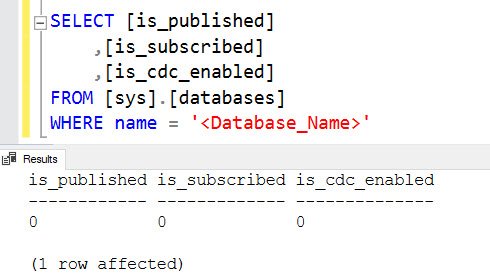
All three columns were 0. That was weird! The log said replication was holding it, and the database said there was no replication.
Why It Happens
From my discussion with them, they had tried replication at some point. They created a publication but no subscription. When I checked, the log reader job wasn’t running, and that explained the full log.
SQL Server keeps the data in the transaction log and won’t allow truncation until it’s replicated or picked up by the Log Reader Agent. You can run into the same issue when the log reader agent job hits errors.
The Fix
Since no subscriber was configured, they were confident that removing it wouldn’t break anything. We used SQL Server Management Studio to drop the publication. It took a long time, and even after it was gone we still saw the REPLICATION wait.
So I also used sp_removedbreplication to clean it up:
EXEC sp_removedbreplication 'Database_Name'Only do this when you are sure nothing depends on that replication. After that, I took a transaction log backup and checked log_reuse_wait_desc again.
Confirm It Worked
The value was now NOTHING, which means the log can be reused. Only then did I shrink the log file, using this script from one of my earlier posts:
DECLARE @ScriptToExecute VARCHAR(MAX);
SET @ScriptToExecute = '';
SELECT
@ScriptToExecute = @ScriptToExecute +
'USE ['+ d.name +']; CHECKPOINT; DBCC SHRINKFILE ('+f.name+');'
FROM sys.master_files f
INNER JOIN sys.databases d ON d.database_id = f.database_id
WHERE f.type = 1 AND d.database_id > 4
-- AND d.name = 'NameofDB'
SELECT @ScriptToExecute ScriptToExecute
EXEC (@ScriptToExecute)
Notice what this script does. It shrinks the log of every user database unless you remove the comment marks and name one database in the filter.
How to Prevent It
When you try out replication and drop the idea, clean up after yourself. A forgotten publication can sit quietly until the log fills the drive. Reading log_reuse_wait_desc first also saves you from guessing.
The same error has other causes, and I’ve written about the DATABASE_MIRRORING case and the LOG_BACKUP case. Have you seen such an unexplained situation with SQL Server? Please leave a comment and let me know.
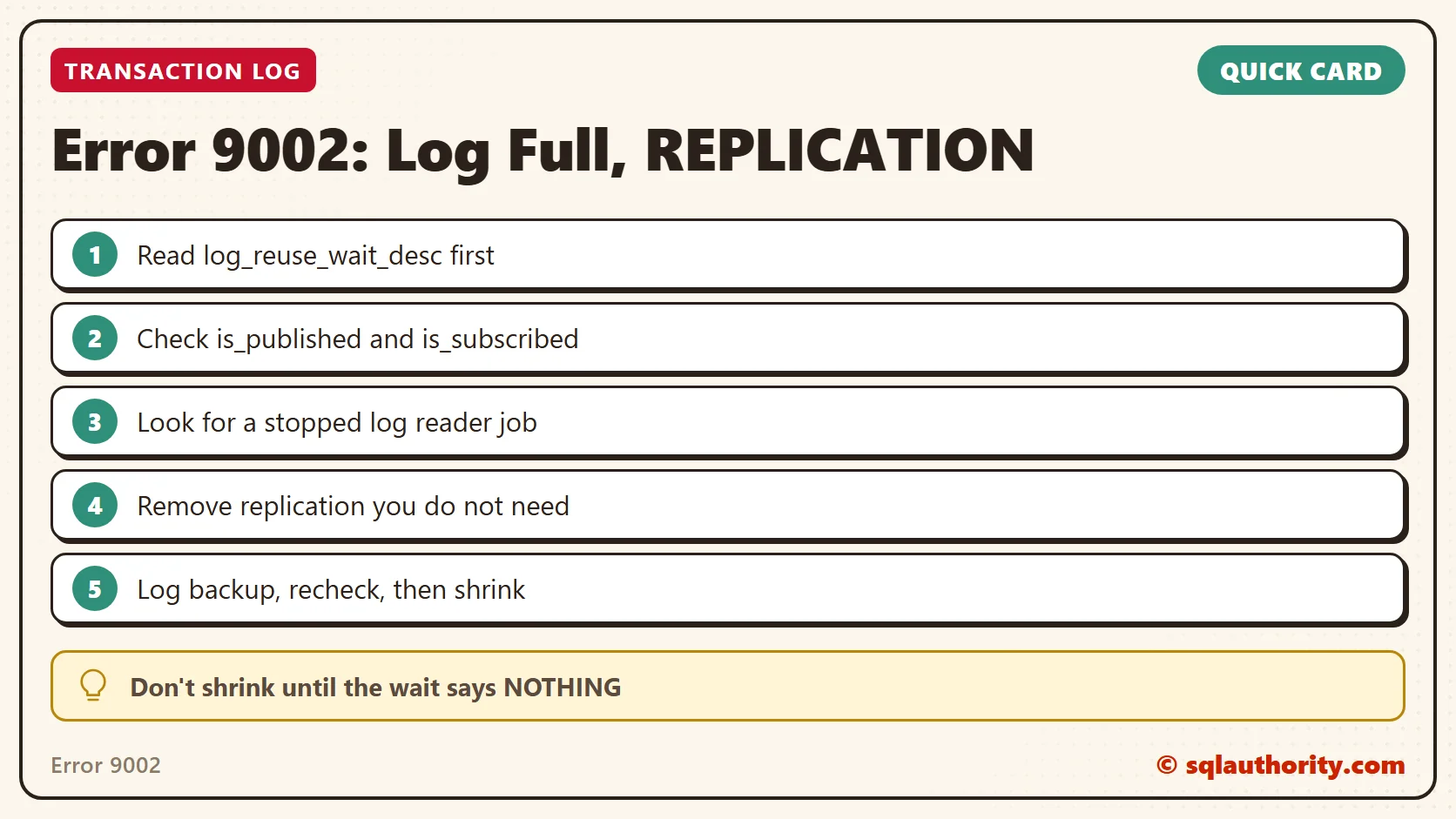
A full log is not the problem to shrink away, it is a message about what the log is still waiting for.
Published by Pinal Dave on SQLAuthority. More of my work at pinaldave.com.
Discover more from SQL Authority with Pinal Dave
Subscribe to get the latest posts sent to your email.




3 Comments. Leave new
HI Panel,
good article on replication. I have a database which log has exceeded over 100 GB. I tried using to shrink but the size did not decrease, i also take transaction log back and tried again to shrink database through DBCC command. i have replication that is not working since two months. Please guide me how to resolve the issue, secondly we do not need replication further.
Even while executing above command at my end gives the same error and so problem remains same.
I have a similar situation — a server with no replication configured, and a database with a nearly full transaction log with a REPLICATION wait_state. I believe the DB may have been created from a backup of a replicated DB, but the published/subscribed, cdc values are all 0. Unsurprisingly, sp_removedbreplication has no effect, since replication has never been set up here. The log file for the DB is the largest thing on the disk, and it’s become an issue.