
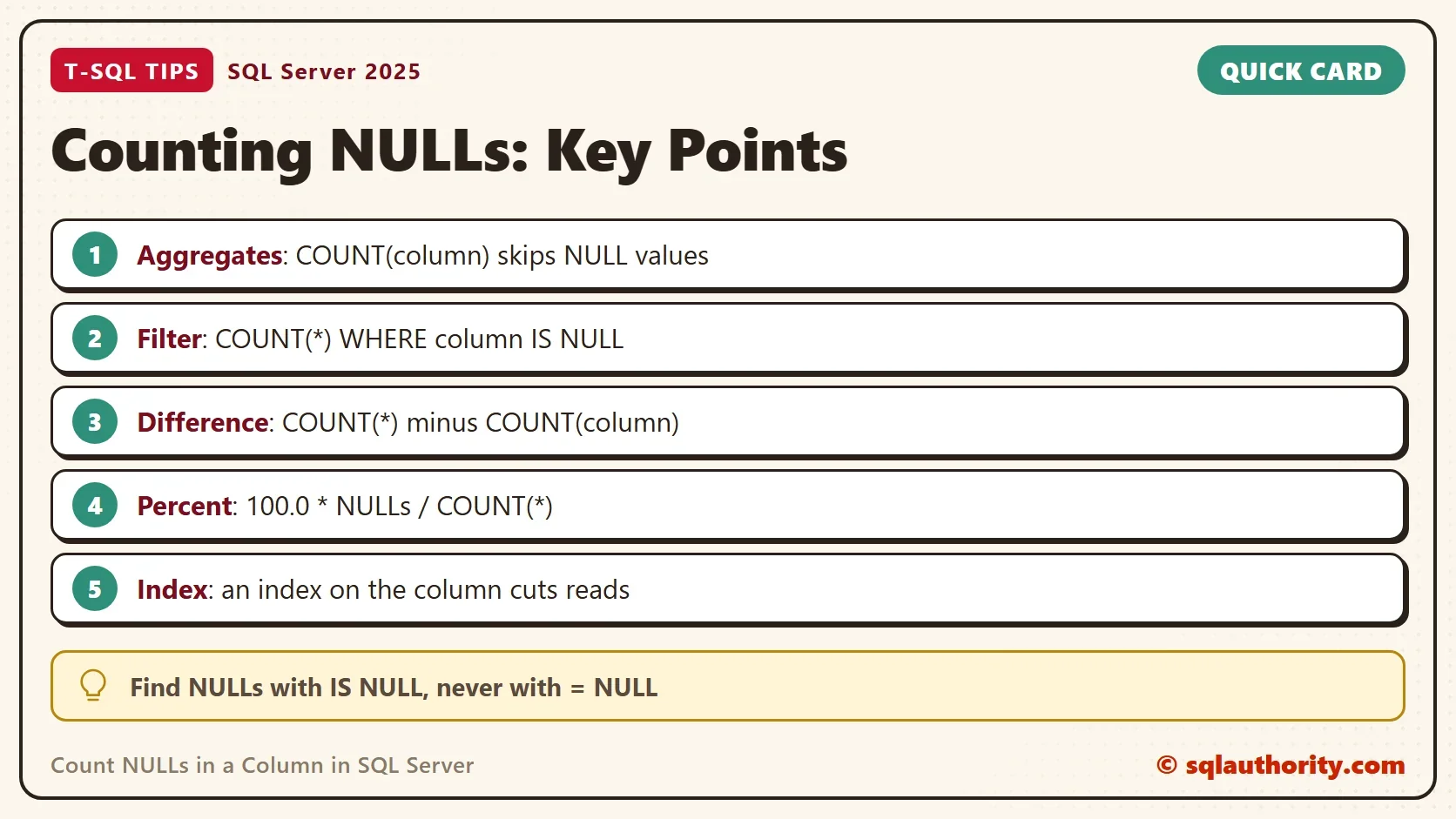
To count NULLs in a column, filter with IS NULL and count the rows, or subtract COUNT(column) from COUNT(*). A plain COUNT(column) can’t do it, because aggregate functions skip NULL values. Four methods return the same number, and a fifth shows it as a group. They don’t cost the same.

Why COUNT(column) Skips the NULLs
An aggregate such as COUNT, SUM or AVG ignores a NULL, because an unknown value should not change a total. COUNT(*) is the exception. It counts rows, so a row with NULL in every column still counts. COUNT(column) counts only the rows where that column has a value.
The demo database holds 100,000 contacts. Every tenth contact has no phone number, every 25th has no email address, and every 20th has no city. The counts are exact. The page reads depend on the version, so yours can differ a little.
IF DB_ID(N'NullCountDemo') IS NULL CREATE DATABASE NullCountDemo;
GO
USE NullCountDemo;
GO
DROP TABLE IF EXISTS dbo.Contacts;
CREATE TABLE dbo.Contacts (
    ContactID int NOT NULL PRIMARY KEY,
    FullName  varchar(40) NOT NULL,
    Phone     varchar(20) NULL,
    Email     varchar(60) NULL,
    City      varchar(30) NULL
);
INSERT INTO dbo.Contacts (ContactID, FullName, Phone, Email, City)
SELECT n, CONCAT('Contact ', n),
       CASE WHEN n % 10 = 0 THEN NULL ELSE CONCAT('555-', RIGHT(CONCAT('000000', n), 6)) END,
       CASE WHEN n % 25 = 0 THEN NULL ELSE CONCAT('user', n, '@example.com') END,
       CASE WHEN n % 20 = 0 THEN NULL ELSE CHOOSE(n % 4 + 1, 'Austin', 'Boise', 'Denver', 'Portland') END
FROM (SELECT TOP (100000) ROW_NUMBER() OVER (ORDER BY (SELECT NULL)) AS n
      FROM sys.all_objects AS a CROSS JOIN sys.all_objects AS b) AS nums;
Two tries go wrong in an instructive way. COUNT takes one argument, so passing a second one as a replacement value fails. Filtering on IS NULL and then counting the same column returns zero. The filter leaves only NULL values, and COUNT skips every one.
SELECT COUNT(Phone, 0) AS CountCol FROM dbo.Contacts WHERE Phone IS NULL;
Msg 174, Level 15, State 1, Line 1
The COUNT function requires 1 argument(s).
SELECT COUNT(Phone) AS NullCountWrong FROM dbo.Contacts WHERE Phone IS NULL;
| NullCountWrong |
|---|
| 0 |
Five Ways to Count NULLs in a Column
The first query puts three ways to count NULLs in a column side by side. COUNT(*) minus COUNT(Phone) uses the skip rule on purpose. The SUM with CASE adds a 1 for every NULL. COUNT with a CASE works too. The CASE returns 1 for NULL rows and NULL for the rest, and COUNT skips the NULL ones.
SELECT COUNT(*) AS AllRows,
       COUNT(Phone) AS PhonesFilled,
       COUNT(*) - COUNT(Phone) AS NullByDifference,
       SUM(CASE WHEN Phone IS NULL THEN 1 ELSE 0 END) AS NullBySum,
       COUNT(CASE WHEN Phone IS NULL THEN 1 END) AS NullByCountCase
FROM dbo.Contacts;| AllRows | PhonesFilled | NullByDifference | NullBySum | NullByCountCase |
|---|---|---|---|---|
| 100000 | 90000 | 10000 | 10000 | 10000 |
The fourth method filters first. IS NULL is the standard test for NULL, because a comparison such as Phone = NULL is never true. One variant wraps the column in ISNULL inside COUNT. It works only with the same filter, so the wrapper adds nothing.
SELECT COUNT(*) AS NullPhones FROM dbo.Contacts WHERE Phone IS NULL;
| NullPhones |
|---|
| 10000 |
Which Method Reads the Fewest Pages
Every method returns 10,000, so compare the work instead of the answer. SET STATISTICS IO reports the logical reads, which are the pages a query touches. The next script runs three of the methods, once without an index and once after an index on Phone. COUNT(1) joins the list because some people say it runs faster than COUNT(*).
SET STATISTICS IO ON;
SELECT COUNT(*) AS NullPhones FROM dbo.Contacts WHERE Phone IS NULL;
SELECT COUNT(1) AS NullPhones FROM dbo.Contacts WHERE Phone IS NULL;
SELECT COUNT(*) - COUNT(Phone) AS NullPhones FROM dbo.Contacts;
SET STATISTICS IO OFF;
CREATE INDEX IX_Contacts_Phone ON dbo.Contacts (Phone);
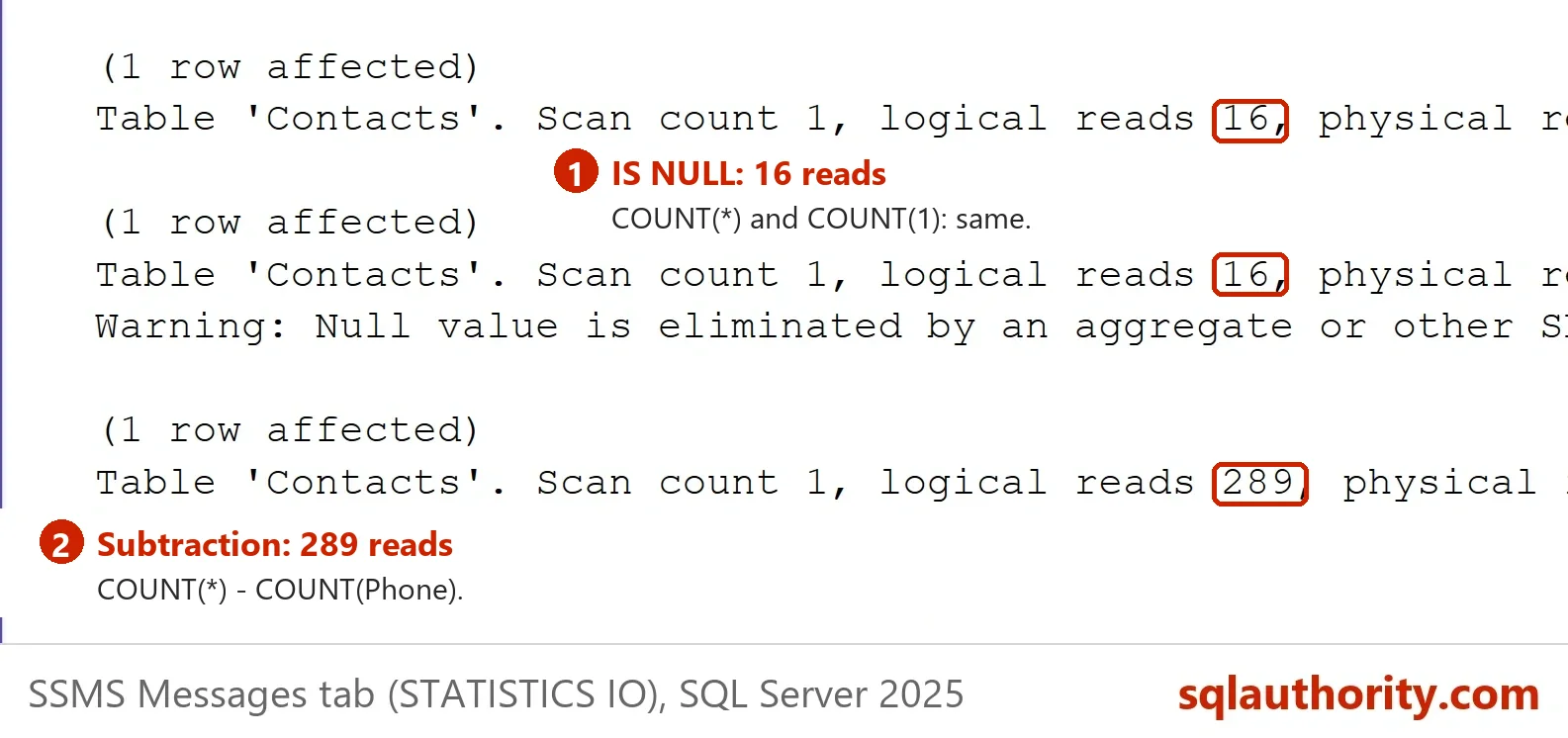
Run the SET STATISTICS IO block a second time after the index exists. SSMS prints the reads in the Messages tab, on the line that starts with the table name. The logical reads on the Contacts table change like this. Treat them as a comparison between methods, because the exact numbers depend on the version and the row width.
| Query | Reads without the index | Reads with the index |
|---|---|---|
| COUNT(*) WHERE Phone IS NULL | 881 | 16 |
| COUNT(1) WHERE Phone IS NULL | 881 | 16 |
| COUNT(*) – COUNT(Phone) | 881 | 284 |
COUNT(1) and COUNT(*) read the same pages, so neither is faster. The index helps most when you filter. SQL Server jumps to the NULL entries at the start of the index and reads 16 pages. The subtraction has to read every entry, so it uses the narrow index and still reads 284. The picture comes from a second server, which counted 289 reads for the subtraction method.
Count NULLs in Several Columns at Once
The subtraction method scales well, because one scan of the table can count NULLs in a column for every column. Add a percentage, and the same query becomes a quick data quality check. COUNT(DISTINCT City) skips NULL too, so the second query returns 4 and not 5.
SELECT COUNT(*) - COUNT(Phone) AS NullPhones,
       COUNT(*) - COUNT(Email) AS NullEmails,
       COUNT(*) - COUNT(City) AS NullCities,
       CAST(100.0 * (COUNT(*) - COUNT(Phone)) / COUNT(*) AS decimal(5,1)) AS NullPhonePercent
FROM dbo.Contacts;

SELECT COUNT(DISTINCT City) AS DistinctCities, COUNT(City) AS CitiesFilled FROM dbo.Contacts;| NullPhones | NullEmails | NullCities | NullPhonePercent |
|---|---|---|---|
| 10000 | 4000 | 5000 | 10.0 |
| DistinctCities | CitiesFilled |
|---|---|
| 4 | 95000 |
GROUP BY Puts the NULLs in a Group of Their Own
The fifth way is GROUP BY, which shows the NULLs next to the other values. GROUP BY treats all NULL values as one group, so the NULL row holds the count. It covers one column at a time, and the result lists every distinct value. That is why the filter is cheaper when only the NULL count is needed, because GROUP BY reads every row. The page counts for GROUP BY were not measured here.
SELECT City, COUNT(*) AS Contacts FROM dbo.Contacts GROUP BY City ORDER BY City;
| City | Contacts |
|---|---|
| NULL | 5000 |
| Austin | 20000 |
| Boise | 25000 |
| Denver | 25000 |
| Portland | 25000 |
You could argue that a table with many NULLs needs a redesign, not a count. That is true for many tables. A column that is empty for most rows can move to its own table. Counting first tells you whether the problem is large enough to matter.
Two Traps to Check
IS NULL finds only a real NULL. An empty string and the text ‘NULL’ are ordinary values. None of the five methods counts them. Profile those separately with a comparison such as City = ''. The second trap is size. COUNT returns an int, and it fails on a table with more than 2,147,483,647 rows. Use COUNT_BIG there, because it returns a bigint.
What to Remember
COUNT(*) counts rows and COUNT(column) counts values. To count NULLs in a column, use IS NULL with COUNT(*) for one fast answer. Use COUNT(*) minus COUNT(column) for several columns in one pass. Never test for NULL with an equals sign. When you finish the demo, drop the example database.
USE master;
GO
DROP DATABASE IF EXISTS NullCountDemo;
A NULL is not a missing count, it is an answer your COUNT chose to skip.
Published by Pinal Dave on SQLAuthority. More of my work at pinaldave.com.
Discover more from SQL Authority with Pinal Dave
Subscribe to get the latest posts sent to your email.




6 Comments. Leave new
Hi Pinal,
Below code will also returns count of NULL values in a table.
SELECT COUNT(*) CountCol
FROM Table1
WHERE Col1 IS NULL
BR
Narendra
Why * ?, instead put 1 so that executes faster. Also, if all columns has NULL value then count will be wrong.
SELECT COUNT(1) CountCol
FROM Table1
WHERE Col1 IS NULL
Another way:
— count (*) count all rows
— count (colum) count all not null rows
select count (*) – count(column) from table
where …
— Yeah, have been using the same method:
select count (*) – count(column) from table
where …
— to get see how many nulls in the column
–But I noticed yesterday
select column, count(*) from table group by column
— can also show number of nulls in the column, in 1 of rows in the output
— is one method better than the other?
— I’m really trying to understand more about effects of nulls, hence found this blog.
This will be lighter:
SELECT SUM(CASE
WHEN XourColumn IS NULL
THEN 1
ELSE 0
END) * 100.0 / COUNT(*) AS is_null_percent
FROM YourDatabase;
I’m using it to find index with a lot of NULLs
Very interesting creative suggestion.