
An availability group can refuse a database that is encrypted by database master key, even when TDE is off. The error asks for a password that nobody remembers. This post finds the key, checks what depends on it and lists three ways to go on.

The Error
A client couldn’t add a database to an existing availability group. The wizard kept asking for a password. The database had no TDE, and nothing else in it used encryption. The text of the error is below.

This database is encrypted by database master key, you need to provide valid password when adding it to the availability group.
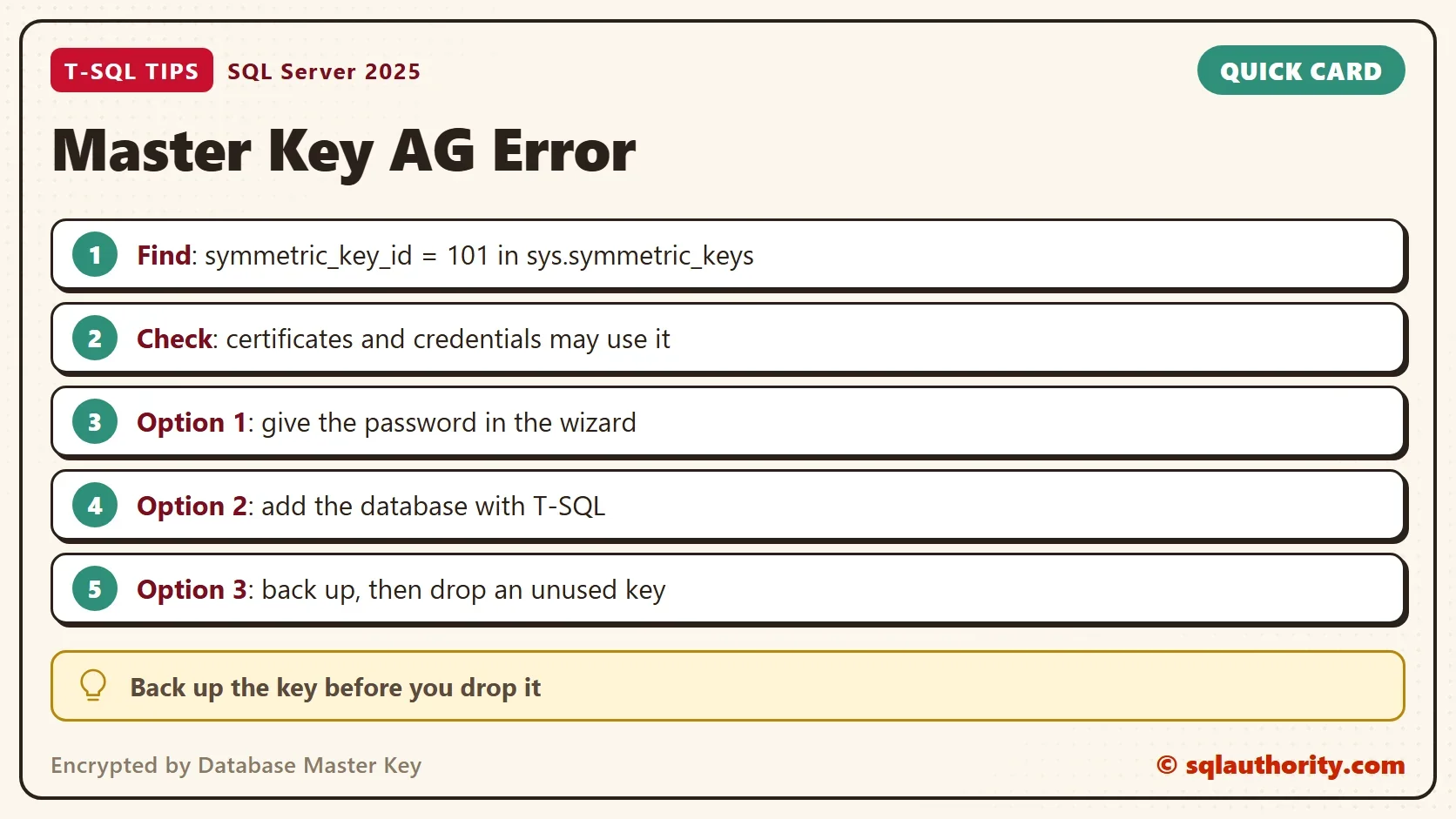
The wizard decides this by looking for one key. A trace showed it querying sys.symmetric_keys for the key with symmetric_key_id = 101. That is the database master key, named ##MS_DatabaseMasterKey##. If the row exists, the wizard assumes the database is encrypted. It isn’t always. A database master key can sit unused in a database for years.
Look for the Key
The demo uses a throwaway database. The first script creates it and runs the wizard’s check. A new database has no master key, so the check returns no row.
IF DB_ID(N'MasterKeyDemo') IS NULL CREATE DATABASE MasterKeyDemo;
GO
USE MasterKeyDemo;
GO
SELECT name, symmetric_key_id, algorithm_desc FROM sys.symmetric_keys WHERE symmetric_key_id = 101;
Now create a master key. The password is generated and never printed, because the demo database is dropped at the end. Then run the same check, and ask whether TDE is on.
DECLARE @pw nvarchar(100) = CONVERT(nvarchar(36), NEWID()) + N'Aa1!';
DECLARE @cmd nvarchar(300) = N'CREATE MASTER KEY ENCRYPTION BY PASSWORD ' + N'= ' + QUOTENAME(@pw, N'''') + N';';
EXEC (@cmd);
GO
SELECT name, symmetric_key_id, algorithm_desc FROM sys.symmetric_keys WHERE symmetric_key_id = 101;
SELECT name, is_encrypted, is_master_key_encrypted_by_server FROM sys.databases WHERE name = DB_NAME();
SELECT COUNT(*) AS TdeKeys FROM sys.dm_database_encryption_keys WHERE database_id = DB_ID();
| name | symmetric_key_id | algorithm_desc |
|---|---|---|
| ##MS_DatabaseMasterKey## | 101 | AES_256 |
| name | is_encrypted | is_master_key_encrypted_by_server |
|---|---|---|
| MasterKeyDemo | 0 | 1 |
| TdeKeys |
|---|
| 0 |
The row exists, and the database isn’t encrypted. The column is_encrypted is the TDE flag, and it is 0. The last column says the service master key of this instance protects the new key. That is the default, and it explains why another instance needs the password. Another instance has a different service master key, so it can’t open the key without the password.
What Depends on the Key
A reader asked how to be sure that nothing uses the key before it is dropped. The key protects the private keys of certificates and asymmetric keys, and the secrets of database scoped credentials. This query lists them. The demo script below it creates one of each first, so the query has something to find.
CREATE CERTIFICATE DemoCert WITH SUBJECT = N'Demo certificate';
CREATE DATABASE SCOPED CREDENTIAL DemoCred WITH IDENTITY = N'demo', SECRET = N'demo secret';
GO
SELECT N'Certificate' AS ObjectType, name AS ObjectName FROM sys.certificates WHERE pvt_key_encryption_type = N'MK'
UNION ALL
SELECT N'Asymmetric key', name FROM sys.asymmetric_keys WHERE pvt_key_encryption_type = N'MK'
UNION ALL
SELECT N'Credential', name FROM sys.database_scoped_credentials;
| ObjectType | ObjectName |
|---|---|
| Certificate | DemoCert |
| Credential | DemoCred |
An empty result, plus the TDE check above, says that no certificate, asymmetric key or credential uses the key. A Service Broker dialog can still use it. DROP MASTER KEY then fails with Msg 15580 and names the dialog. Check sys.conversation_endpoints too. A row says the key is in use. SQL Server also guards the key. The next statement tries to drop it while both objects exist.
DROP MASTER KEY;
Msg 15580, Level 16, State 1, Line 1
Cannot drop master key because certificate 'DemoCert' is encrypted by it.
The message names one object that the key protects. Columns encrypted with a symmetric key that a certificate protects sit one step further away. The certificate in the list leads you to them.
Three Ways Forward
The first way past the encrypted by database master key message is to give the wizard the password. If you know it, the wizard continues and nothing is lost. A reader asked why that isn’t the answer, and it is the safest one. The password can be lost, though. A key created years ago for no clear reason can have no known password.
The second way is a script. On the primary, add the database with T-SQL. A reader reported that this worked when dropping the key did not. It was not run here, because the test server has no availability group, so treat it as a reader’s report. The statement is plain text below, with its undo.
ALTER AVAILABILITY GROUP [YourGroup] ADD DATABASE [YourDatabase];
-- Undo: ALTER AVAILABILITY GROUP [YourGroup] REMOVE DATABASE [YourDatabase];
The third way is the fix in the old post. Confirm that TDE is off, that the dependency query returns nothing and that no Service Broker dialog uses the key. Back up the key, then drop it. BACKUP MASTER KEY writes the key to a file, and RESTORE MASTER KEY brings it back if you were wrong. The statements are plain text below, with the undo on a comment line.
BACKUP MASTER KEY TO FILE = N'C:\YourFolder\MasterKey.bak' ENCRYPTION BY PASSWORD = N'YourBackupPassword';
-- Undo: RESTORE MASTER KEY FROM FILE = N'C:\YourFolder\MasterKey.bak' DECRYPTION BY PASSWORD = N'YourBackupPassword' ENCRYPTION BY PASSWORD = N'YourNewPassword';
Once the dependency query is empty and no encrypted dialog is left, the drop succeeds. The demo key protects nothing, so the next script skips the backup.
DROP DATABASE SCOPED CREDENTIAL DemoCred;
DROP CERTIFICATE DemoCert;
DROP MASTER KEY;
SELECT COUNT(*) AS KeysLeft FROM sys.symmetric_keys WHERE symmetric_key_id = 101;
| KeysLeft |
|---|
| 0 |
You could argue that dropping a key to satisfy a wizard is the wrong order. It is. Try the password first, then the script, and drop the key only when you can prove nothing needs it. For other errors in the same wizard, read Availability Group Restore Error When You Add a Database.
What to Remember
A database that looks encrypted by database master key can hold an unused key. The message means a key exists, not that the database is encrypted. Someone created that key with a command, so ask who ran it and why. The answer decides which of the three ways fits. Check the key, the TDE flag and the dependents. Give the password, or add the database with a script, or back up and drop an unused key. Remove the demo when you finish.
USE master;
GO
IF DB_ID(N'MasterKeyDemo') IS NOT NULL
BEGIN
    ALTER DATABASE MasterKeyDemo SET SINGLE_USER WITH ROLLBACK IMMEDIATE;
    DROP DATABASE MasterKeyDemo;
END;
A master key is not a sign of encryption, it is a key waiting for something to protect.
Published by Pinal Dave on SQLAuthority. More of my work at pinaldave.com.
Discover more from SQL Authority with Pinal Dave
Subscribe to get the latest posts sent to your email.



6 Comments. Leave new
Great! Thanks for the troubleshooting details regarding this issue.
You noted before removing the key to: Ensure TDE is not enabled and there is no other encryption being used by the database.
Checking if TDE is enabled is easy to check (In SSMS > Database Properties > Options> State > Encryption Enabled).
How do I confirm that “there is no other encryption being used by the database”? i.e. Where do I need to look to ENSURE the database master key is not being used before I drop it?
Unfortunately above solution did not for me.
Using this script works great:
— On Primary Node
USE MASTER;
GO
ALTER AVAILABILITY GROUP [AGNAME] ADD DATABASE [DBNAME];
GO
Thank you !
Security defeated by the simplest of solutions. I love it. Worked for me too.
Why not just provide the encryption password in the wizard?
@ Danny ..this is worked for me Great. Thank you so much