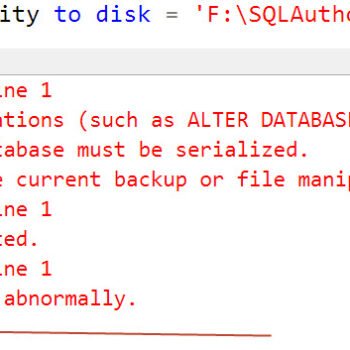
Error 15141 can break a SQL Server upgrade when a login owns an availability group. I have helped many clients with upgrade failures through my consulting work. I am still amazed at the different ways an upgrade can break. This one failed on the msdb110_upgrade.sql step.

The Error
I asked for the ERRORLOG, as usual. If you need help finding it, read where the ERRORLOG lives. This is what it showed:
Error: 15141, Severity: 16, State: 1.
The server principal owns one or more availability group(s) and cannot be dropped.
Error: 912, Severity: 21, State: 2.
Script level upgrade for database 'master' failed because upgrade step 'msdb110_upgrade.sql' encountered error 15141, state 1, severity 16. This is a serious error condition which might interfere with regular operation and the database will be taken offline. If the error happened during upgrade of the 'master' database, it will prevent the entire SQL Server instance from starting. Examine the previous errorlog entries for errors, take the appropriate corrective actions and re-start the database so that the script upgrade steps run to completion.
Error: 3417, Severity: 21, State: 3.
Cannot recover the master database. SQL Server is unable to run. Restore master from a full backup, repair it, or rebuild it. For more information about how to rebuild the master database, see SQL Server Books Online.
The real cause of the upgrade script failure is the first message: the server principal owns one or more availability groups and cannot be dropped.
Why It Happens
The upgrade script for msdb contains a DROP LOGIN for a built-in policy login. SQL Server will not drop a login that owns an availability group. The script stops, and the failed upgrade step keeps the instance from starting.
This is the same symptom as in Msg 15559, where a certificate user blocked the upgrade. The cause here is different. Other causes I have written about include the sqlagent100_msdb_upgrade.sql step, an existing DatabaseMailUserRole object and a missing SqlTraceCollect.dtsx file.

How to Check
Whenever an upgrade script fails and SQL Server will not start, I use trace flag 902. It starts the instance without running the upgrade scripts, so you can find the cause and fix it. I started SQL Server with the flag from a command prompt:
NET START MSSQLSERVER /T902For a named instance, replace the instance name based on your environment:
NET START MSSQL$INSTANCENAME /T902If you need more on starting the service this way, read Start Stop Restart SQL Server From Command Prompt.
As soon as SQL Server was up, we could connect, because the upgrade did not run. We found the msdb110_upgrade.sql file in the folder C:\Program Files\Microsoft SQL Server\MSSQL14.SQL2017\MSSQL\Install and ran it in SSMS. We got the exact same error.
The failure came from the DROP LOGIN command in the script:
IF EXISTS (SELECT * from sys.server_principals WHERE name = '##MS_PolicyEventProcessingLogin##')
BEGIN
    IF EXISTS (SELECT * from sys.server_triggers WHERE name = N'syspolicy_server_trigger')
        DROP TRIGGER [syspolicy_server_trigger] ON ALL SERVER
    DROP LOGIN [##MS_PolicyEventProcessingLogin##]
END
GO
Then we used this script to find which availability group the account owns:
SELECT agrp.[name] AS availability_groups_name
    ,agrp.group_id
    ,arep.replica_id
    ,arep.owner_sid
    ,sp.[name] AS owner_name
FROM sys.availability_groups agrp
JOIN sys.availability_replicas arep ON agrp.group_id = arep.group_id
JOIN sys.server_principals sp ON arep.owner_sid = sp.[sid]
The Fix
To change the owner, run this command. Change the group name to yours.
USE [master]
GO
ALTER AUTHORIZATION ON AVAILABILITY GROUP::SQLAG TO sa;
GO
Confirm It Worked
After that, we stopped the SQL Server service and started it normally, without the trace flag. It worked well, and the SQL Server version was updated.
How to Prevent It
Before an upgrade, check who owns your availability groups. A login that owns one cannot be dropped by the upgrade script.
I wonder why someone would change the owner of an availability group to the ##MS_PolicyEventProcessingLogin## account. If you know the reason, please share it in the comments.

An upgrade failure is not a damaged server, it is one login that owns more than it should.
Published by Pinal Dave on SQLAuthority. More of my work at pinaldave.com.
Discover more from SQL Authority with Pinal Dave
Subscribe to get the latest posts sent to your email.