
Procedure recompilation throws away the cached plan of a stored procedure, so SQL Server builds a new one. You do not need to alter the procedure to get that. Two short commands do it, and they behave differently.

Why Recompile a Stored Procedure
A procedure keeps the plan it built on its first call. If that call used an unusual parameter, the plan fits that value and nobody else. In one performance review, a DBA fixed such a procedure by altering it, which forced a new plan. That works, but it changes the procedure and needs the right to alter it.
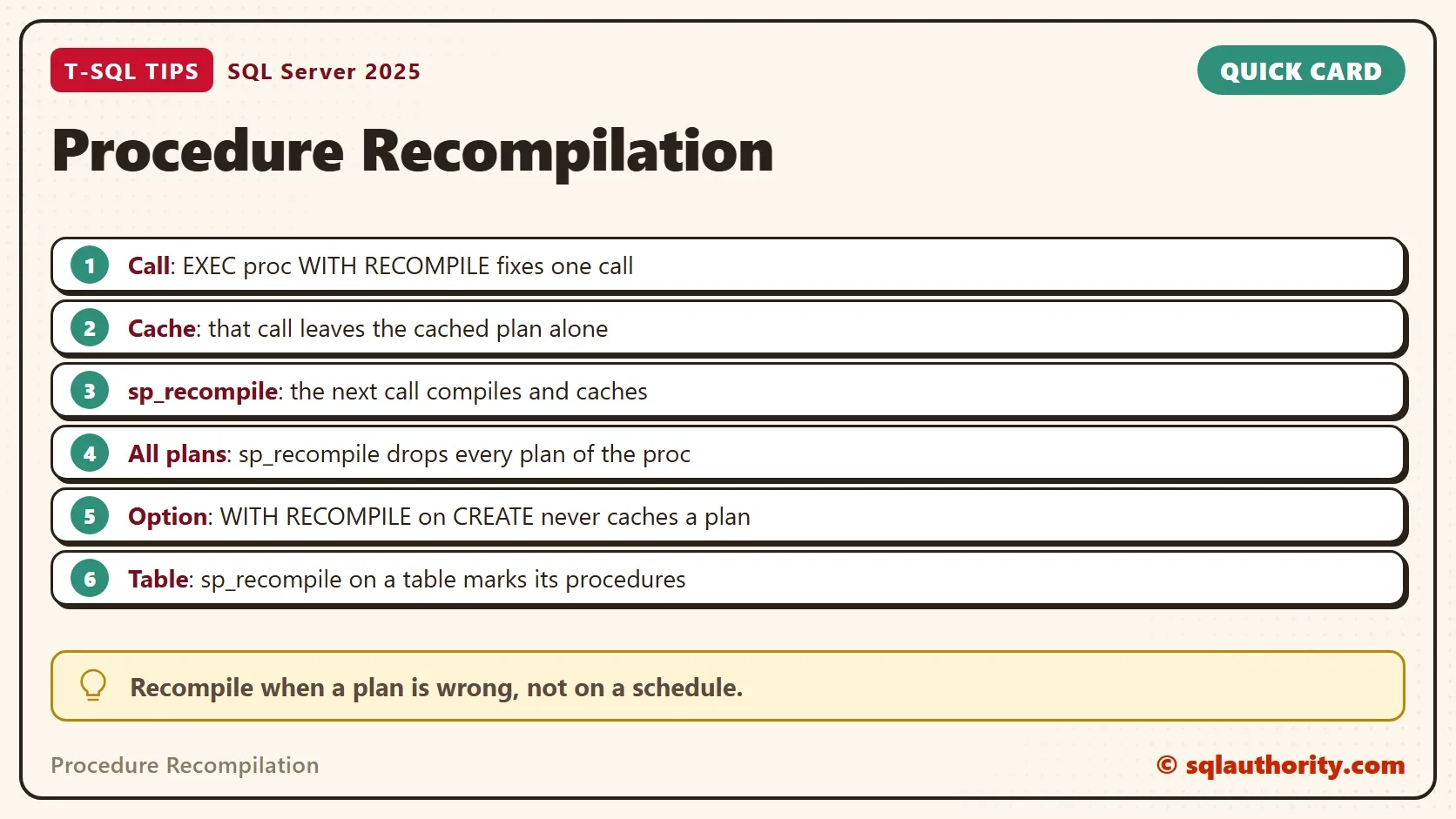
Procedure recompilation with the two commands below leaves the procedure as it is. The demo shows what each one does to the plan and to the reads.
Build a Skewed Table
The script creates a database named RecompileProcDemo with 100,000 orders. Customer 1 owns half of them, and every other customer owns one. SQL Server 2022 and later can keep several plans for such a skew. The script turns that off in the demo database, so one plan serves every call.
IF DB_ID(N'RecompileProcDemo') IS NULL CREATE DATABASE RecompileProcDemo;
GO
USE RecompileProcDemo;
GO
ALTER DATABASE SCOPED CONFIGURATION SET PARAMETER_SENSITIVE_PLAN_OPTIMIZATION = OFF;
GO
DROP TABLE IF EXISTS dbo.Orders;
CREATE TABLE dbo.Orders (
    OrderID int IDENTITY(1,1) NOT NULL PRIMARY KEY,
    CustomerID int NOT NULL,
    Amount decimal(10,2) NOT NULL
);
INSERT INTO dbo.Orders (CustomerID, Amount)
SELECT CASE WHEN s.value <= 50000 THEN 1 ELSE s.value END,
       (s.value % 90) + 10
FROM GENERATE_SERIES(1, 100000) AS s;
CREATE INDEX IX_Orders_CustomerID ON dbo.Orders (CustomerID);
The procedure counts and totals the orders of one customer. For customer 70000 the best plan is an index seek. For customer 1 the best plan is a scan.
CREATE OR ALTER PROCEDURE dbo.OrdersByCustomer @CustomerID int
AS
SELECT COUNT(*) AS Orders, SUM(Amount) AS Total
FROM dbo.Orders
WHERE CustomerID = @CustomerID;
Six Calls, Two Commands
The next script runs six steps and logs the logical reads of each. It reads sys.dm_exec_requests before and after every call, so the numbers include the compile. A table of steps keeps the script short.
DROP TABLE IF EXISTS #steps, #log;
CREATE TABLE #steps (Step int, Label varchar(60), Cmd nvarchar(300));
CREATE TABLE #log (Step int, Label varchar(60), LogicalReads bigint);
INSERT #steps (Step, Label, Cmd)
VALUES (1, 'Small customer, first call', N'EXEC dbo.OrdersByCustomer @CustomerID = 70000;'),
       (2, 'Big customer, same plan', N'EXEC dbo.OrdersByCustomer @CustomerID = 1;'),
       (3, 'Big customer, WITH RECOMPILE', N'EXEC dbo.OrdersByCustomer @CustomerID = 1 WITH RECOMPILE;'),
       (4, 'Big customer again, cached plan', N'EXEC dbo.OrdersByCustomer @CustomerID = 1;'),
       (5, 'After sp_recompile, big customer', N'EXEC sp_recompile N''dbo.OrdersByCustomer''; EXEC dbo.OrdersByCustomer @CustomerID = 1;'),
       (6, 'Small customer, new plan', N'EXEC dbo.OrdersByCustomer @CustomerID = 70000;');
DECLARE @step int = 1, @label varchar(60), @cmd nvarchar(300), @before bigint, @after bigint;
WHILE @step <= 6
BEGIN
    SELECT @label = Label, @cmd = Cmd FROM #steps WHERE Step = @step;
    SELECT @before = logical_reads FROM sys.dm_exec_requests WHERE session_id = @@SPID;
    EXEC (@cmd);
    SELECT @after = logical_reads FROM sys.dm_exec_requests WHERE session_id = @@SPID;
    INSERT #log (Step, Label, LogicalReads) VALUES (@step, @label, @after - @before);
    SET @step += 1;
END;
SELECT Step, Label, LogicalReads FROM #log ORDER BY Step;| Step | Label | LogicalReads |
|---|---|---|
| 1 | Small customer, first call | 28 |
| 2 | Big customer, same plan | 100089 |
| 3 | Big customer, WITH RECOMPILE | 348 |
| 4 | Big customer again, cached plan | 100089 |
| 5 | After sp_recompile, big customer | 355 |
| 6 | Small customer, new plan | 324 |
Step one compiles a seek plan for the small customer. Step two sends customer 1 through the same plan and pays 100,089 reads. That is the stale plan.
Method 1: WITH RECOMPILE on the Call
Step three adds WITH RECOMPILE to the call. SQL Server compiles a fresh plan for this call only, and it picks a scan. The reads drop to 348.
The cached plan does not change. Step four calls the procedure normally and gets the seek plan again, with 100,089 reads. The option fixes one call and leaves the cache alone.
Method 2: sp_recompile
Step five runs sp_recompile. It marks the procedure, and the next call compiles a new plan and caches it. The call here uses customer 1, so the new plan is the scan, and the reads are 355.
The new plan is cached for everyone. Step six sends the small customer through the scan and pays 324 reads instead of 28. A recompile fixes the plan for the next caller, and the next caller decides which plan you get.
See What Is Cached
This query lists the cached plans of procedures in the current database. The cached time shows when the plan was built, and the execution count shows how many calls used it.
SELECT OBJECT_NAME(ps.object_id) AS ProcedureName,
       ps.execution_count AS ExecutionCount,
       ps.cached_time AS CachedTime,
       ps.last_execution_time AS LastExecuted
FROM sys.dm_exec_procedure_stats AS ps
WHERE ps.database_id = DB_ID()
ORDER BY ps.cached_time DESC;| ProcedureName | ExecutionCount | CachedTime | LastExecuted |
|---|---|---|---|
| OrdersByCustomer | 2 | 2026-10-07 11:30:17.063 | 2026-10-07 11:30:17.080 |
The plan from step five ran twice, in steps five and six. Your times will differ. A cached time that is far older than a data change is a clue that the plan can be stale. A procedure created with WITH RECOMPILE does not appear here, because it never caches a plan.
One Procedure, Several Plans
A procedure can hold more than one plan, for example when callers use different SET options. A fair question is whether sp_recompile removes all of them or only one. The next script makes two plans with ARITHABORT on and off, then counts them.
SET ARITHABORT ON;
EXEC dbo.OrdersByCustomer @CustomerID = 70000;
SET ARITHABORT OFF;
EXEC dbo.OrdersByCustomer @CustomerID = 70000;
SET ARITHABORT ON;
SELECT COUNT(*) AS CachedPlans
FROM sys.dm_exec_cached_plans AS cp
CROSS APPLY sys.dm_exec_sql_text(cp.plan_handle) AS st
WHERE st.dbid = DB_ID()
  AND st.objectid = OBJECT_ID(N'dbo.OrdersByCustomer');
The count is 2. Now recompile and count again.
EXEC sp_recompile N'dbo.OrdersByCustomer';
SELECT COUNT(*) AS CachedPlans
FROM sys.dm_exec_cached_plans AS cp
CROSS APPLY sys.dm_exec_sql_text(cp.plan_handle) AS st
WHERE st.dbid = DB_ID()
  AND st.objectid = OBJECT_ID(N'dbo.OrdersByCustomer');
The count is 0. The command invalidated both plans, so it removes every plan of the procedure. It needs ALTER permission on the procedure. On a table, it marks every procedure that uses the table.
Other Ways to Get the Same Effect
Procedure recompilation can also be permanent. You can add WITH RECOMPILE to CREATE PROCEDURE. SQL Server then never caches a plan for it and compiles on every call. It suits a procedure whose best plan changes with every parameter. It costs compile time on each call.
The statement hint OPTION (RECOMPILE) does the same for one statement inside a procedure. That is finer, because the rest of the procedure keeps its plan.
Is Recompiling Every Call Safer?
You could argue that compiling every call is the safe answer. It removes stale plans for good. It also adds compile CPU to every call. And it hides the real question: why one plan can’t serve every value. Use it for the few procedures that need it.
What to Remember
Use WITH RECOMPILE on a call to test a plan without touching the cache. Use sp_recompile to replace the cached plan, and run the first call with a typical value. Procedure recompilation is a fix for a wrong plan, not a schedule.
When you finish, drop the demo database.
USE master;
GO
IF DB_ID(N'RecompileProcDemo') IS NOT NULL
BEGIN
    ALTER DATABASE RecompileProcDemo SET SINGLE_USER WITH ROLLBACK IMMEDIATE;
    DROP DATABASE RecompileProcDemo;
END;
A recompile is not a repair, it is a second chance for the plan.
Published by Pinal Dave on SQLAuthority. More of my work at pinaldave.com.
Discover more from SQL Authority with Pinal Dave
Subscribe to get the latest posts sent to your email.




2 Comments. Leave new
you can also add WITH RECOMPILE in your stored procedure creation statement, such as:
create procedure your_sp
WITH RECOMPILE
as
If one SP has multiple plans in the cache, will sp_recompile remove all of them
or only the one I would use? I guess I should try it.