
Error 17182 means SQL Server could not initialize SSL support, and that can stop it from starting. One of my existing clients asked for help because they couldn’t install SQL Server 2014. The ERRORLOG held the answer, and it points at TLS.

The Error
These are the lines from the ERRORLOG. Compare the error numbers and hex codes with yours to confirm that the fix below applies.
The server could not load the certificate it needs to initiate an SSL connection. It returned the following error: 0x80090331. Check certificates to make sure they are valid.
Unable to initialize SSL encryption because a valid certificate could not be found, and it is not possible to create a self-signed certificate.
Error: 17182, Severity: 16, State: 1.
TDSSNIClient initialization failed with error 0x80090331, status code 0x80. Reason: Unable to initialize SSL support. The client and server cannot communicate, because they do not possess a common algorithm.
Error: 17182, Severity: 16, State: 1.
TDSSNIClient initialization failed with error 0x80090331, status code 0x1. Reason: Initialization failed with an infrastructure error. Check for previous errors. The client and server cannot communicate, because they do not possess a common algorithm.
Error: 17826, Severity: 18, State: 3.
Could not start the network library because of an internal error in the network library. To determine the cause, review the errors immediately preceding this one in the error log.
Error: 17120, Severity: 16, State: 1.
SQL Server could not spawn FRunCommunicationsManager thread. Check the SQL Server error log and the Windows event logs for information about possible related problems
What the Client Saw
The client couldn’t finish installing SQL Server 2014. The same messages can also cause startup failures on an existing installation.
Why It Happens
In a talk with another client about TLS errors, I had come across this message. The client and server cannot communicate, because they do not possess a common algorithm. The cause is a SQL Server version that doesn’t support TLS 1.2.
Microsoft lists the supported builds and the patches you need in TLS 1.2 support for Microsoft SQL Server.

The Fix
Switch the machine to the older protocols, install, patch, and switch back. These are the steps:
- Disable TLS 1.2 and enable TLS 1.0 and TLS 1.1.
- Reboot the server.
- If the error came during installation, uninstall SQL Server.
- Reinstall SQL Server. It starts because TLS 1.2 is disabled.
- Apply the patch from the Microsoft article above that adds TLS 1.2 support.
- Enable TLS 1.2 again and disable TLS 1.0 and TLS 1.1.
- Reboot once again.
This is the registry key for TLS 1.0. The same keys and values apply to the other TLS versions.
Windows Registry Editor Version 5.00

[HKEY_LOCAL_MACHINE\SYSTEM\CurrentControlSet\Control\SecurityProviders\SCHANNEL\Protocols\TLS 1.0]

[HKEY_LOCAL_MACHINE\SYSTEM\CurrentControlSet\Control\SecurityProviders\SCHANNEL\Protocols\TLS 1.0\Client]
"Enabled"=dword:ffffffff
"DisabledByDefault"=dword:00000000

[HKEY_LOCAL_MACHINE\SYSTEM\CurrentControlSet\Control\SecurityProviders\SCHANNEL\Protocols\TLS 1.0\Server]
"Enabled"=dword:ffffffff
"DisabledByDefault"=dword:00000000
Confirm It Worked
After the second reboot, test connectivity to SQL Server.
How to Prevent It
Check that your SQL Server build supports TLS 1.2 before you turn off the older protocols. I hope this helps someone who is in the middle of an installation. If you know another option, please share it in the comments.
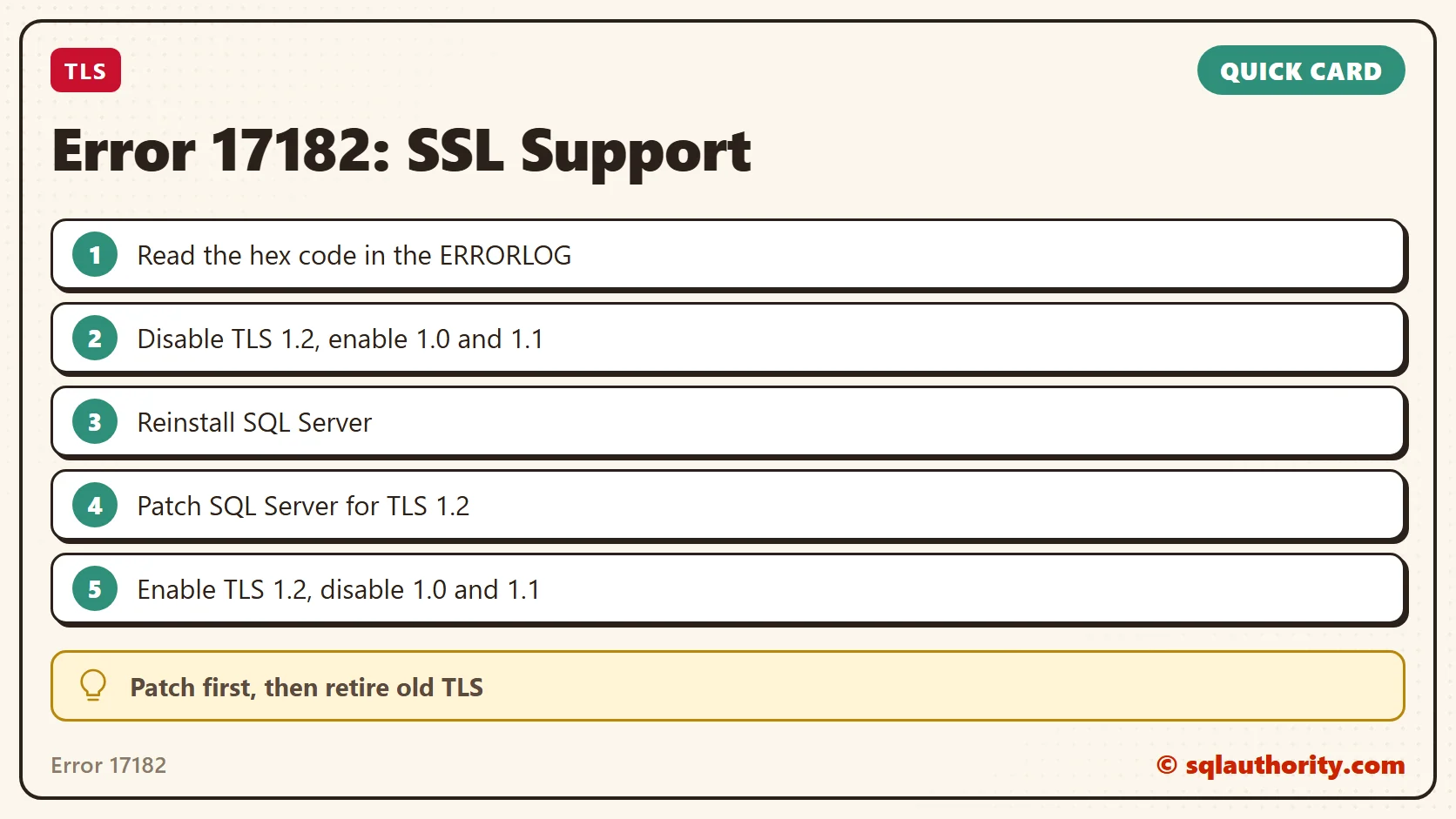
Error 17182 is not a random startup failure, it is a protocol mismatch.
Published by Pinal Dave on SQLAuthority. More of my work at pinaldave.com.
Discover more from SQL Authority with Pinal Dave
Subscribe to get the latest posts sent to your email.




4 Comments. Leave new
Excellent Advice !
Perfect solution.
Worked for me, Thanks :)
Save a heap of time .. thanks excellent solution .
Thanks so much Pinal, you’ve saved me hours of searching! Your articles are simple and straight to the point!