A DBCC CLONEDATABASE duplicate-key error can point to metadata inherited from model. While preparing a demonstration for a Comprehensive Database Performance Health Check in 2019, I encountered this failure while cloning an AdventureWorks sample database.
The Original Error
This was the command in the original demonstration. It creates a new database, so treat it as the historical operation rather than a read-only diagnostic:
DBCC CLONEDATABASE
('AdventureWorks2016CTP3', 'AdventureWorks2016CTP3_clone');
Msg 2601, Level 14, State 1
Cannot insert duplicate key row in object 'sys.sysschobjs'
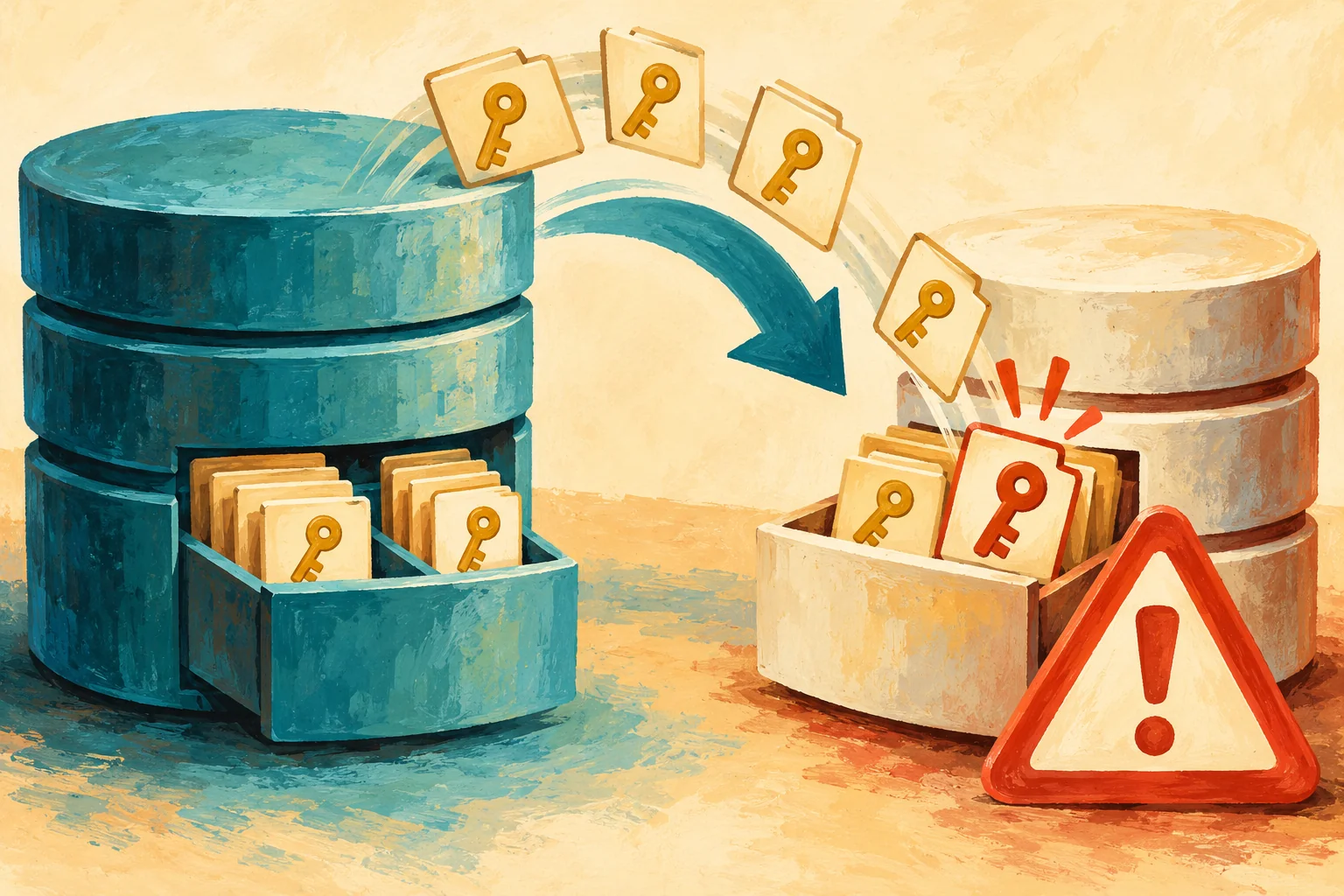
with unique index 'clst'. The duplicate key value is (885578193).The named object is an internal system base table. The error did not mean that the application had inserted a duplicate business row. In this case, the important clue was an object-ID collision while SQL Server was building the diagnostic clone.
Inspect Model Through Supported Catalog Views
Start with read-only checks. Record the engine build, then inventory user-created schema objects in model. Use an authorized account with visibility of the relevant metadata; restricted permissions can hide objects. The DBCC cloning operation itself requires sysadmin membership.
SELECT CONVERT(nvarchar(128), SERVERPROPERTY('ProductVersion')) AS product_version,
       CONVERT(nvarchar(128), SERVERPROPERTY('ProductLevel')) AS product_level,
       CONVERT(nvarchar(128), SERVERPROPERTY('ProductUpdateLevel')) AS update_level;
USE model;
GO
SELECT o.object_id, s.name AS schema_name,
o.name AS object_name, o.type_desc
FROM sys.objects AS o
JOIN sys.schemas AS s ON s.schema_id = o.schema_id
WHERE o.is_ms_shipped = 0
ORDER BY s.name, o.name;The object ID in the error can help compare the source and model. Run the next query in a query window connected to each database. The number below belongs to the old case; replace it with the value from the error you are investigating.
-- Run in model, then in the source database's query window.
-- Replace this historical value with the object ID in your error.
DECLARE @ObjectID int = 885578193;
SELECT DB_NAME() AS database_name, o.object_id,
       s.name AS schema_name, o.name AS object_name, o.type_desc
FROM sys.objects AS o
JOIN sys.schemas AS s ON s.schema_id = o.schema_id
WHERE o.object_id = @ObjectID;
This inventory is a starting point, not a complete model-baseline check. Users, roles and schemas have their own catalog views. An empty sys.objects result does not prove that every possible customization is absent.
What the Original Screenshots Show
The first screenshot records the original investigation through a dedicated administrator connection. It shows a source check constraint and a table in model with ID 885578193. The internal-table SQL is preserved as historical evidence. Use the supported catalog queries above today; Microsoft does not support customer access to system base tables through DAC.
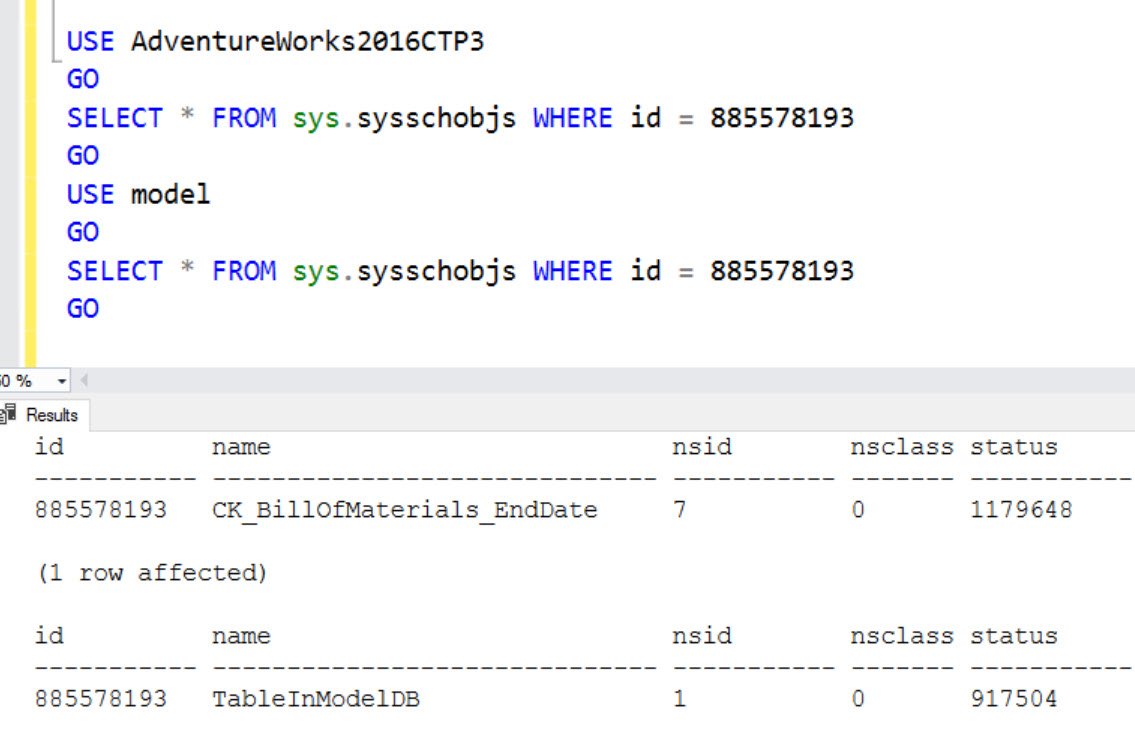
In that demonstration, I removed the custom table from model. Recreating it had produced another collision; after removing it, the clone completed. The second screenshot preserves that reported result.

Distinguish a Model Conflict from a Build-Specific Defect
Microsoft documents that user-created objects in model can prevent DBCC CLONEDATABASE from creating a clone. Because model is the template for new databases, changing it affects more than this one troubleshooting attempt. Do not delete its contents or edit system catalog rows to clear an error.
The same sys.sysschobjs/clst error also appeared in a separate documented defect involving source objects originally created in SQL Server 2000. KB4016238 lists fixes in SQL Server 2016 SP1 CU3 (13.0.4435.0) and SQL Server 2014 SP2 CU5 (12.0.5546.0). Those historical fix levels identify that defect; they are not current patch targets or a diagnosis of this model-table case.
The original post did not record the engine build. The name AdventureWorks2016CTP3 is a database name, not proof of the installed server version. Compare the actual build, source history, error text and model inventory before choosing a remedy.
Make the Correction Deliberate
Back up and document model customizations, establish why they exist, and plan any approved change with the server owner. A separate diagnostic instance with an appropriate clean model may be preferable when production templates must remain intact. Use supported DDL for an agreed customization change, never direct system-table updates.
A successful clone is for diagnostics, not a production replacement or recovery backup. Although table rows are not copied, statistics and Query Store information can expose values and query text. Review the diagnostic package before sharing it.
For the related principal-name collision, see the sys.sysowners duplicate-key case.
A clone error is not a reason to edit system tables, it is a reason to identify the metadata conflict.
Published by Pinal Dave on SQLAuthority. More of my work at pinaldave.com.
Discover more from SQL Authority with Pinal Dave
Subscribe to get the latest posts sent to your email.