A drop failed for Availability Group message can mean SQL Server and Windows clustering no longer have matching configuration. In this 2019 disaster recovery case, the cluster could not start normally. An attempted availability group removal then reported errors 41000 and 41081.
What the Error Reported
The important parts of the recorded message were these.
Failed to destroy the Windows Server Failover Clustering group
corresponding to availability group 'AG'.
SQL Server error: 41000

The DROP AVAILABILITY GROUP command removed the availability group
configuration from the local metadata. However, the attempt to remove
this configuration from the WSFC cluster failed because the Always On
Availability Groups manager is not online.
SQL Server error: 41081
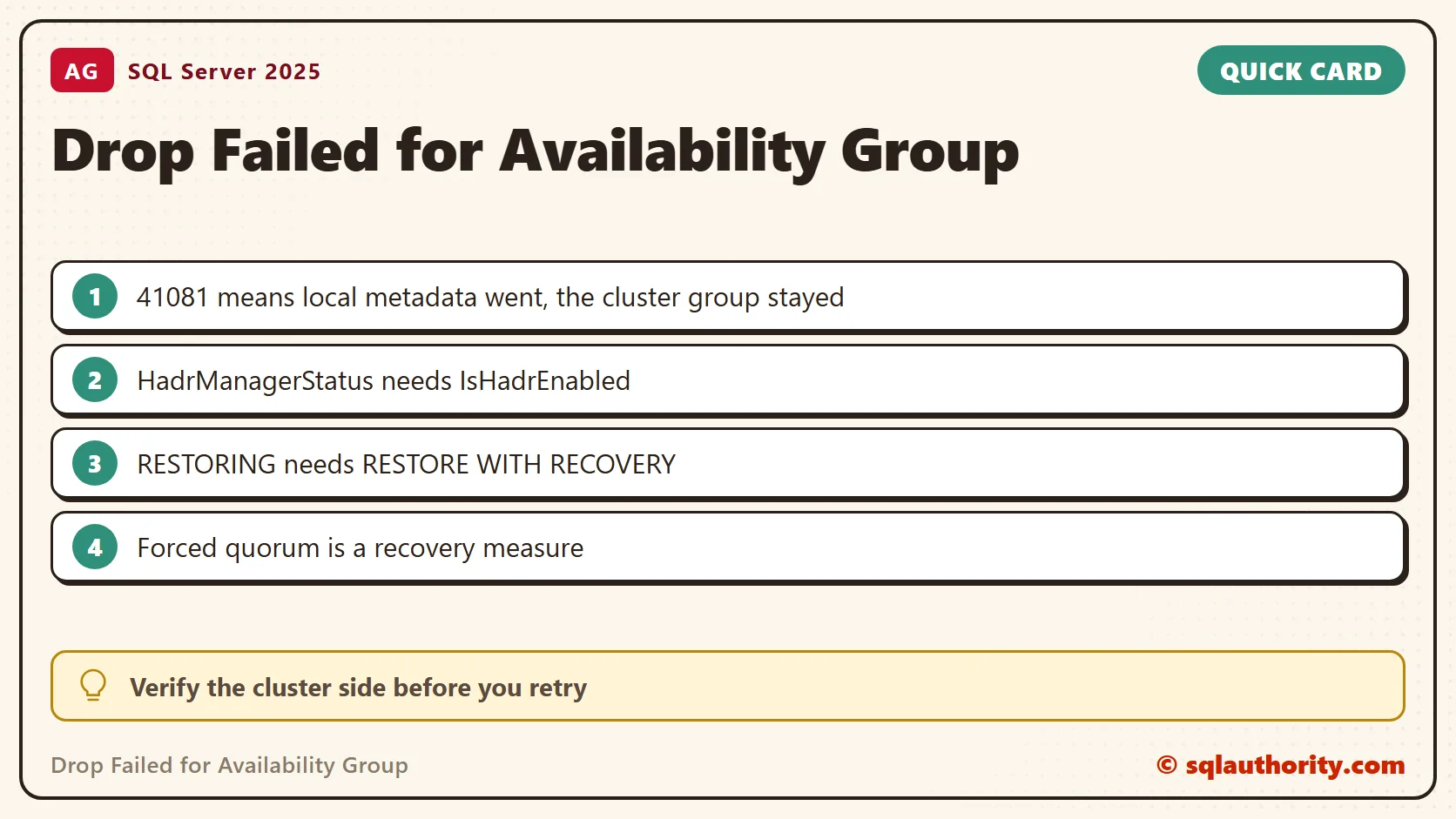
Error 41000 also referred to a failure to obtain the local WSFC handle. The message separates the local SQL Server metadata from the cluster metadata. That the group vanished from SSMS does not prove that the whole removal succeeded.
Check State Before Another Change
Collect the SQL Server error logs and the Windows cluster events from the same time. Record which replica received the command and whether the cluster has quorum. These queries show the visible configuration of the local instance and its database states.
SELECT SERVERPROPERTY('IsHadrEnabled') AS IsHadrEnabled,
       SERVERPROPERTY('HadrManagerStatus') AS HadrManagerStatus;
SELECT ag.name AS AvailabilityGroup, ar.replica_server_name
FROM sys.availability_groups AS ag
LEFT JOIN sys.availability_replicas AS ar ON ar.group_id = ag.group_id
ORDER BY ag.name, ar.replica_server_name;
SELECT name, state_desc, group_database_id
FROM sys.databases
WHERE group_database_id IS NOT NULL OR state_desc <> N'ONLINE'
ORDER BY name;
HadrManagerStatus is documented as 0 for not started and pending communication. A 1 means running, and a 2 means not started and failed. My standalone instance returned 2 while IsHadrEnabled was 0. So read the two values together, and read a NULL as a reason to investigate.
On my instance, DROP AVAILABILITY GROUP for a missing group stopped at Msg 47105, because the feature is off. A failed drop tells you which layer failed first. Run the checks on each reachable instance with enough metadata permission. Empty catalog results do not prove that the cluster is clean. The database query also lists non-AG databases that are not online, so read each row in context.
Do Not Dismiss a Partial Removal
Calling this error harmless, or saying that no action is needed, is too broad. A partial removal calls for a check of the surviving cluster configuration, the database copies and the application connection path.
The original team had started the cluster with forced quorum. Forced quorum is a disaster recovery measure with split brain and data loss risks. It is not the default answer to an unavailable AG or a failed drop.
Coordinate the recovery with the cluster administrator and identify the authoritative database copy before you allow writes. If the goal is still to retire the AG, finish its supported removal after the cluster state is restored. Do not delete cluster resources blindly to clear the visible error.
Handle Database Recovery Separately
Dropping an AG removes its high availability protection and its listener. What happens to a database depends on where the command ran and on the state of the surviving replicas. A former primary and a former secondary behave differently.
A database in RESTORING needs a deliberate recovery plan. To see why, I built a copy in that state on a test instance. The first block creates a database and a backup, then restores a copy with NORECOVERY and tries SET ONLINE. Use any folder the SQL Server service can write to. I used the Windows Temp folder.
CREATE DATABASE OrdersDemo;
GO
CREATE TABLE OrdersDemo.dbo.Orders (OrderId int PRIMARY KEY, Item varchar(30));
INSERT OrdersDemo.dbo.Orders VALUES (1, 'Paneer wrap'), (2, 'Mango lassi');
BACKUP DATABASE OrdersDemo TO DISK = N'C:\Windows\Temp\OrdersDemo.bak' WITH INIT, FORMAT;
DECLARE @mdf nvarchar(260) = CONVERT(nvarchar(260), SERVERPROPERTY('InstanceDefaultDataPath')) + N'OrdersCopy.mdf';
DECLARE @ldf nvarchar(260) = CONVERT(nvarchar(260), SERVERPROPERTY('InstanceDefaultLogPath')) + N'OrdersCopy_log.ldf';
RESTORE DATABASE OrdersCopy FROM DISK = N'C:\Windows\Temp\OrdersDemo.bak'
  WITH NORECOVERY, MOVE N'OrdersDemo' TO @mdf, MOVE N'OrdersDemo_log' TO @ldf;
SELECT name, state_desc FROM sys.databases WHERE name IN (N'OrdersDemo', N'OrdersCopy');
ALTER DATABASE OrdersCopy SET ONLINE;
The copy showed RESTORING. SET ONLINE failed with Msg 5052: ALTER DATABASE is not permitted in the Restoring state. A query against it failed with Msg 927, which says the database is in the middle of a restore. So SET ONLINE is not interchangeable with RESTORE WITH RECOVERY.
RESTORE DATABASE OrdersCopy WITH RECOVERY;
SELECT name, state_desc FROM sys.databases WHERE name IN (N'OrdersDemo', N'OrdersCopy');
SELECT COUNT(*) AS OrderRows FROM OrdersCopy.dbo.Orders;
After the recovery step the copy was ONLINE and returned both rows. In a real incident, recovering a chosen copy changes its recovery path. It must account for unapplied logs and for possible data loss.
Once recovery is complete, validate database consistency, application access and backups. If high availability is still required, rebuild the intended protection and check that it synchronizes. The removal dialog cannot confirm any of these outcomes. For help with a specific incident, see my On Demand consulting offering.
An AG missing from SSMS is not proof of complete removal, it is one part of the state to verify.
Published by Pinal Dave on SQLAuthority. More of my work at pinaldave.com.
Discover more from SQL Authority with Pinal Dave
Subscribe to get the latest posts sent to your email.