0x84cf0003 is the code SQL Server setup gave when it failed at Updating permission setting for folder. I have seen various issues in SQL installation, and most of the time they are intuitive. The error message is mostly helpful and points in the right direction. In this post, I discuss the error Updating permission setting for folder failed.
The Error
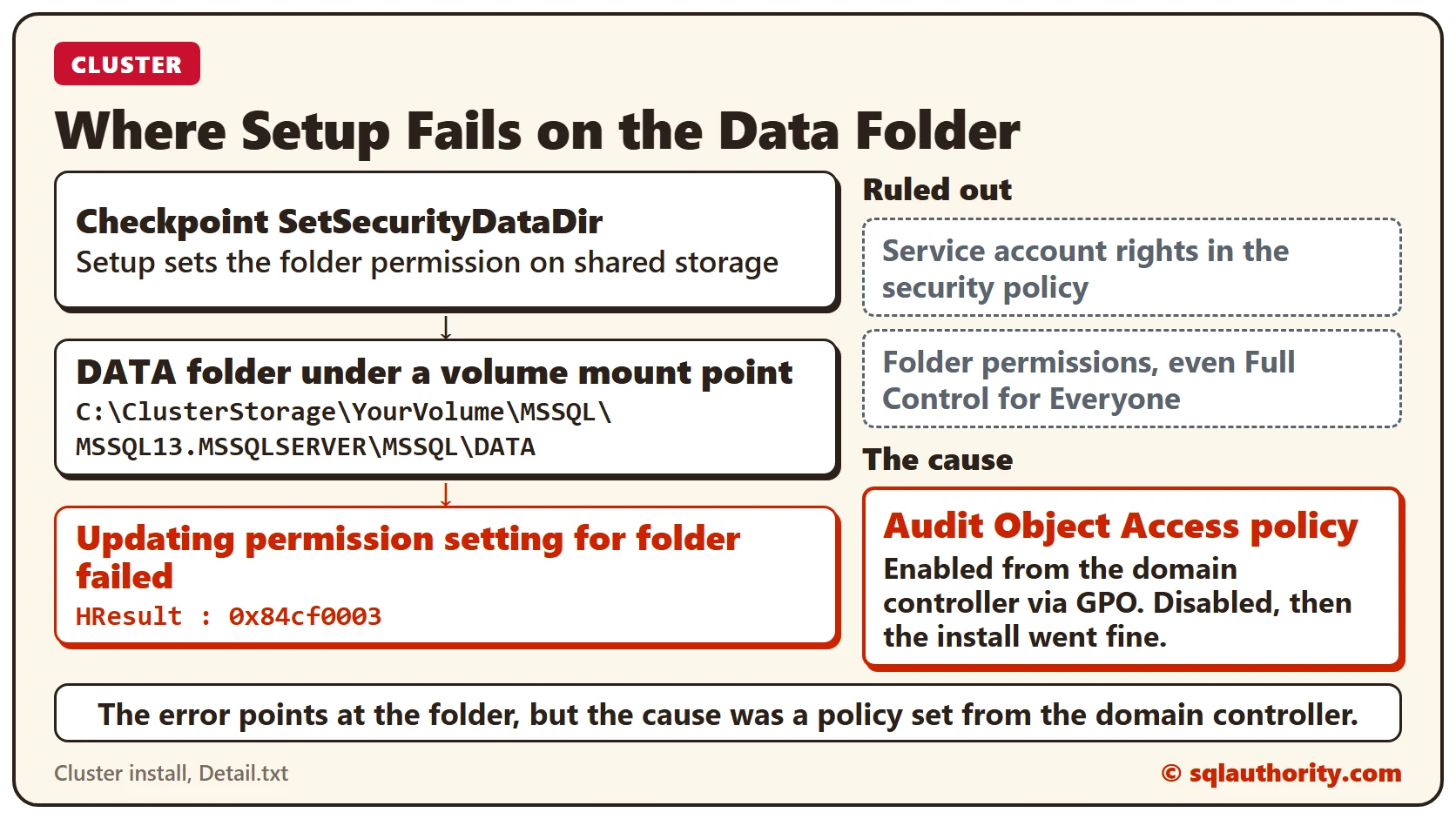
Here is the exact error in the setup logs, under the Bootstrap folder. The volume name in the path is a placeholder.
Updating permission setting for folder 'C:\ClusterStorage\YourVolume\MSSQL\MSSQL13.MSSQLSERVER\MSSQL\DATA' failed.
    The folder permission setting were supposed to be set to 'D:P(A;OICI;FA;;;BA)(A;OICI;FA;;;SY)(A;OICI;FA;;;CO)(A;OICI;FA;;;S-1-5-80-1715010018-2870266783-3050454056-335720097-2195381415)'.
Microsoft describes a permission error when you use a volume mount point in SQL Server Setup. My client was not installing on the root of the mount point.
What Happened
The complete message is in Detail.txt. Here it is, trimmed to the lines that matter. The dots mark lines I left out.
SQLEngine: : Checking Engine checkpoint 'SetSecurityDataDir'
SQLEngine: --SqlEngineSetupPrivate: Setting Security Descriptor D:P(A;OICI;FA;;;BA)(A;OICI;FA;;;SY)(A;OICI;FA;;;CO)(A;OICI;FA;;;S-1-5-80-1715010018-2870266784-3050454057-335720098-2195381926) on Directory C:\ClusterStorage\YourVolume\MSSQL\MSSQL13.MSSQLSERVER\MSSQL\DATA
...
Slp: Exception type: Microsoft.SqlServer.Configuration.Sco.SqlDirectoryException
Slp: Message:
Slp: Updating permission setting for folder 'C:\ClusterStorage\YourVolume\MSSQL\MSSQL13.MSSQLSERVER\MSSQL\DATA' failed.
Slp: HResult : 0x84cf0003
Slp: FacilityCode : 1231 (4cf)
Slp: ErrorCode : 3 (0003)
How to Check
We first made sure the service account had these rights in the security policy:
- Act as part of the operating system
- Bypass traverse checking
- Lock pages in memory
- Log on as a batch job
- Log on as a service
- Replace a process level token
- Back up files and directories
- Debug programs
- Manage auditing and security log
I also gave all the possible permissions to the various accounts on the folders, including Full Control to Everyone. The error stayed.
The Fix
At last, we found the cause: the Audit Object Access policy, which was enabled from the domain controller through a GPO. Once we disabled it, the installation went fine.
How to Prevent It
If setup fails on a folder permission and the rights look right, check the group policy from the domain controller. The Audit Object Access policy is one to look at.
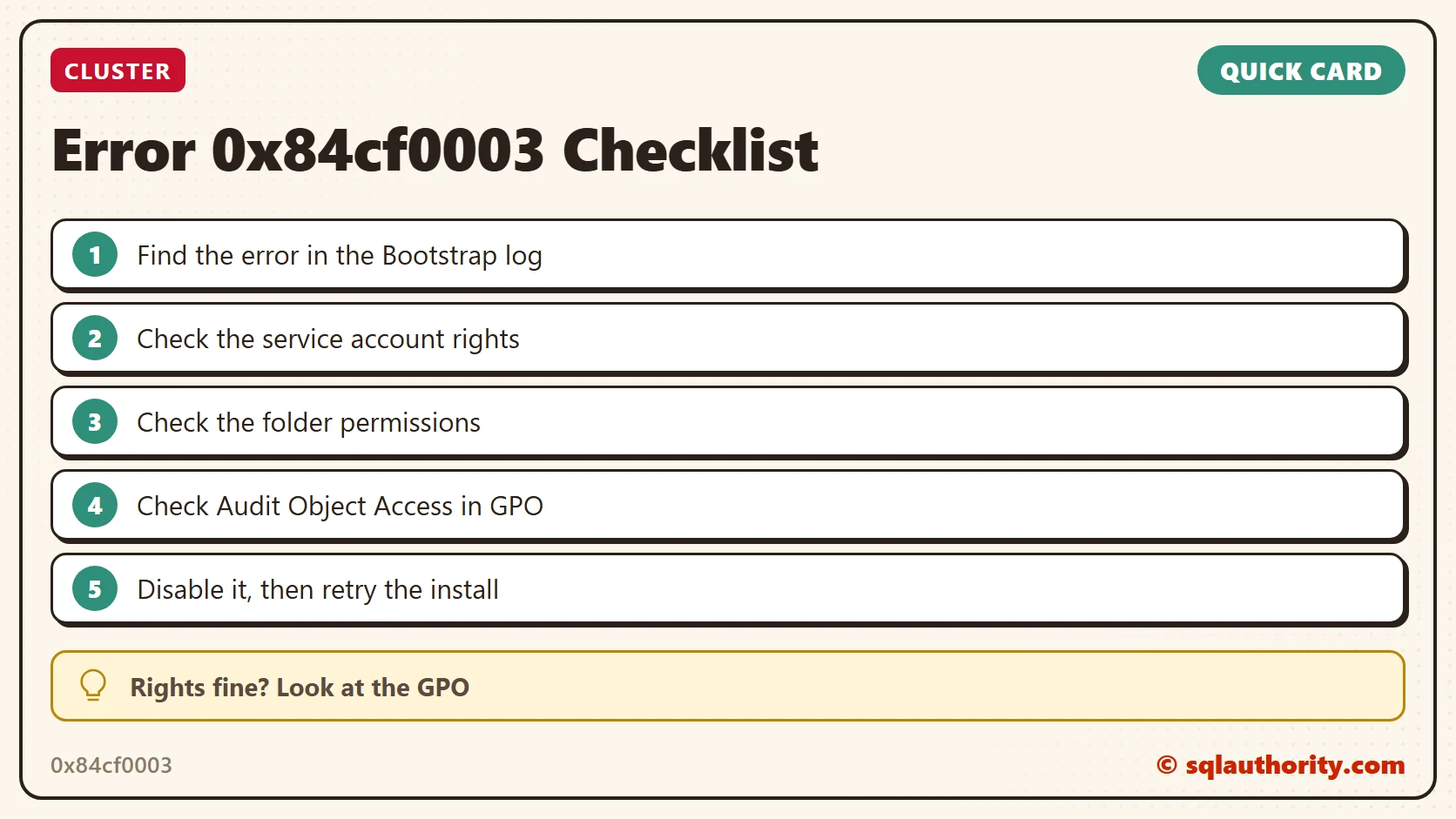
The folder is not always the culprit, it is sometimes a group policy from the domain controller.
Published by Pinal Dave on SQLAuthority. More of my work at pinaldave.com.
Discover more from SQL Authority with Pinal Dave
Subscribe to get the latest posts sent to your email.