
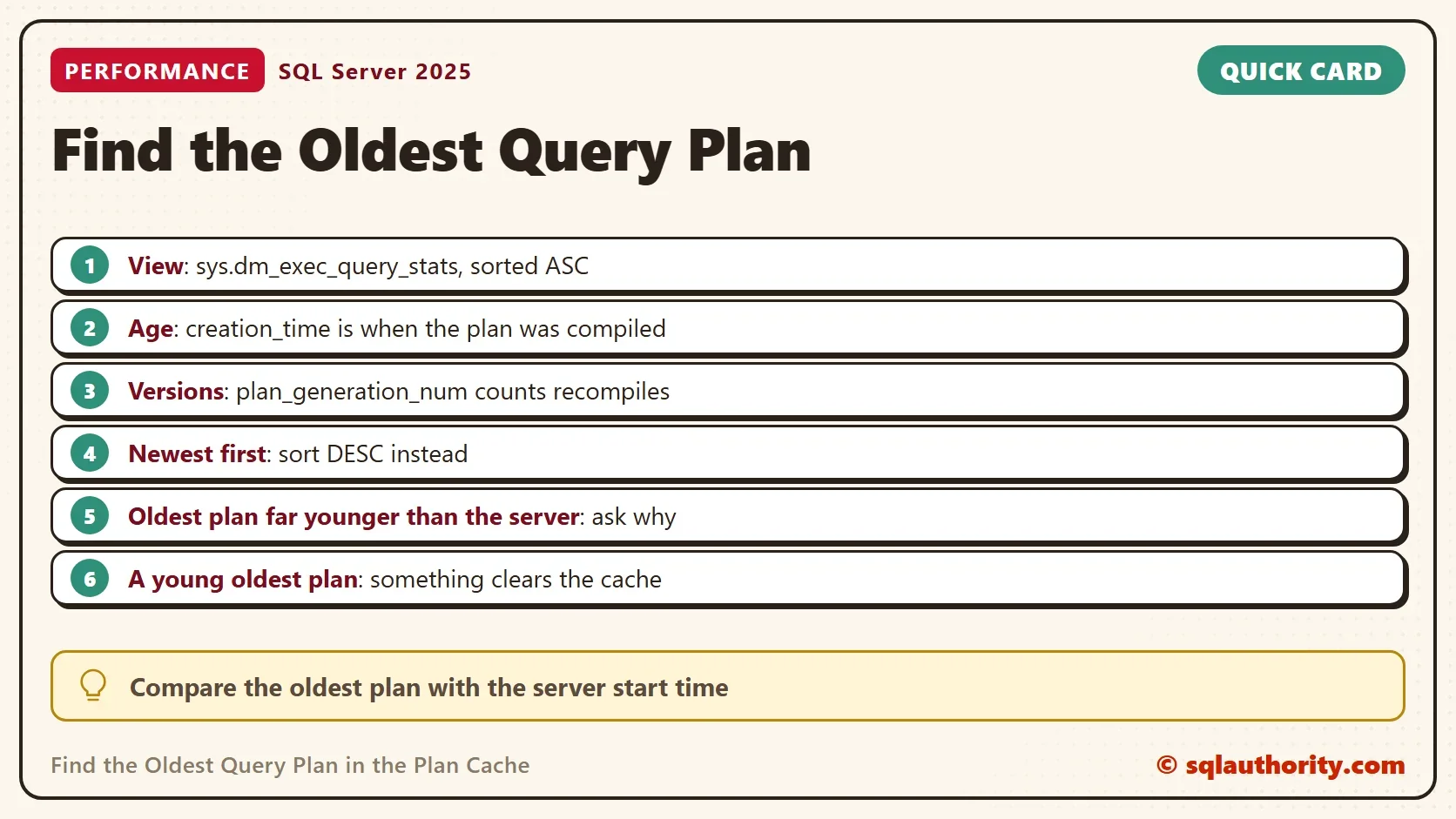
To find the oldest query plan in the plan cache, sort sys.dm_exec_query_stats by creation_time, oldest first. The age of the oldest plan shows how long SQL Server keeps plans before it loses them. A cache that keeps forgetting its plans points to a problem.

What the Plan Cache Holds
SQL Server compiles every query into a plan and keeps the plan in memory. The next time the same query arrives, SQL Server reuses the plan and skips the compile. The plan cache is the place where those plans live. The column creation_time in sys.dm_exec_query_stats records when each plan was compiled.
Sort by that column, and the first row is the oldest query plan. On a quiet server with enough memory, many plans stay for days. An unusually young oldest plan on a long-running server is the signal to investigate.
The Query
The query below returns the ten oldest statements. It shows their age, their last run, the number of runs and the statement text. A cached plan covers a whole batch, so the offsets cut out the single statement. The column plan_generation_num counts the recompiles of the statement. A value above 1 means the plan was replaced.
SELECT TOP (10)
       s.creation_time AS PlanCreated,
       DATEDIFF(SECOND, s.creation_time, SYSDATETIME()) AS AgeSeconds,
       s.last_execution_time AS LastRun,
       s.execution_count AS Runs,
       s.plan_generation_num AS PlanVersion,
       LEFT(SUBSTRING(t.text, s.statement_start_offset / 2 + 1,
            (CASE s.statement_end_offset WHEN -1 THEN DATALENGTH(t.text) ELSE s.statement_end_offset END
             - s.statement_start_offset) / 2 + 1), 70) AS StatementText
FROM sys.dm_exec_query_stats AS s
CROSS APPLY sys.dm_exec_sql_text(s.sql_handle) AS t
ORDER BY s.creation_time ASC;
The result lists the statements of your own workload, so it isn’t printed here. To see the newest plans first, change ASC to DESC. To read a plan, add CROSS APPLY sys.dm_exec_query_plan(s.plan_handle) AS p and select p.query_plan. In Management Studio, a click on the XML opens the graphical plan.
Build a Demo
A shared server holds thousands of statements, so the demo uses stored procedures to keep the output small. The script creates PlanAgeDemo with three procedures. Each one compiles its own plan the first time it runs.
IF DB_ID(N'PlanAgeDemo') IS NULL CREATE DATABASE PlanAgeDemo;
GO
USE PlanAgeDemo;
GO
DROP TABLE IF EXISTS dbo.Members;
CREATE TABLE dbo.Members (
    MemberID int          NOT NULL PRIMARY KEY,
    City     nvarchar(40) NOT NULL,
    JoinedOn date         NOT NULL
);
INSERT INTO dbo.Members (MemberID, City, JoinedOn)
VALUES (1, N'Austin', '2024-01-05'), (2, N'Denver', '2024-03-11'), (3, N'Austin', '2025-06-20'), (4, N'Boston', '2026-02-02');
GO
CREATE OR ALTER PROCEDURE dbo.CountByCity @City nvarchar(40) AS
    SELECT COUNT(*) AS Members FROM dbo.Members WHERE City = @City;
GO
CREATE OR ALTER PROCEDURE dbo.NewestMember AS
    SELECT TOP (1) MemberID, City FROM dbo.Members ORDER BY JoinedOn DESC;
GO
CREATE OR ALTER PROCEDURE dbo.MembersPerCity AS
    SELECT City, COUNT(*) AS Members FROM dbo.Members GROUP BY City;
Now run the procedures with a pause of two seconds between the first compiles. The last call runs the first procedure again with another value.
EXEC dbo.CountByCity @City = N'Austin';
GO
WAITFOR DELAY '00:00:02';
GO
EXEC dbo.NewestMember;
GO
WAITFOR DELAY '00:00:02';
GO
EXEC dbo.MembersPerCity;
GO
EXEC dbo.CountByCity @City = N'Denver';
The view sys.dm_exec_procedure_stats keeps one row for each cached procedure plan. The next query lists them, oldest first, for the current database.
SELECT OBJECT_NAME(ps.object_id, ps.database_id) AS ProcedureName,
       ps.cached_time AS PlanCached,
       DATEDIFF(SECOND, ps.cached_time, SYSDATETIME()) AS AgeSeconds,
       ps.last_execution_time AS LastRun,
       ps.execution_count AS Runs
FROM sys.dm_exec_procedure_stats AS ps
WHERE ps.database_id = DB_ID()
ORDER BY ps.cached_time ASC;| ProcedureName | PlanCached | AgeSeconds | LastRun | Runs |
|---|---|---|---|---|
| CountByCity | 2026-10-06 20:06:23.353 | 4 | 2026-10-06 20:06:27.393 | 2 |
| NewestMember | 2026-10-06 20:06:25.377 | 2 | 2026-10-06 20:06:25.377 | 1 |
| MembersPerCity | 2026-10-06 20:06:27.390 | 0 | 2026-10-06 20:06:27.393 | 1 |
The oldest plan is CountByCity, which compiled first. It also ran twice. The second call with a different value reused the plan and didn’t compile a new one. The other two compiled two seconds apart, in the order of the calls. The ages are in seconds at the moment of the query. They will differ by a second on your run.
Is the Cache Being Recycled?
One more query answers the main question. It compares the oldest plan in the whole cache with the time SQL Server started.
SELECT COUNT(*) AS StatementsInCache,
       MIN(s.creation_time) AS OldestPlan,
       (SELECT sqlserver_start_time FROM sys.dm_os_sys_info) AS ServerStarted,
       DATEDIFF(MINUTE, (SELECT sqlserver_start_time FROM sys.dm_os_sys_info), MIN(s.creation_time)) AS MinutesBetween
FROM sys.dm_exec_query_stats AS s;| StatementsInCache | OldestPlan | ServerStarted | MinutesBetween |
|---|---|---|---|
| 303 | 2026-10-06 19:50:44.407 | 2026-10-05 06:26:15.083 | 2244 |
This is one run on a shared test server. The server started on 5 October at 06:26. The oldest plan dates from 6 October at 19:50, which is 2,244 minutes, or about 37 hours, later. Something removed the older plans in between: a clear, memory pressure or a restart of a database. Those queries must compile again when they return.
Plans Used Once
A cache that holds many plans used only once wastes memory. Those plans push out plans that are worth keeping. The next query counts ad hoc plans, how many ran only once and how much memory they use.
SELECT COUNT(*) AS AdHocPlans,
       SUM(CASE WHEN cp.usecounts = 1 THEN 1 ELSE 0 END) AS UsedOnce,
       CAST(SUM(CASE WHEN cp.usecounts = 1 THEN cp.size_in_bytes ELSE 0 END) / 1048576.0 AS decimal(10,1)) AS UsedOnceMB,
       CAST(SUM(cp.size_in_bytes) / 1048576.0 AS decimal(10,1)) AS AllAdHocMB
FROM sys.dm_exec_cached_plans AS cp
WHERE cp.objtype = N'Adhoc';| AdHocPlans | UsedOnce | UsedOnceMB | AllAdHocMB |
|---|---|---|---|
| 182 | 132 | 19.1 | 26.8 |
In this run, 132 of 182 ad hoc plans ran once, and they hold 19.1 MB. On a server with a heavy ad hoc workload, the numbers grow much larger. Parameterized queries and stored procedures fix the cause. The server option optimize for ad hoc workloads is a second line of defense. It stores a small stub on the first run and the full plan only on the second.
What Clears the Plan Cache
Several actions remove plans on purpose. DBCC FREEPROCCACHE clears everything. Some configuration changes clear the plans of one database or the whole server when they take effect. A database that closes and opens again, such as one with AUTO_CLOSE on, loses its plans every time. Memory pressure removes the least valuable plans first. Scan the SQL Server Agent jobs and the deployment scripts for those commands when the oldest plan is young.
You could argue that a young plan is no sign of trouble. The creation_time column shows when the plan was compiled, not when the query first ran. A recompile after a statistics update gives a new plan to an old query. The column plan_generation_num separates the two cases. A server whose plans have a generation of 1 and a young age lost them, unless its queries are new. A server whose plans have a higher generation recompiled them.
What to Remember
Sort by creation_time to find the oldest query plan, and compare it with the server start time. A big gap means the cache was cleared. Check the jobs, the settings and the memory for the cause.
When you finish with the demo, run the cleanup script.
USE master;
GO
IF DB_ID(N'PlanAgeDemo') IS NOT NULL
BEGIN
    ALTER DATABASE PlanAgeDemo SET SINGLE_USER WITH ROLLBACK IMMEDIATE;
    DROP DATABASE PlanAgeDemo;
END;
An old plan is not an error, it is proof that the cache was left alone.
Published by Pinal Dave on SQLAuthority. More of my work at pinaldave.com.
Discover more from SQL Authority with Pinal Dave
Subscribe to get the latest posts sent to your email.




1 Comment. Leave new
ORDER BY creation_time DESC will bring latest query plans, not oldest.