
Question: How do you change the language used by SQL Server Management Studio?

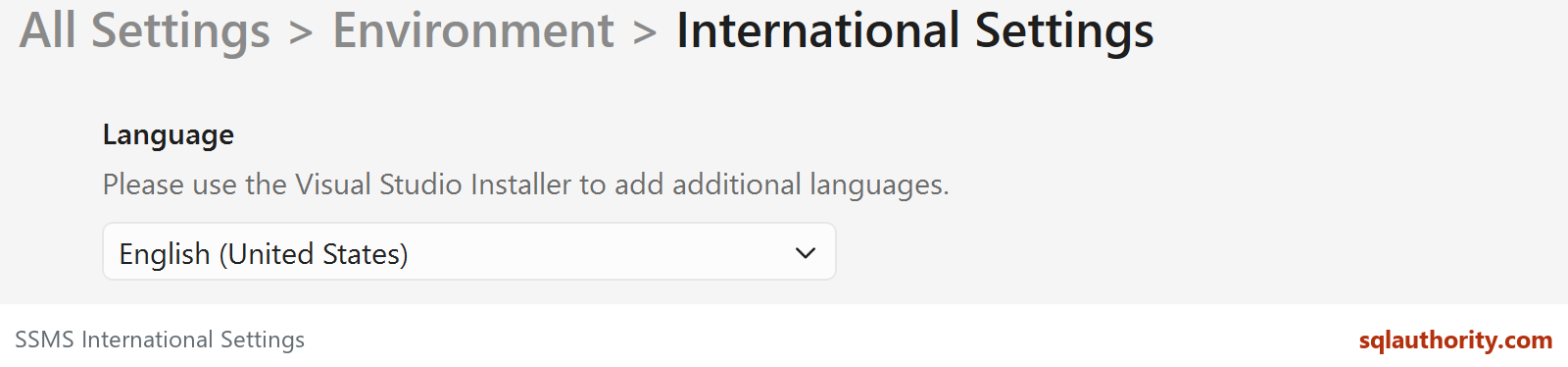
Answer: Install the language resources for your SSMS version, then choose the available language under Tools, Options, Environment, International Settings. Restart SSMS for the change to take effect.
I speak three languages, but English is the language I normally use for SQL Server work. A participant in a SQL Server workshop asked this question, and I had to investigate it. The setting was easy to find; getting the correct language resources was the part that needed attention.
Use the Installer That Belongs to Your SSMS Version
SSMS 22 uses the Visual Studio Installer. Find the SQL Server Management Studio installation, choose Modify, select the required resources on the Language packs tab, and apply the change. Reopen SSMS and select the installed language in International Settings if necessary.
Older SSMS versions were built on older Visual Studio shells, and each one needs the language pack for its own shell. If you maintain an older installation, check the installer that came with that version; don’t apply an SSMS 22 language pack to it.
This changes the tool’s interface. It doesn’t translate T-SQL keywords or change a database collation. A session’s SET LANGUAGE controls language-dependent date formats and system messages, so that’s a separate question.

Changing the SSMS language is not a database setting, it is a tool setting, and your T-SQL stays in English.
Published by Pinal Dave on SQLAuthority. More of my work at pinaldave.com.
Discover more from SQL Authority with Pinal Dave
Subscribe to get the latest posts sent to your email.



2 Comments. Leave new
Thanks alot. I reinstalled SSMS three times and wondered why the language hasn’t changed.
I am using SSMS on a server shared with French admins. I have my own userid on the server. If I make the change identified… with the change be for me only or all users.