
Event ID 7034 means the MSSQLSERVER service terminated unexpectedly. I came across a strange issue. The SQL Server service terminated and restarted by itself. Sometimes it didn’t restart, and I had to start it manually.

The Error
The Service Control Manager logged this message with event ID 7034:
The MSSQLSERVER service terminated unexpectedly. It has done this 6 time(s).What Happened
I read a lot of online content, and everyone told me to check the ERRORLOG. If you need help finding it, read where the ERRORLOG lives. There was no sign in the ERRORLOG that an external program had stopped the service. It looked like a crash.
How to Check
I checked the System and Application event logs and found this entry in the Application log. I trimmed it to the lines that matter.
Log Name: Application
Source: Windows Error Reporting
Event ID: 1001
Level: Information
Computer: YourServer
Description:
Fault bucket 1181302166329499531, type 4
Event Name: APPCRASH
Problem signature:
P1: sqlservr.exe
P2: 2017.140.3029.16
P4: ntdll.dll
P5: 10.0.17134.137
P7: c0000005
Attached files:
\\?\C:\ProgramData\Microsoft\Windows\WER\Temp\WERACEB.tmp.dmp
There was no useful information in the folder C:\ProgramData\Microsoft\Windows\WER\ReportArchive. It held many folders named AppCrash_sqlservr.exe.
Why It Happens
The code 0xC0000005 is the Windows code for an access violation. The process tried to read or write a section of memory it has no access to. This usually comes from a program using a bad memory pointer.

I had no clue why the service crashed. From my reading online, a SQL Server process can terminate unexpectedly for several reasons:
- Incorrect program configuration
- System memory problems
- Improper license information
- Missing program files
- Corrupt user data
- Severe disk fragmentation
The Fix
I performed a clean restart of the server. The error did not come back.
Confirm It Worked
I believe a rogue process or memory corruption was the cause, and the restart cleared it. I can’t prove which one. If it comes back, I’ll report it to Microsoft.
How to Prevent It
When this service crashes again, keep the dump file named in the APPCRASH entry. It is what you will need if you report the crash.
What do you think? Have you seen this error before? Tell me in the comments.
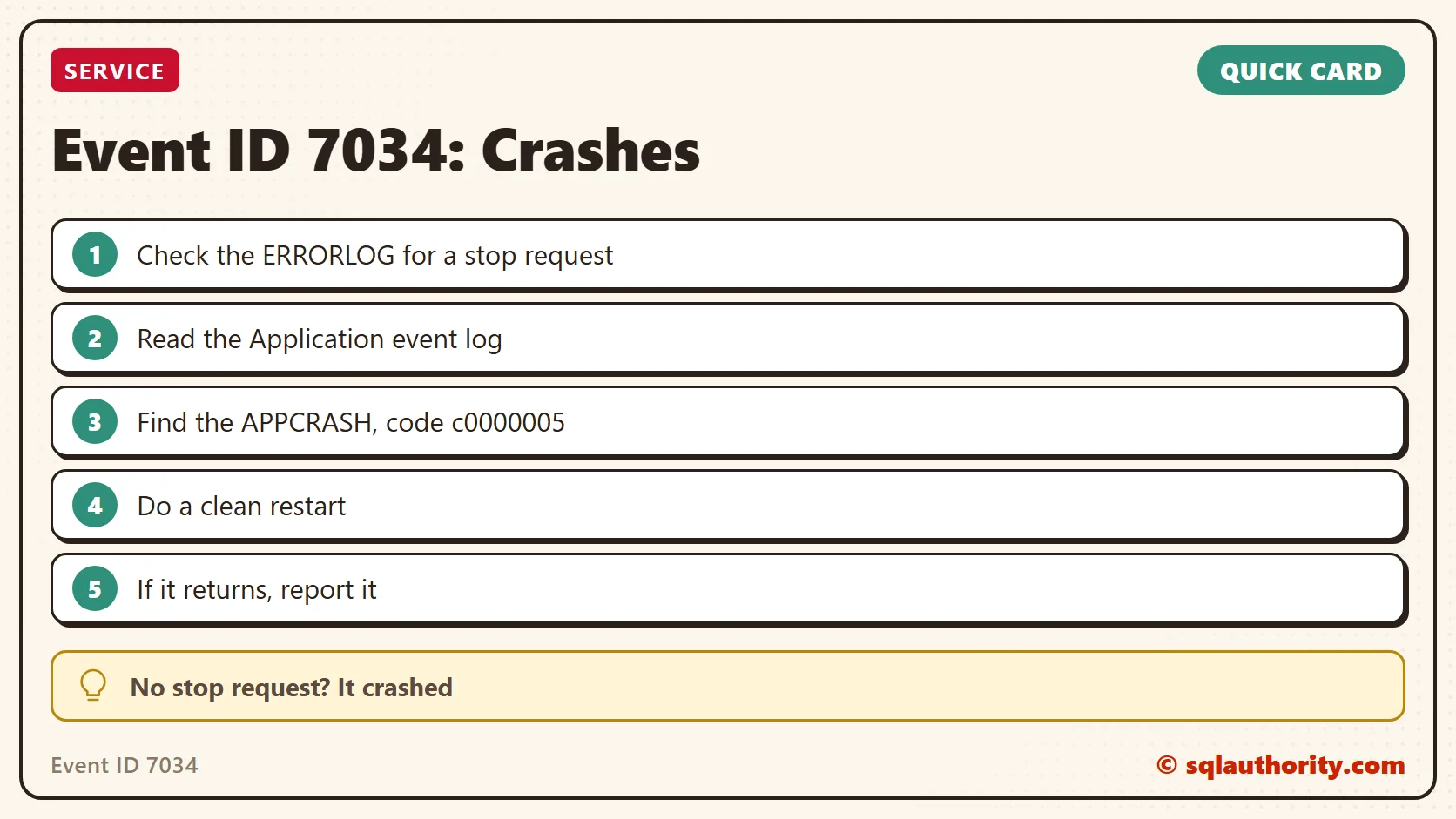
Event ID 7034 is not the cause of a crash, it is the notice that one already happened.
Published by Pinal Dave on SQLAuthority. More of my work at pinaldave.com.
Discover more from SQL Authority with Pinal Dave
Subscribe to get the latest posts sent to your email.




7 Comments. Leave new
Even one of our server encountered same issue and there was nothing reported in the logs !! Very strange !!
Yeah, I have seen that earlier.
We have MDW enabled for this server; but they also haven’t captured anything except CPU spike (around 50%)
50% CPU usage can’t cause this.
One of our prod share point server went down with same event id. No clue in logs and eventviewr.
Hello Pinal Dave
I faced this issue before and i could fixed it by Granting full access for SQL Server engine services account on Folder name MachineKeys in this path (C:ProgramDataMicrosoftCryptoRSA)
Dear Mustafa,
how did you find that it was access to this particuar folder being the culprit?
I took you post as a hint and added the SQL Service account (an AD account) to the local admins and it seems to help. We have a case open with CSS and I am curious what they are going to say. I will keep this comment updated.
thank you very much for the cool idea.