A temporal table remembers every update until its history becomes the largest table in the database. Temporal table retention puts a limit on how far back that memory needs to go. Setting the period is only the beginning; the index and cleanup setting decide whether old rows actually leave.

Decide What History the Business Needs
System-versioned temporal tables move old row versions into a history table when current rows change. Without a finite policy, that history can keep growing. Before choosing a duration, ask which queries use old versions, how long audits must retain them, and whether backups need a longer legal life. A retention period is a data deletion rule. It belongs in the same conversation as recovery and compliance, not only capacity.
I have seen teams size the current table and forget that a busy row can produce many history rows. The current table stays familiar while the history table grows quietly. I start with a count and size trend for both tables and a sample of the oldest ValidTo values. What is the oldest version your users actually ask to see?
Read the Current Temporal Table Retention Policy
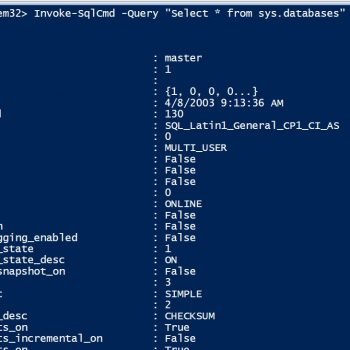
SQL Server records the table-level retention period in sys.tables and the database-level cleanup switch in sys.databases. Run the following query inside the database. It shows the current temporal table, its history table, and the retention unit. An infinite period means the engine has no age limit to enforce. A finite table policy with database cleanup disabled will not give the expected automatic cleanup.
SELECT d.is_temporal_history_retention_enabled,
       SCHEMA_NAME(t.schema_id) AS temporal_schema,
       t.name AS temporal_table,
       SCHEMA_NAME(h.schema_id) AS history_schema,
       h.name AS history_table,
       t.history_retention_period,
       t.history_retention_period_unit_desc
FROM sys.tables AS t
JOIN sys.tables AS h ON h.object_id = t.history_table_id
CROSS JOIN sys.databases AS d
WHERE d.database_id = DB_ID()
  AND t.temporal_type = 2
ORDER BY temporal_schema, temporal_table;
Review this output after a restore too. A restored database can have cleanup disabled at the database level. Setting the table period alone is not enough if the switch is off. Keep the intended duration in deployment records so a later change to SYSTEM_VERSIONING does not silently return it to INFINITE.
Set a Finite Period Deliberately
For an existing system-versioned table, ALTER TABLE can set HISTORY_RETENTION_PERIOD while versioning remains on. The example keeps nine months of history. Run a change like this only after checking the history index and business rule. In a new table definition the same option belongs inside SYSTEM_VERSIONING. A period is expressed in days, weeks, months, or years.
ALTER TABLE dbo.Customer
SET (SYSTEM_VERSIONING = ON
    (HISTORY_RETENTION_PERIOD = 9 MONTHS));
I test the policy on a representative copy before applying it to a busy table. Do not assume the cleanup will instantly erase every old row at the moment the command succeeds. A background task removes eligible rows on its schedule. Querying the temporal table respects the retention filter, while a direct query of the history table can show rows not yet physically removed. That distinction matters when someone checks progress five minutes after deployment.

Give Cleanup an Index It Can Use
A finite retention policy requires a supported clustered index on the history table. A clustered rowstore index must begin with the end-of-period column so the engine can find old versions. A clustered columnstore index is another option for a large history table and can allow cleanup to remove whole rowgroups. Index design depends on the query workload as well as deletion. Changing a large history index can be more disruptive than setting the policy itself.
If history was bulk-loaded out of time order, a columnstore can contain mixed ages in the same rowgroups. That weakens whole-rowgroup cleanup. Inspect the current index and loading pattern before a rebuild. Do not casually rebuild a clustered columnstore with finite retention; the operation can disturb the order that system versioning naturally created. The goal is predictable cleanup, not an attractive index name.
Verify That Temporal Table Retention Is Working
Read the policy query again, then inspect history rows older than the cutoff in a controlled query. Use the same UTC end-of-period logic as the table definition. Capture a count at one point and compare it later; do not promise a fixed cleanup rate. Background work shares resources with user queries, and its pace depends on history volume and index layout.
SELECT COUNT_BIG(*) AS eligible_history_rows
FROM dbo.CustomerHistory
WHERE ValidTo < DATEADD(MONTH, -9, SYSUTCDATETIME());
The query is an example for a table with an end-of-period column named ValidTo. Change names to match your schema. A nonzero count immediately after enabling retention is expected. A count that never declines deserves a check of the database switch, retention setting, index, and workload. Keep in mind that new old versions can become eligible while cleanup is running.
Plan for Restores and Policy Changes
A point-in-time restore, migration, or versioning change deserves a fresh policy check. Turning SYSTEM_VERSIONING off does not preserve the old retention value automatically when you turn it back on without specifying a period. Write the intended duration into the deployment script instead of relying on the last DBA's memory. Backups taken before cleanup still contain the earlier history, which is a separate retention question.
I put the policy, cleanup flag, index definition, and oldest required business date on one page. That makes the next storage review concrete. If a regulator or owner changes the rule, the team can change the policy with a clear understanding of what old versions are eligible to disappear. A temporal table is useful because it remembers. A retention policy is useful because it remembers the limit.
For a retention rollout, schedule a second review after the background task has had time to work. Compare the eligible-row trend, history-table space, and the report that uses past versions. A smaller visible result does not immediately mean the data file shrank on disk, and shrinking files to celebrate cleanup can create a new performance problem. Reclaimed pages can serve later writes without that extra operation. Record what the cleanup actually changed, then decide whether capacity planning needs an adjustment. This keeps the retention work tied to a measurable storage outcome rather than a single successful ALTER TABLE message.
Related reading on this blog: SQL SERVER 2016: Creating Simple Temporal Table and Temporal Tables: Keeping History Without a Trigger.

Temporal history is not free storage, it is a record with an owner and an expiration rule.
Published by Pinal Dave on SQLAuthority. More of my work at pinaldave.com.
Discover more from SQL Authority with Pinal Dave
Subscribe to get the latest posts sent to your email.