
The RDP logoff message “Please wait for the System Event Notification Service” has many causes. This post covers one of them, which came from SQL Server Management Studio.
The Error
This is the message the users saw:
Please wait for the System Event Notification ServiceWhat the Client Saw
One of my clients found that users logging in or logging out got this message. The server had to be rebooted to clear it.
Why It Happens
There are some known issues between the System Event Notification Service (SENS) and the Visual Studio shell. SQL Server Management Studio is built on that shell. My client opened a ticket with Microsoft to investigate.
How to Check
Check whether SQL Server Management Studio is running on the machine. Check for any other software that uses the Visual Studio shell too.
The Fix
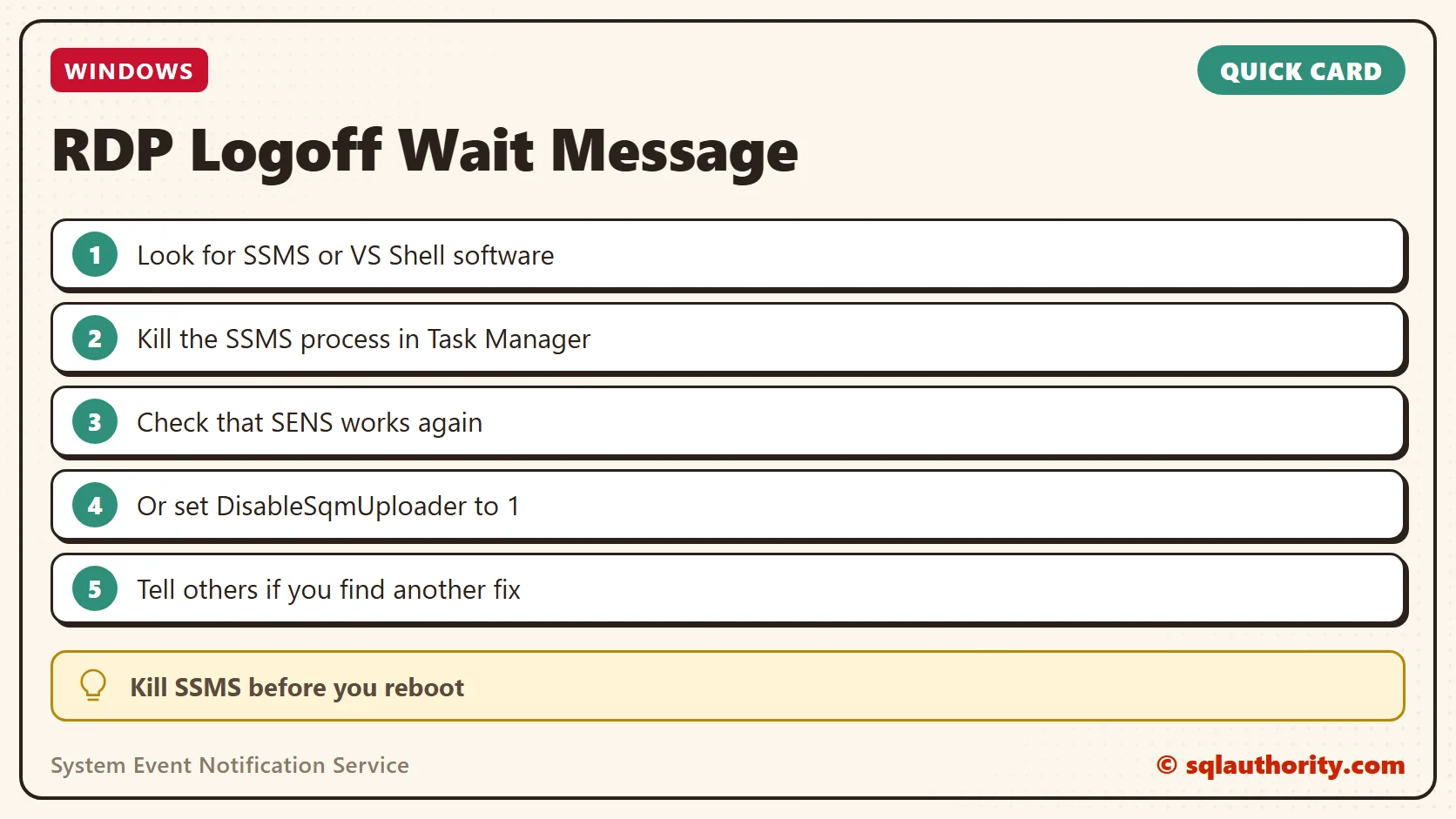
The first workaround was to kill the SSMS process in Task Manager. Then SENS starts working again.
The second workaround is a registry change that disables telemetry for the Visual Studio shell used by SSMS:
[HKEY_CURRENT_USER\Software\Microsoft\VisualStudio\Telemetry]
"DisableSqmUploader"=dword:00000001
Confirm It Worked
After SSMS was killed, SENS worked again, and the server didn’t need a reboot.
How to Prevent It
Before you reboot, check which software on the machine uses the Visual Studio shell. If you find another solution, please write it in a comment so others can use it. And let me know if you have seen this error on your production server.
This message is not a server that needs a reboot, it is a service waiting on one stuck program.
Published by Pinal Dave on SQLAuthority. More of my work at pinaldave.com.
Discover more from SQL Authority with Pinal Dave
Subscribe to get the latest posts sent to your email.



5 Comments. Leave new
Thanks a Ton, we had several terminal servers affected with this logoff issue. We had SQL Management studio installed on these terminal server. Your solution worked !!!
It has to be done for every user.
What is the real solution though, can’t do this for every user, i’ve not seen an official fix :(
Thanks Dave. Do you know if this is only happening with specific versions of ssms? We get this behavior randomly so it’s difficult to narrow down.
Hi We are using Oracle Cloud based server, and no other way to access the server is via RDP, now no users can access the server via rdp due to this error, is iOK to restart the whole server?