
The number of cluster nodes error appeared even though my client ran Enterprise edition. A SQL Server failover cluster install is a two-step process: InstallFailoverCluster first, then AddNode. My client completed step 1 without trouble, but adding the second node failed.

The Error
This is the log from Detail.txt.
(13) 2017-01-08 14:33:01 Slp: Initializing rule : Number of cluster nodes supported for edition
(13) 2017-01-08 14:33:01 Slp: Rule is will be executed : True
(13) 2017-01-08 14:33:01 Slp: Init rule target object: Microsoft.SqlServer.Configuration.SetupExtension.NumberOfNodesFacet
(13) 2017-01-08 14:33:01 Slp: Rule 'Cluster_NumberOfNodes' edition Invalid allows 0 cluster nodes.
(13) 2017-01-08 14:33:01 Slp: Rule 'Cluster_NumberOfNodes' detected 1 cluster nodes.
(13) 2017-01-08 14:33:01 Slp: Evaluating rule : Cluster_NumberOfNodes
(13) 2017-01-08 14:33:01 Slp: Rule running on machine: SQLNODE02
(13) 2017-01-08 14:33:01 Slp: Rule evaluation done : Failed
(13) 2017-01-08 14:33:01 Slp: Rule evaluation message: This SQL Server edition does not support the installed number of cluster nodes. To continue, remove nodes and then complete cluster installation.
What the Client Saw
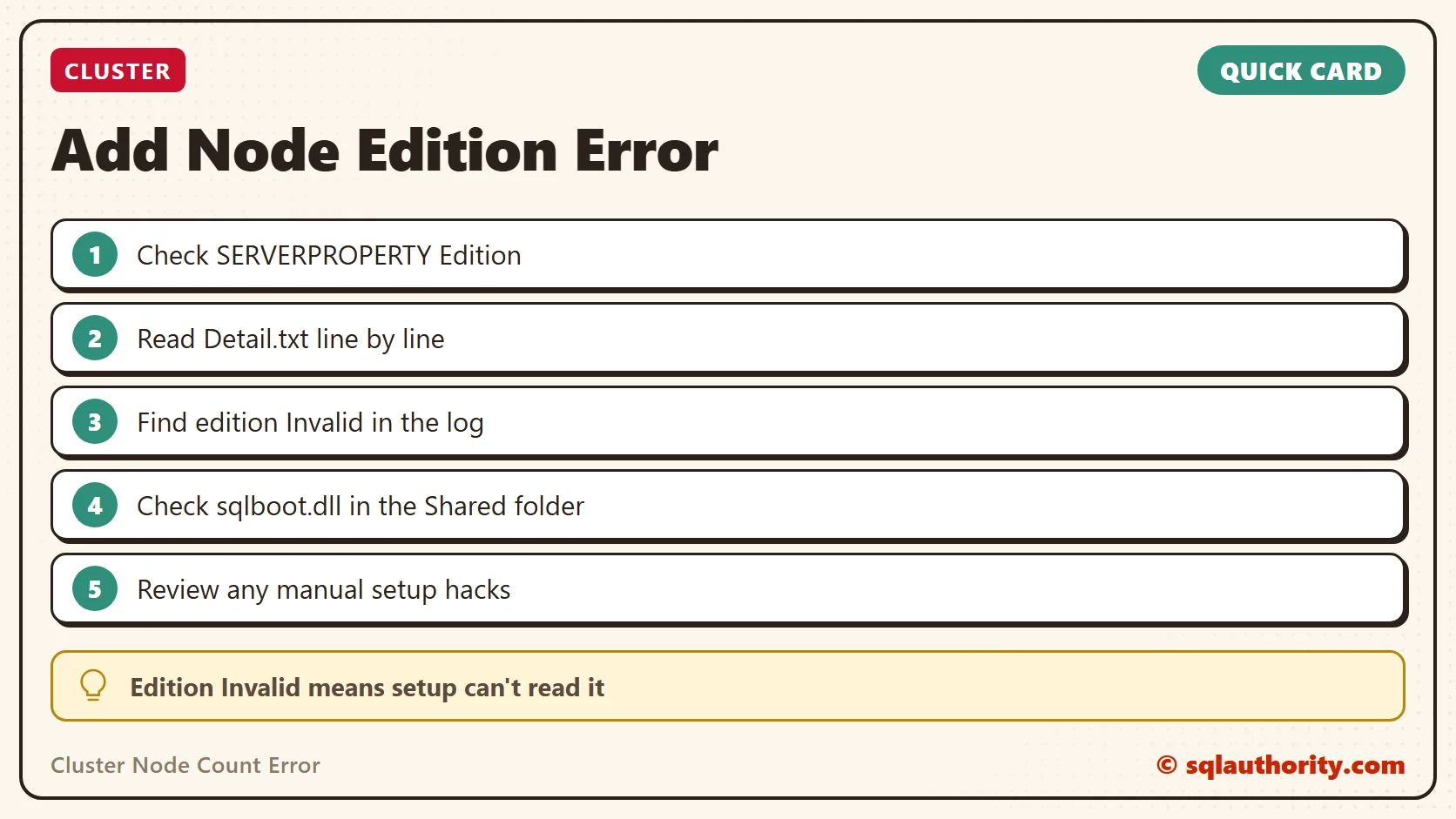
My first thought was the Standard edition limit, which I covered in an earlier post on the same rule. So I asked the client to check the edition with this query.
SELECT SERVERPROPERTY ('Edition')It returned Enterprise. That edition has no limit on the number of nodes in a cluster. The error looked strange, so I read the log line by line.
Why It Happens
One line stood out:
(13) 2017-01-08 14:33:01 Slp: Rule 'Cluster_NumberOfNodes' edition Invalid allows 0 cluster nodes.Setup couldn’t read the edition and marked it Invalid. An edition of Invalid allows 0 nodes, which explains the failed rule. I checked further and found a second message. Setup skipped the AddNodeEditionBlock rule and logged an exception about the PID input:
(04) 2017-01-08 14:33:01 Slp: Loading rule: AddNodeEditionBlock
(04) 2017-01-08 14:33:01 Slp: Creating rule target object: Microsoft.SqlServer.Configuration.SetupExtension.AddNodeEditionBlock
(04) 2017-01-08 14:33:01 Slp: Rule applied features : ALL
(04) 2017-01-08 14:33:01 Slp: ----------------------------------------------------------------------
(04) 2017-01-08 14:33:01 Slp: Skipping rule AddNodeEditionBlock
(04) 2017-01-08 14:33:01 Slp: Rule will not be evaluated due to the following failed restriction(s):
(04) 2017-01-08 14:33:01 Slp: Condition "Is requested input setting is set to PID" did not pass as it returned false and true was expected.
Returning false as an unhandled exception was caught:
Microsoft.SqlServer.Chainer.Infrastructure.ChainerInvalidOperationException: The input 'PID' requested by the StringInputSettingExistsCondition is not of string type.
From my search on the internet, setup reads the version from a file named sqlboot.dll, using a checksum value. The folder of the DLL is stored in the SharedCode value under this registry key:
HKEY_LOCAL_MACHINE\SOFTWARE\Microsoft\Microsoft SQL Server\120The checksum is stored under this key:
HKEY_LOCAL_MACHINE\SOFTWARE\Microsoft\Microsoft SQL Server\MSSQL12.<InstanceName>\SetupHow to Check
In my client’s case, the DLL was missing from this folder:
C:\Program Files\Microsoft SQL Server\120\SharedLook in that folder first. I don’t know how the file went missing. The client told me that setup on Node1 had been incomplete, and that they had patched it by hand.
The missing file and the hand-patched setup on Node1 are where I’d look.
How to Prevent It
Finish each setup step on the first node properly before you add the second. A manual hack to get past an incomplete setup can come back as a strange error on the next node. Have you seen an error like this? Tell me in the comments.
The edition is not the problem, it is how setup reads it.
Published by Pinal Dave on SQLAuthority. More of my work at pinaldave.com.
Discover more from SQL Authority with Pinal Dave
Subscribe to get the latest posts sent to your email.




1 Comment. Leave new
This could be due to missing dll files on the specific node. Please check the logs and add the missing dll files from active now. It worked for me.