
Mirroring endpoint permission was the missing piece when every login attempt failed with Connection Handshake Failed. One of my friends was configuring database mirroring and had a hard time getting it to work. Their machines were in a workgroup, not in a domain, so they used a certificate for mirroring authentication. They followed a blog from the Microsoft site, but every login attempt kept failing with the error Connection Handshake Failed.
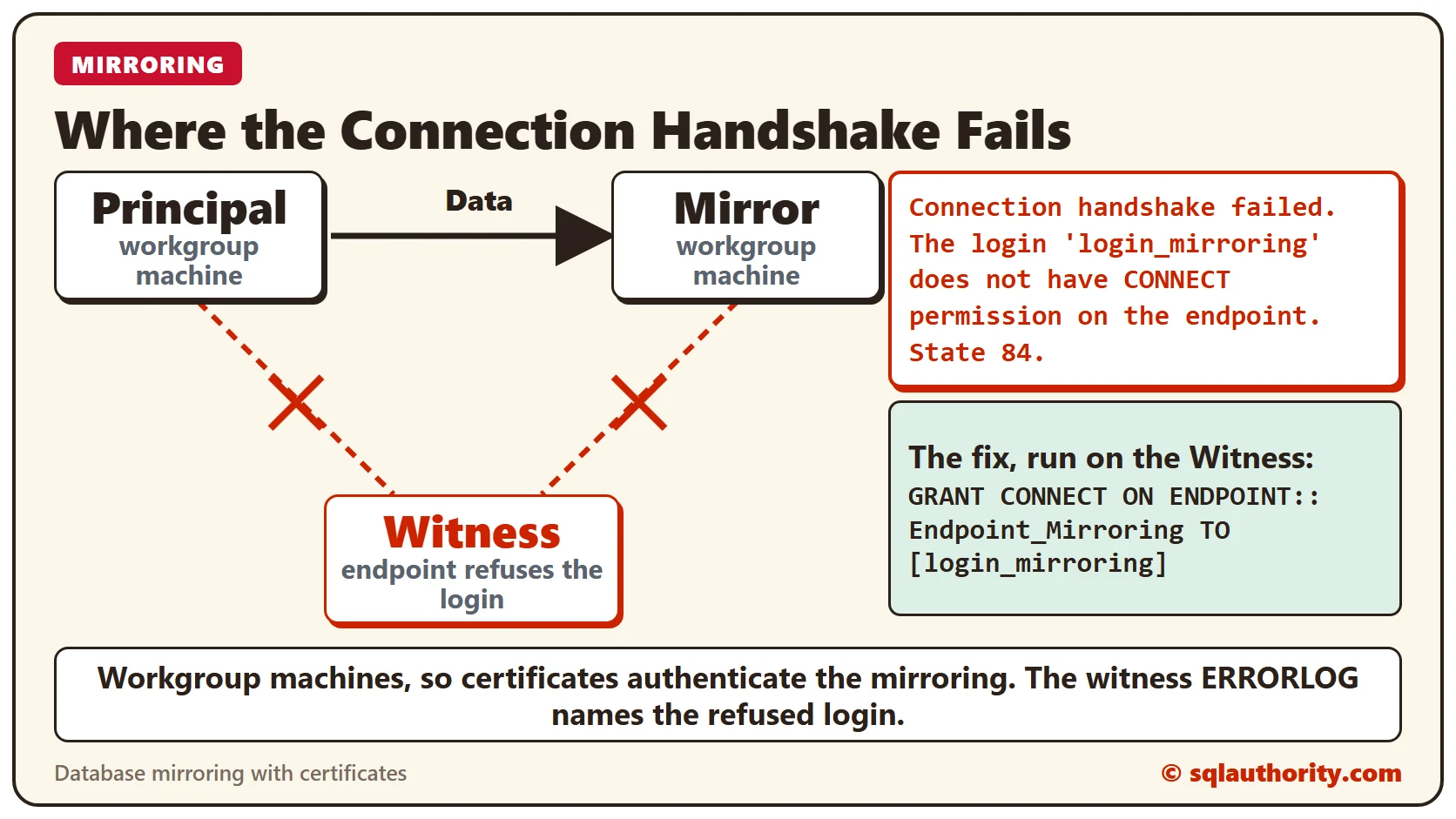
What Happened
When they contacted me, they had been through multiple rounds of failure and had given up. I asked them to share the SQL Server ERRORLOG from all three servers.
If you need help finding it, read Where Is ERRORLOG? Various Ways to Find Its Location. Here are the messages in the ERRORLOG of the principal server:
2016-01-22 04:48:17.13 spid21s Error: 1474, Severity: 16, State: 1.
2016-01-22 04:48:17.13 spid21s Database mirroring connection error 4 'An error occurred while receiving data: '10054(An existing connection was forcibly closed by the remote host.)'.' for 'TCP://Witness:5022'.
2016-01-22 04:48:36.53 spid118 Error: 1456, Severity: 16, State: 3.
2016-01-22 04:48:36.53 spid118 The ALTER DATABASE command could not be sent to the remote server instance 'TCP://Witness:5022'. The database mirroring configuration was not changed. Verify that the server is connected, and try again.
Here is the message in the ERRORLOG of the witness server. The client address is hidden.
Database Mirroring login attempt failed with error: 'Connection handshake failed. The login 'login_mirroring' does not have CONNECT permission on the endpoint. State 84.'. [CLIENT: xx.xx.xx.xx]Why It Happens
The IP addresses in the message belong to the principal and the mirror. So the witness message means that the login_mirroring login did not have CONNECT permission on the witness endpoint. The principal and the mirror use that login.
The Fix
Grant permission to the account that fails to connect, as the ERRORLOG names it. Run this on the witness server.
GRANT CONNECT ON ENDPOINT::Endpoint_Mirroring TO [login_mirroring]
GO
As soon as the command ran on the witness server, the mirroring login failures stopped, and mirroring started working.
How to Prevent It
When you set up mirroring with certificates, give every mirroring login CONNECT permission on each endpoint, the witness included. Read the ERRORLOG of all the servers, because the refused login is named on the server that refuses it.
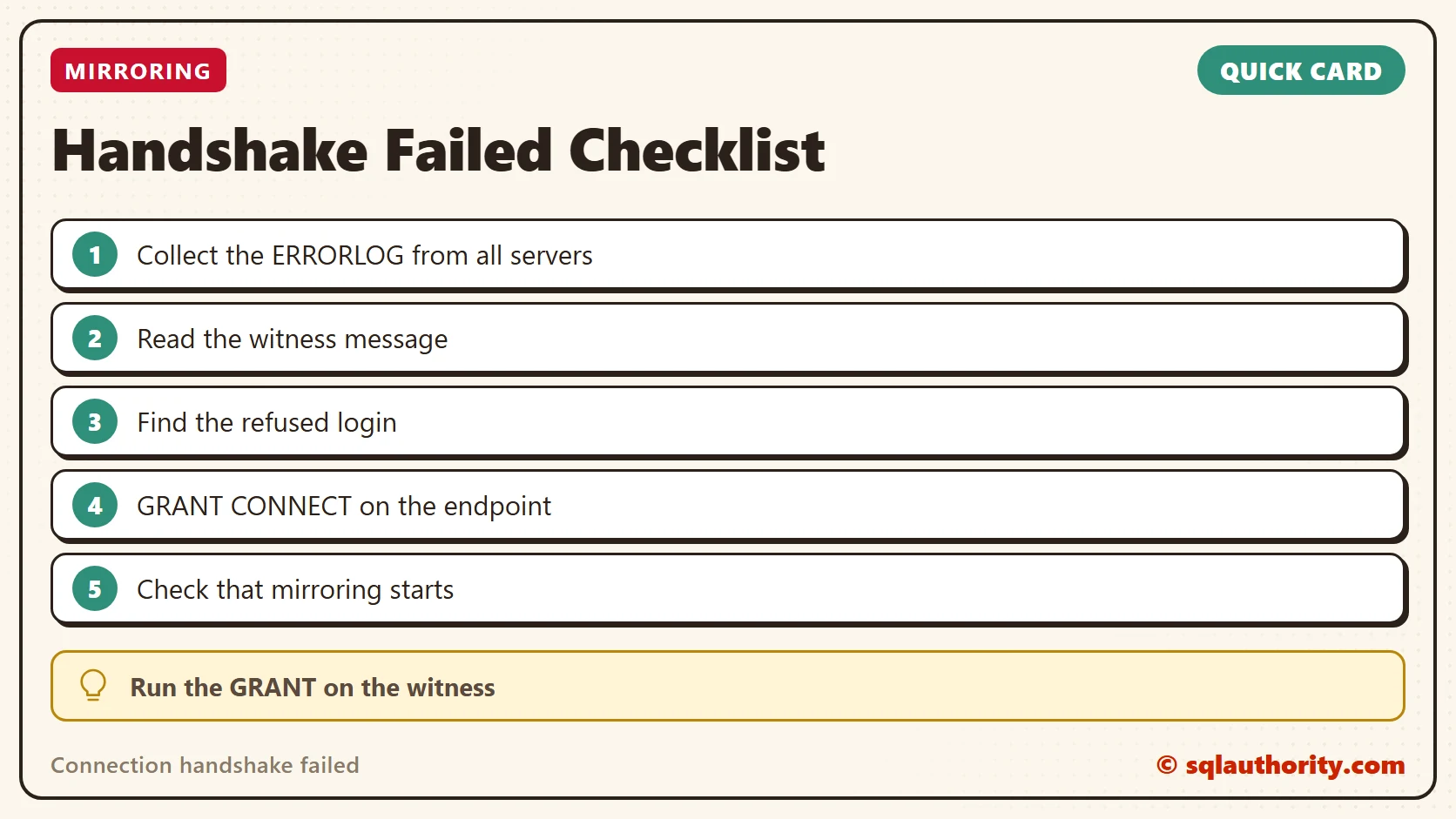
A handshake failure is not always a network problem, it is sometimes a login without permission.
Published by Pinal Dave on SQLAuthority. More of my work at pinaldave.com.
Discover more from SQL Authority with Pinal Dave
Subscribe to get the latest posts sent to your email.



4 Comments. Leave new
Where to run this command?
GRANT CONNECT ON ENDPOINT::Endpoint_Mirroring TO [login_mirroring]
GO
This is runing for me nowhere… not in CMD, not in Powershell, not in SQL Management studio!!!
Hi, resolve this error? i have the same error on Amazon AWS instances
I run that statement and it says Cannot grant, deny, or revoke permissions to sa, dbo, entity owner, information_schema, sys, or yourself.
the same error please help