
Physical and virtual memory are not the same thing, and SQL Server reports on both. Physical memory is the RAM installed in the machine. Virtual memory is the address space that Windows gives to each program, and it can be much larger.

What Physical Memory Is
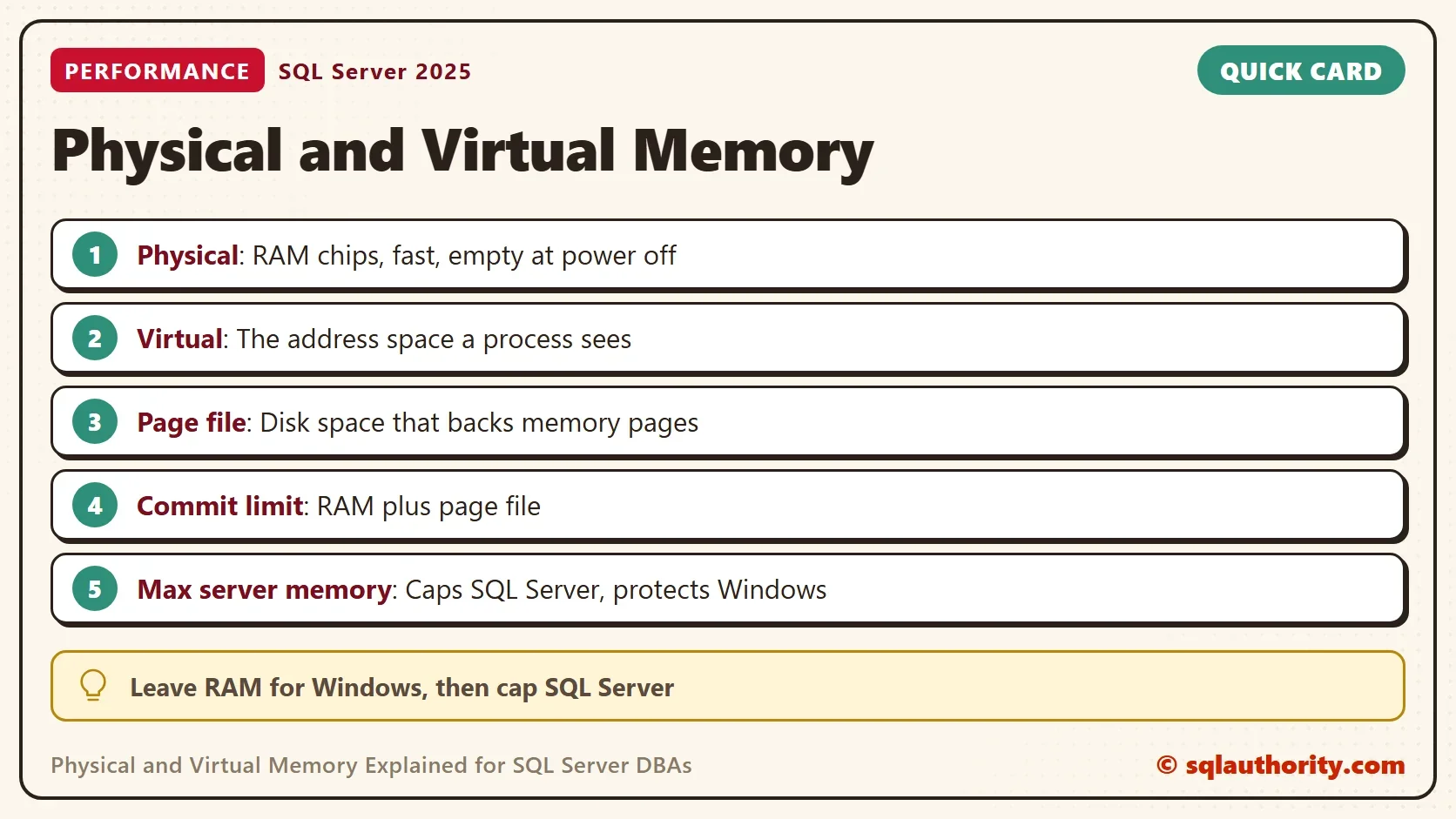
Physical memory is the set of RAM chips on the motherboard. It’s fast, because the processor reads it directly. It’s also volatile, which means its contents vanish when the power goes off. Data that must last lives on disk.
RAM costs money, and the amount is fixed. A server with 32 GB can’t hold more than 32 GB at one time. Everything below follows from that limit. Operating systems and processors grew clever tricks to run more programs than the RAM could hold at once.
What Virtual Memory Is
Virtual memory is the main trick. Windows gives each process its own private range of addresses, called its virtual address space. A program thinks it owns that whole range. It uses addresses, not RAM locations, and it never sees where the data sits.
Windows keeps a map between the two. A virtual page can sit in RAM, or it can sit in a file on disk called the page file. When a program touches a page that isn’t in RAM, a page fault happens. Windows loads the page from disk, which is slow, and can push another page out. This movement is called paging.
Two more terms matter. Reserved memory is a range of addresses a process has set aside but not used. Committed memory is a range that Windows has promised to back with RAM or with the page file. The commit limit is the total of RAM plus page file. The memory committed by all processes together can’t exceed it.
Reading Physical and Virtual Memory With T-SQL
SQL Server shows all of this in three views. They only read information, so you can run them on any server. The numbers are in megabytes, and the sample results below come from one run on a 32 GB machine. Your values will differ.
SELECT total_physical_memory_kb / 1024 AS PhysicalMB,
       available_physical_memory_kb / 1024 AS AvailablePhysicalMB,
       total_page_file_kb / 1024 AS CommitLimitMB,
       system_memory_state_desc AS MemoryState
FROM sys.dm_os_sys_memory;
This is the view of the whole machine. The commit limit is the RAM plus the page file. A value near double the RAM means the page file is about as large as the RAM. The state column says whether Windows considers memory high or low.
SELECT physical_memory_in_use_kb / 1024 AS SqlPhysicalMB,
       virtual_address_space_reserved_kb / 1024 AS ReservedMB,
       virtual_address_space_committed_kb / 1024 AS CommittedMB,
       page_fault_count AS PageFaults,
       process_physical_memory_low AS PhysicalLow,
       process_virtual_memory_low AS VirtualLow
FROM sys.dm_os_process_memory;
This is the view of the SQL Server process. Physical memory in use is the RAM that SQL Server holds right now. Reserved and committed are virtual numbers. Reserved can be far larger than the RAM, because a reservation uses addresses and not memory. The two low flags turn to 1 when Windows tells SQL Server that memory is short.
SELECT virtual_memory_kb / 1024 AS VirtualAddressSpaceMB,
       physical_memory_kb / 1024 AS PhysicalMB
FROM sys.dm_os_sys_info;| View | Column | Value in the run |
|---|---|---|
| sys.dm_os_sys_memory | PhysicalMB | 32212 |
| sys.dm_os_sys_memory | CommitLimitMB | 68858 |
| sys.dm_os_process_memory | SqlPhysicalMB | 3419 |
| sys.dm_os_process_memory | ReservedMB | 71017 |
| sys.dm_os_sys_info | VirtualAddressSpaceMB | 134217727 |
The virtual address space of 134,217,727 MB is 128 TB, which is what a 64-bit process gets. It’s more than four thousand times the RAM in this machine. The process reserved 71,017 MB of it in the run, more than twice the installed RAM. It held only 3,419 MB of physical memory. That gap is the point of virtual memory: addresses are plentiful, and RAM isn’t.
Why SQL Server Cares About Both
SQL Server wants its data pages in RAM. A read from RAM is much faster than a read from disk. If Windows pushes those pages to the page file, SQL Server pays for a disk write. It then pays for a disk read it never planned. The cure is to keep the process inside the RAM that is free.
The setting max server memory does that. It caps what SQL Server’s memory manager can use. On this instance the value is the default, 2,147,483,647, which means no cap. On a production server, leave room for Windows and other programs, and set a lower number. A different setting, Lock Pages in Memory, stops Windows from paging out the buffer pool. It needs a careful look before you use it.
On a host with several instances or virtual machines, add up max server memory for all of them. The total must leave room for Windows.
Keep the page file. A small page file doesn’t speed anything up. It lowers the commit limit and can stop a crash dump from being written. Page faults are also normal. A large count is normal for a server that has run for a while, because most faults are soft. Judge paging by disk waits and the low memory flags, not by that counter alone.
Is Virtual Memory Still Relevant?
You could argue that with 32 GB or more, virtual memory is history. It isn’t. Every address a SQL Server thread uses is virtual, and the page file still sets the commit limit. The difference today is that heavy paging is a warning, not a normal day.
What to Remember
Physical and virtual memory are two different layers. Physical memory is the RAM you bought. Virtual memory is the address space each process sees, backed by RAM or by the page file. SQL Server reports both in sys.dm_os_sys_memory, sys.dm_os_process_memory and sys.dm_os_sys_info.
When someone says a server is out of memory, ask which kind. Physical and virtual memory fail in different ways. Check the physical numbers, the commit limit and the low memory flags. Then check max server memory. Those four answers tell you whether the machine or the setting is the problem.
Virtual memory is not extra RAM, it is a promise Windows makes about the RAM you have.
Published by Pinal Dave on SQLAuthority. More of my work at pinaldave.com.
Discover more from SQL Authority with Pinal Dave
Subscribe to get the latest posts sent to your email.




1 Comment. Leave new
Pinal, I’m very interested in this article, as we have SQL Server in a multi-instance virtual environment. However, I can’t seem to access the details of this article beyond the headlines of Physical Memory Decoded and Virtual Memory Decoded. Can you help?