The master database is the one database a SQL Server instance cannot start without.
It stores the instance’s own records: who can sign in, which databases exist and how the server is configured. I tested every query below on SQL Server 2025. Only read-only queries and one backup touched the real master.
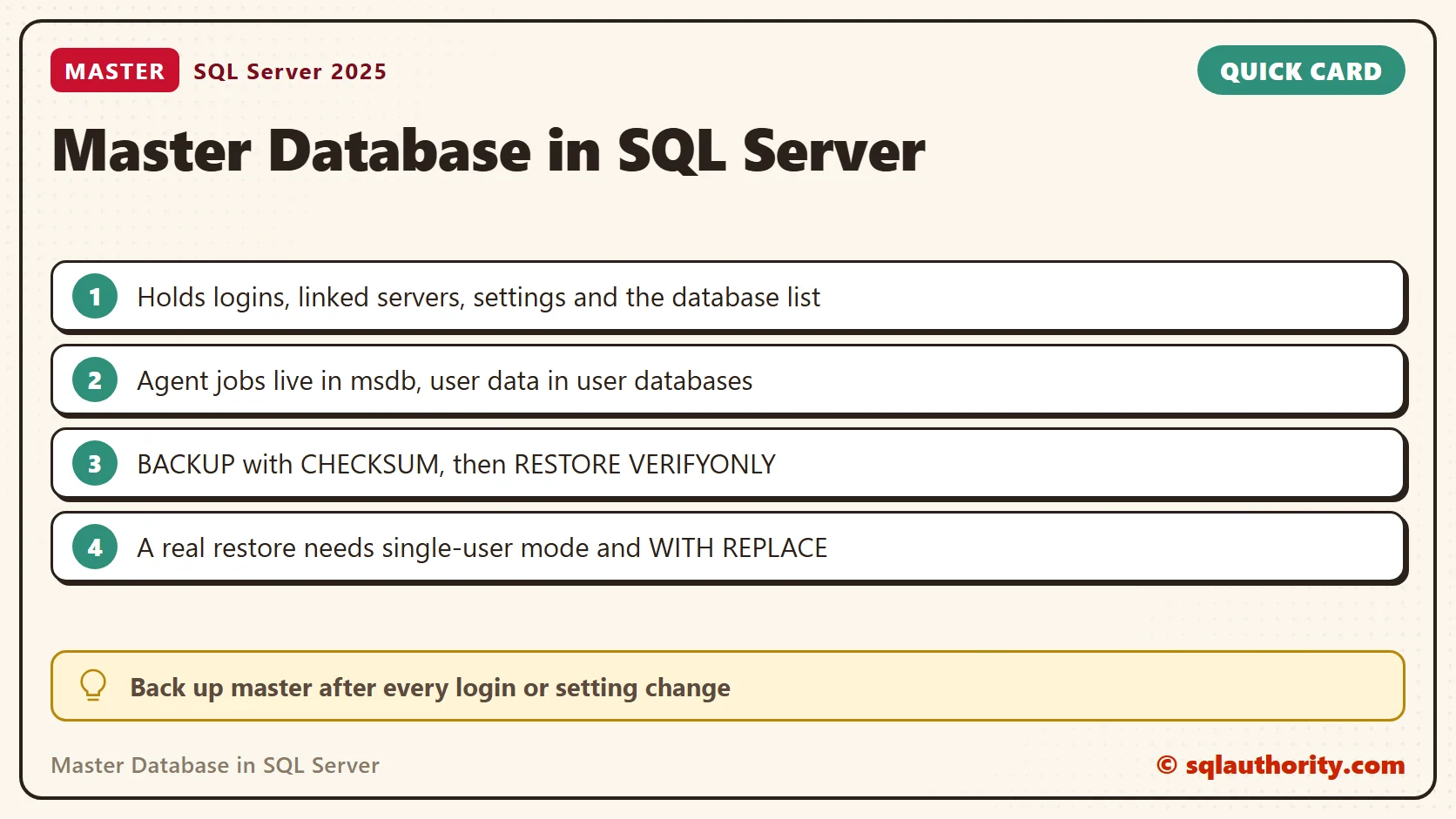
What the master Database Holds
Logins, server roles, linked servers, endpoints, credentials, server triggers and every configuration option live in master. So does the list of databases with their file locations. This query counts each area.
SELECT N'Databases' AS Area, COUNT(*) AS Items FROM sys.databases
UNION ALL SELECT N'Logins and groups', COUNT(*) FROM sys.server_principals WHERE type IN ('S', 'U', 'G', 'C', 'K')
UNION ALL SELECT N'Server roles', COUNT(*) FROM sys.server_principals WHERE type = 'R'
UNION ALL SELECT N'Linked servers', COUNT(*) FROM sys.servers WHERE is_linked = 1
UNION ALL SELECT N'Endpoints', COUNT(*) FROM sys.endpoints
UNION ALL SELECT N'Configuration options', COUNT(*) FROM sys.configurations
UNION ALL SELECT N'Credentials', COUNT(*) FROM sys.credentials
UNION ALL SELECT N'Server triggers', COUNT(*) FROM sys.server_triggers
UNION ALL SELECT N'Backup devices', COUNT(*) FROM sys.backup_devices
UNION ALL SELECT N'Server audits', COUNT(*) FROM sys.server_audits;| Area | Items on my instance |
|---|---|
| Databases | 11 |
| Logins and groups | 17 |
| Server roles | 19 |
| Linked servers | 0 |
| Endpoints | 5 |
| Configuration options | 107 |
| Credentials | 0 |
| Server triggers | 1 |
| Backup devices | 0 |
| Server audits | 0 |
Your counts will differ. A full backup of master on my instance is only about 28 MB, so protecting it costs almost nothing.
What Does Not Live in master
Agent jobs, schedules and alerts are in msdb. Your tables belong in your own databases. New databases copy model, and tempdb is rebuilt at every start. Anything else you put in master grows every backup of it.
SELECT name, type_desc FROM master.sys.objects WHERE is_ms_shipped = 0 AND parent_object_id = 0 ORDER BY type_desc, name;

SELECT COUNT(*) AS AgentJobsInMsdb FROM msdb.dbo.sysjobs;
On my instance the first query found three tables and three stored procedures that don’t belong there. One table holds 20,000 rows, and every master backup carries it. The second query counted three Agent jobs, all in msdb. I run the first query on any instance I inherit.
Why Losing master Hurts
Without master, the instance doesn’t start. The database files can stay on disk, but the engine no longer knows they exist. It forgets who can sign in and what the settings were.
Logins cause the sharpest pain. A database user is tied to its login by a SID. Logins recreated by hand get new SIDs, so users inside the restored databases are orphaned until each one is repaired. A restored master brings the original SIDs back.
When Was master Last Backed Up
msdb keeps the backup history. This query shows the newest full backup of master, model and msdb.
SELECT d.name, MAX(bs.backup_finish_date) AS LastFullBackup,
       DATEDIFF(DAY, MAX(bs.backup_finish_date), GETDATE()) AS DaysAgo
FROM sys.databases AS d
LEFT JOIN msdb.dbo.backupset AS bs ON bs.database_name = d.name AND bs.type = 'D'
WHERE d.database_id IN (1, 3, 4)
GROUP BY d.name
ORDER BY d.name;
Before I ran the backup below, my instance answered 22 days for master and 24 days for msdb. A NULL means msdb has no record of a full backup. History can be cleaned out, so check the backup folder too.
Back Up master with CHECKSUM
The recovery model of master is SIMPLE on my instance, so full backups are the plan. I take one after every server-level change: a new login, a linked server, a changed setting, a new database. A nightly backup covers the rest.
DECLARE @File nvarchar(260) = CONVERT(nvarchar(260), SERVERPROPERTY('InstanceDefaultBackupPath'))
    + N'\master_full_' + FORMAT(SYSDATETIME(), N'yyyyMMdd_HHmmss') + N'.bak';
BACKUP DATABASE master TO DISK = @File WITH CHECKSUM, INIT, NAME = N'master full backup', STATS = 50;
SELECT @File AS BackupFile;
CHECKSUM makes SQL Server verify every page it reads and store a checksum in the file. My backup took under a second. The default folder didn’t exist on my first run, and BACKUP failed with error 3201 until I created it.
Check the Backup
A file on disk is not a backup until you’ve read it. This batch finds the newest master backup in msdb and runs three checks. VERIFYONLY tests the checksums, HEADERONLY describes the backup and FILELISTONLY lists the files inside.
DECLARE @File nvarchar(260) = (SELECT TOP (1) bmf.physical_device_name
    FROM msdb.dbo.backupset AS bs
    JOIN msdb.dbo.backupmediafamily AS bmf ON bmf.media_set_id = bs.media_set_id
    WHERE bs.database_name = N'master' AND bs.type = 'D'
    ORDER BY bs.backup_finish_date DESC);
RESTORE VERIFYONLY FROM DISK = @File WITH CHECKSUM;
RESTORE HEADERONLY FROM DISK = @File;
RESTORE FILELISTONLY FROM DISK = @File;
VERIFYONLY returned “The backup set on file 1 is valid.” In the header I read DatabaseName (master), HasBackupChecksums (1), IsDamaged (0) and SoftwareVersionBuild (5015). FILELISTONLY showed a 101 MB data file and a 285 MB log. The backup is smaller because it stores only used pages.
Restore It as a Copy
VERIFYONLY doesn’t prove the data restores. So I restore the backup as an ordinary user database named MasterCopy, with new file names. The real master is never touched.
DECLARE @File nvarchar(260) = (SELECT TOP (1) bmf.physical_device_name
    FROM msdb.dbo.backupset AS bs
    JOIN msdb.dbo.backupmediafamily AS bmf ON bmf.media_set_id = bs.media_set_id
    WHERE bs.database_name = N'master' AND bs.type = 'D'
    ORDER BY bs.backup_finish_date DESC);
DECLARE @Data nvarchar(260) = CONVERT(nvarchar(260), SERVERPROPERTY('InstanceDefaultDataPath'));
DECLARE @Mdf nvarchar(260) = @Data + N'MasterCopy.mdf', @Ldf nvarchar(260) = @Data + N'MasterCopy_log.ldf';
RESTORE DATABASE MasterCopy FROM DISK = @File WITH MOVE N'master' TO @Mdf, MOVE N'mastlog' TO @Ldf, RECOVERY;
SELECT name, type_desc FROM MasterCopy.sys.objects WHERE is_ms_shipped = 0 AND parent_object_id = 0 ORDER BY type_desc, name;

SELECT (SELECT COUNT(*) FROM MasterCopy.sys.server_principals) AS FromCopy,
       (SELECT COUNT(*) FROM master.sys.server_principals) AS FromLive;
The copy came back online with the same three tables and 20,000 rows. It could not show my logins. Both counts returned 36, because server views such as sys.server_principals read the running instance, not the copy.
Don’t run CHECKDB on the copy. On mine it reported 1 allocation error and 16 consistency errors. I assume master’s server-level rows make no sense inside a user database. Run it on the live master instead, which returned nothing. Then drop the copy.
DBCC CHECKDB (master) WITH NO_INFOMSGS;

DROP DATABASE MasterCopy;
What a master Restore Involves
I did not test this section, because it replaces the real master. The steps come from the documentation. The instance must run in single-user mode, which allows one connection.
- Stop SQL Server Agent. It would take the only connection.
- Start the instance with the
-mstartup parameter, for examplenet start MSSQL$SQLDEV /m. - Connect with sqlcmd and run
RESTORE DATABASE master FROM DISK = N'path' WITH REPLACE; - The instance shuts down by itself when the restore ends. Start it normally.
- Check the logins and linked servers. Attach any database created after the backup, because the restored master doesn’t know it.
With no usable backup, the last resort is setup.exe /ACTION=REBUILDDATABASE with /SQLSYSADMINACCOUNTS. It recreates master, model, msdb and tempdb empty. Every login and linked server is gone, and each user database must be attached again.
Related master Database Posts
- Rehearsing a master Database Restore on a Test Instance
- SQL SERVER – Reasons to Backup Master Database – Why Should Master Database Backedup
- SQL SERVER – Master Database in Single User Mode – A Serious Issue
- Move the Master Database to a New Location in SQL Server
A master backup is not an extra copy, it is the record of who gets in and what runs.
Published by Pinal Dave on SQLAuthority. More of my work at pinaldave.com.
Discover more from SQL Authority with Pinal Dave
Subscribe to get the latest posts sent to your email.