
Resolving state is one of the common AlwaysOn issues I hear about from my clients. They use SQL Server AlwaysOn, and they don’t know why it happens.
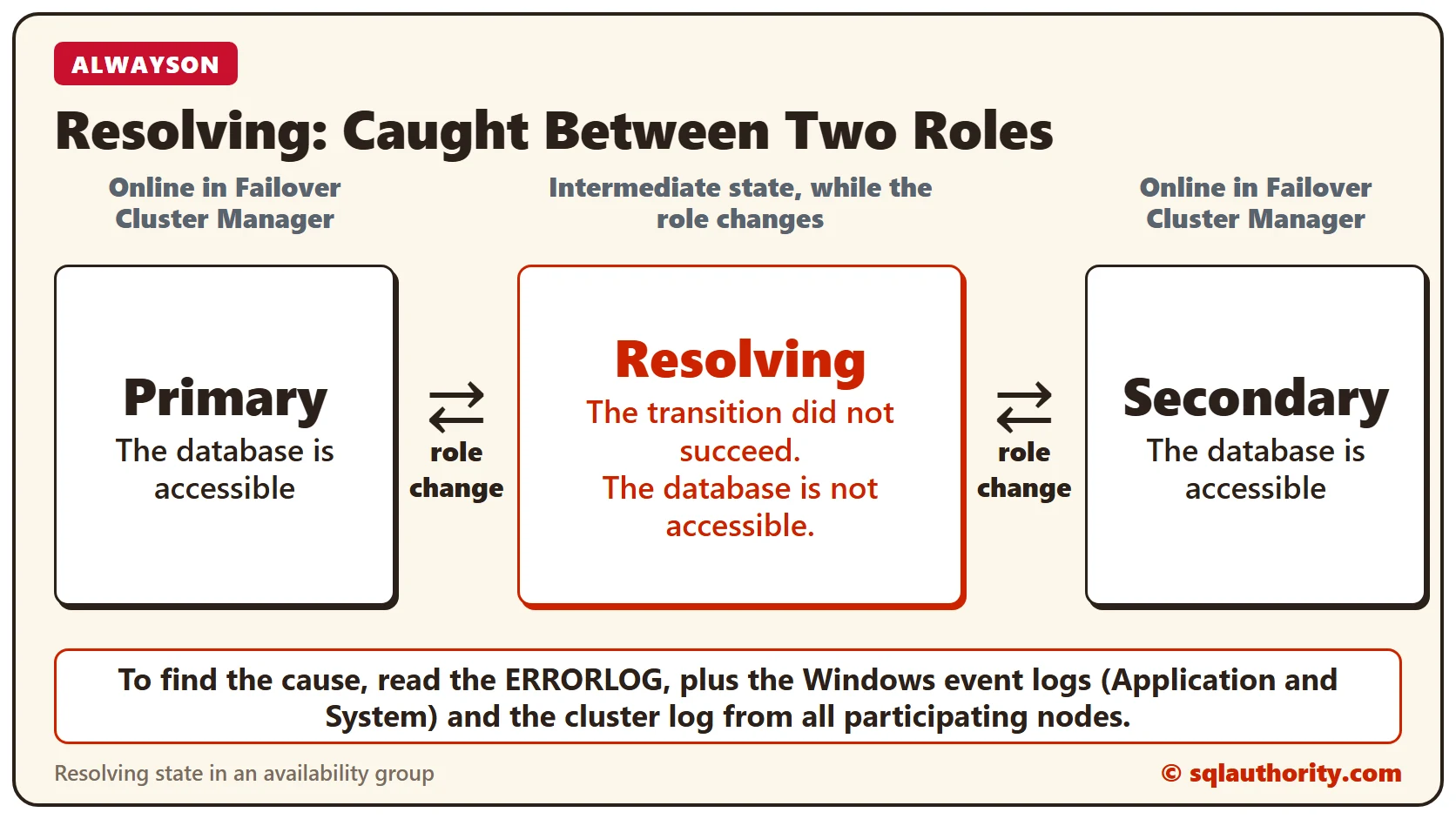
What Resolving State Means
When an availability group is online in Failover Cluster Manager, the replica is either primary or secondary. Resolving is an intermediate state while the role changes from primary to secondary, or the other way around.
If the transition is not successful, the replica goes to the resolving state. In this state, the database is not accessible.
How to Check
I always ask for the ERRORLOG in such situations, to see the series of events. If you don’t know where it is, read my post on ways to find the ERRORLOG location. It’s good to have the Windows event logs (Application and System) and the cluster log from all participating nodes.
Here is a trimmed excerpt from one such ERRORLOG. The dots mark lines I left out.
2016-02-22 17:36:14.75 Server  ***Unable to get thread context for spid 0
2016-02-22 17:36:14.75 Server  * BEGIN STACK DUMP:
2016-02-22 17:36:14.75 Server  *   04/22/15 17:36:14 spid 7416
2016-02-22 17:36:14.75 Server  * Non-yielding Scheduler
2016-02-22 17:36:14.76 Server  Stack Signature for the dump is 0x000000000000025C
...
2016-02-22 17:36:26.19 Server  Error: 19407, Severity: 16, State: 1.
2016-02-22 17:36:26.19 Server  The lease between availability group 'ProdAG' and the Windows Server Failover Cluster has expired.
    A connectivity issue occurred between the instance of SQL Server and the Windows Server Failover Cluster.
    To determine whether the availability group is failing over correctly, check the corresponding availability group resource in the Windows Server Failover Cluster.
2016-02-22 17:36:26.20 Server  AlwaysOn: The local replica of availability group 'ProdAG' is going offline because either the lease expired or lease renewal failed.
    This is an informational message only. No user action is required.
Why It Happened Here
When I dug further, I found that the non-yielding scheduler came from a restore command. The restore added to the I/O load on the server and caused a non-yielding scheduler inside SQL Server.
That kept SQL Server from renewing the lease with the cluster. The lease for the availability group timed out, and the group went to the resolving state.
Have you ever faced an availability group in the resolving state? Please tell me in the comments.
If you like this post, read how to add a file to a database in an AlwaysOn availability group too.
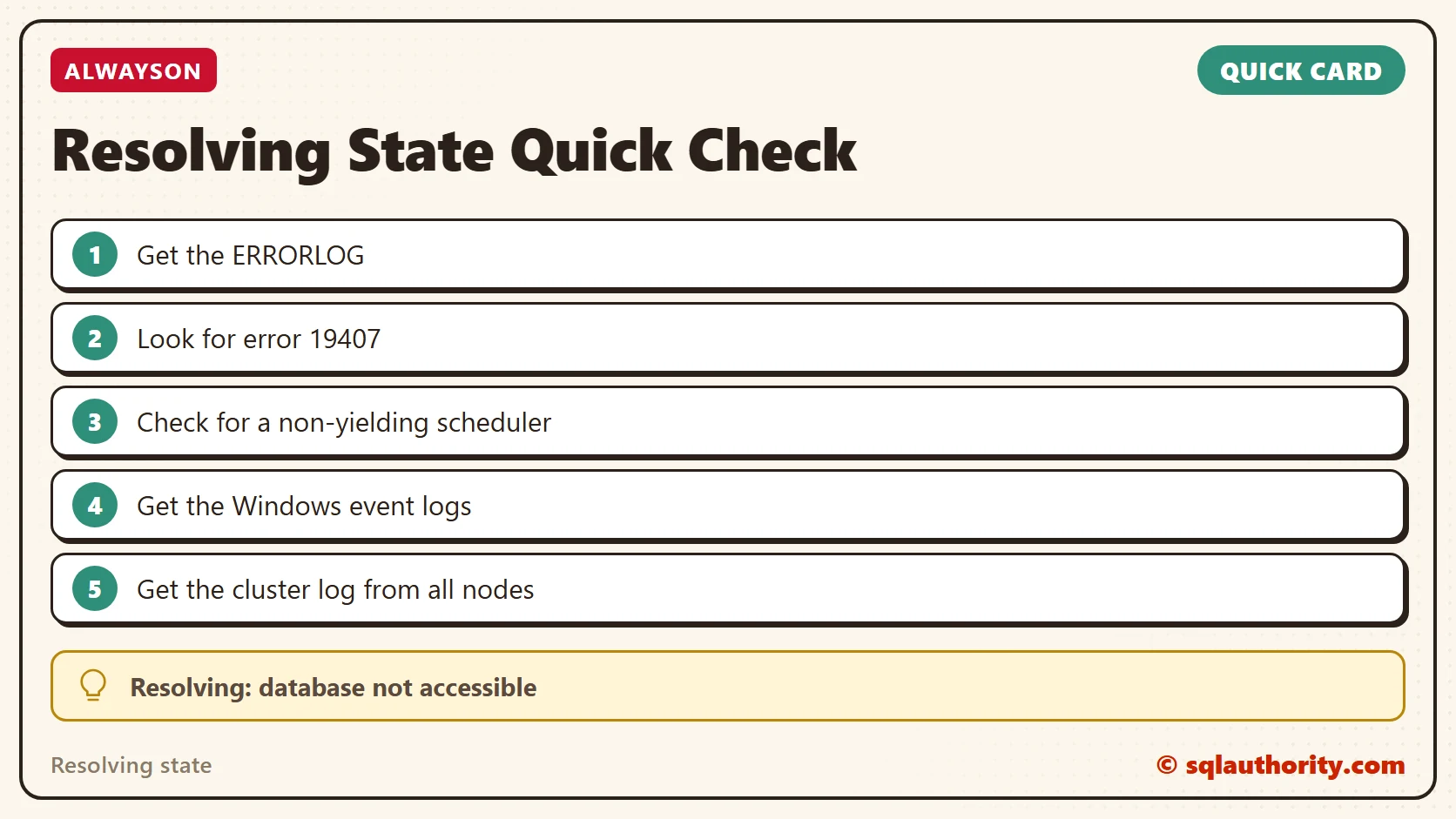
Resolving is not the problem, it is where a failed role change leaves the replica.
Published by Pinal Dave on SQLAuthority. More of my work at pinaldave.com.
Discover more from SQL Authority with Pinal Dave
Subscribe to get the latest posts sent to your email.




20 Comments. Leave new
There is no cluster log in Windows 2008 onwards, you can export cluster events via powershell to a log and this covers all nodes.
If secondary databases are stuck in resolving state check the status of the AO cluster role and its resource
Regards Perry
Get-ClusterLog would do that.
Good lost.
Yes I did faced such situation.
I start all over again the AG.
Thanks Sharon!
I would have thought the db neededs to be taken out of the AG for the restore to initiate and tge resolving state would have occurred as a result at the rest of the nodes.
In this case, restart fixed it.
Rebooting each node will fix this issue. it helped me to fix mine.
Hi Pinal, If this often what would be a possible resolution.
Hi Pinal,
While doing a maintenance plan, DBCC CHECKDB find a corrupion on a database it produce a STACK DUMP and cause my AG to failover…
It is the correct behaviour in case of maintenace plan?
Having large number of dumps can cause failover. Fix the corruption first.
Hi pinal, on my AG environent , Ag resource went to offline because of least timeout and automatic failover doesnot happened. i did manual failover after force start of cluster and Ag resource. now the databases are online. how to avoid this scenario in future?
** Lease timeout not a least timeout
Hi Pinal,
I have come across a situation where a SELECT statement running on Primary goes to ROLLBACK when killed.
Could you please suggest a way to troubleshoot this ?
Hi Pinal,
I have a situation where secondary goes into resolving state during automatic failover. Node1 to node2 automatic failover works fine but node2 to node1 does not work and node1 goes into resolving state forever. Manual failover works fine both way. Here are the error messages I see in event viewer.
Event ID: 1069
Cluster resource ‘XEN_DESKTOP’ of type ‘SQL Server Availability Group’ in clustered role ‘XEN_DESKTOP’ failed.
Event ID: 1205
The Cluster service failed to bring clustered role ‘XEN_DESKTOP’ completely online or offline. One or more resources may be in a failed state. This may impact the availability of the clustered role.
Event ID: 1254
Clustered role ‘XEN_DESKTOP’ has exceeded its failover threshold.
Hello, I know how to look at the logs but I cannot fix the issue. You don’t leave us any resolution or suggestions so unfortunately I don’t find this helpful
I reboot the secondary replica and then AG start to synchronizing again
This did the trick for me !!
Stop the cluster service then bring it online and fix the condition with the witness
net.exe stop clussvc
net.exe start clussvc /forcequorum
Force the replica 01 become online using the command:
ALTER AVAILABILITY GROUP AGNAME FORCE_FAILOVER_ALLOW_DATA_LOSS;
We have experienced SQL Dump for couple of processes most of the time and AG DBs goes to RESOLVING state. It turned out to be an issue with SQL Server 2019 performs an internal function on binary concatenation. The fix seems to be in CU8. But every time we have seen EXCEPTION_ACCESS_VIOLATION sql dump while this issue arise.
restarting the node which is in the resolving state fixed the issue for me .
When I dug further I found that non-yielding came due to a restore command. Can u please let me know how to find the restore command?