
Here is how to bring SQL cluster resource online when it sits in Online Pending and then fails. A client explained the situation to me and asked for help. This is what they wrote.
What the Client Saw
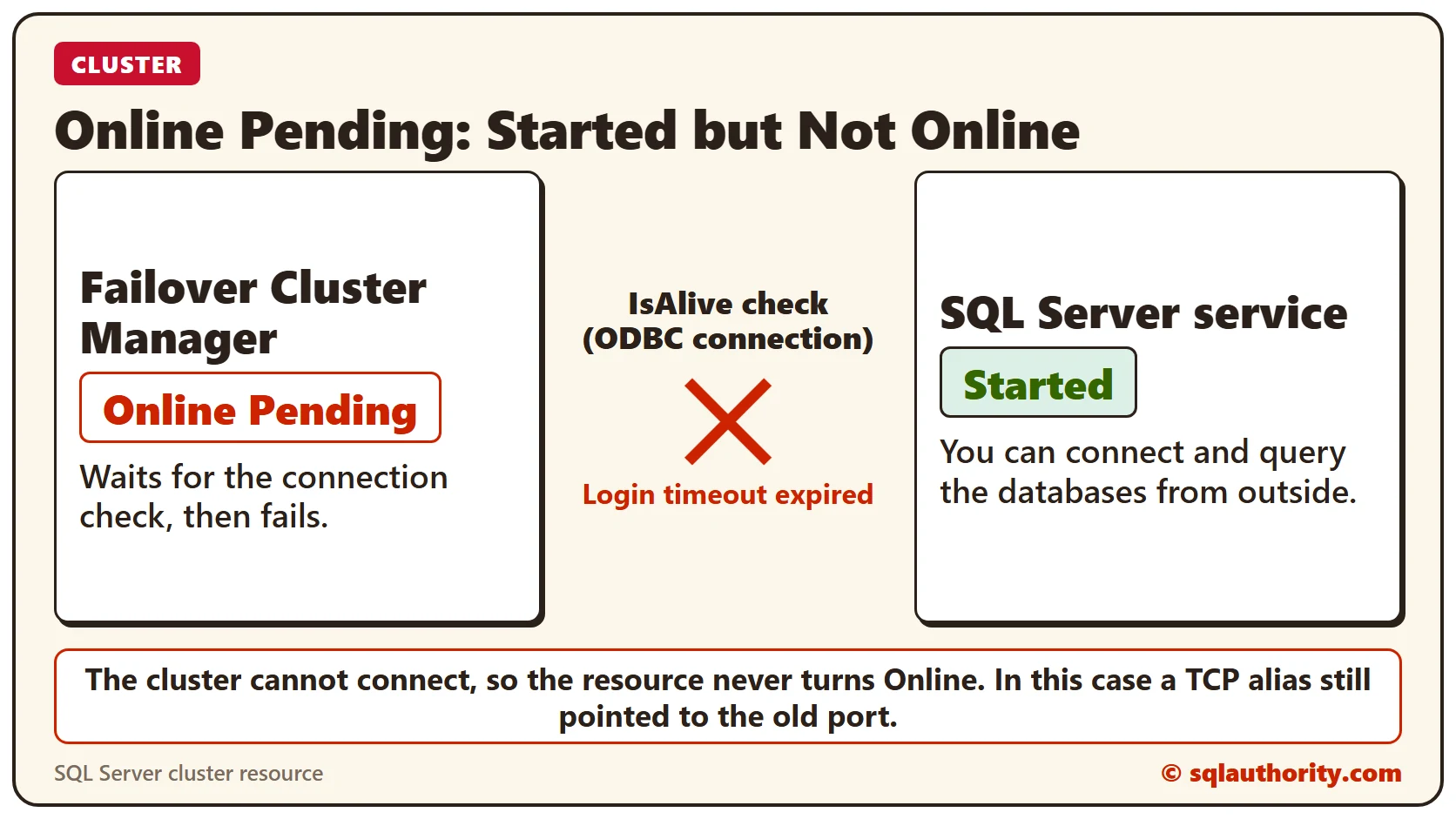
Hi Pinal, we have a two node Windows cluster. It runs three clustered SQL Server instances on Windows 2012 R2 on VMware. One instance starts from services.msc, but not from Failover Cluster Manager when we try to bring the service online. The service does start. During Online Pending, I can connect and query the databases on that instance. Still, it stays in the Online Pending state. Do you know what could be the problem?
Why It Happens
My first question was: is there any error in the event log? The email sounds like the SQL Server service starts, but the cluster cannot connect to it. Here are the errors in Event Viewer:
[sqsrvres] ODBC sqldriverconnect failed
[sqsrvres] checkODBCConnectError: sqlstate = 08001; native error = ffffffff; message = [Microsoft][SQL Server Native Client 10.0]SQL Server Network Interfaces: Error Locating Server/Instance Specified [xFFFFFFFF].

[sqsrvres] ODBC sqldriverconnect failed
[sqsrvres] checkODBCConnectError: sqlstate = HYT00; native error = 0; message = [Microsoft][SQL Server Native Client 10.0]Login timeout expired

[sqsrvres] ODBC sqldriverconnect failed
[sqsrvres] checkODBCConnectError: sqlstate = 08001; native error = ffffffff; message = [Microsoft][SQL Server Native Client 10.0]A network-related or instance-specific error has occurred while establishing a connection to SQL Server. Server is not found or not accessible. Check if instance name is correct and if SQL Server is configured to allow remote connections. For more information see SQL Server Books Online.
As I suspected, there is a connectivity issue from the local machine to the SQL instance. The cluster service connects to the SQL service every few minutes for the IsAlive check. This is a setting in the SQL cluster resource. If that check fails, the SQL resource is restarted, even when the instance was online.
How to Check
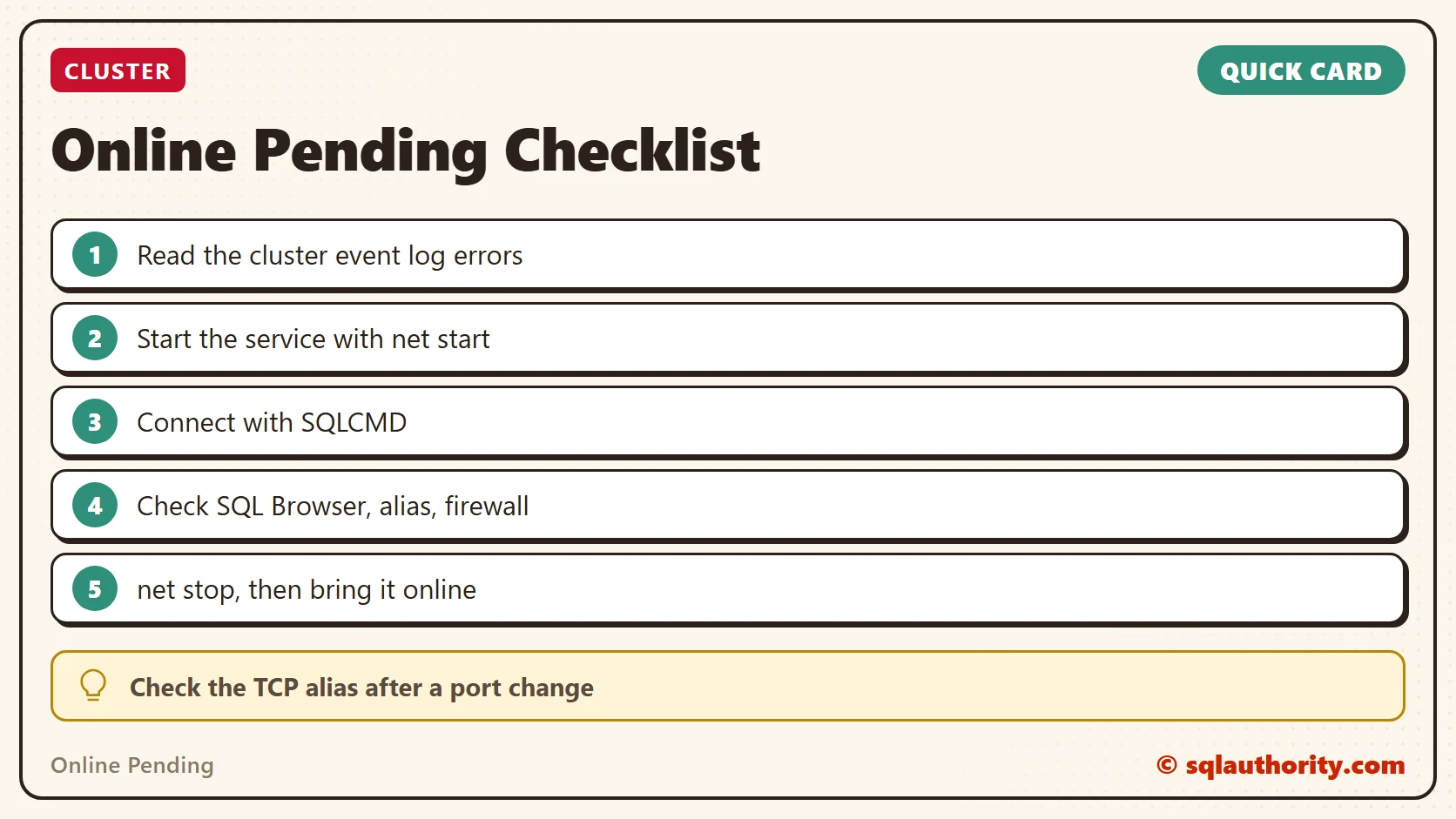
Here are the steps I generally follow. In step 1, start the SQL service with net start, not from Failover Cluster Manager.
net start MSSQL$SQL2014Change the instance name to yours. Mine is a named instance called SQL2014. For a default instance, the service is called MSSQLSERVER.
Step 2: once the service has started, connect to SQL Server with SQLCMD.
SQLCMD -S<ServerName\InstanceName>To get the exact name, open the ERRORLOG and search for the keyword “Server Name is”. If you don’t know where the ERRORLOG is, read Where Is ERRORLOG? Various Ways to Find Its Location.
Step 3: in most cases, you get an error like the ones above. Then try these things:
- Make sure the SQL Browser service is running.
- Create a TCP alias to the SQL instance, with its IP address and port.
- Make sure the firewall allows the connections.
- Create exceptions for sqlservr.exe and sqlbrowser.exe in the firewall.
My earlier post on error 40, could not open a connection to SQL Server has most of these steps.
Step 4: once the connectivity issue is resolved, stop the SQL service.
net stop MSSQL$SQL2014Step 5: now try to bring the SQL Server resource online in the cluster.
The Fix
The client told me they already had a TCP alias. But the port number of SQL Server had changed, so connections failed. After they created the correct alias, SQL Server came online in Failover Cluster Manager.
How to Prevent It
When the SQL Server port changes, update every TCP alias that points to it. Have you seen a similar situation? Is there anything you would like to share? Please tell me in the comments.
Online Pending is not a SQL Server failure, it is a cluster that cannot connect to it.
Published by Pinal Dave on SQLAuthority. More of my work at pinaldave.com.
Discover more from SQL Authority with Pinal Dave
Subscribe to get the latest posts sent to your email.




3 Comments. Leave new
Thanks, for sharing this issue it will helpful for many of us.
Hi
I have this situation, i can not bring online sql cluster resource after failover. i verified if the virtual server was created in regedit, i can connect via sqlcmd and i can run some sql commands over user database, i created alias and i verified if i can problems with the firewall (i created all exceptions). Nothing permits that the sql resource bring online. BUT, i try to create a new odbc and !Surprise¡ ODBC DRIVER is not marked, like the driver had an error.
Can you helpme ?, may be provide me some ideas?
Thank You a lot
Great article also keep up the good work with the blog always very useful and interesting things