Deep work time disappears unless you book it the way you book a maintenance window.
Nobody patches a production server in the middle of the afternoon because they felt like it. The work gets a date, a start, an end, an owner and a rollback plan. Your own best thinking deserves the same treatment.
This post shows how to book it, how to defend it and what to do when production does catch fire. Everything here is a habit you can try this week.

Why Servers Get Windows and You Don’t
A maintenance window exists because some work can’t happen while traffic is flowing. Index rebuilds and schema changes both need a stretch where nobody interrupts. The business agreed to the window in advance, so it holds.
Your hardest work has the same shape. Designing a schema or tracing a slow plan needs long, unbroken attention. If you wait for a free afternoon, you’ll wait all quarter, because nobody schedules a free afternoon for you.
So book it. Put the window on your calendar before other people fill the space. Treat it as a change that has already been approved.
Set Up the Window
Start with two windows a week, 90 minutes each. Pick the hours when you think best, not the hours that happen to be empty. Mine is the morning, before the inbox starts asking for things.
Name each block the way you’d name a change ticket. “Query review, window closed” tells everyone what the time is for. A vague block called “Focus” gets overwritten, while a named block with a goal gets respected.
Announce it the way an operations team does. Tell your colleagues the times, what the window covers and how to reach you if something is urgent. Do it once, in writing, and send the invite so the block shows on their calendars too.
When someone needs you during a window, offer the first slot after it. “Can I get back to you at 10:45?” is a complete answer. You say yes to the person and no to the hour.
Choose the Right Work for the Window
A window is for work that breaks when it’s interrupted. Schema design, a hard code review, a performance investigation and a long document all qualify. Each one needs you to hold a lot of context in your head at once.
Keep small work out. Email and five-minute tickets don’t need protection, and they fill the block if you let them. Give them their own time later in the day, when a broken focus costs you nothing.
Ninety minutes is a starting length, and it’s an assumption, not a rule. It’s long enough to get into a problem and short enough to defend. If you finish early, stop and take the win.

Prepare Before the Window Opens
A good window starts with a runbook. Before it opens, write down what you’ll do, in order, and what done looks like. Gather what you need, such as the ticket and your notes from last time.
Without that list, the first twenty minutes go to deciding what to work on. With it, you sit down and start. The preparation takes ten minutes on the afternoon before, and it turns an empty block into a working session.
Decide what you’ll leave out, too. Every window has a scope. When a new idea shows up halfway through, write it on the list for the next window and keep going.
End each window with a handover note, the way a night shift leaves one for the morning. Write down where you stopped, what you learned and the next step. The next window then opens without a ten-minute search for where you were.
Decide What Counts as an Emergency
Operations teams don’t change a system during an incident without a decision. They have a threshold: production is down or data is at risk. Everything below that line waits. A short list works better than a long one, because a long list gives every interruption a loophole.
Write your own threshold and share it. A question from a teammate waits until the window closes. A failing backup doesn’t. Once people know the rule, they stop guessing, and you stop feeling guilty about leaving the chat unread.
Tell colleagues where to go instead. Point them to the team ticket queue or to whoever is on call that day. Name that place in your announcement, so nobody has to guess.
Then close the doors. Silence notifications and set a status message with the end time. If you leave early for something that wasn’t an emergency, treat it like a failed change. Note what broke the rule and adjust the plan.
Protect the Window From Yourself
Most interruptions during a window come from you. A half-remembered task pops up. An urge to check the build arrives. Each one feels small, but it breaks your train of thought.
Keep a parking list next to you. When something pops into your head, write it in one line and go back to the work. The list gets read after the window closes, and most items turn out to be less urgent than they felt.
The Objection: My Job Is Interruptions
The obvious objection is that you’re on call. Your whole job is responding, and a protected window sounds like a luxury.
On-call servers still get maintenance windows. The window doesn’t promise that nothing will happen. It’s an agreement about what you do by default, plus an escape hatch for real incidents. If an incident pulls you out, rebook the window within two days, as you would a postponed change.
If a full window sounds impossible, start with 60 minutes once a week. It shows your team the idea works before you ask for more. When your manager asks what you were doing in that block, show them the finished design or the merged review.
Share the Idea With Your Team
Windows get easier to protect when the whole team books them. A shared quiet block, say Thursday from 9:00 to 11:00, keeps meetings out of it. Nobody feels rude ignoring chat.
Propose it at your next team meeting and run it for a month before you judge it. Keep the emergency rule the same for everyone. Name one person on a rotation who stays reachable during the block.
A Sample Week
Here’s one way a week can look. Tuesday and Thursday mornings, 9:00 to 10:30, are windows. Monday afternoon is for planning and reading handover notes. Meetings cluster on Wednesday, and Friday stays open for work that slipped.
The windows are small. Three hours a week is a modest ask, and it’s enough to move a hard piece of work forward. The rest of the week gets easier once that work is already underway.
Review Each Window
After every window, spend two minutes on a short review. Did you finish the planned work? What interrupted you? Did that interruption meet your threshold?
Keep a running note. After a month you’ll see which hours hold up and whether 90 minutes is the right length. Adjust the next window, not the whole system.
Count the windows you kept, too. Two a week for a month is eight sessions of deep work. That’s an easy number to show your manager. It also shows you that the habit is holding, which makes the next month easier to start.
Try This Week
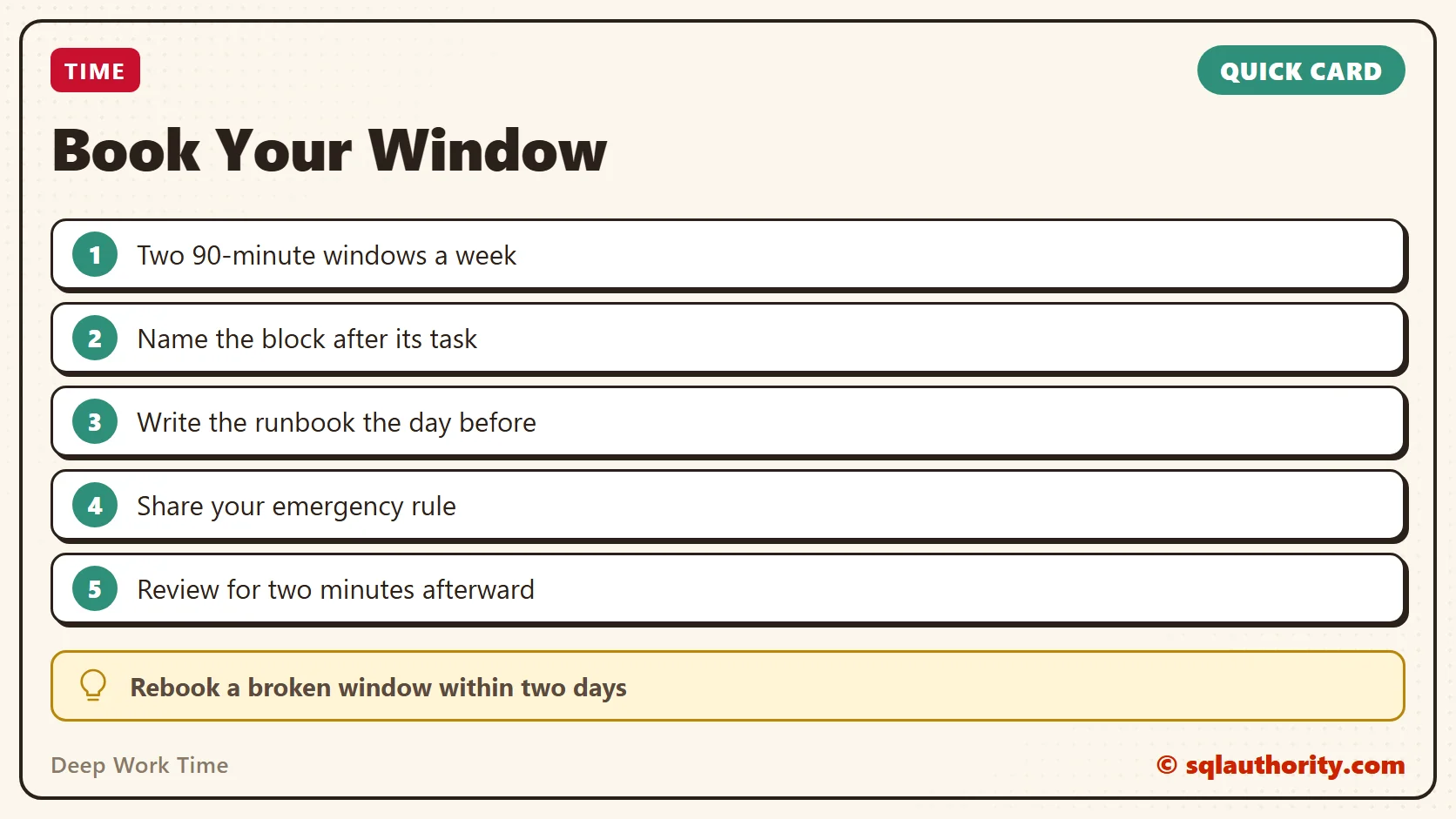
- Book two 90-minute windows and mark them busy.
- Name each one after its task.
- Write the runbook the afternoon before.
- Share your emergency rule with your team.
- Silence chat during the window and review it for two minutes afterward.
Deep work time is not a gap you find, it is a window you book.
Published by Pinal Dave on SQLAuthority. More of my work at pinaldave.com.
Discover more from SQL Authority with Pinal Dave
Subscribe to get the latest posts sent to your email.