
Dirty pages in memory are data pages that SQL Server has changed but not yet written to the data file. You can count them with one view and watch the count drop to zero after a CHECKPOINT. This post builds the demo and measures it on SQL Server 2025.

What a Dirty Page Is
SQL Server never edits a data file directly. A query reads a page into memory, the buffer pool, and changes it there. At commit, SQL Server writes the change to the transaction log first. The data page goes to disk later.
Until that later write, the page in memory differs from the page on disk. That difference is what makes it dirty. If the server stops at that moment, recovery reads the log and replays the change. This is the write-ahead log at work. It is why a commit is safe before the data file is current.
Waiting makes sense. A page can change many times before it is written once. Writing it after every change would slow every query, so SQL Server batches the writes. SQL Server also writes pages when it needs room in memory, but checkpoints are the regular cleanup.
A CHECKPOINT writes the dirty pages of a database to its data file. After the write, the page is clean. It stays in memory, ready for the next read.
The View That Shows It
The view sys.dm_os_buffer_descriptors returns one row for each page in the buffer pool. The column is_modified is 1 for a dirty page. The column page_type says whether the page holds data, an index or allocation information. A join through allocation units and partitions gives you the table. This demo shows two page types. Data pages hold rows. IAM pages map the space a table owns.
The view reads the whole buffer pool, so it costs more on a server with a lot of memory. Filter by database, and run it with care on a busy system.
Build the Demo
Create a test database to hold the dirty pages in memory. I ran everything here on SQL Server 2025 Enterprise Developer.
IF DB_ID(N'SqlDirtyPagesDemo') IS NULL CREATE DATABASE SqlDirtyPagesDemo;
The next statement sets the database to classic automatic checkpoints. It keeps the demo predictable, because no background writer flushes pages between my steps. I use a database setting here, since the old trace flag 3505 changes the whole server.
ALTER DATABASE SqlDirtyPagesDemo SET TARGET_RECOVERY_TIME = 0 SECONDS;
GO
USE SqlDirtyPagesDemo;
Now a table with one wide column. A char(8000) value fills a page, so each row takes its own data page. The view shows the dirty and cached pages of this one table, grouped by page type.
CREATE TABLE dbo.Speakers (Bio char(8000) NOT NULL);
GO
CREATE VIEW dbo.SpeakerPages AS
SELECT b.page_type AS PageType, COUNT(*) AS CachedPages, SUM(CAST(b.is_modified AS int)) AS DirtyPages
FROM sys.partitions AS p
JOIN sys.allocation_units AS a ON a.container_id = p.hobt_id
JOIN sys.dm_os_buffer_descriptors AS b ON b.allocation_unit_id = a.allocation_unit_id AND b.database_id = DB_ID()
WHERE p.object_id = OBJECT_ID(N'dbo.Speakers')
GROUP BY b.page_type;
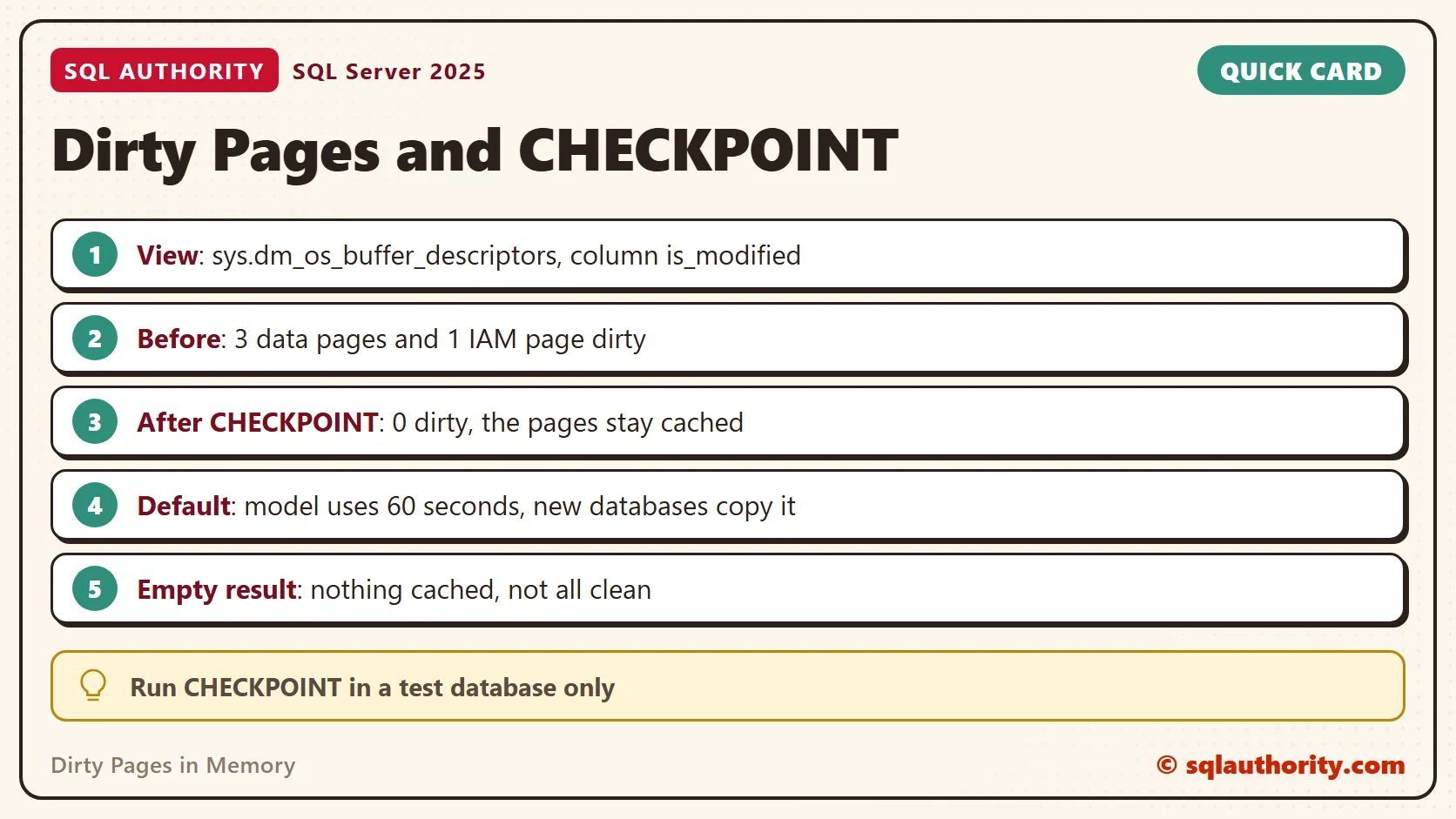
The view counts every cached page of the table with COUNT(*). It counts the dirty ones with a sum over is_modified. A table with no pages in memory returns no rows at all, so an empty result means nothing is cached. It does not mean everything is clean.
Before and After CHECKPOINT
Insert three rows. Then read the pages of the table and, for comparison, count every page of the database.
INSERT INTO dbo.Speakers (Bio) VALUES ('SQL'), ('Authority'), ('Pinal');
SELECT * FROM dbo.SpeakerPages;
SELECT COUNT(*) AS CachedPages, SUM(CAST(is_modified AS int)) AS DirtyPages FROM sys.dm_os_buffer_descriptors WHERE database_id = DB_ID();| PageType | CachedPages | DirtyPages |
|---|---|---|
| DATA_PAGE | 3 | 3 |
| IAM_PAGE | 1 | 1 |
| CachedPages | DirtyPages |
|---|---|
| 247 | 33 |
The table holds four dirty pages. Three are data pages, one per row. The fourth is an index allocation map page, which records which extents belong to the table. The whole database shows 33 dirty pages of 247 cached, because creating the table also changed catalog pages.
The whole-database number mixes your table with catalog pages and with pages that background features touch. Compare like with like. To measure one workload, filter by table and read twice. To see what else is dirty, group by page type or join to the object name.
Now write them out and look again.
CHECKPOINT;
SELECT * FROM dbo.SpeakerPages;
SELECT COUNT(*) AS CachedPages, SUM(CAST(is_modified AS int)) AS DirtyPages FROM sys.dm_os_buffer_descriptors WHERE database_id = DB_ID();
| PageType | CachedPages | DirtyPages |
|---|---|---|
| DATA_PAGE | 3 | 0 |
| IAM_PAGE | 1 | 0 |
| CachedPages | DirtyPages |
|---|---|
| 248 | 2 |
The dirty count of the table fell to zero. The cached count did not move. The database count fell from 33 to 2, since background features dirty a page or two again within moments. That answers a common follow-up. A checkpoint cleans pages and does not remove them from memory. To empty the cache, you would run DBCC DROPCLEANBUFFERS, which hits the whole instance. I did not run it, and it belongs on a test server only.
Why the Old Script Can Show Nothing
On SQL Server 2016 and later, a script like this can find no dirty pages on the second run. The cause is a changed default. Ask the server what each database uses.
SELECT name, target_recovery_time_in_seconds FROM sys.databases WHERE name IN (N'master', N'model', DB_NAME()) ORDER BY name;
| name | target_recovery_time_in_seconds |
|---|---|
| master | 0 |
| model | 60 |
| SqlDirtyPagesDemo | 0 |
The model database uses 60 seconds, and new databases copy it. A target above zero turns on indirect checkpoints. The engine then writes dirty pages in the background to meet the recovery goal. There is no single moment when a checkpoint arrives. My test database shows 0 because the script set it.
Switch the test database to 60 seconds, insert two more rows and look.
ALTER DATABASE SqlDirtyPagesDemo SET TARGET_RECOVERY_TIME = 60 SECONDS;
GO
INSERT INTO dbo.Speakers (Bio) VALUES ('Again'), ('Once more');
SELECT * FROM dbo.SpeakerPages;| PageType | CachedPages | DirtyPages |
|---|---|---|
| DATA_PAGE | 5 | 2 |
| IAM_PAGE | 1 | 0 |
The two new data pages are dirty. Wait a minute and ask again.
WAITFOR DELAY '00:01:00';
SELECT * FROM dbo.SpeakerPages;
| PageType | CachedPages | DirtyPages |
|---|---|---|
| DATA_PAGE | 5 | 2 |
| IAM_PAGE | 1 | 0 |
In this run, both pages were still dirty after a minute. The setting is a recovery goal, not a timer. In other runs on the same server, the pages left the cache within half a minute. Do not build a demo on that timing. Use CHECKPOINT when you need a known state.
A Fair Objection
You could say dirty pages in memory are not your problem, because SQL Server manages them. Fair point. Most days you never look. The count matters when you study how logging and checkpoints work. It also matters when a restart after a crash takes longer than the target you set.
A single count tells you little. Read it twice, a few seconds apart, under load, and compare the two.
A Short Checklist
- Filter
sys.dm_os_buffer_descriptorsbydatabase_id, and run it sparingly on a large server. - Count by
is_modified, and group bypage_typeto see what kind of pages are dirty. - Check
target_recovery_time_in_secondsbefore you blame the script. New databases use 60. - Run
CHECKPOINTin a test database only. SkipDBCC DROPCLEANBUFFERSon any shared server.
When you finish testing, remove the example database. The drop takes the table and the view with it, and nothing else on the server changed.
USE master;
GO
ALTER DATABASE SqlDirtyPagesDemo SET SINGLE_USER WITH ROLLBACK IMMEDIATE;
DROP DATABASE SqlDirtyPagesDemo;
A dirty page is not a damaged page, it is a change waiting for its trip to disk.
Published by Pinal Dave on SQLAuthority. More of my work at pinaldave.com.
Discover more from SQL Authority with Pinal Dave
Subscribe to get the latest posts sent to your email.




6 Comments. Leave new
interesting
Yeah. For me also.
Hi Pinal,
How to flush out them From Memory
Read my further posts on same topic.
Hi Pinal
I am using SQL 2016. the 2nd run of the large query does not show any records. Of course you indicated that “it was *likely* to show 2 rows…”.
Can you please provide more details?