
Rarely run queries pay a cost that frequent ones don’t: the plan has to be compiled again. A monthly report, a yearly audit and a once-a-week cleanup all share the problem. By the time they run, their plans can be gone from the cache.

Why a Rare Query Starts Slowly
SQL Server compiles a statement the first time it runs and keeps the plan for reuse. A plan can leave the cache after a restart, a memory squeeze, a schema change or a cache clear. A query that runs every second never notices. A query that runs once a month meets a cold start every time.
I measured the compile part on SQL Server 2025. The data part is separate. Pages that left memory add their own reads, and I did not measure them. Clearing the buffer pool affects the whole shared instance.
Build a Report That Takes Time to Compile
A five table join gives the optimizer real work. This procedure sums revenue and review stars for one month. The tables hold 20,000 orders and are small enough to run anywhere.
CREATE TABLE dbo.Customers (CustomerId int PRIMARY KEY, CustomerName nvarchar(50), City nvarchar(30));
CREATE TABLE dbo.Dishes (DishId int PRIMARY KEY, DishName nvarchar(40), Price decimal(8,2));
CREATE TABLE dbo.Orders (OrderId int IDENTITY PRIMARY KEY, CustomerId int, OrderDate date);
CREATE TABLE dbo.OrderLines (OrderId int, DishId int, Quantity int, PRIMARY KEY (OrderId, DishId));
CREATE TABLE dbo.Reviews (ReviewId int IDENTITY PRIMARY KEY, DishId int, Stars tinyint);
INSERT dbo.Customers SELECT value, CONCAT(N'Customer ', value), CHOOSE(value % 3 + 1, N'Pune', N'Surat', N'Mysore') FROM GENERATE_SERIES(1, 1000);
INSERT dbo.Dishes SELECT value, CONCAT(N'Dish ', value), 3 + value % 9 FROM GENERATE_SERIES(1, 40);
INSERT dbo.Orders (CustomerId, OrderDate) SELECT value % 1000 + 1, DATEADD(DAY, value % 365, '2026-01-01') FROM GENERATE_SERIES(1, 20000);
INSERT dbo.OrderLines SELECT o.OrderId, d.DishId, 1 + o.OrderId % 3 FROM dbo.Orders AS o JOIN dbo.Dishes AS d ON d.DishId IN (o.OrderId % 40 + 1, (o.OrderId * 7) % 40 + 1);
INSERT dbo.Reviews (DishId, Stars) SELECT value % 40 + 1, 1 + value % 5 FROM GENERATE_SERIES(1, 5000);
CREATE OR ALTER PROCEDURE dbo.MonthlyReport @Yr int, @Mth int
AS
SELECT c.City, d.DishName, SUM(l.Quantity * d.Price) AS Revenue, AVG(CAST(r.Stars AS decimal(4,2))) AS AvgStars
FROM dbo.Orders AS o
JOIN dbo.Customers AS c ON c.CustomerId = o.CustomerId
JOIN dbo.OrderLines AS l ON l.OrderId = o.OrderId
JOIN dbo.Dishes AS d ON d.DishId = l.DishId
LEFT JOIN dbo.Reviews AS r ON r.DishId = d.DishId
WHERE YEAR(o.OrderDate) = @Yr AND MONTH(o.OrderDate) = @Mth
GROUP BY c.City, d.DishName;
Measure the First Run
CLEAR PROCEDURE_CACHE as a database scoped setting removes the plans of one database only. I cleared it, then ran the report twice with STATISTICS TIME on. The first run spent 110 ms of CPU parsing and compiling. The second spent none. The query itself needed between 330 and 375 ms each time.
ALTER DATABASE SCOPED CONFIGURATION CLEAR PROCEDURE_CACHE;
GO
SET STATISTICS TIME ON;
EXEC dbo.MonthlyReport @Yr = 2026, @Mth = 3;
EXEC dbo.MonthlyReport @Yr = 2026, @Mth = 3;
SET STATISTICS TIME OFF;
SELECT execution_count, cached_time
FROM sys.dm_exec_procedure_stats
WHERE database_id = DB_ID() AND object_id = OBJECT_ID('dbo.MonthlyReport');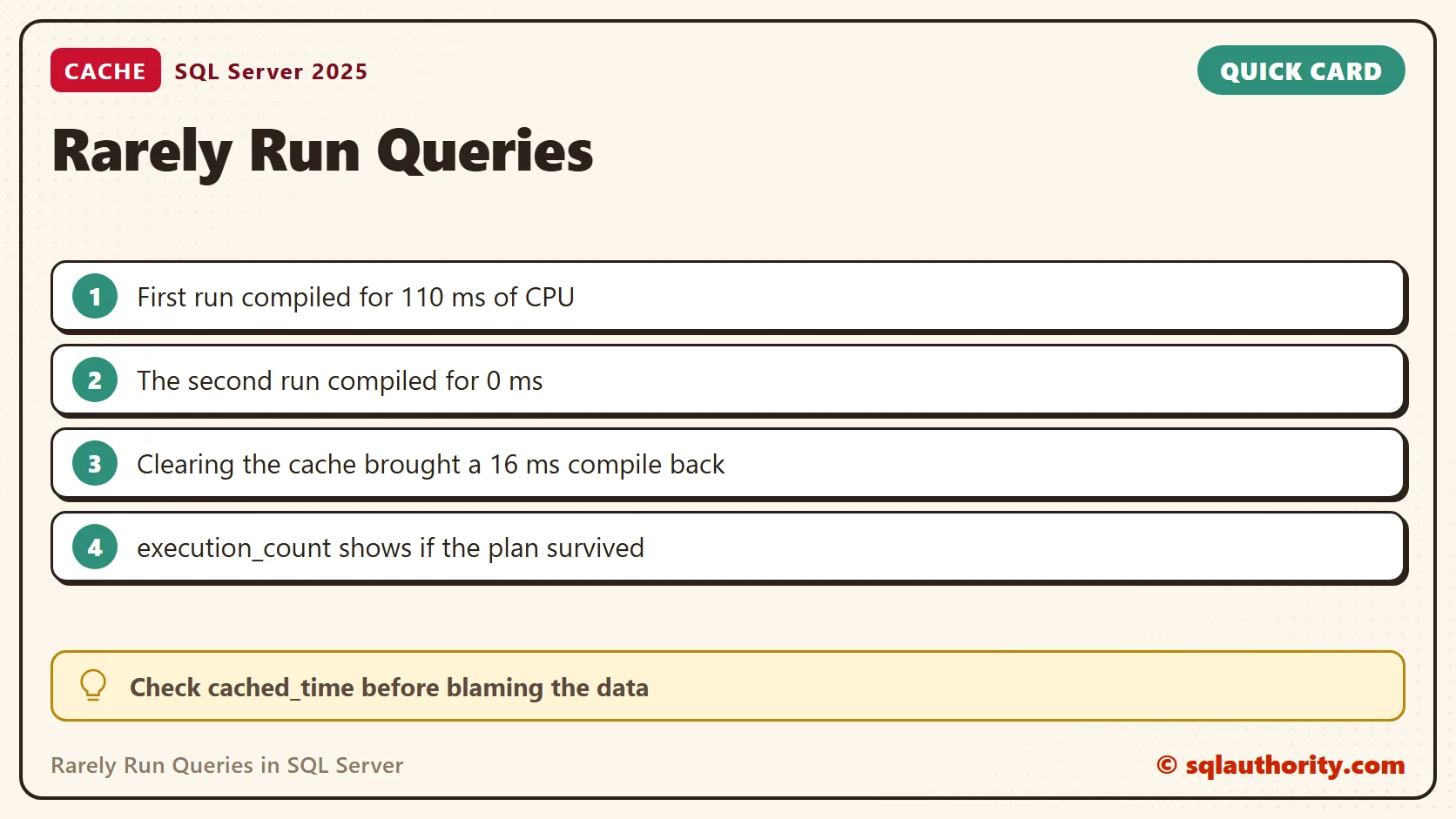
The last query shows execution_count 2 and the time the plan was cached. I cleared the cache again and ran the report once. The compile came back at 16 ms. The counter started over at 1 with a new cached time. That is the signature of a plan that left the cache.
ALTER DATABASE SCOPED CONFIGURATION CLEAR PROCEDURE_CACHE;
GO
SET STATISTICS TIME ON;
EXEC dbo.MonthlyReport @Yr = 2026, @Mth = 3;
SET STATISTICS TIME OFF;
SELECT execution_count, cached_time
FROM sys.dm_exec_procedure_stats
WHERE database_id = DB_ID() AND object_id = OBJECT_ID('dbo.MonthlyReport');
See the Recompile in Query Store
Query Store records that the plan was compiled again. I turned it on for the test database, cleared the cache twice and ran the report after each clear. One plan_id served both runs, and count_compiles was above 1. The plan was rebuilt more than once, and it was the same plan.
ALTER DATABASE CURRENT SET QUERY_STORE = ON (OPERATION_MODE = READ_WRITE);
GO
ALTER DATABASE SCOPED CONFIGURATION CLEAR PROCEDURE_CACHE;
GO
EXEC dbo.MonthlyReport @Yr = 2026, @Mth = 3;
GO
ALTER DATABASE SCOPED CONFIGURATION CLEAR PROCEDURE_CACHE;
GO
EXEC dbo.MonthlyReport @Yr = 2026, @Mth = 3;
GO
EXEC sys.sp_query_store_flush_db;
GO
SELECT q.query_id, p.plan_id, p.count_compiles, p.is_forced_plan
FROM sys.query_store_query AS q
JOIN sys.query_store_plan AS p ON p.query_id = q.query_id
WHERE q.object_id = OBJECT_ID('dbo.MonthlyReport');
Read the Numbers Carefully
The first compile on a fresh database cost 110 ms. The second one cost 16 ms. Earlier runs gave 78 and 93 ms, then 20 and 21 ms. Your numbers will differ. They also grow with the number of tables and the shape of the query. A two table lookup compiles in a blink.
In my test, the compile was the only extra cost of the first run. Execution took the same time on both runs. Before I blame the data for a slow first run, I check whether the plan was cached at all.
What I Check Before Tuning
I look at cached_time and execution_count for the procedure. A recent cached time and a low count mean the plan was rebuilt. That explains a slow start without any change to the query. I also compare the first and second run before I touch an index.
What to Do About It
For a monthly report, I accept the compile. A tenth of a second is small next to a 350 ms run. Nobody waiting on a report will notice it. For a rare query behind a web page, the first visitor pays it. There I time the first call and the second call separately, and I report both numbers. I add a warm-up job only when the compile is a large share of the first call.
For related cache costs, read Stored Procedure are Compiled on First Run. For the plan cache settings, read Optimize for Ad Hoc Workloads: When to Turn It On. For fair timing, read Cold Cache vs Warm Cache: Testing Query Speed Fairly.
A rarely run query is not a slow query, it is one the optimizer must meet again.
Published by Pinal Dave on SQLAuthority. More of my work at pinaldave.com.
Discover more from SQL Authority with Pinal Dave
Subscribe to get the latest posts sent to your email.



2 Comments. Leave new
Very nice article. I definitely love this site. Keep it up!
It’s actually a great and helpful piece of information. I am glad that you just shared this useful information with us. Please stay us up to date like this. Thank you for sharing. fdcecfcafaeb