
Redundant indexes cost space and slow every write, but not every one can go. This post measures one pair on SQL Server 2025. One index holds Col1, Col2 and the other holds Col1, Col2, Col3. By the end you will know which one to remove and how to do it safely.

What Makes an Index Redundant
An index is redundant when another index already does its job. The classic case is a prefix. Index one holds Col1, Col2. Index two holds Col1, Col2, Col3 in the same order. Any search that index one can answer, index two can answer as well.
Three details change the verdict. A different sort direction, such as Col2 DESC, makes the two indexes different. So does a different leading column. Included columns need a careful look before you call anything redundant. They are extra values stored on the leaf pages without being sorted.
Here is why the two sizes differ. A nonclustered index stores its key columns on every leaf row, plus a pointer to the table row. The wide index repeats Amount on each of those rows. The narrow index does not carry it.
Build the Test
I ran everything here on SQL Server 2025. The table holds 200,000 orders from 200 customers. Col1 is CustomerID, Col2 is OrderDate and Col3 is Amount. I named the two indexes Narrow and Wide.
IF DB_ID(N'SqlRedundantIndexDemo') IS NULL CREATE DATABASE SqlRedundantIndexDemo;
GO
USE SqlRedundantIndexDemo;
GO
DROP TABLE IF EXISTS dbo.Orders;
CREATE TABLE dbo.Orders
(
    OrderID int IDENTITY(1,1) CONSTRAINT PK_Orders PRIMARY KEY,
    CustomerID int NOT NULL,
    OrderDate date NOT NULL,
    Amount decimal(10,2) NOT NULL
);
INSERT INTO dbo.Orders (CustomerID, OrderDate, Amount)
SELECT s.value % 200 + 1, DATEADD(DAY, s.value % 730, '2024-01-01'), s.value % 500 + 10.50
FROM GENERATE_SERIES(1, 200000) AS s;
CREATE INDEX IX_Orders_Narrow ON dbo.Orders (CustomerID, OrderDate);
CREATE INDEX IX_Orders_Wide ON dbo.Orders (CustomerID, OrderDate, Amount);
GO
The Space They Take
First the space. This query reads the page count of the table and of both indexes.
SELECT i.name AS IndexName, ps.used_page_count AS Pages,
       CAST(ps.used_page_count * 8 / 1024.0 AS decimal(6,2)) AS SizeMB
FROM sys.dm_db_partition_stats AS ps
JOIN sys.indexes AS i ON i.object_id = ps.object_id AND i.index_id = ps.index_id
WHERE ps.object_id = OBJECT_ID(N'dbo.Orders')
ORDER BY i.index_id;
GO| IndexName | Pages | SizeMB |
|---|---|---|
| PK_Orders | 721 | 5.63 |
| IX_Orders_Narrow | 425 | 3.32 |
| IX_Orders_Wide | 649 | 5.07 |
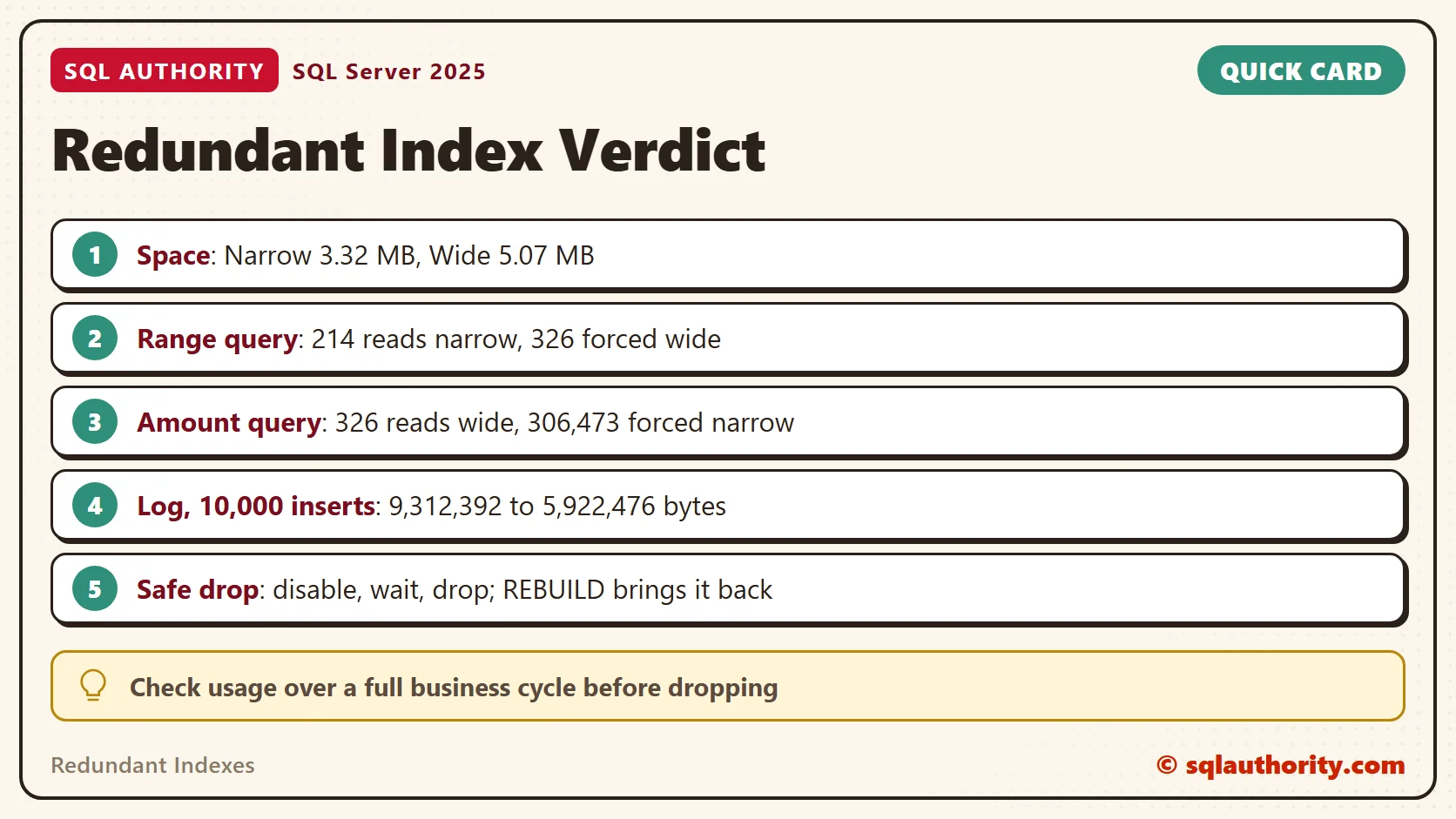
The narrow index uses 65 percent of the pages of the wide one. Remove it and 3.32 MB goes away.
Find the Pairs
You do not have to spot such pairs by eye. This query lists every nonclustered index whose key columns open another index’s key list, sort direction included. It skips unique indexes. It ignores included columns and filters, so treat each row as a lead, not a verdict.
WITH KeyLists AS
(
    SELECT i.object_id, i.index_id, i.name, i.is_unique,
           STRING_AGG(c.name + CASE WHEN ic.is_descending_key = 1 THEN ' DESC' ELSE '' END, ', ') WITHIN GROUP (ORDER BY ic.key_ordinal) AS KeyColumns
    FROM sys.indexes AS i
    JOIN sys.index_columns AS ic ON ic.object_id = i.object_id AND ic.index_id = i.index_id AND ic.key_ordinal > 0
    JOIN sys.columns AS c ON c.object_id = ic.object_id AND c.column_id = ic.column_id
    WHERE i.type_desc = N'NONCLUSTERED' AND i.is_hypothetical = 0
    GROUP BY i.object_id, i.index_id, i.name, i.is_unique
)
SELECT OBJECT_NAME(a.object_id) AS TableName, a.name AS CandidateToDrop, a.KeyColumns AS CandidateKeys, b.name AS KeptIndex, b.KeyColumns AS KeptKeys
FROM KeyLists AS a
JOIN KeyLists AS b ON b.object_id = a.object_id AND b.index_id <> a.index_id AND LEFT(b.KeyColumns, LEN(a.KeyColumns) + 1) = a.KeyColumns + N','
WHERE a.is_unique = 0
ORDER BY TableName, CandidateToDrop;
GO| TableName | CandidateToDrop | CandidateKeys | KeptIndex | KeptKeys |
|---|---|---|---|---|
| Orders | IX_Orders_Narrow | CustomerID, OrderDate | IX_Orders_Wide | CustomerID, OrderDate, Amount |
It finds our pair of redundant indexes at once. STRING_AGG, available since SQL Server 2017, builds each key list in one step. Against a real database the list can be long. Work through it one table at a time with the checklist below.
What the Plan Chooses
Now a range query that needs only Col1 and Col2. I run it twice. The first run lets the optimizer choose. The second forces the wide index with a hint. STATISTICS IO prints the pages each run touched.
SET STATISTICS IO ON;
SELECT COUNT(*) AS Orders FROM dbo.Orders WHERE CustomerID BETWEEN 1 AND 100;
SELECT COUNT(*) AS Orders FROM dbo.Orders WITH (INDEX(IX_Orders_Wide)) WHERE CustomerID BETWEEN 1 AND 100;
SET STATISTICS IO OFF;
GO
The optimizer chose the narrow index. Its plan is an Index Seek on IX_Orders_Narrow, then a Stream Aggregate, and it read 214 pages. The forced version read 326 pages, which is 52 percent more. The usage statistics confirm which index served each run. A seek means SQL Server walked the tree to a key and read a range from there.
SELECT i.name AS IndexName, u.user_seeks, u.user_scans, u.user_lookups
FROM sys.dm_db_index_usage_stats AS u
JOIN sys.indexes AS i ON i.object_id = u.object_id AND i.index_id = u.index_id
WHERE u.database_id = DB_ID() AND u.object_id = OBJECT_ID(N'dbo.Orders')
ORDER BY i.index_id;
GO
| IndexName | user_seeks | user_scans | user_lookups |
|---|---|---|---|
| PK_Orders | 0 | 0 | 0 |
| IX_Orders_Narrow | 1 | 0 | 0 |
| IX_Orders_Wide | 1 | 0 | 0 |
Why the Wide One Stays
Now a query that also needs Amount. The narrow index does not hold Amount, so it must jump to the table once for every row it finds. The second statement forces that path.
SET STATISTICS IO ON;
SELECT SUM(Amount) AS Total FROM dbo.Orders WHERE CustomerID BETWEEN 1 AND 100;
SELECT SUM(Amount) AS Total FROM dbo.Orders WITH (INDEX(IX_Orders_Narrow)) WHERE CustomerID BETWEEN 1 AND 100;
SET STATISTICS IO OFF;
GO
The optimizer picked the wide index and read 326 pages. The forced narrow index read 306,473 pages, because it made 100,000 trips to the table. This is why a prefix index is not redundant for every query. The wide index covers Amount, and the narrow one cannot.
What the Writes Cost
Every insert writes one row into every index. To measure that, the procedure below inserts 10,000 orders inside a transaction. It reads the log bytes the transaction used, then rolls back. It lives in the test database and goes away with it.
CREATE OR ALTER PROCEDURE dbo.InsertCost
AS
BEGIN
    SET NOCOUNT ON;
    BEGIN TRAN;
    INSERT INTO dbo.Orders (CustomerID, OrderDate, Amount)
    SELECT s.value % 200 + 1, DATEADD(DAY, s.value % 730, '2024-01-01'), s.value % 500 + 10.50
    FROM GENERATE_SERIES(1, 10000) AS s;
    SELECT t.database_transaction_log_bytes_used AS LogBytes
    FROM sys.dm_tran_database_transactions AS t
    JOIN sys.dm_tran_current_transaction AS c ON c.transaction_id = t.transaction_id
    WHERE t.database_id = DB_ID();
    ROLLBACK;
END;
GO
EXEC dbo.InsertCost;
GO
With all three indexes in place, the 10,000 rows used 9,312,392 bytes of log. Now disable the narrow index. A disabled index keeps its definition but stops receiving writes. I rebuild the wide index first, because a rollback undoes rows but not page splits. Without the rebuild, the same range query read 650 pages instead of 326.
ALTER INDEX IX_Orders_Narrow ON dbo.Orders DISABLE;
ALTER INDEX IX_Orders_Wide ON dbo.Orders REBUILD;
GO
SET STATISTICS IO ON;
SELECT COUNT(*) AS Orders FROM dbo.Orders WHERE CustomerID BETWEEN 1 AND 100;
SET STATISTICS IO OFF;
GO
EXEC dbo.InsertCost;
GO
| State | Range query reads | Log bytes for 10,000 inserts |
|---|---|---|
| Both indexes | 214 | 9,312,392 |
| Wide index only | 326 | 5,922,476 |
The log volume fell by 36 percent. The range query read 112 more pages, because the wide index is fatter. One index buys cheaper reads, the other buys cheaper writes.
Which One Goes
You could say the narrow index should stay because its reads are cheaper. Fair point. A scan of 100,000 rows read 112 fewer pages with it. The price is 3.32 MB of space and about 3.4 million log bytes for every 10,000 inserts. Keep it only when a hot query scans wide ranges of Col1, Col2 and needs nothing else. Keep it too when that query cannot afford 52 percent more reads.
The two costs are paid at different times. Reads are paid by each query that uses the index. Writes are paid by each insert, update and delete. A table that is loaded once a night and read all day favors the narrow index. A table with constant inserts favors one wide index.
For the rest, use this checklist before you remove one of your redundant indexes:
- Same leading columns, same order, same direction: it is a candidate.
- Unique, primary key or backing a constraint: keep it. A wider index cannot enforce the narrow key’s rule.
- Different sort direction or different leading column: keep it. These are different indexes.
- Different included columns: compare them first, then merge into one index.
- The wide index is the one you want gone: possible only if no query needs Amount. In my test, that query then scanned the whole table, 721 pages.
A Safe Drop Routine
Dropping redundant indexes is safe only after you check usage. Usage statistics reset when SQL Server restarts, so a quiet week proves nothing. Watch the index over a full business cycle: month end, payroll, the yearly report. Then disable it, wait, and drop it only when nobody complains.
A disabled index is cheap to bring back. One REBUILD restores it, and the range query returns to 214 pages. A dropped index must be created again from its script, which means a full build. Disable first, drop later.
ALTER INDEX IX_Orders_Narrow ON dbo.Orders REBUILD;
GO
When you finish testing, remove the example database.
USE master;
GO
ALTER DATABASE SqlRedundantIndexDemo SET SINGLE_USER WITH ROLLBACK IMMEDIATE;
DROP DATABASE SqlRedundantIndexDemo;
A redundant index is not harmless clutter, it is a cost you pay on every write.
Published by Pinal Dave on SQLAuthority. More of my work at pinaldave.com.
Discover more from SQL Authority with Pinal Dave
Subscribe to get the latest posts sent to your email.




8 Comments. Leave new
Thanks Pinal,
Would be nice to know more about order of the columns
e.g. INDEX1: C1,C2,C3
INDEX2: C2,C1,C3
Do they come under redundant and can we drop one of them?
There is a blog post on the same coming in next week – just wait!
sp_BlitzIndex from Brent’s team is also a great tool for this.
In the case of Index 7 and Index 8, we can create a new covering Index 9: Col1 ASC Included (col2) (col3) then drop both 7 and 8, correct?
Nicely explained sir.. Loved reading it …:)
Nice try. I’ve never heard redundant defined that way and I’ve been doing this for a VERY long time. An index is redundant if it is superfluous, meaningless, unnecessary, etc. A duplicate index is redundant and duplicate indexes should be dropped. There is no “similar” or “part of” to this. Your first scenario is redundant, because it is a duplicate (they all use an ASC sort order since that is the default when you didn’t specify). None of the rest of the indexes are duplicate and the only way to determine if they are redundant is to find out if the Query Optimizer actually uses them. Not a single piece of an index has to be the same as any other index in a database and it can still be redundant. Similarity to any other index has nothing to do with it.
It is good one
Very well explained Pinal. Can you pls respond on Andre question?