
log_reuse_wait_desc is the column that tells you why SQL Server can’t reuse its transaction log. It lives in sys.databases, one value for each database. When the log file is huge and a shrink gives nothing back, this value names the culprit. Let’s cause two culprits on purpose and fix them.

What the Column Says
The transaction log works like a circle. SQL Server writes at the front and frees the space behind it. It can free a piece only when nothing needs those records anymore. Until then the piece stays full, and the file grows when it has to.
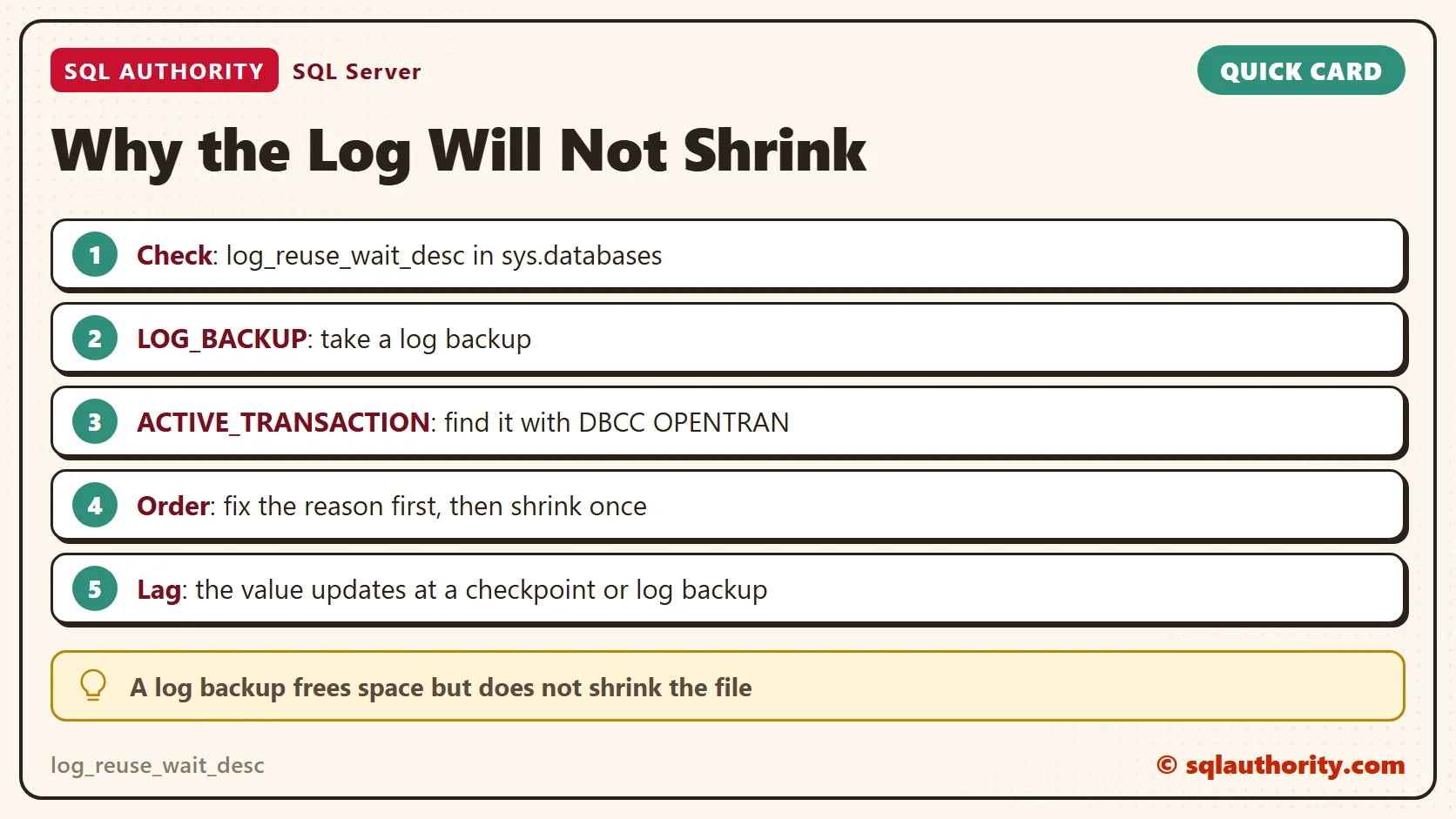
The column log_reuse_wait_desc names what holds the space. NOTHING means nothing holds it. LOG_BACKUP means the records wait for a log backup. ACTIVE_TRANSACTION means an open transaction still needs them. SQL Server sets the value each time it tries to free the log. That happens at a checkpoint or a log backup, so the value can lag behind reality.
Build a Test Database
I ran everything here on SQL Server 2025. The first script creates a database with a 16 MB log that grows in 16 MB steps. It uses FULL recovery, which keeps log records until a log backup takes them.
IF DB_ID(N'LogReuseDemo') IS NULL
BEGIN
    CREATE DATABASE LogReuseDemo;
    ALTER DATABASE LogReuseDemo SET RECOVERY FULL;
    ALTER DATABASE LogReuseDemo MODIFY FILE (NAME = N'LogReuseDemo_log', SIZE = 16MB, FILEGROWTH = 16MB);
END
Next comes a table with 50,000 orders. Each order has a 200-byte note, so one update of every row writes a lot of log.
USE LogReuseDemo;
GO
DROP TABLE IF EXISTS dbo.Orders;
CREATE TABLE dbo.Orders
(
    OrderID int IDENTITY(1,1) PRIMARY KEY,
    Customer int NOT NULL,
    Note char(200) NOT NULL
);
INSERT INTO dbo.Orders (Customer, Note)
SELECT value % 500, REPLICATE('a', 200)
FROM GENERATE_SERIES(1, 50000);
We will read the same three numbers many times, so a small view keeps the queries short. The view shows the reason, the log size in MB and the percent of the log in use. The size and percent come from sys.dm_db_log_space_usage.
CREATE OR ALTER VIEW dbo.LogCheck AS
SELECT d.log_reuse_wait_desc,
       CAST(u.total_log_size_in_bytes / 1048576.0 AS decimal(8,1)) AS LogSizeMB,
       CAST(u.used_log_space_in_percent AS decimal(5,1)) AS UsedPercent
FROM sys.databases AS d
CROSS JOIN sys.dm_db_log_space_usage AS u
WHERE d.database_id = DB_ID();
A FULL database acts like a SIMPLE one until its first full backup. So we take one now. A file name without a folder goes to the default backup folder of the server. We delete the files at the end.
BACKUP DATABASE LogReuseDemo TO DISK = N'LogReuseDemo.bak' WITH INIT;
SELECT * FROM dbo.LogCheck;
Right after the backup, the reason is NOTHING. The log is 32.0 MB, and 3.5 percent of it is in use. It grew from 16 MB to 32 MB while the table loaded.
Culprit One: LOG_BACKUP
Change every row, then ask the view. The CHECKPOINT makes SQL Server look at the log right away.
UPDATE dbo.Orders SET Note = REPLICATE('b', 200);
CHECKPOINT;
SELECT * FROM dbo.LogCheck;
The reason reads LOG_BACKUP. The log grew to 48.0 MB, and 52.5 percent of it is in use. Nobody took a log backup after the full backup, so SQL Server has to keep every record.
Now try what most people try first. Shrink the file.
DBCC SHRINKFILE (N'LogReuseDemo_log', 8);
SELECT * FROM dbo.LogCheck;
This is where the trouble shows. The shrink fails with a message that the logical log file at the end of the file is in use. The size stays at 48.0 MB, so nothing came back.
The fix is the one the name asks for. Take a log backup.
BACKUP LOG LogReuseDemo TO DISK = N'LogReuseDemo.trn' WITH INIT;
SELECT * FROM dbo.LogCheck;
The reason is back to NOTHING, and the used share fell from 75.4 to 0.9 percent. The file is still 48.0 MB. A log backup frees space inside the file. It doesn’t make the file smaller.
Now the shrink has something to remove.
DBCC SHRINKFILE (N'LogReuseDemo_log', 8);
SELECT * FROM dbo.LogCheck;
This time the shrink works. The file went from 48.0 MB to 8.0 MB, which is the target I gave it. Never aim for the smallest size. A log that has to grow again right away costs more than the space you saved.
| Step | log_reuse_wait_desc | LogSizeMB | UsedPercent |
|---|---|---|---|
| After the full backup | NOTHING | 32.0 | 3.5 |
| After the update and CHECKPOINT | LOG_BACKUP | 48.0 | 52.5 |
| After the first shrink | LOG_BACKUP | 48.0 | 75.4 |
| After the log backup | NOTHING | 48.0 | 0.9 |
| After the second shrink | NOTHING | 8.0 | 4.6 |
Culprit Two: ACTIVE_TRANSACTION
Now we need a second window. Open it, run USE LogReuseDemo; and then the statement below. Leave the transaction open.
| Window | Statement |
|---|---|
| 2 | BEGIN TRAN; UPDATE dbo.Orders SET Note = REPLICATE('c', 200); |
Back in the first window, look at the view again.
CHECKPOINT;
SELECT * FROM dbo.LogCheck;
The reason still reads LOG_BACKUP, not ACTIVE_TRANSACTION. The log grew to 56.0 MB, and 81.7 percent of it is in use. Both reasons apply, but the column shows one at a time. So we take the log backup and look again.
BACKUP LOG LogReuseDemo TO DISK = N'LogReuseDemo.trn' WITH INIT;
SELECT * FROM dbo.LogCheck;
Now the reason reads ACTIVE_TRANSACTION. The log backup worked, yet 81.7 percent of the log is still in use. A backup can’t free records that an open transaction still needs for a rollback.
Which transaction is it? DBCC OPENTRAN tells you.
DBCC OPENTRAN;
It names the oldest open transaction in the database. Here it is session 114, started at 10:27:45 PM, with the name user_transaction. That is Window 2.
A shrink can’t help either.
DBCC SHRINKFILE (N'LogReuseDemo_log', 8);
SELECT * FROM dbo.LogCheck;
This time the message says SQL Server can’t shrink because of the minimum log space required. The size stays at 56.0 MB. The fix is to end the transaction. Commit it in Window 2, or roll it back.
| Window | Statement |
|---|---|
| 2 | COMMIT; |
SELECT * FROM dbo.LogCheck;
CHECKPOINT;
SELECT * FROM dbo.LogCheck;
Right after the COMMIT, the view still says ACTIVE_TRANSACTION. SQL Server has not looked at the log again. After a CHECKPOINT the reason is LOG_BACKUP, because the records now wait for a backup. A log backup brings it to NOTHING.
BACKUP LOG LogReuseDemo TO DISK = N'LogReuseDemo.trn' WITH INIT;
SELECT * FROM dbo.LogCheck;
DBCC SHRINKFILE (N'LogReuseDemo_log', 8);
SELECT * FROM dbo.LogCheck;
BACKUP LOG LogReuseDemo TO DISK = N'LogReuseDemo.trn' WITH INIT;
DBCC SHRINKFILE (N'LogReuseDemo_log', 8);
SELECT * FROM dbo.LogCheck;
The first shrink after the fix stopped at 40.0 MB. SQL Server said the logical log file at the end of the file is in use. One more log backup and a second shrink brought the file to 8.0 MB.
| Step | log_reuse_wait_desc | LogSizeMB | UsedPercent |
|---|---|---|---|
| Transaction open, after CHECKPOINT | LOG_BACKUP | 56.0 | 81.7 |
| After the log backup | ACTIVE_TRANSACTION | 56.0 | 81.7 |
| After the shrink | ACTIVE_TRANSACTION | 56.0 | 81.8 |
| After COMMIT | ACTIVE_TRANSACTION | 56.0 | 43.8 |
| After CHECKPOINT | LOG_BACKUP | 56.0 | 43.8 |
| After the log backup | NOTHING | 56.0 | 8.0 |
| After the shrink | NOTHING | 40.0 | 41.0 |
| After another log backup and shrink | NOTHING | 8.0 | 4.7 |
Finding the Transaction on a Real Server
In real life, the open transaction belongs to an application or to someone’s forgotten query window. DBCC OPENTRAN gives you the session id. Look that session up in sys.dm_exec_sessions to see its login and host. Then ask the owner to commit or roll back.
If nobody can answer, KILL ends the session and rolls its transaction back. Be careful with a large one. The rollback can take as long as the work itself, and the log stays held until it finishes.
The Other Values
Two values were enough for this test, but the column has more. These are the ones I check next.
| Value | What it means | What to do |
|---|---|---|
| CHECKPOINT | No checkpoint has happened since the last reuse. | Wait, or run CHECKPOINT. |
| ACTIVE_BACKUP_OR_RESTORE | A backup or restore is running. | Wait for it to finish. |
| REPLICATION | The log reader agent has not read the records. | Check the agent and its latency. |
| AVAILABILITY_REPLICA | A secondary replica has not hardened the records. | Check the replica and the network. |
| DATABASE_MIRRORING | The mirror is behind. | Check the mirroring session. |
What About SIMPLE Recovery?
You could say the easy fix is SIMPLE recovery. The log frees itself at every checkpoint, and LOG_BACKUP can’t happen. Fair point. For a test or reporting database that you can rebuild, it is a good choice.
For a database you can’t rebuild, it removes point-in-time restore. It also doesn’t touch ACTIVE_TRANSACTION. An open transaction holds the log in every recovery model.
A Short Checklist
- Read log_reuse_wait_desc before you shrink anything.
- For LOG_BACKUP, check that log backups run on schedule and succeed.
- For ACTIVE_TRANSACTION, run DBCC OPENTRAN, find the owner and end the transaction.
- Shrink once, to a size that covers your busiest hour. Don’t schedule it.
- Remember that the value lags. A CHECKPOINT or a log backup makes SQL Server look again.
Clean Up
Drop the database and clear its backup history. SQL Server doesn’t delete backup files, so remove LogReuseDemo.bak and LogReuseDemo.trn from the default backup folder yourself.
USE master;
GO
ALTER DATABASE LogReuseDemo SET SINGLE_USER WITH ROLLBACK IMMEDIATE;
DROP DATABASE LogReuseDemo;
EXEC msdb.dbo.sp_delete_database_backuphistory @database_name = N'LogReuseDemo';
A log that will not shrink is not broken, it is held.
Published by Pinal Dave on SQLAuthority. More of my work at pinaldave.com.
Discover more from SQL Authority with Pinal Dave
Subscribe to get the latest posts sent to your email.




2 Comments. Leave new
We are a company in Dallas, TX USA and have a SQL project. Please let me know if you have time or interested.
Jay
Best, J.
Impressive Article