
This is a guest post by Nakul Vachhrajani. Breaking changes, behavior changes, discontinued features and deprecated features are four different things. Each one needs its own place in your upgrade plan.

 Nakul Vachhrajani has worked as a technical specialist and systems development professional and has blogged about SQL Server. Nakul wrote a research paper on database upgrade methodologies and has judged student projects as external faculty at colleges.
Why Deprecated Does Not Mean Broken
I wrote a series on deprecated database engine features. Most readers took those features for breaking changes, and they aren’t the same thing. This is how I plan an upgrade so that my database works on the next version of SQL Server.
Treat the points below as high-level markers. They help you think through the steps your own upgrade needs. They don’t replace a test on your own workload.
Breaking Changes and the Three Other Kinds of Change
Vendors change keywords, functions and behavior as customer needs and architectures change. Microsoft gives users time to move to the new way before the old one goes. Each release comes with documentation that sorts the changes into four lists.
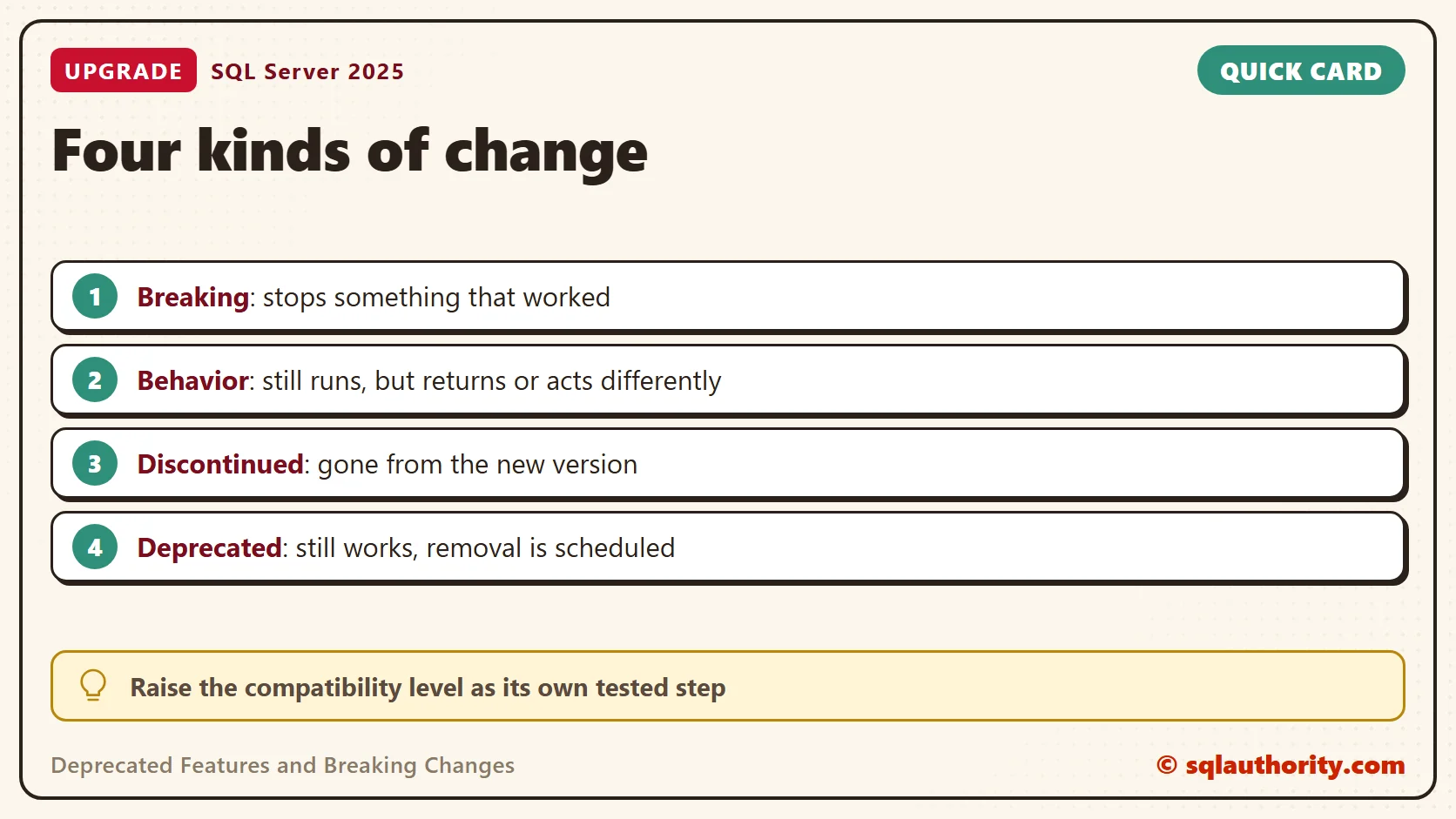
- Breaking changes stop an application, script or feature that worked on an earlier version. These need your attention first.
- Behavior changes keep a feature working but change what it returns or how it acts. They’re easy to miss, because nothing fails with an error.
- Discontinued features are gone from the new version. They were deprecated in an earlier release.
- Deprecated features still work, but they’re scheduled for removal in a future version. That version isn’t always the next one.
A feature normally moves in one direction. It’s deprecated first and discontinued later. To learn what stops working in the next version, read that release’s lists. If you skip releases, read the lists for every release in between. Look at breaking changes, behavior changes and discontinued features. Then read the deprecated list, because it’s your to-do list for the release after that.
Behavior changes deserve extra effort. Describe the risk to business people as a report that returns a different number, not a crash. Then ask for time to test the numbers that matter.
You could argue that deprecated features can wait, because nothing fails today. That’s true until the release that removes them. Then you’re fixing them under a deadline, along with everything else in the upgrade.
Use the Tools to Find Deprecated Features
I rarely find teams that use the available tools to their full potential. Two kinds of tool do the most work in my upgrade plans.
An Upgrade Assessment Tool
Microsoft provides an assessment tool that scans your databases and reports issues to fix before or after you upgrade. The tool changes from one generation to the next, so use the current one. It analyzes objects it can reach, such as scripts, stored procedures, triggers and trace files. Check what yours covers, because a scan of stored objects can’t see ad hoc queries that your applications send.
Extended Events and the Deprecated Features Counters
Profiler used to expose the Deprecation events. Profiler is deprecated itself now, and Extended Events replaces it. The engine raises two events. The first is deprecation_announcement, for a feature that will go away in a future version. The second is deprecation_final_support, for a feature that will go away in the next version.
Add the sql_text action to the session, and each event shows the statement that raised it. That gives you the code to fix. Capture these events while the real workload runs on the current version. That finds the queries that use a feature on its way out. Read the message column as well as the event name, and don’t date a removal from the event name alone.
There’s a lighter option too. The Deprecated Features performance object keeps one row per feature, and the count rises each time the feature is used. SQL Server keeps the counts since the instance started, so read them after a full business cycle. This query lists the features your instance has used, most used first.
SELECT TOP (10)
       RTRIM(instance_name) AS DeprecatedFeature,
       cntr_value           AS TimesUsed
FROM sys.dm_os_performance_counters
WHERE object_name LIKE N'%:Deprecated Features%'
  AND cntr_value > 0
ORDER BY cntr_value DESC, instance_name;
A test instance returned rows like these. Your features and counts will differ. A name in the list is not a problem by itself. It’s a to-do item, so look up the feature and plan its replacement.
| DeprecatedFeature | TimesUsed |
|---|---|
| USER_ID | 572 |
| CREATE_DROP_DEFAULT | 96 |
| XP_API | 76 |
| More than two-part column name | 48 |
| syslogins | 24 |
| sysobjects | 21 |
| sysservers | 21 |
| sysdatabases | 19 |
| String literals as column aliases | 15 |
| Database compatibility level 150 | 13 |
Read the names for clues. Some point to old compatibility views, such as sysobjects and syslogins. Others point to syntax, such as a string literal used as a column alias. Each name tells you what to search your code for. The counters show that something used a feature, not who. Use the Extended Events session with sql_text to find the caller, and ignore your own tools.
A Basic Checklist
An upgrade has many finer points. These basic steps make your database ready for the next version of SQL Server.
- Capture the current workload on a test copy with an Extended Events session for the two deprecation events, and read the Deprecated Features counters. Write down every query and feature that appears. If nothing appears, no deprecated feature is in use on that workload. That doesn’t make you ready, because these tools can’t find changes that were never deprecated. Steps 2 to 4 cover those.
- Run an upgrade assessment on your databases, and read the documentation lists of breaking changes, behavior changes and discontinued features for the new version.
- Use all three results. Fix the changes that stop the application first, then the discontinued features.
- Run the application on the new version and test it, including the reports that behavior changes touch. Compare their numbers before and after.
- Document the upgrade steps for each of your deployments, and the rollback plan if the upgrade fails. Some code depends on the version, so involve the development team.
- Upgrade the engine and keep each database at its old compatibility level. Test. Then raise the level as a separate step and test again, because some behavior changes apply only at the higher level.
- Before any other enhancement, send only the version changes to QA, and compare an environment on the old version with one on the new version. With so few changes, any difference points to the upgrade.
- Keep replacing deprecated features with the recommended replacements, as an ongoing task.
- As a DBA, update your coding standards so that developers write ANSI compliant code. That code needs a change only if the ANSI standard changes.
The compatibility level is your safety net. The new engine runs each database at its old level. Behavior changes tied to the higher level wait until you raise it. That lets you separate engine problems from behavior problems. It doesn’t hold back discontinued features or every breaking change, so test at the old level too. If a raised level causes trouble, you can lower it again.
What to Remember
Sort every change into one of the four kinds. Fix breaking changes and discontinued features before the upgrade. Test behavior changes with the reports that matter to the business.
Change management never ends. Keep reading the release notes, and keep the deprecated list as a to-do list. Replace those features as they appear, so the next upgrade holds no surprises.
A good upgrade is not a surprise, it is a plan you started a release ago.
Published by Pinal Dave on SQLAuthority. More of my work at pinaldave.com.
Discover more from SQL Authority with Pinal Dave
Subscribe to get the latest posts sent to your email.




13 Comments. Leave new
Good One Nakul!!
Thank-you, Datta!
Behalf of Nakul, thanks to pinal for your work out on his motivation…
Behalf of Nakul, Thanks to pinal for your work out on his motivation…..!!!
very good article by Nakul, Really appreciate it..
I am on vacation so generally avoid technical reading but by looking at the subject i tempted to read this and now thinking this is worth reading…
Thank-you, ganeshnarim and Ritesh for taking the time out and reading the article!
Nakul,
thanks for very thorough guide, I would add two things to it:
1. For tools helping upgrade – SQL Server 2012 is in scope of new MAP toolkit, so you can easily check for deprecated features using it.
2. You can also add SQL Server 2012 upgrade technical guide (http://download.microsoft.com/download/9/5/3/9533501A-6F3E-4D03-A6A3-359AF6A79877/SQL_Server_2012_Upgrade_Technical_Reference_Guide_White_Paper.pdf) to the list of supporting documents.
Cheers!
Szymon: Completely agree with your suggestions! These are very useful tools & documents when planning for an upgrade.
Thank-you very much for sharing!
Nice Information ……
You forgot about Behavior changes
They should be documented.
HI Pinal,
I know what behavioral changes are but i am having difficult in explaining same to business people. Officially Microsoft says fixing these change is not must and it can still break your application. How do i convey my message on this topic ?
Apppreciate your insight. Thank you.
I want to upgrade an SQL Server 2008 R2 to SQL Server 2016. I would like to find the queries running in production (on SQL Server 2008 R2) that use discontinued features of SQL Server 2016. Is there a way to find these discontinued features?
The Data Migration Assistant checks only the database schema (tables, stored procedures, triggers, etc). I would like to capture a trace file from production, and find, if there are discontinued features in that trace file.