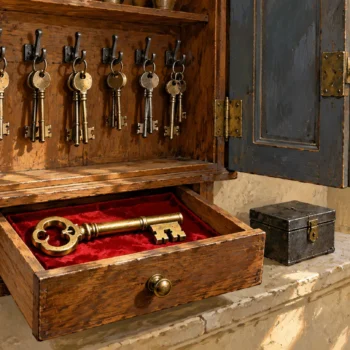
The application retired years ago, but its login still appears in the audit list. Finding unused logins requires ownership and activity evidence, not just an old password date. Inventory mappings, identify restored users without logins, and observe access before disabling anything.

Why Unused Logins Need More Than a Date
SQL Server does not maintain a universal built-in last successful login timestamp for every login. Password age, creation date, and current sessions answer different questions. An old password can belong to an active service. A login with no current connection can be used by a monthly job. Build an observation window around the workload rather than a convenient afternoon.
I ask for an owner before declaring an account unused. Which business process breaks if this identity disappears? Capture that answer with the account review. Directory groups add another layer because individual users gain access through membership without separate server principals. A server inventory cannot prove those memberships are empty. Coordinate that part with the directory owner.
Inventory SQL and Windows Principals
List actual login types and disabled state. For SQL logins, LOGINPROPERTY exposes PasswordLastSetTime. It does not expose a last login date. Keep that column named accurately. Restrict password related metadata access to the authorized review identity, and avoid collecting password hashes when the audit question needs only ownership and activity.
SELECT name,type_desc,is_disabled,create_date,modify_date,default_database_name
FROM sys.server_principals
WHERE type IN('S','U','G') AND principal_id>4
ORDER BY name;
SELECT name,is_disabled,is_policy_checked,is_expiration_checked,
       CONVERT(datetime,LOGINPROPERTY(name,'PasswordLastSetTime')) AS PasswordLastSetTime
FROM sys.sql_logins
ORDER BY name;
Built-in and system generated identities need their own review policy. Do not classify them from their age alone. Disabled accounts also deserve documentation: why they were disabled, who owns them, and whether a retention requirement prevents removal. An unexplained disabled login is an unfinished audit note, even though it cannot begin a normal new connection.
Find Unused Logins With No Database User
Use an authorized account that can inspect the intended databases. The cursor visits online databases and saves instance authenticated SQL and Windows user SIDs. The database name is supplied as a parameter, while the database identifier is quoted. A database skipped for access reasons is a coverage gap, so preserve that gap rather than claiming a complete estate inventory.
CREATE TABLE #LoginMapping
    (DatabaseName sysname NOT NULL,LoginSID varbinary(85) NOT NULL);
DECLARE @database sysname,@sql nvarchar(max);
DECLARE databases CURSOR LOCAL FAST_FORWARD FOR
    SELECT name FROM sys.databases WHERE state=0 AND HAS_DBACCESS(name)=1;
OPEN databases;
FETCH NEXT FROM databases INTO @database;
WHILE @@FETCH_STATUS=0
BEGIN
    SET @sql=N'INSERT #LoginMapping(DatabaseName,LoginSID)
      SELECT DISTINCT @db,sid FROM '+QUOTENAME(@database)+N'.sys.database_principals
      WHERE type IN(''S'',''U'',''G'') AND authentication_type IN(1,3) AND sid IS NOT NULL;';
    EXEC sys.sp_executesql @sql,N'@db sysname',@db=@database;
    FETCH NEXT FROM databases INTO @database;
END;
CLOSE databases;
DEALLOCATE databases;
SELECT p.name,p.type_desc,p.is_disabled
FROM sys.server_principals AS p
WHERE p.type IN('S','U','G') AND p.principal_id>4
  AND NOT EXISTS(SELECT 1 FROM #LoginMapping AS m WHERE m.LoginSID=p.sid)
ORDER BY p.name;
No mapped user is a candidate for review, not proof of no access. Server roles, server permissions, group membership, ownership, and guest access change that conclusion. Inspect jobs and other service dependencies too. I keep the mapping result beside the permission inventory so an account does not disappear simply because its workload operates at server scope.
Find Orphaned Instance Users Separately
Run this query in each intended user database. It focuses on SQL users authenticated through an instance login. Contained database users deliberately have different authentication and should not be called orphaned because no server login exists. Exclude the built-in database principals. Match by SID rather than name, because a recreated login can reuse a name with a different identity.
SELECT p.name AS DatabaseUser,p.sid,p.create_date
FROM sys.database_principals AS p
LEFT JOIN sys.server_principals AS s ON s.sid=p.sid AND s.type='S'
WHERE p.type='S' AND p.authentication_type=1
  AND p.name NOT IN(N'dbo',N'guest',N'sys',N'INFORMATION_SCHEMA')
  AND s.principal_id IS NULL;
Restoring a database onto another instance commonly exposes missing login mappings. Confirm the intended login and its permissions before using ALTER USER WITH LOGIN to repair a mapping. Name similarity is insufficient authorization. An old database user with broad rights should not be attached to the first login that happens to share its name.

Capture Successful Logins Going Forward
SQL Server Audit can record successful login events to a protected file. Prepare C:\SqlAudit on the server and grant the SQL Server service account appropriate write access. Use an authorized administrator for the setup. This example is a bounded collection with a defined rollover policy, so retention needs to cover your intended observation window.
USE master;
CREATE SERVER AUDIT LoginReviewAudit
TO FILE(FILEPATH=N'C:\SqlAudit\',MAXSIZE=100 MB,MAX_ROLLOVER_FILES=10)
WITH(ON_FAILURE=CONTINUE);
CREATE SERVER AUDIT SPECIFICATION LoginReviewAuditSpec
FOR SERVER AUDIT LoginReviewAudit
ADD(SUCCESSFUL_LOGIN_GROUP)
WITH(STATE=ON);
ALTER SERVER AUDIT LoginReviewAudit WITH(STATE=ON);
ON_FAILURE CONTINUE preserves application availability if collection fails, but it also creates a potential evidence gap. Monitor audit health and storage. Choose the failure policy with the service and compliance owners. Test a known connection and inspect its record before trusting absence. Logins through pooled connections also need workload evidence because a connection established earlier can stay active without another new login event.
Summarize Activity Without Overclaiming
Read the files from an identity with the required audit permissions. Until the audit has written its first file, sys.fn_get_audit_file stops with error 33224 because the pattern matches nothing. Group by the original session principal and show first and last observed successful events. Keep the observation period and retained file coverage with the result. This is observed activity within available evidence, not a permanent last-login field added to the server catalog.
SELECT session_server_principal_name AS LoginName,COUNT_BIG(*) AS ObservedLogins,
       MIN(event_time) AS FirstObservedUtc,MAX(event_time) AS LastObservedUtc
FROM sys.fn_get_audit_file(N'C:\SqlAudit\*.sqlaudit',DEFAULT,DEFAULT)
WHERE succeeded=1 AND action_id='LGIS'
GROUP BY session_server_principal_name
ORDER BY LastObservedUtc;
SELECT login_name,host_name,program_name,COUNT_BIG(*) AS CurrentSessions
FROM sys.dm_exec_sessions WHERE is_user_process=1
GROUP BY login_name,host_name,program_name;
Use a dedicated directory or a narrower file pattern when other audits share storage. Verify the action record from your setup test. A missed collection period and a never-used login can both produce no rows. They need different conclusions. Include infrequent reporting, maintenance, and recovery processes before choosing how long to observe.
Disable Unused Logins First and Keep a Way Back
After owner approval, disable a retired login before dropping it. Preserve its permissions, SID, database mappings, and dependency notes. Disabling does not disconnect existing sessions automatically, so plan how current connections end. Watch application errors and scheduled work during the review period. Keep a named owner who can approve re-enabling the account if a legitimate dependency appears.
Avoid automatic mass disabling from a no-mapping query. A monthly service is very good at looking unused on a Tuesday. Review server role membership, job ownership, endpoint permissions, and directory group responsibilities. The rollback plan should restore the exact reviewed identity and permissions, rather than replace them with a broader emergency account.
Finish the Review With Evidence and Ownership
For the unused logins review, record the account, owner, observed interval, collection gaps, dependencies, and approved action. Keep orphan repair separate from retirement so the audit distinguishes broken access from unnecessary access. Remove an account only after the disable period and the required retention review. Recheck database users and job owners after the final action.
I treat unused logins as a conclusion supported by several checks. Password metadata starts questions, mappings locate responsibilities, and activity capture supplies a bounded observation. None of them works alone. A careful review reduces access without turning an old account cleanup into an unexpected application outage.
Related reading on this blog: Orphaned Users After a Restore, and How to Fix Them and Difference Between Login Vs User: Security Concepts.

An old login is not an unused login, it is an identity that needs evidence and an owner.
Published by Pinal Dave on SQLAuthority. More of my work at pinaldave.com.
Discover more from SQL Authority with Pinal Dave
Subscribe to get the latest posts sent to your email.