
Today in this article I would discuss about the Database Mail which is used to send the Email using SQL Server. Previously I had discussed about SQL SERVER – Difference Between Database Mail and SQLMail. Database mail is the replacement of the SQLMail with many enhancements. So one should stop using the SQL Mail and upgrade to the Database Mail. Special thanks to Software Developer Monica, who helped with all the images and extensive testing of subject matter of this article.
Here is the video of the same subject:
In order to send mail using Database Mail in SQL Server, there are 3 basic steps that need to be carried out. 1) Create Profile and Account 2) Configure Email 3) Send Email.
Step 1) Create Profile and Account:
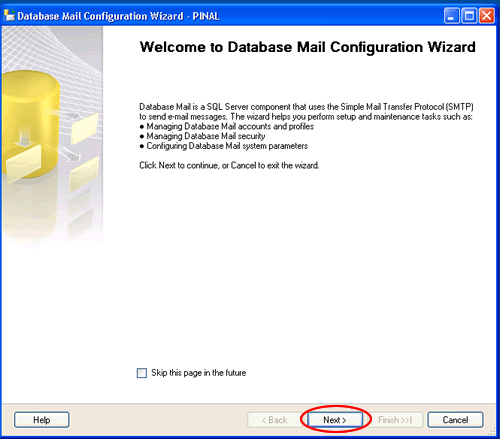
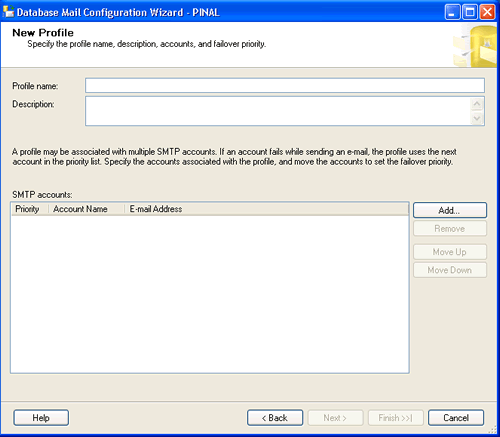
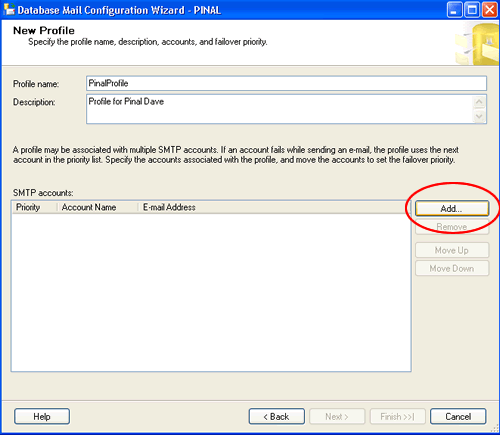
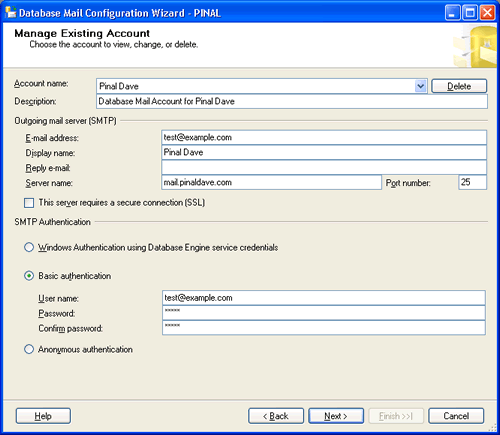
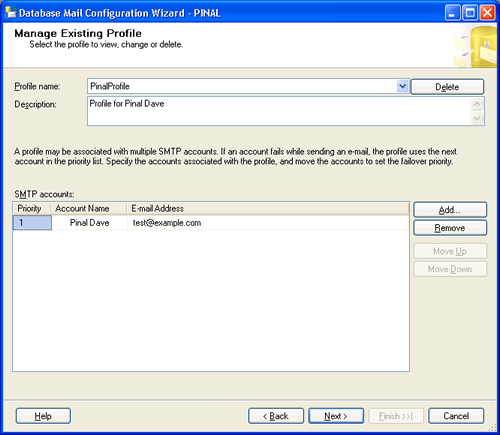
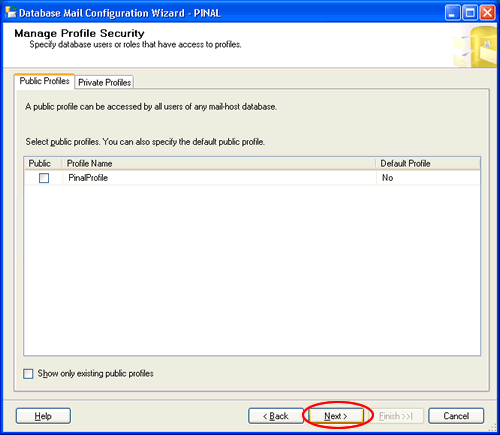
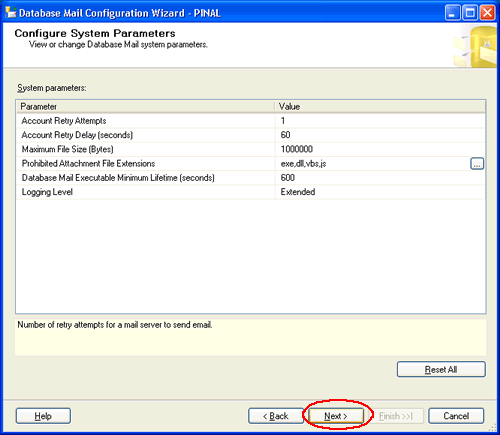
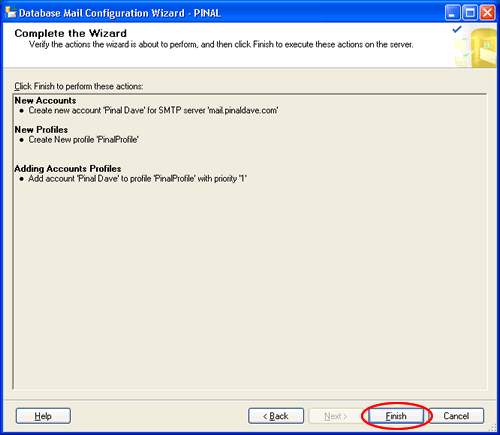
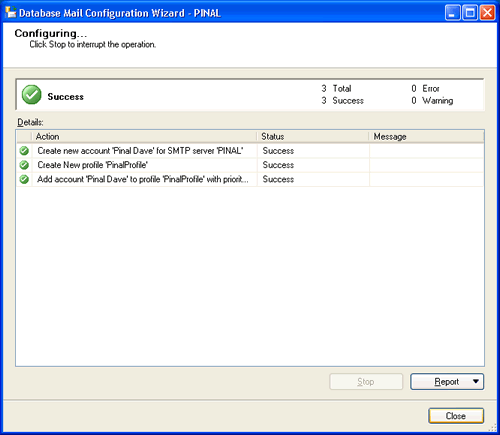
You need to create a profile and account using the Configure Database Mail Wizard which can be accessed from the Configure Database Mail context menu of the Database Mail node in Management Node. This wizard is used to manage accounts, profiles, and Database Mail global settings which are shown below:
Step 2) Configure Email:
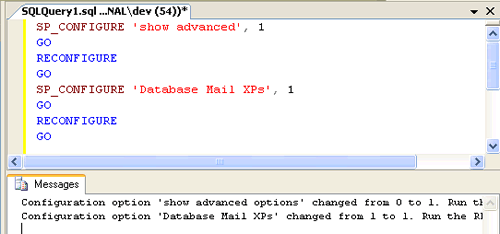
After the Account and the Profile are created successfully, we need to configure the Database Mail. To configure it, we need to enable the Database Mail XPs parameter through the sp_configure stored procedure, as shown here:
sp_CONFIGURE 'show advanced', 1
GO
RECONFIGURE
GO
sp_CONFIGURE 'Database Mail XPs', 1
GO
RECONFIGURE
GO
Step 3) Send Email:
After all configurations are done, we are now ready to send an email. To send mail, we need to execute a stored procedure sp_send_dbmail and provide the required parameters as shown below:
USE msdb
GO
EXEC sp_send_dbmail @profile_name='PinalProfile',
@recipients='test@Example.com',
@subject='Test message',
@body='This is the body of the test message.
Congrates Database Mail Received By you Successfully.'
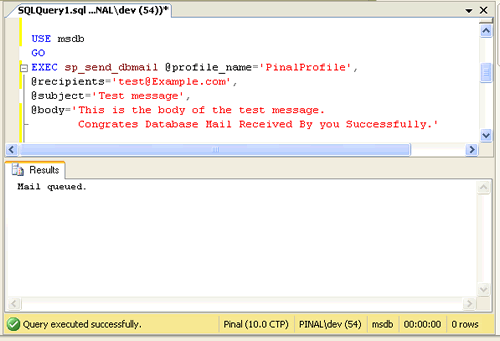
After all validations of the parameters entered are done, certain stored procedures are executed and the mail is queued by Service Broker, read more at SQL SERVER – Introduction to Service Broker.
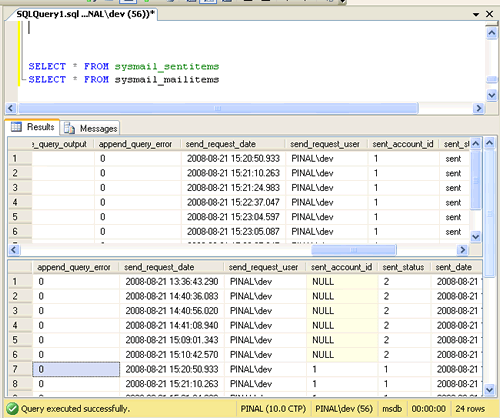
Database Mail keeps copies of outgoing e-mail messages and displays them in the sysmail_allitems, sysmail_sentitems, sysmail_unsentitems, sysmail_faileditems . The status of the mail sent can be seen in sysmail_mailitems table, when the mail is sent successfully the sent_status field of the sysmail_mailitems table is set to 1 which can again be seen in sysmail_sentitems table. The mails that are failed will have the sent_status field value to 2 and those are unsent will have value 3.
The log can be checked in sysmail_log table as shown below:
SELECT *
FROM sysmail_mailitems
GO
SELECT *
FROM sysmail_log
GO
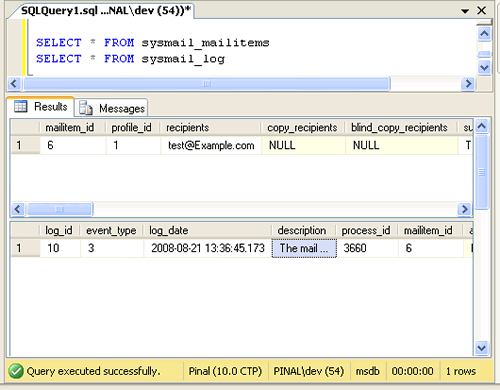
Status can be verified using sysmail_sentitems table.
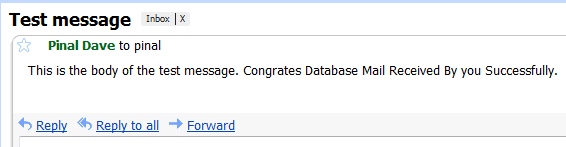
After sending mail you can check the mail received in your inbox, just as I received as shown below.
Let me know what you think about this tutorial.
Published by Pinal Dave on SQLAuthority. More of my work at pinaldave.com.


478 Comments. Leave new
i got this error ‘cannot send emails to mail server. (the operation has timed out.)’
send me solution
export multiple queries data to multiple excel sheets in one excel file using msdb.dbo.sp_send_dbmail
thanks this is helpul
Thank you this worked for me.
hey there, I have setup the Mail database but I am getting no alerts, when I send a test email – no probs, I receive into my Outlook, but when the jobs run, nothing. I even manually executed one of the Maintenance plans, and clicked Report–>Send report as Email and I get “No application is associated with the specified file for this operation”. Am I missing something
Dear Pinal,
I have configure each and everything but i dint fird Store Procedure “sp_send_dbmail”. So please let me know according to this.
Msg 2812, Level 16, State 62, Line 1
Could not find stored procedure ‘sp_send_dbmail’.
Hi ,
Thanks for share nice Tutorial with us and itsrealy help full,
Im using a sybase as a DB with SQL and i need to send a mail to my customers geting some selected feilds from db it think i can use this same way for that as well ..
Thanks! It worked very nice..
Newletter Subscription:
Dear Sir,
My website has been hosted on Godaddy’s server.
Now i’ve to add one more functionality that is “sending automatic emails from a database”
on weekly basis. Is it possible?
If yes please help me.
Hi pinal dave
i am sending email from sql server 2005.
database mail configuration details set as :
Message
The mail could not be sent to the recipients because of the mail server failure. (Sending Mail using Account 1 (2013-11-16T10:34:13). Exception Message: Cannot send mails to mail server. (The SMTP server requires a secure connection or the client was not authenticated. The server response was: 5.7.0 Must issue a STARTTLS command first. py4sm8247159pbb.33 – gsmtp).
)
Hi,
I am trying to send mails from sql server. I am trying to send mail with a query. I using gmail smtp with port 465. Always i am getting this error: Exception Message: Cannot send mails to mail server. (The operation has timed out.).)
When i use port 587 i get the below error
Exception Message: Could not connect to mail server. (An attempt was made to access a socket in a way forbidden by its access permissions 74.125.129.109:587).
Please help me!!!!!!
———————————-
Please Follow Below Step:-
———————————-
Server Name :- smtp.gmail.com
Port Number :- 587
SSL :- Yes (Checked)
——————————-
SMTP Authentication :-
——————————-
Basic Authentication :- Yes (ON)
User Name :- your gmail ID
Password :- gmail password
Confirm Passowrd :- gmail password
—————————————
Configure System Parameter :-
—————————————
Account Retry Attemps :- 1
Account Retry Delay (Seconds) :- 5000
Maximum File Size (Bites) :- 1000000
Prohibited Attachment File Extensions :- exe,dll,vbs,js,com,bat
Database Mail Executable Minimum Lifetime (seconds) :- 600
Logging Level :- Extended
Enjoy !! Hope This Will Work !!
Ramesh Chandra
I want to give credits to Pinal Dave for posting this, great work!!. However i encounter a little problem like socket error. Anyway i made a blog which tackles about socket error issue. I hope it would be useful.
When I try to send test mail it gives me error like this,:
The mail could not be sent to the recipients because of the mail server failure. (Sending Mail using Account 3 (2013-12-19T12:05:38). Exception Message: Cannot send mails to mail server. (The SMTP server requires a secure connection or the client was not authenticated. The server response was: 5.7.0 Must issue a STARTTLS command first. tn8sm2728017bkb.16 – gsmtp).
)
could you please help me,
this is my Email : mohebi@ideaco .ir
many thanks
Is it possible to Sending DB mail in SQL Server developer Edition..?,
Hi All,
Can some one tell me how to send automatically daily at particular time along with data from table to multiple people.
I know to automatically send mail create a job & schedule that, but i want to know how to add data dynamically from table to the mail.
If someone know, please tell.
Thanks
Dave you are my hero! I find your site many times very helpfull. Thanks.
Thank you for kind words.
Hi,
I have set up Database Mail. But when I am trying to send an email I am getting below error.
The mail could not be sent to the recipients because of the mail server failure. (Sending Mail using Account 3 (2014-04-14T10:41:46). Exception Message: Cannot send mails to mail server. (The remote certificate is invalid according to the validation procedure.).
)
Please guide me what to do???
Thanks in Advance.
How to send sms via sqlserver 2008 . Guys is there any option ? if its there please reply .
Hi Pinal,
I am getting an error from DBMAIL.
Message
The mail could not be sent to the recipients because of the mail server failure. (Sending Mail using Account 1 (2014-05-19T05:01:04). Exception Message: Cannot send mails to mail server. (The specified string is not in the form required for an e-mail address.).
can you please help me on this.
Thanks,
Sree
HI Pinal,
I am Dhaval sheth,
I able to send mail and attachment also but in attachment only 20 column sql will take i am using SQL SERVER 2008 r2.
my issue is i want to send my report and report have more them 20 column.
plz help.
— Regards.
Dhaval Sheth.