
Today in this article I would discuss about the Database Mail which is used to send the Email using SQL Server. Previously I had discussed about SQL SERVER – Difference Between Database Mail and SQLMail. Database mail is the replacement of the SQLMail with many enhancements. So one should stop using the SQL Mail and upgrade to the Database Mail. Special thanks to Software Developer Monica, who helped with all the images and extensive testing of subject matter of this article.
Here is the video of the same subject:
In order to send mail using Database Mail in SQL Server, there are 3 basic steps that need to be carried out. 1) Create Profile and Account 2) Configure Email 3) Send Email.
Step 1) Create Profile and Account:
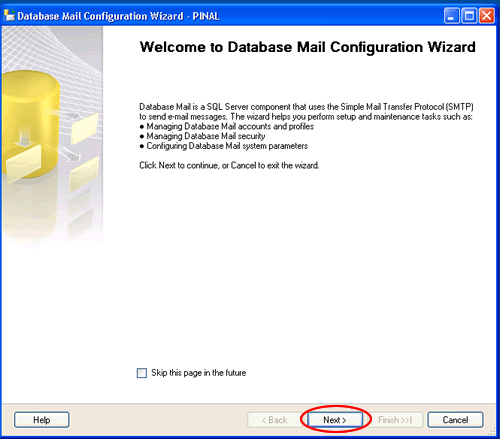
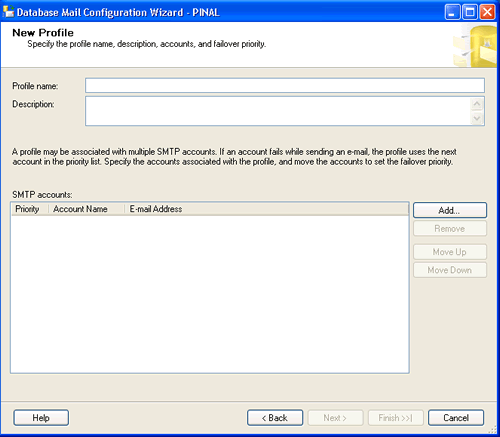
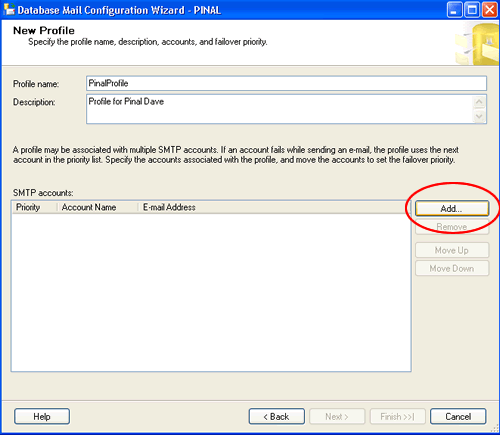
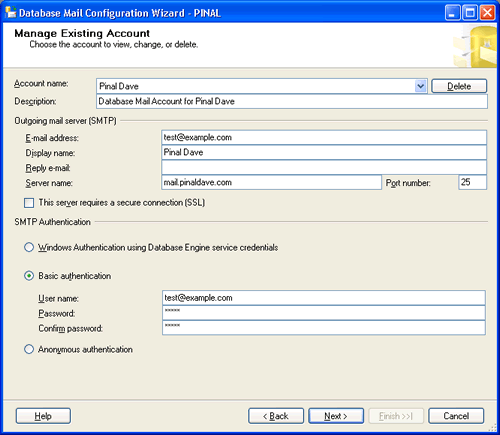
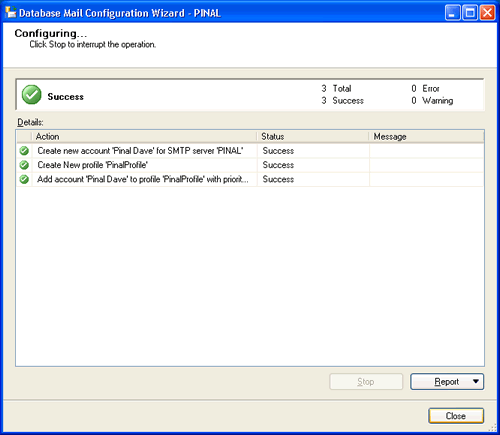
You need to create a profile and account using the Configure Database Mail Wizard which can be accessed from the Configure Database Mail context menu of the Database Mail node in Management Node. This wizard is used to manage accounts, profiles, and Database Mail global settings which are shown below:
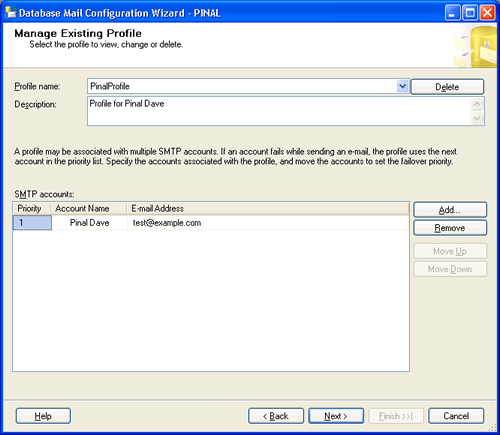
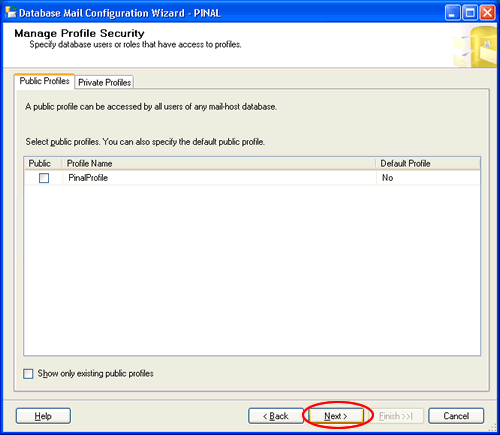
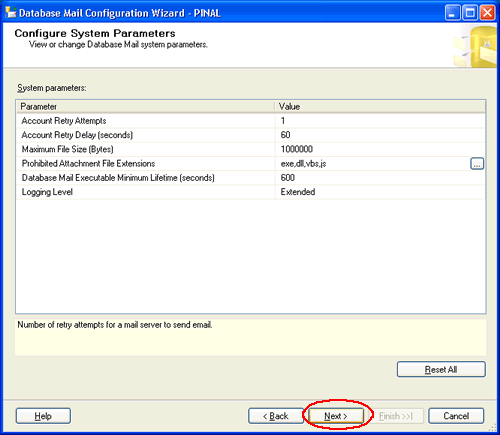
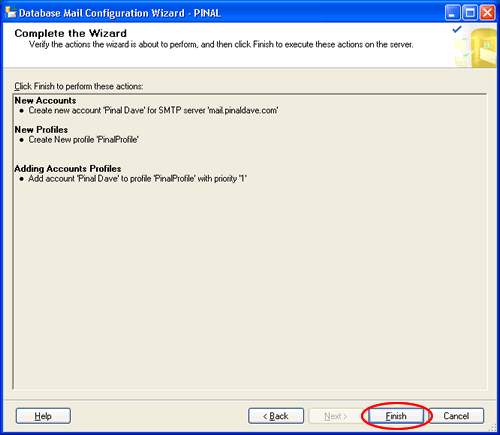
Step 2) Configure Email:
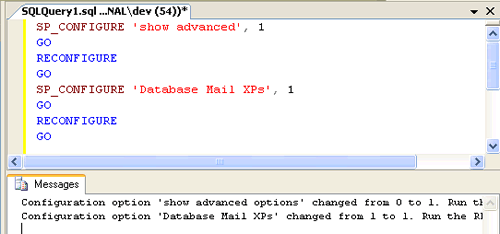
After the Account and the Profile are created successfully, we need to configure the Database Mail. To configure it, we need to enable the Database Mail XPs parameter through the sp_configure stored procedure, as shown here:
sp_CONFIGURE 'show advanced', 1
GO
RECONFIGURE
GO
sp_CONFIGURE 'Database Mail XPs', 1
GO
RECONFIGURE
GO
Step 3) Send Email:
After all configurations are done, we are now ready to send an email. To send mail, we need to execute a stored procedure sp_send_dbmail and provide the required parameters as shown below:
USE msdb
GO
EXEC sp_send_dbmail @profile_name='PinalProfile',
@recipients='test@Example.com',
@subject='Test message',
@body='This is the body of the test message.
Congrates Database Mail Received By you Successfully.'
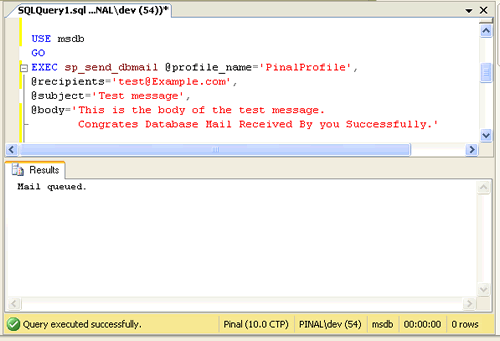
After all validations of the parameters entered are done, certain stored procedures are executed and the mail is queued by Service Broker, read more at SQL SERVER – Introduction to Service Broker.
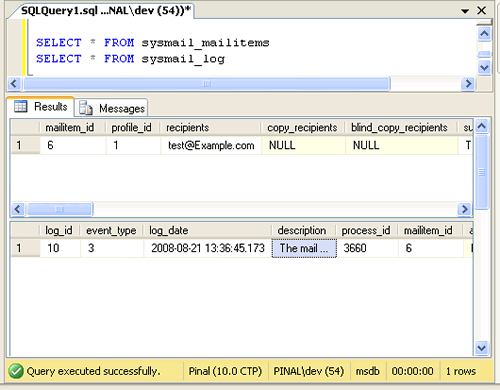
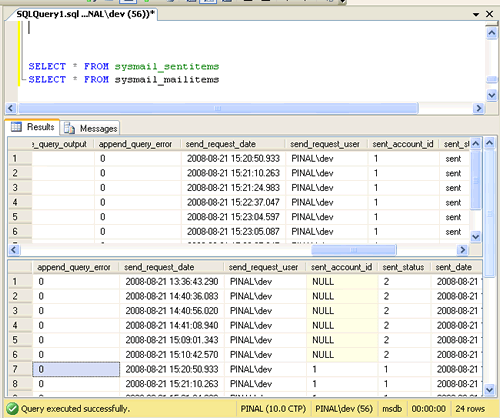
Database Mail keeps copies of outgoing e-mail messages and displays them in the sysmail_allitems, sysmail_sentitems, sysmail_unsentitems, sysmail_faileditems . The status of the mail sent can be seen in sysmail_mailitems table, when the mail is sent successfully the sent_status field of the sysmail_mailitems table is set to 1 which can again be seen in sysmail_sentitems table. The mails that are failed will have the sent_status field value to 2 and those are unsent will have value 3.
The log can be checked in sysmail_log table as shown below:
SELECT *
FROM sysmail_mailitems
GO
SELECT *
FROM sysmail_log
GO
Status can be verified using sysmail_sentitems table.
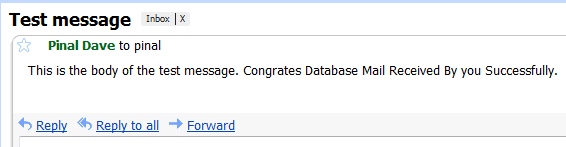
After sending mail you can check the mail received in your inbox, just as I received as shown below.
Let me know what you think about this tutorial.
Published by Pinal Dave on SQLAuthority. More of my work at pinaldave.com.



478 Comments. Leave new
Doug
This was very helpful and worked the first time around.
Good article Dave.
Hi Dave,
I have an ssis package that sends out remittances after a bank transfer. It works, but one of the recipients does not always receive his email with attachment. Since the email addresses originated in Great Plains, I have verified that they are entered correctly and have added my own email to this particular account so that I can see if I receive a copy when the other person should receive one. If he receives it, so do I. If he does not receive it, neither do I and my email address is internal. I also have alerts/notifications set up for jobs that work most of the time, but not all. I receive one or the other of these two error messages:
The mail could not be sent to the recipients because of the mail server failure. (Sending Mail using Account 2 (2013-01-11T14:29:55). Exception Message: Cannot send mails to mail server. (Failure sending mail.). )
The mail could not be sent to the recipients because of the mail server failure. (Sending Mail using Account 1 (2011-07-29T09:01:30). Exception Message: Could not connect to mail server. (No such host is known). )
I have been Googling all day and still have not resolved this issue. I have read everything from recreate the database mail profile to check the firewall and port settings, etc. I hope you can suggest something for me to try. We have SQL Server 2008 on a Windows 2008 Server, using SMTP.
Please help!
Arlene
Database Mail is not supported for SQL 2008 R2 Express Editions.
hi,
i am getting error description as The mail could not be sent to the recipients because of the mail server failure. (Sending Mail using Account 1 (2013-01-16T11:48:42). Exception Message: Could not connect to mail server. (A socket operation was attempted to an unreachable network 173.194.79.109:25). ) last mod_user “sa” and ‘NT authority system’……what to do sir now??
thnk u vey much.. it works me..
Thank you so much it is very helpfull to me
I am not getting your email configuraion code ,so how to execute that code in new query then getting mail.
Hi All
I Have Configured Al the Setting As Per Guidance But WhenEver I Use Email Send Option It Is Not Capable To send Main In Given Address ,,
What Type Of Problem May Be Occure In This Schenari
Please Help Me,,
Thanks a lot boss,you always rooks!!
thanks i know this works but how to send a mail behind proxy, thanks
Please help me to solve the problem when I send mail by Database Mail, I encounter error message:
The mail could not be sent to the recipients because of the mail server failure. (Sending Mail using Account 4 (2009-06-04T16:22:26). Exception Message: Could not connect to mail server. (A socket operation was attempted to an unreachable host 209.85.147.109:465). )
I used smtp.gmail.com on 465 port
have you try using port 587 ?
Very nice article, I followed all the steps my mail is queued but not received yet. I am waiting for almost an hour
Hi, You can check whether it is still in queue or not:
when the mail is sent successfully the sent_status field of the sysmail_mailitems table is set to 1 which can again be seen in sysmail_sentitems table. The mails that are failed will have the sent_status field value to 2 and those are unsent will have value 3.
SELECT *
FROM sysmail_mailitems
The log can be checked in sysmail_log table as shown below:
SELECT *
FROM sysmail_log
Hi, very good article, my mail is queued but not received yet. Waiting for an hour. My question is how long it takes to receive the email ?
thank you very much.
now, I can send email from my database server.
I am using smtp.gmail.com on port 587
Dear Pinal,
My database mail, which is configure as per the above example, was working properly in development environment, Now it is not working and giving the following message when I do test mail option in Database mail in SQL Server.
Cannot insert the value NULL into column ‘send_request_date’, table ‘msdb.dbo.sysmail_mailitems’; column does not allow nulls. INSERT fails.
The statement has been terminated. (.Net SqlClient Data Provider)
Can u guide me on the same.
With regards
Palanivel
hi pinal,
i used your code
but it didnt work.
i hv nt received the mail by using this code
so pls tel me what is the next step after mail is queued
Hi,
Thanks Pinal, Imran and all people giving lots of information.
can any one help:
I do all above steps correctly and in the end success message displays as: “Mail queued.” but never gets any email and after checking sysmail_mailitems I find that sent_status is 2(fail), please advice where is something wrong, I am using SQL server 2008R and all steps were successful as expalined above.
Thanks in advance.
Same problem here…
In step 1 description above see image 4th in that,
check mark it for,
this server requires secure connection(SSL)…
worked for me….
Hello Mr. Pinal Dave,
This is yogesh here can you please tell me how do i set this email sending services for Birthday alert of all users on their birthday like cron job ?
Could anyone please help me how to implement database mail in sql 7.0 and what stored procedure is needed including all steps.
Thanks in advance.
Great explanation…!!!
I tried many suggestions from net, but yours is worked in first try
Thanks