
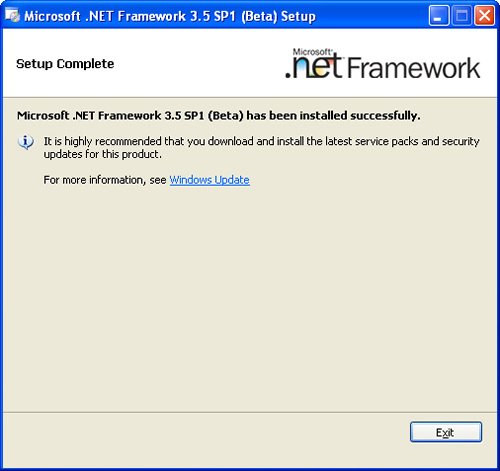
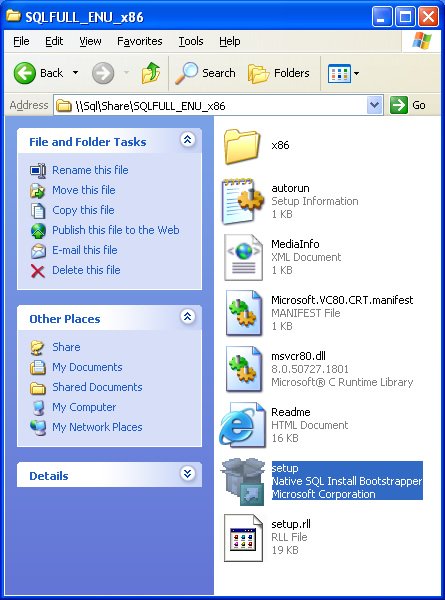
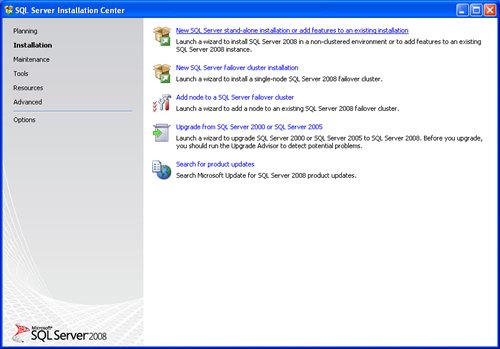
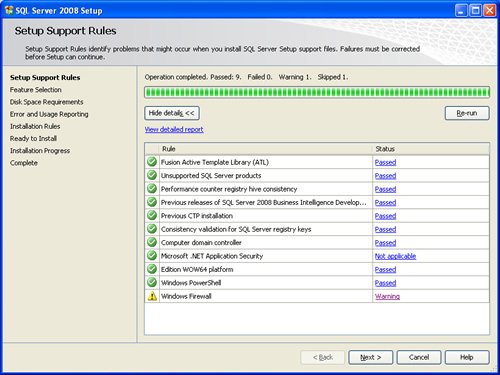
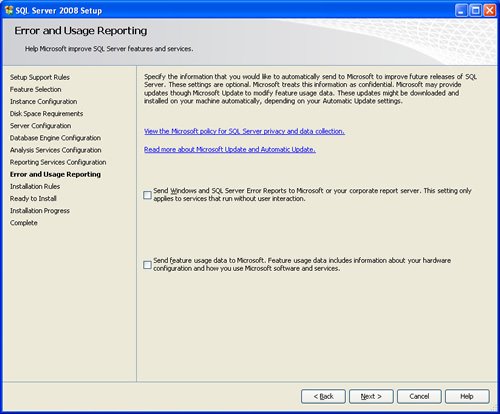
SQL SERVER 2008 has been released for some time and I have got numerous request about how to install SQL Server 2008. I have created this step by step guide Installation Guide. Images are used to explain the process easier.
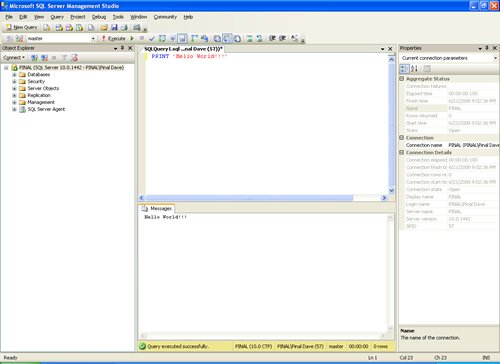
SQL Server 2008 is a major improvement from SQL Server 2005. Honestly, I still see lots of people still using SQL Server 2000. I would like to say it is time to upgrade and move to the next version of SQL Server. In SQL Server 2000, DBA had to use two different tools to maintain the database as well as the query database, specifically SQL Server Enterprise Manager and SQL Server Query Analyzer. With the release of SQL Server 2005 both of these tools are combined into one tool: SQL Server Management Studio. For a while DBA who were fans of Query Analyzer requested to bring it back, but as they keep on using SQL Server Management Studio (SSMS) they realized that it was much more convenient if every task related to SQL Server could be accomplished using SSMS. With the release of SQL Server 2008 Microsoft has upgraded SSMS with many new features as well as added tons of new functionalities requested by DBAs for long time.








Reference : Pinal Dave (https://blog.sqlauthority.com)




402 Comments. Leave new
This only happens when we install it under a local account that is added to the administartors account. With the build in account ‘Administrator’ it works fine…
Thank you so much it helps me a lot thanks again
please can anyone help me installing SQL to my computer windows 7 home premium
i need help “(
i got this error in ssas deployment , am using windows 7 36bit,pls give me a solution .
Errors related to feature availability and configuration: The ‘Measure expressions’ feature is not included in the ‘Standard Edition’ SKU.
HI ALL,
I AM GETTING THIS ERROR WHEN TRY TO INSTALL SQL SERVER 2008 IN WINDOWS 7.
TITLE: SQL Server Setup failure.
——————————
SQL Server Setup has encountered the following error:
The collation was not found.
Error code 0x84B40000.
——————————
PLEASE SUGGEST ME WHAT TO DO.
THANKS ALL,
RAHUL KUMAR
——————————
TITLE: Message Details
——————————
The specified credentials that were provided for the SQL Server service are not valid. To continue, provide a valid account and password for the SQL Server service.
——————————
BUTTONS:
OK
——————————
@Shailesh,
Please post complete question ?
SQL Server Service Account Needs Permissions to specific Folders. So the Account you mentioned when Installing SQl Server, might not have proper permissions, that is why you are getting this message.
You can find here, permissions required for SQl Server Account.
Look for the Topic :
Reviewing Access Control Lists Created for SQL Server Service Accounts
Web Link: https://docs.microsoft.com/en-us/sql/database-engine/configure-windows/configure-windows-service-accounts-and-permissions?view=sql-server-2017
Another, easy way which I don;t recommend, is to give run SQL Server Service under an Account that have Administrator privileges.
~ IM.
When I am running inmort and export wizard i am getting the following error in sql 2008 on XP can any1 give me solution,
i did instalation using the above steps
===================================
This wizard will close because it encountered the following error: (Microsoft SQL Server)
——————————
For help, click:
===================================
No description found
——————————
Program Location:
at Microsoft.SqlServer.Dts.Runtime.Wrapper.ApplicationClass.get_DBProviderInfos()
at Microsoft.SqlServer.Dts.DtsWizard.DTSWizard.GetDtsDbProviderInfos(WizardInputs wizardInputs)
at Microsoft.SqlServer.Dts.DtsWizard.DataSourceCombo.PopulateProviders(Boolean fSources, WizardInputs wizardInputs)
at Microsoft.SqlServer.Dts.DtsWizard.Step1.OnInitializePage(EventArgs e)
at Microsoft.SqlServer.Management.UI.WizardPage.RaiseEnterPage()
at Microsoft.SqlServer.Management.UI.WizardForm.NextPage(WizardPage nextPage)
at Microsoft.SqlServer.Management.UI.WizardForm.Next_Click(Object sender, EventArgs e)
Hi,
You forgot to mention the most important part of SQL Server installation :)…the data directories part (data and log files location).
but still nice work…
Regards,
Xavier
Hi,
Wishes u all the best. I surf this web site for first time. This site seems to me much more helpful.
I am trying to install SQL Server 2008 on XP. I previously had it installed then had to do a system restore and am trying to install again. When I doubleclick on the setup file it show the command prompt screen for less than a second and close it and nothing start. Any suggestions??
Thanks Pinal for the great article.
I’m getting an error during sql server enterprise R2 installation (on a Windows Server 2008 R2)
“Error reading from file E:\1033_ENU_LP\x64\setup\sql2008support\PFiles\SqlServr\100\Setup\Release\x64\Help\1033gi5cdu2.chm. Verify that the file exists and that you can access it.”
” Error: Action “Install_SqlSupport_KatmaiRTM_Cpu64_Action” failed during execution.”
Anyone knows how to solve this?
Abhi, have you solved your problem?
Thanks
Hi,
Cannot install Sql server express R2 on windows 7 home premium ( brand new system)
I selected all the options given, but could not install Managment Tools-Basic
I get error below :
“Another version of Microsoft Visual Studio 2008 has been detected on this system that must be updated to SP1.
Please update all Visual Studio 2008 installations to SP1 level, by visiting Microsoft Update”
Then I installed only Database engine, Successful Completed.
I would like to have Management studio as well, how can i install this.
Please help …!
I am trying to install Sql Server 2008 R2 window2008 server.
I Successufly Completed Installed but after 10 or 15 days
Sql server not login password..
cannot connect to SCIL-SINGACH
Additional Information
A network -related or instance-specific error occurred while established a connection to SQL Server.The server was not accessible……….
Please help me to come out this problem……
Thank you
Very excellent
i want to learn more about the lastest in SQL 2008
THANKS
Search for “What is new in SQL Server 2008”? in google/bing
hallo sir,
i have just installed sql server 2005. after installation when i conncect database to server. it reflect a massage “can not connect to server Error Code 4”
In installation rules at last .i’m getting error ‘ visual studio error’
Gud Work. Little bit Confusing, but it works. Really Thanks. Its d proper guide.
Hiii All
When i tried to instal SQl server 2008 with windows xp sp-3 i got an error saying “Read error in G:/sql/SQLserver 2008.rar
This installation steps for SQL 2008 has helped me a lot …… Thanks a lot