
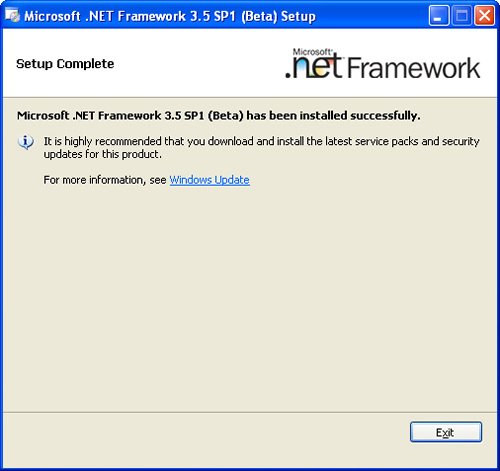
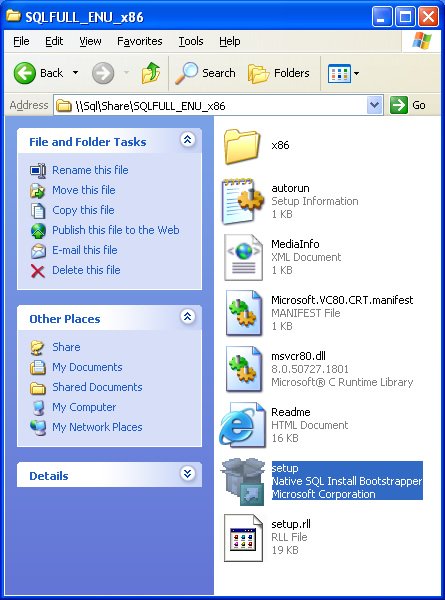
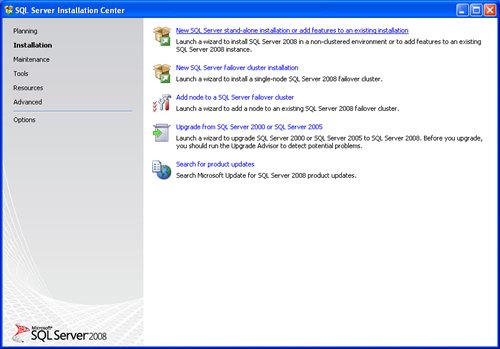
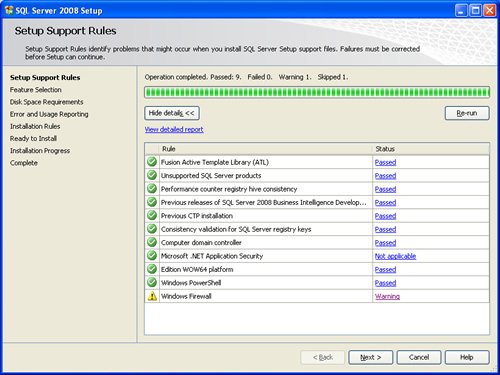
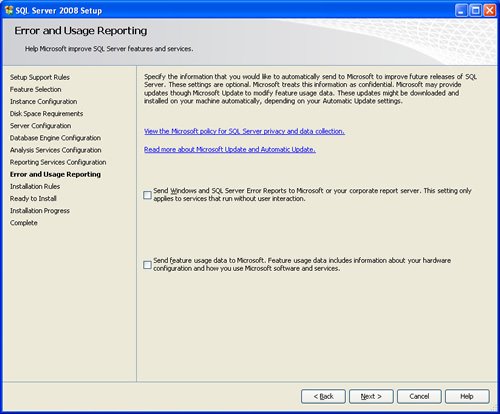
SQL SERVER 2008 has been released for some time and I have got numerous request about how to install SQL Server 2008. I have created this step by step guide Installation Guide. Images are used to explain the process easier.
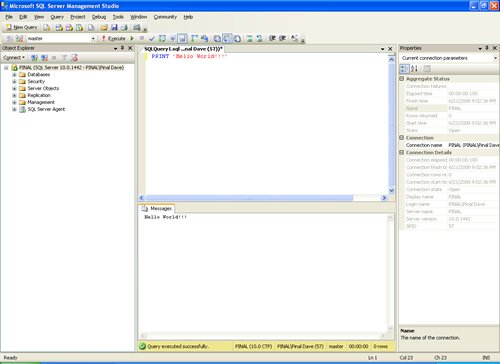
SQL Server 2008 is a major improvement from SQL Server 2005. Honestly, I still see lots of people still using SQL Server 2000. I would like to say it is time to upgrade and move to the next version of SQL Server. In SQL Server 2000, DBA had to use two different tools to maintain the database as well as the query database, specifically SQL Server Enterprise Manager and SQL Server Query Analyzer. With the release of SQL Server 2005 both of these tools are combined into one tool: SQL Server Management Studio. For a while DBA who were fans of Query Analyzer requested to bring it back, but as they keep on using SQL Server Management Studio (SSMS) they realized that it was much more convenient if every task related to SQL Server could be accomplished using SSMS. With the release of SQL Server 2008 Microsoft has upgraded SSMS with many new features as well as added tons of new functionalities requested by DBAs for long time.








Reference : Pinal Dave (https://blog.sqlauthority.com)




402 Comments. Leave new
Thanks alot for the great help
Installation SQL 2008 is one of my duties at work
absolutely fantastic!!!
Great .It is very help ful
Hiii Pinal Im ajay. i installed sql server 2008 express edition on my win 7,64 bit operating system home basic.after installing successfully then im open to sql server it wont be open becose im unable to get the SSMS in option.please give me a suitable ans,im awaiting for your reply.
regards
Ajay.
Hey, Thanks for the explanation.
Hi Pinal,
i am using windows 7 home basic 64 bit os. I’m having a shocking time trying to install SQL Server 2008 on 64-bit Windows 7. When I run setup.exe, I get the following error message:
Microsoft .NET Framework 3.5 installation has failed.
SQL Server 2008 Setup requires .NET Framework 3.5 to be installed
Things I’ve tried:
I’ve checked and double checked. I do have .NET Framework 3.5 installed, with SP1
I’ve read about a missing Windows Installer 4.5 installation producing the same error. Win7 comes with Windows Installer 5, which hopefully satisfies this requirement, as I’ve tried to install 4.5 and it won’t let me
Burning the ISO to DVD and installing from there.
Installing on an XP machine using the same ISO. This works, so the ISO must be fine.
Considering SQL Server 2005, but it really needs to be 2008 for the project.
Update I could install SQL Server Express, and then SP1, but couldn’t upgrade to Enterprise.
If you’ve come across this issue, or know how to fix it, I’d love to know.
Please note i purchased a new system for learning SQL Server but disappointed with Microsoft for making me to struggle with its compatablity issues and with out any solutions.
Please let me know if you can assist me on this.
After doing lot of research i managed to resolve this issue. I now have installed Enterprise Edition SQL Server 2008 in my system.
Can you please explain how have you solved the problem as I have the same
Hi Pinal Dave…i Need your help
My Laptop OS win-7 Home Premium 64 bit,I have only one Login Account(Having Administrator Rights)
If i try to Install the SQL Server 2008 R2,Iam Getting this Error msg [” is not a Valid Login or you dont have a permission”]
Note:My System Requirement Result-No Warning and No Faild.
I Already Install Service Pack 1 for VS 2008,While i start Install the SQL Server 2008 R2,iam not getting any error msg..but before Complete the finall Installation Progress iam Receiving that above Error…Plz Tell me
you are such a great man :)
@Anil Mahadev
When I installed as per these steps, I got below error between installation and then continue installation process.
TITLE: Microsoft SQL Server 2008 Setup
——————————
The following error has occurred:
A later version of Microsoft SQL Server Compact is already installed.
———————————————–
After installation complete I shown some features not installed. Then go to all programs–> sql server 2008 –> ssms is not display to launch.
=======================================
I read this below link article
https://support.microsoft.com/en-us/help/956139/actions-that-are-required-before-you-install-sql-server-2008-on-a-comp
=======================================
I already installed visual studio 2008 and vs2008 sp1 also before sql server 2008 installation
So please give solution in steps. ASAP.
First, let me thank you for this great tutorial. It helped me a lot during my feeble attempts to install SQL Server 2008.
I have a quick question. I followed all your instructions and installed all the components (i.e SSAS, SSRS, SSIS, BIS etc) because I need to study them. When I tried to view my Report Server/Reports in my browser, it prompts me for username and password. I don’t remember setting one up and I tried all possible username – password combinations I could think of but to no avail. Could you please tell me which username – password I need to enter so that I could view my Report Server/Reports?
Thank you for your time and more power! ^_^
– Anne
it will be good to create a step by step of this same product but using windows 7 OS
I learned so many things from this site
It is very useful for very DBA
Hi Pinal
I am installing share point office server 2007 and so i need to install sql server 2008
in meanwhile of installing i go through the “reporting service configuration” step and there is 3 option
just like you have in this “http://www.pinaldave.com/blogfolder/2008/200817.jpg”
so if i want to install share point office server 2007 then which option i need to select
pls provide info regarding this step
so i can go further in sharepoint installation.
at end of set setup showing error
Event type: sql 100msi P1: 10.50.1600.1 P2:10.1.2731.0
P3:sqlsupport.msi P4:0xced4a450 P5:1308
P6: install_sqlsupport_katmairtm
Plz suggest me
at end of set setup showing error
Event type: sql 100msi P1: 10.50.1600.1 P2:10.1.2731.0
P3:sqlsupport.msi P4:0xced4a450 P5:1308
P6: install_sqlsupport_katmairtm
and after all above set shows
Feature Name Status
Database Engine Services Failed
SQL server replication Failed
SQL Client Connectivity SDK Success
Plz suggest
Really Helpful document..I have faced many problem to resolve this problem…Thanks again…
Very Nice.
Thank you
Excellent Job Pinal… You are saviour….. !!!
The performance of SQL Server is primarily decided by the disk I/O efficiency. Improving I/O definitely improves the performance. SQL Server 2008 introduced Data and Backup compression features to improve the disk I/O. Here, I will explain Data compression.
Hi,
When we install SQL Server on vista or windows 7 (Deutch) the problem we face is that instance can not be started.
We gat an error code 1814.
Annyone experiencing the same problem??