
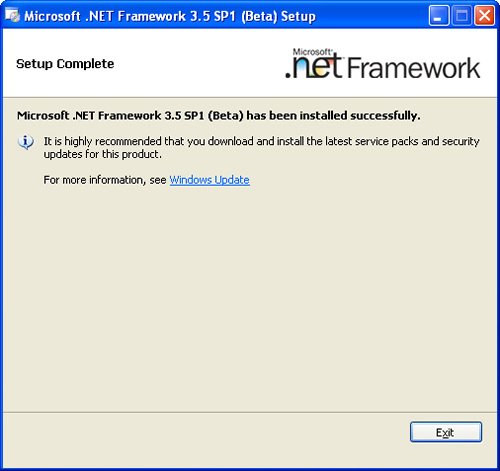
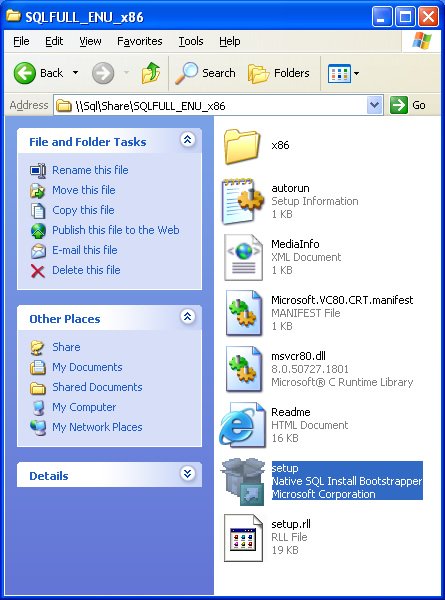
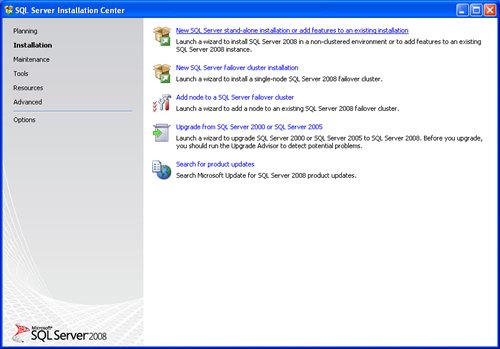
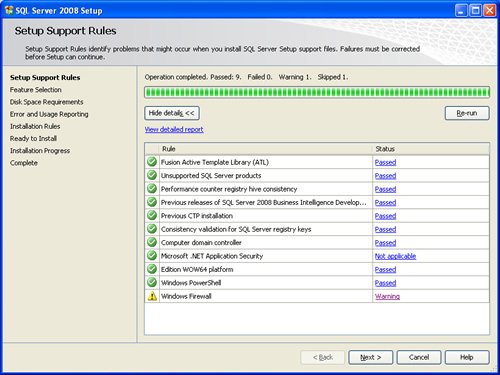
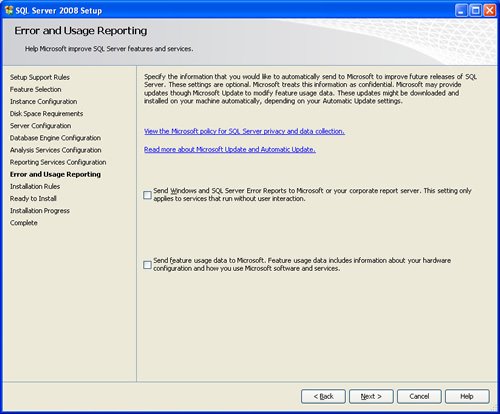
SQL SERVER 2008 has been released for some time and I have got numerous request about how to install SQL Server 2008. I have created this step by step guide Installation Guide. Images are used to explain the process easier.
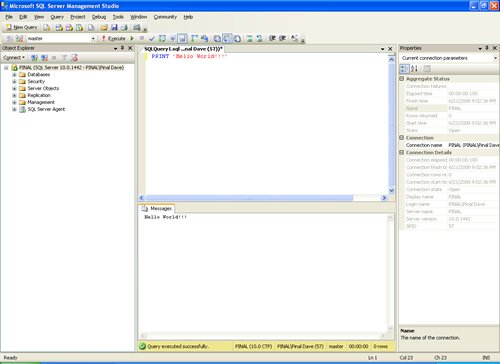
SQL Server 2008 is a major improvement from SQL Server 2005. Honestly, I still see lots of people still using SQL Server 2000. I would like to say it is time to upgrade and move to the next version of SQL Server. In SQL Server 2000, DBA had to use two different tools to maintain the database as well as the query database, specifically SQL Server Enterprise Manager and SQL Server Query Analyzer. With the release of SQL Server 2005 both of these tools are combined into one tool: SQL Server Management Studio. For a while DBA who were fans of Query Analyzer requested to bring it back, but as they keep on using SQL Server Management Studio (SSMS) they realized that it was much more convenient if every task related to SQL Server could be accomplished using SSMS. With the release of SQL Server 2008 Microsoft has upgraded SSMS with many new features as well as added tons of new functionalities requested by DBAs for long time.








Reference : Pinal Dave (https://blog.sqlauthority.com)




402 Comments. Leave new
[Options]
USERNAME=ABC => Status Ok
COMPANYNAME=XYZ => Status Ok
ADDLOCAL=ALL => Status Ok
INSTANCENAME=SQLEXPRESS => Status Ok
SECURITYMODE=SQL => Status Ok
*****************************************
SAPWD=sql => Status Ng
Why Mixed Mode Dialog Password Still Blank ??
Did i miss some Setting ??
*****************************************
SQLBROWSERAUTOSTART=1 => Status Ok
DISABLENETWORKPROTOCOLS=0 => Status Ok
Thanks! This helped me. Keep up the great work!
Super ……………. you helped me dude, Actually i was stucked on Instance configuration step.
Thnx
Do you have step by step procedures on how to do the upgrade from 2005 to 2008.
It will be very helpfull to me.
Hi,
I had installed a sql server 2008 on a XP Pro. My problem is when I try to register servers I got this error (Framework .NET warning):
“Unhandled exception has occurred in a component in your application.
Key not valid for use in specified state…”
Then if I try to click on the menu Registered Servers I can’t see any kind of tree as in other installations.
I tried to repair Framework and it doesn’t work..
Can you help me? Thank you very much!
Hi Pinal Dave,
In the insallation rules there i find “previous release of Microsoft Visual Studio 2008 Failed”
So I cannot go further.
Please help me
Thank You,
hello first you have to install sql 2008 than install V.S .
@Prashanth,
Check out this KB article for a solution
https://support.microsoft.com/en-us/help/956139/actions-that-are-required-before-you-install-sql-server-2008-on-a-comp
@Max:
Are you trying to use SQL Server Express in deploying your application and you need to enter the following settings?
Please elaborate?
========================================
[Options]
USERNAME=ABC => Status Ok
COMPANYNAME=XYZ => Status Ok
ADDLOCAL=ALL => Status Ok
INSTANCENAME=SQLEXPRESS => Status Ok
SECURITYMODE=SQL => Status Ok
*****************************************
SAPWD=sql => Status Ng
Why Mixed Mode Dialog Password Still Blank ??
Did i miss some Setting ??
*****************************************
SQLBROWSERAUTOSTART=1 => Status Ok
DISABLENETWORKPROTOCOLS=0 => Status Ok
=========================================
SAPWD=sql => Status Ng ==> Does not use Strong SA Password
Thanks
yes, i try to deploy my sql server 2005 setting on my application, but the above issue been solve.
right now i try to do the same setting in sql server 2008, but fail, maybe you can help me.
@Miguel,
Check out this MSDN Primer @
https://docs.microsoft.com/en-us/previous-versions/sql/sql-server-2005/ms143393(v=sql.90)
On Consideration and steps needed to upgrade from various DB Engine versions to latest releases.
Thanks
@Jack,
For installing SQL Server 2008 on Windows XP,
one would need XP SP3(Recommended) but minimum SP2,
Windows Installer 4.5 and .NET 3.5 SP1
Check out this Article for the same
Thanks
I am encountering the same problem as Jack’s, the setup doesnt proceed further than the support files, any solution to this? & also when i try to install the .NET 3.5 SP1 i get an error
Gr8 , it was very grateful to us. Keep up nice works……
thanks…its really helpful :)
Hi friend,
Thanks a lot.Really it is very helpful. If i want create new account & password how to proceed?
Once again thanks for your preparation.
Regards.
I have the same problem as Albert above:
I had installed a sql server 2008 Management Studio + SP1 only on a Win7. My problem is when I try to register servers I got this error (Framework .NET warning):
“Unhandled exception has occurred in a component in your application.
Key not valid for use in specified state…”
Then if I try to click on the menu Registered Servers I can’t see any kind of tree as in other installations.
I tried Repair… didn’t fix it. I tried uninstalling and installing… still can’t register any server.
Do I have to wipe out Win 7 for this? :-)
Thanks!
cheers !! finally i installed it now going to start some tips & tricks in sequel server 2008
Where are the comments?
I were refer to this blog post but here there are no commnets on screenshot.
Kindly add the commnets on the pictures [Like I want’s help on Account info for setting as Local system on 14th screenshot] other wise it would looks very childish type.
I seem to remember that when you do a SQL install it creates certain groups in Active Directory (in a domain environment). However my account does not have permission to create such groups. I am a local admin on the machine (my domain account is) however. Is this a concern? Exactly what type of permissions are required or recommended for the SQL Server 2008/2005 installer to be run as?
Thank you
Hi Can anybody help me. i have been trying to install sql 2008 but its giving me the following error.
TITLE: Microsoft SQL Server 2008 Setup
——————————
The following error has occurred:
This access control list is not in canonical form and therefore cannot be modified.
Click ‘Retry’ to retry the failed action, or click ‘Cancel’ to cancel this action and continue setup.
For help, click:
——————————
BUTTONS:
&Retry
Cancel
——————————
plz somebody help me with this.
well i install a sql 2008 but when i try to create and drop a table i wont let me drop the table. it ask for a persion. How can i make it work?
and also, i wanna code a VB.net in my sql but i cant see any availbale .net laguage? do i need to install some kinda VB software?? i have Visual Studio im not sure. please help me i really need it in school???
Hi
while Installing SQL Server 2008 i noticed that on feature selection page the browse is disabled and im not able to install it on different drive (other than C)
what is wrong.
SQL Server 2008 developer edition.
named instance
Windows Server 2003 standard edition