
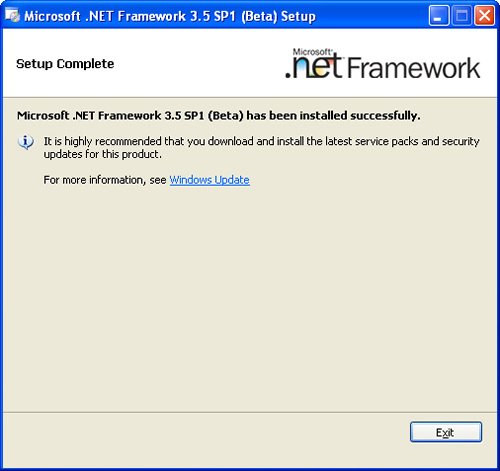
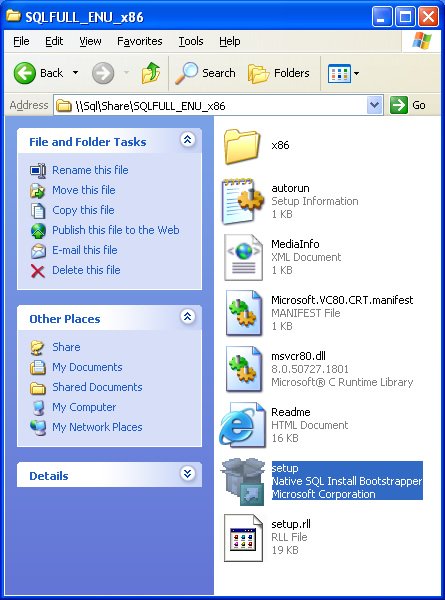
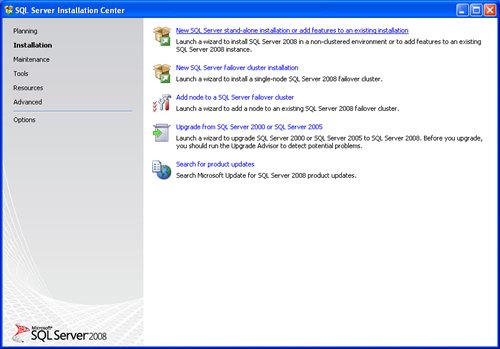
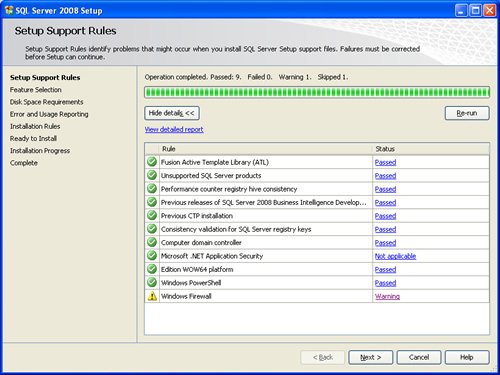
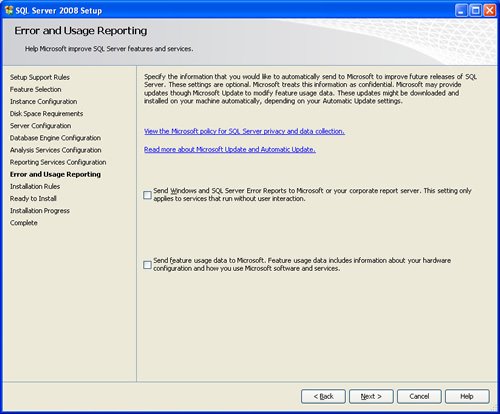
SQL SERVER 2008 has been released for some time and I have got numerous request about how to install SQL Server 2008. I have created this step by step guide Installation Guide. Images are used to explain the process easier.
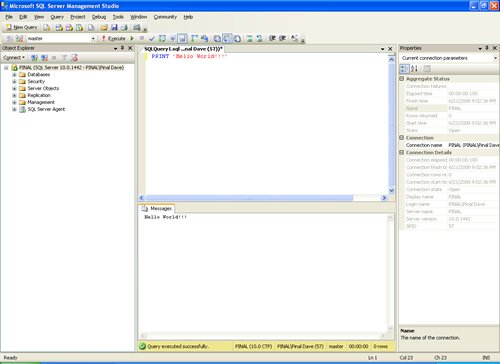
SQL Server 2008 is a major improvement from SQL Server 2005. Honestly, I still see lots of people still using SQL Server 2000. I would like to say it is time to upgrade and move to the next version of SQL Server. In SQL Server 2000, DBA had to use two different tools to maintain the database as well as the query database, specifically SQL Server Enterprise Manager and SQL Server Query Analyzer. With the release of SQL Server 2005 both of these tools are combined into one tool: SQL Server Management Studio. For a while DBA who were fans of Query Analyzer requested to bring it back, but as they keep on using SQL Server Management Studio (SSMS) they realized that it was much more convenient if every task related to SQL Server could be accomplished using SSMS. With the release of SQL Server 2008 Microsoft has upgraded SSMS with many new features as well as added tons of new functionalities requested by DBAs for long time.








Reference : Pinal Dave (https://blog.sqlauthority.com)



402 Comments. Leave new
Thanks Pinal
Thanks Mr. Pinal Dave for guidance.
Keep posting good articles like this one !!
Hi All,
I am unable to install SQL server 2008 r2 on windows server 2003 64 bit os(Vitual machine)
I have installed
.net framework 3.5 sp1
MSXML 6.0
windows installer 4.5
I got the following error
TITLE: SQL Server Setup failure.
——————————
SQL Server Setup has encountered the following error:
Failed to retrieve data for this request..
Hi, I am trying to install SQL server 2008 R2 full eval and everytime I get the error at the end of the install saying can not connect to server, uninstall and reinstall software. Please help thanks.
Hi, how to connect web base application(made in php and html) with sql server 2008 r2
thx Robert
when i instaling sql server 2008 it gives collation related error message.
what do i need to do to instal sql 2008 in my system. my system have
win7 os
Hi Pinal,
I am unable to install ms sql server 2008 in my system. As I am using Windows vista home basic x64 . I have also installed .net framework 3.5 sp1 So is there any specific installation guide?. Please let me know ASAP.
thanks bro
hi…
i have created a database…no one is able to submit data there apart from me…they get a error ” a network related/instance specific error…” i am using vb 2010 ans sql 2008 r2..plese help me
UR SQL DB is not responding,is it local or server.
hi,
i have installed sql server 2005 but it is not connecting to database engine giving server name error. please help me to resolve it
Really Helpful Pinal, Thanks a lot
From Gourav
i have faced an error which gives like this:
windows could not start the sql server on local computer(MSSQLSERVER),review the system event log
service specific error code 3414.
what should i do? i could not find my local server.i need help.please give me
the steps in order to connect to my local server
Hii pinal ….the all I can say is you are awesome created!!!
thanks a lot for this superb presentation!!! it was indeed of help
Thanks a lot again.
thanx…………. for information………but some screenshots are missed……….
Thanks Pinal ….
Hi I have such a problem with the error “Invalid user name or password or need. To continue, provide valid credentials for the SQL Server Agent service.
I agree I have tried many solutions
put on a NT Authority / System or NT Authority Network Service?
please help thanks
Very Helpful. Thanks
i installed sql server 2008 for connecting sql server database with java jdbc program. But it displays login fail error…
any one can answer this…..?