I use ReorientObject only when I intend to swap a geography polygon’s interior and exterior. A ring still follows its coordinates, but it describes the other region. I’d test point membership before interpreting that result as a corrected shape.

Define the original region
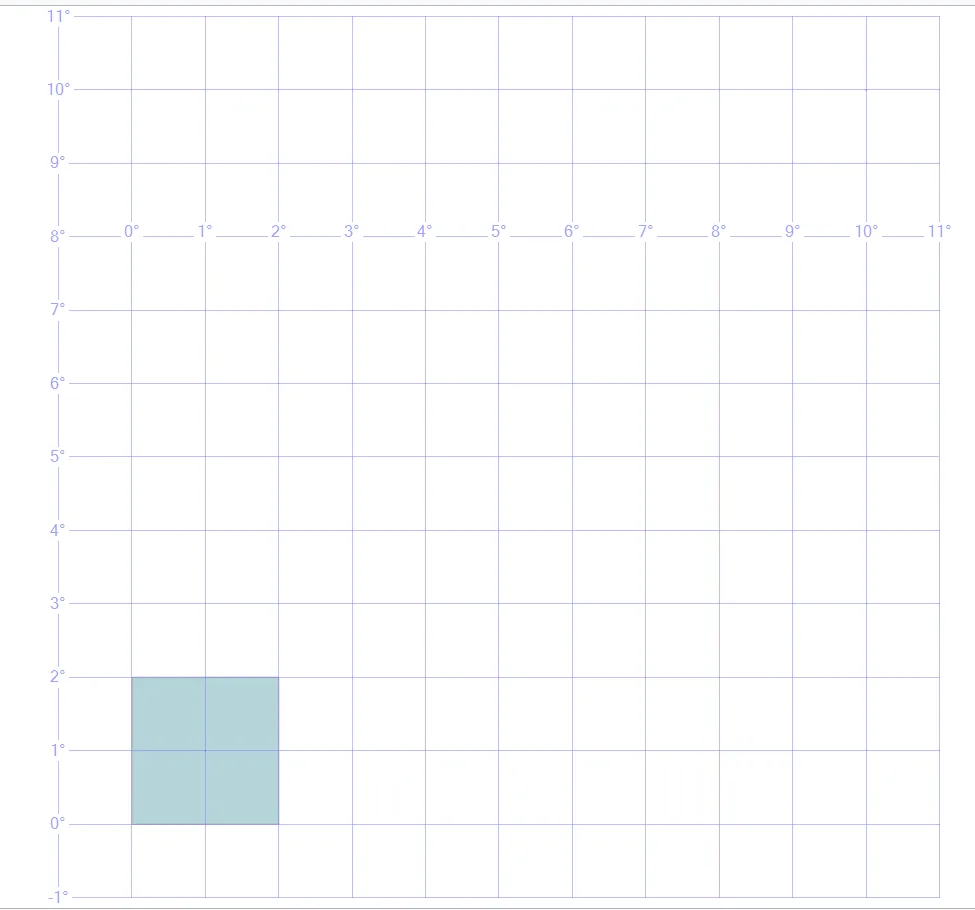
The source polygon uses a small counterclockwise ring near the equator with SRID 4326. The near witness lies within that small region. The far witness lies outside it. Neither witness sits on the boundary.
I keep the original region in the Source CTE. The first result expects near membership true and far membership false. Those witnesses establish the intended side of the ring. An outline alone can hide which geographic region its orientation describes.
WITH Source AS
(
 SELECT geography::STGeomFromText('POLYGON((0 0,2 0,2 2,0 2,0 0))',4326) AS Region
), Reoriented AS
(
 SELECT Region, Region.ReorientObject() AS Opposite FROM Source
), Cases AS
(
 SELECT 1 AS CaseId, Region AS Shape FROM Reoriented
 UNION ALL
 SELECT 2, Opposite FROM Reoriented
 UNION ALL
 SELECT 3, Opposite.ReorientObject() FROM Reoriented
)
SELECT CaseId, CAST(Shape.STGeometryType() AS nvarchar(40)) AS ShapeType,
       Shape.STIntersects(geography::Point(1,1,4326)) AS IncludesNearWitness,
       Shape.STIntersects(geography::Point(10,10,4326)) AS IncludesFarWitness
FROM Cases
ORDER BY CaseId;
Read the reversed region
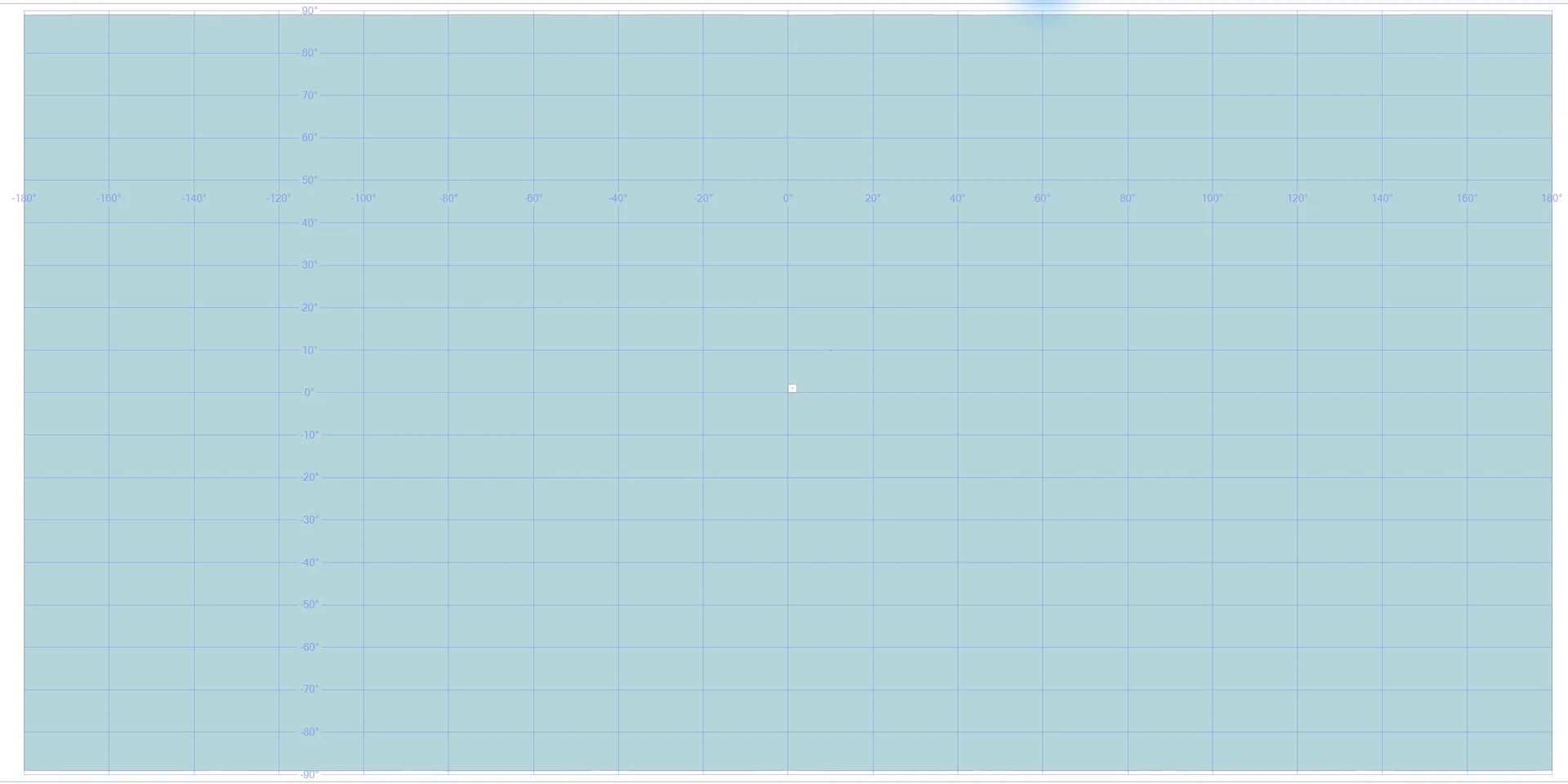
The second case calls ReorientObject once. Its expected membership results are reversed: the near witness is excluded, and the far witness is included. The shape remains a Polygon even though its interior is now the other region.
I’d explain that change before using this method as a generic repair step. Reorientation isn’t a harmless formatting adjustment. It changes the represented geographic area. A query may still execute successfully while answering the opposite membership question from the application’s intended region.
Reorient twice as a witness check
The third case reorients the derived opposite region again. Its expected point-membership results match the original case. That small comparison shows the interior swap returning to the original interpretation.
I don’t require one particular starting vertex in the serialized polygon. Membership is the contract demonstrated here. If a consumer needs full shape equivalence, it should check that requirement explicitly too. Matching these two witnesses is evidence for this example, not a universal proof for every possible spatial value.

Keep coordinate order explicit
The polygon’s well-known text uses longitude followed by latitude. The geography::Point constructor takes latitude followed by longitude. The example’s equal coordinate pairs keep its witnesses easy to read, but the argument order still matters.
I’d use deliberately different coordinates when validating a real integration’s axis handling. Swapped axes can describe another location without causing a syntax error. Reorientation cannot correct that separate problem. First establish the source coordinate order and SRID, then review the ring’s interior interpretation.
Respect geography’s surface model
This example uses geography rather than planar geometry. A reversed ring can describe a region larger than a hemisphere. ReorientObject works on such geography values too. The far witness helps expose that broader region.
I’d avoid estimating the complement’s area from a planar sketch. Surface measurements require the relevant geography method and a defined interpretation. The query intentionally reports Boolean membership rather than an invented Earth-area constant. Its purpose is to show the region swap, not calculate a global physical measurement.
Use a deliberate conversion policy
The method returns a new geography value. This query keeps all values in CTEs and performs no writes. CaseId orders the three complete result rows for review.
I’d require a clear business reason before replacing stored regions with reoriented versions. A collection can include Points and LineStrings as well as polygons, and their treatment differs. This lesson uses one polygon to isolate the interior swap. Review mixed-type inputs and the application’s intended geography separately before adapting the operation.
Test the near point and the far point, and the ring will tell you which side it means.
A reoriented ring is not a repaired shape, it is the opposite region.
Published by Pinal Dave on SQLAuthority. More of my work at pinaldave.com.
Discover more from SQL Authority with Pinal Dave
Subscribe to get the latest posts sent to your email.